All Chapters - Advanced React deep dives, investigations, performance patterns and techniques (Nadia Makarevich)
 Call Kai
 Learn
 Practice Test
 Spaced Repetition
 Match
 Flashcards
 Knowt Play
1/101

There's no tags or description
Looks like no tags are added yet.
102 Terms
A component doesn’t render when its props change
Normal React behavior is that if a state update is triggered, React will re render all the nested components regardless of their props. And if a state update is not triggered, then changing props will be just "swallowed": React doesn't monitor them.
In the context of re-renders, whether props have changed or not on a component matters only in one case: if the said component is wrapped in the React.memo higher-order component. Then, and only then, will React stop its natural chain of re-renders and first check the props. If none of the props change, then re-renders will stop there. If even one single prop changes, they will continue as usual.
Triggering nested components
If a component's re-render is triggered, all nested components inside that component will be re-rendered.
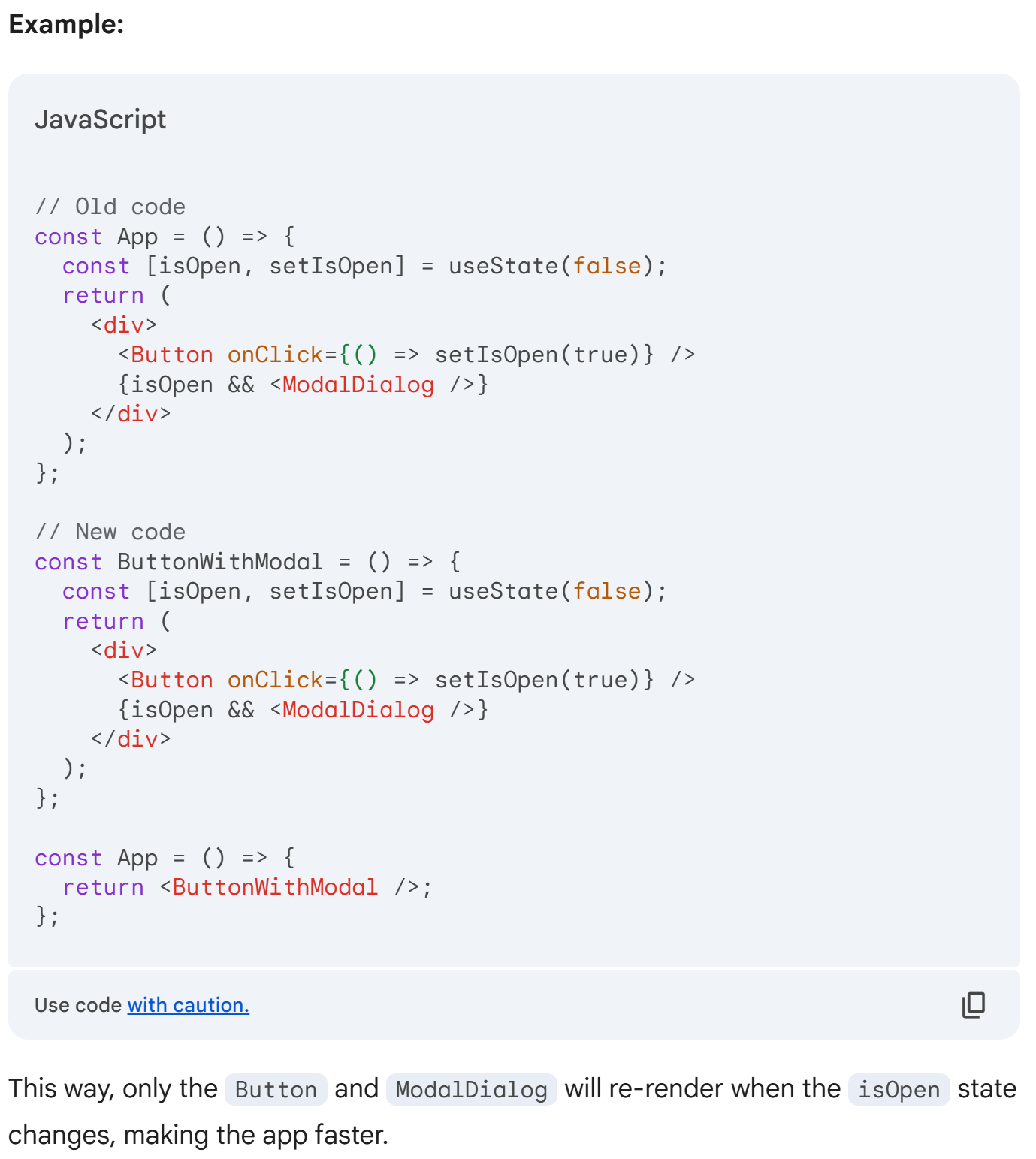
Improving Performance with State Isolation
Problem: Unnecessary re-renders in large React apps.
Solution:
Identify isolated state: Find state used by a limited set of components.
Create a new component: Encapsulate the state and its dependent components.
Move state to the new component: Place the
useStatehook inside the new component.Render the new component: Use the new component in the main app.
Benefits:
Reduced re-renders: Only components within the new component re-render when the state changes.
Improved performance: Large, slow components unaffected by unnecessary updates.
Cleaner code: Centralized state management and better component organization.
The danger of custom hooks
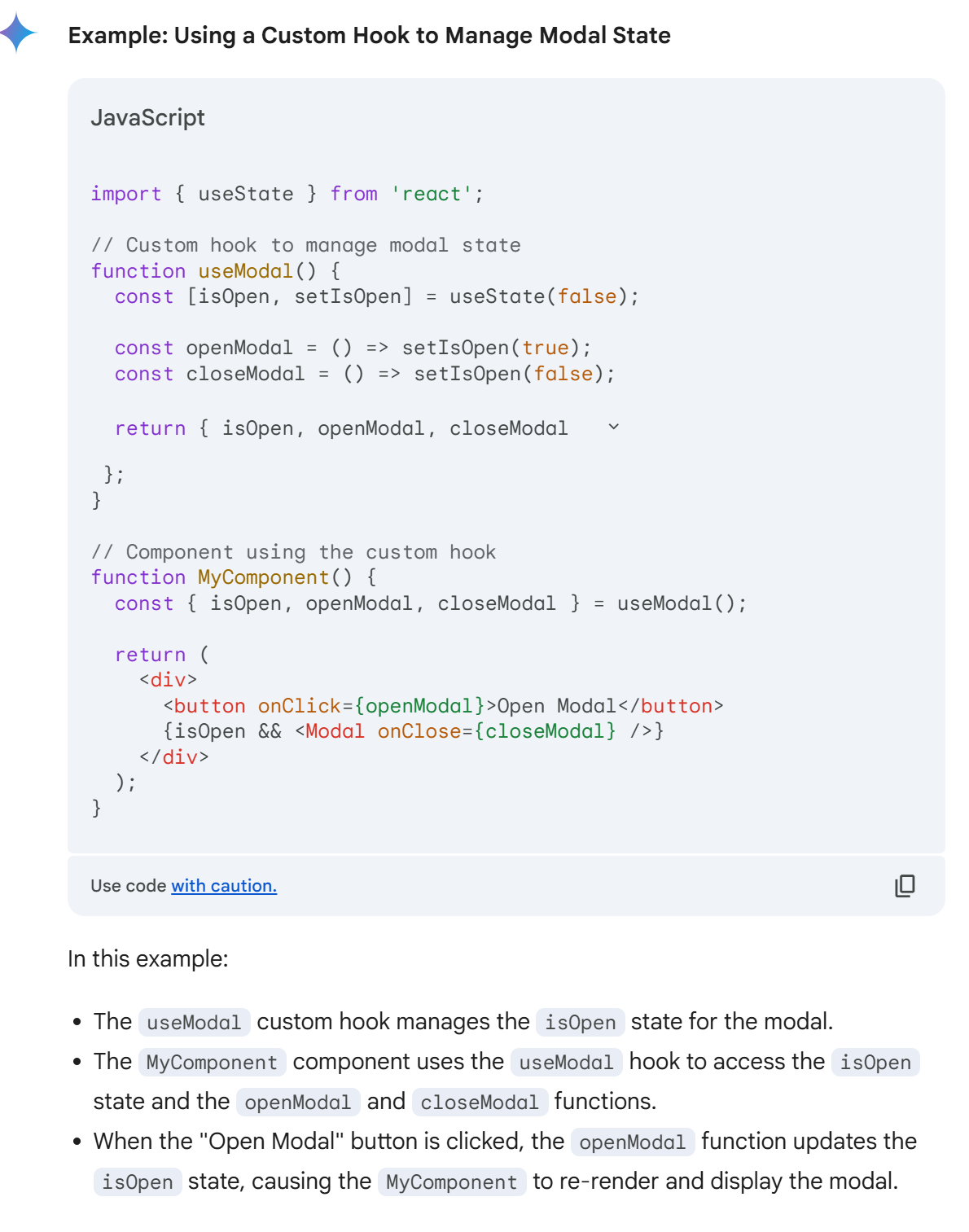
If a custom hook uses state, and that hook is used within a component, updating the state within the hook will trigger a re-render of that component. This is because the component is essentially "subscribed" to the state changes within the hook.
So, where you put state is very important. Ideally, to avoid future performance problems, you'd want to isolate it as much as possible to as tiny and light components as possible.
Passing components as props
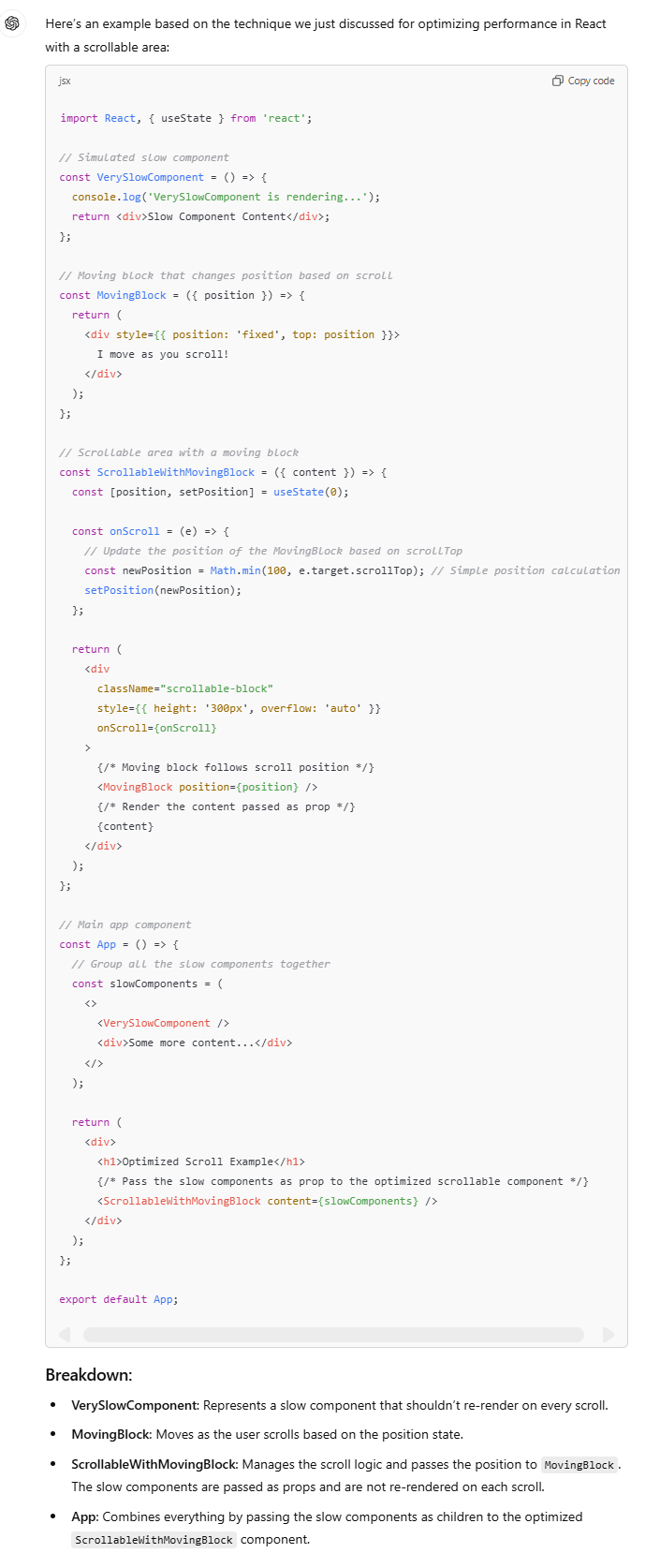
Problem: React re-renders the entire component tree when the state changes, leading to slow performance, especially in complex apps with expensive components.
Scenario: Imagine a scrollable content area with heavy components inside (e.g.,
VerySlowComponent), and a feature that requires a block to move based on the user's scroll. Attaching anonScrollhandler to update the state leads to lag due to frequent re-renders.Solution:
Extract the scroll state and moving block logic into a separate component (
ScrollableWithMovingBlock).
Pass the "slow" components as props to this new component.
React only re-renders the scrollable div and moving block, not the slow components, improving performance and keeping the scroll smooth.
This avoids unnecessary re-renders for components that don’t need to change, leading to a much better user experience.
What is a component
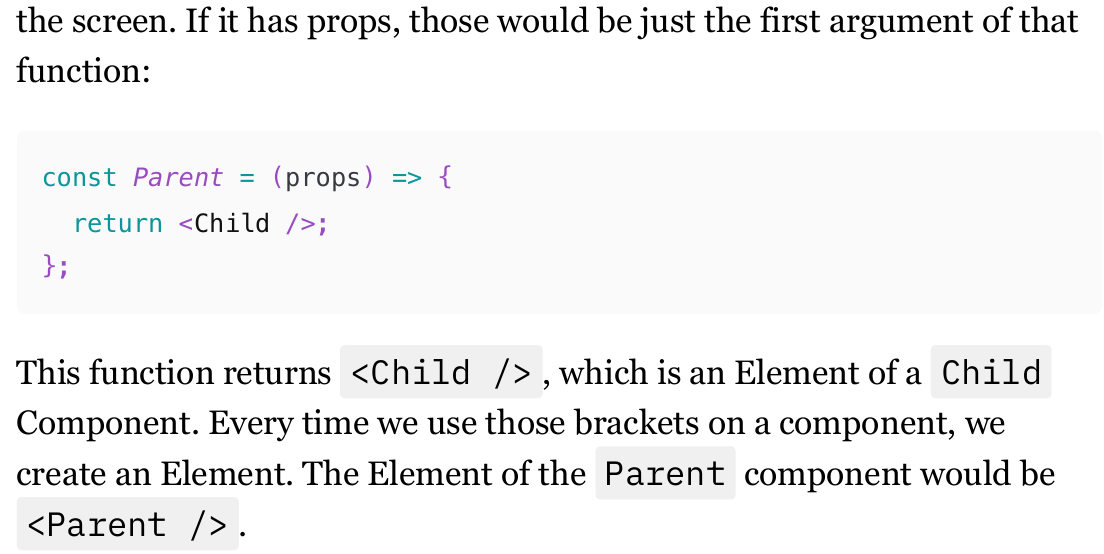
What makes a component different from any other function is that it returns Elements, which React then converts into DOM elements and sends to the browser to be drawn on the screen. If it has props, those would be just the first argument of that function.
Components Chain
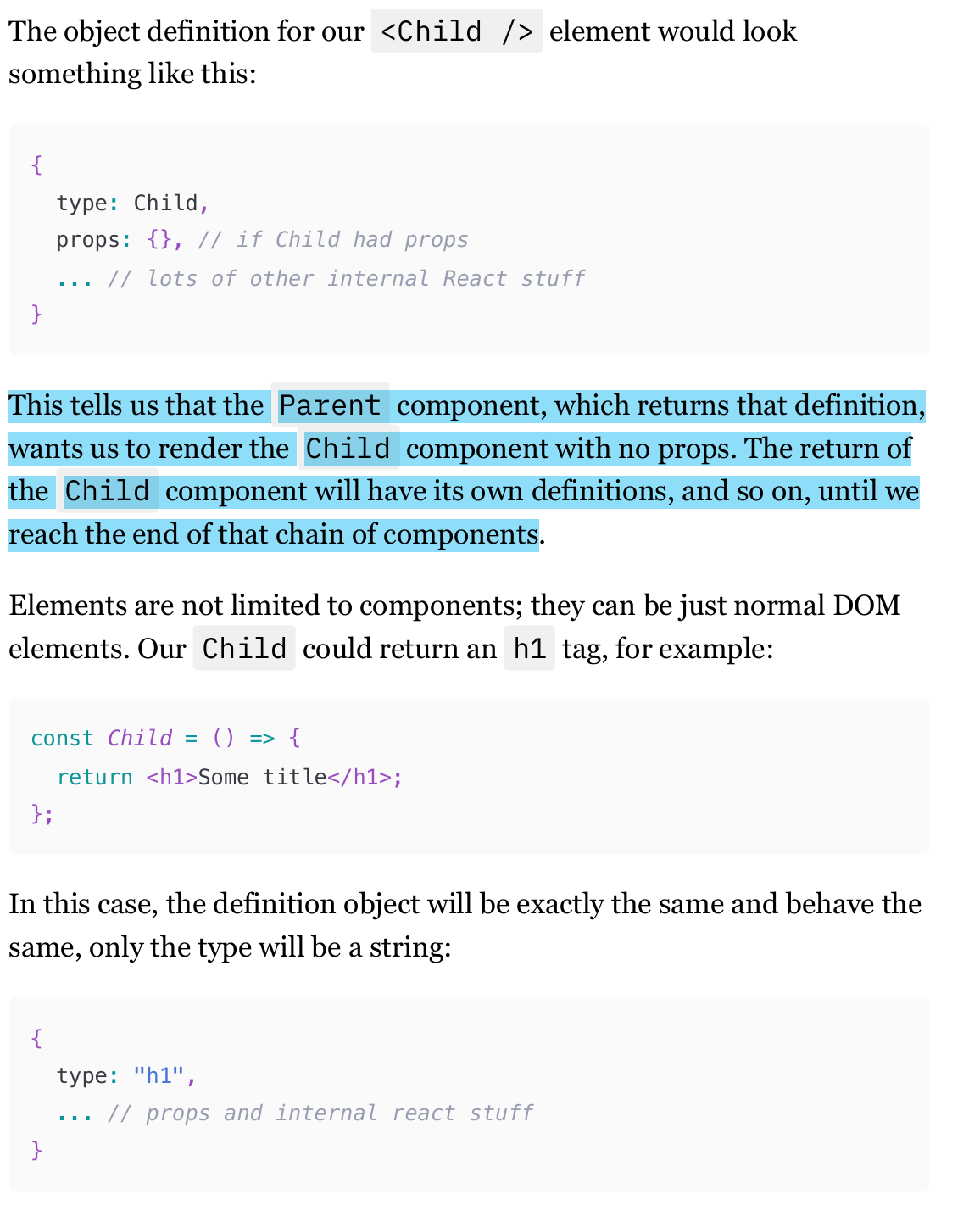
An Element is simply an object that defines a component that needs to be rendered on the screen. In fact, the nice HTML-like syntax is nothing more than syntax sugar for the React.createElement function. (React.createElement(Child, null, null)).
Parent component, which returns that definition, wants us to render the Child component with no props. The return of the Child component will have its own definitions, and so on, until we reach the end of that chain of components.
What does React do in “re-render“
referring to "re-render", is React calling those functions and executing everything that needs to be executed in the process (like hooks).
From the return of those functions, React builds a tree of those objects. We know it as the Fiber Tree now, or Virtual DOM sometimes. In fact, it's even two trees: before and after re-render.
By comparing ("diffing") those, React will then extract information that goes to the browser: which DOM elements need to be updated, removed, or added. This is known as the "reconciliation" algorithm.
Equal Objects (Elements) in re-rendering
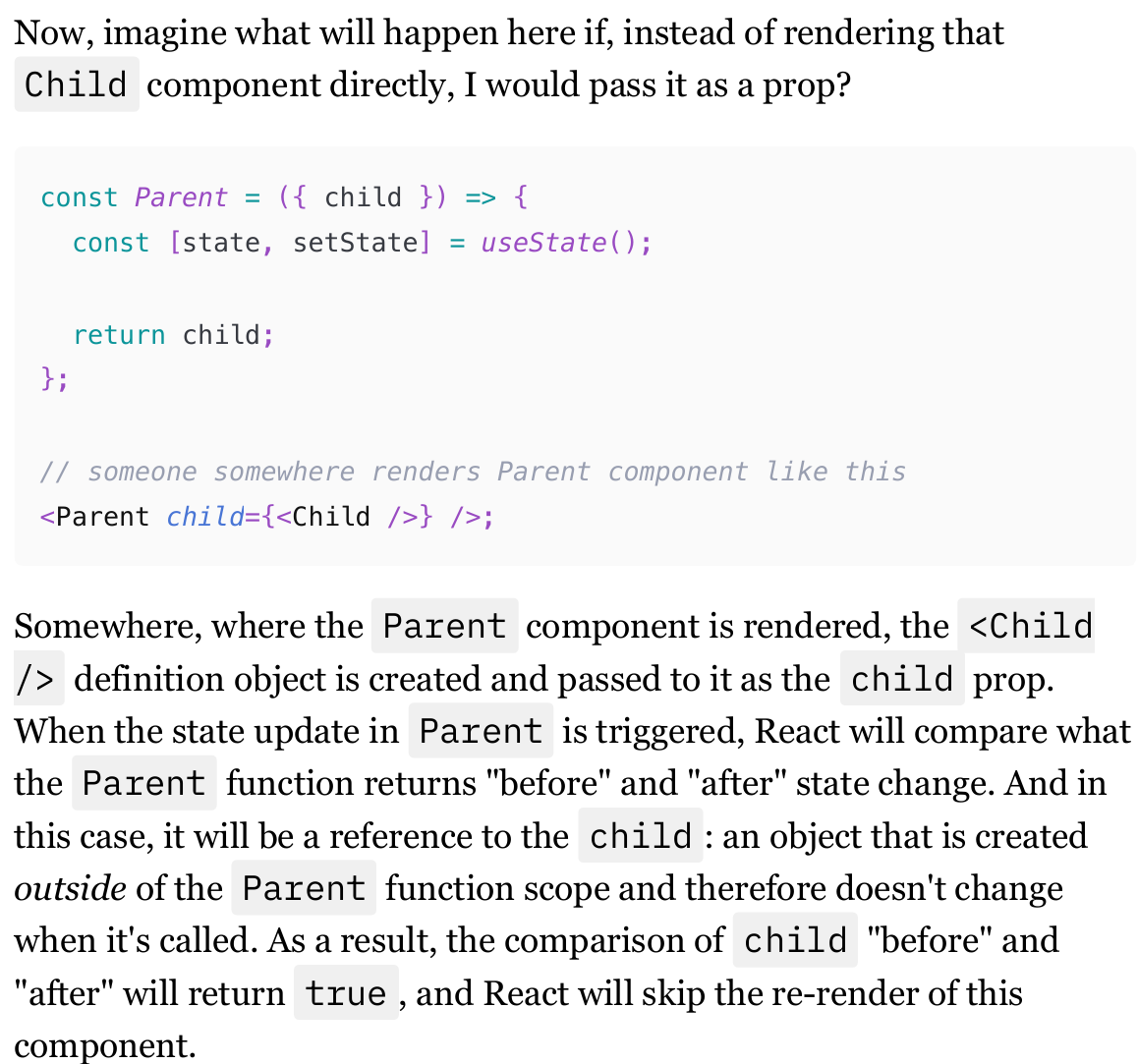
if the object (Element) before and after re-render is exactly the same, then React will skip the re-render of the Component this Element represents and its nested components.
And by "exactly the same," I mean whether Object.is(ElementBeforeRerender, ElementAfterRerender) returns true.
React doesn't perform the deep comparison of objects. If the result of this comparison is true, then React will leave that component in peace and move on to the next one.
When elements are passed as props to a component, and this component triggers a re-render through a state update, elements that are passed as props won't re-render.
Passing Components as props differences
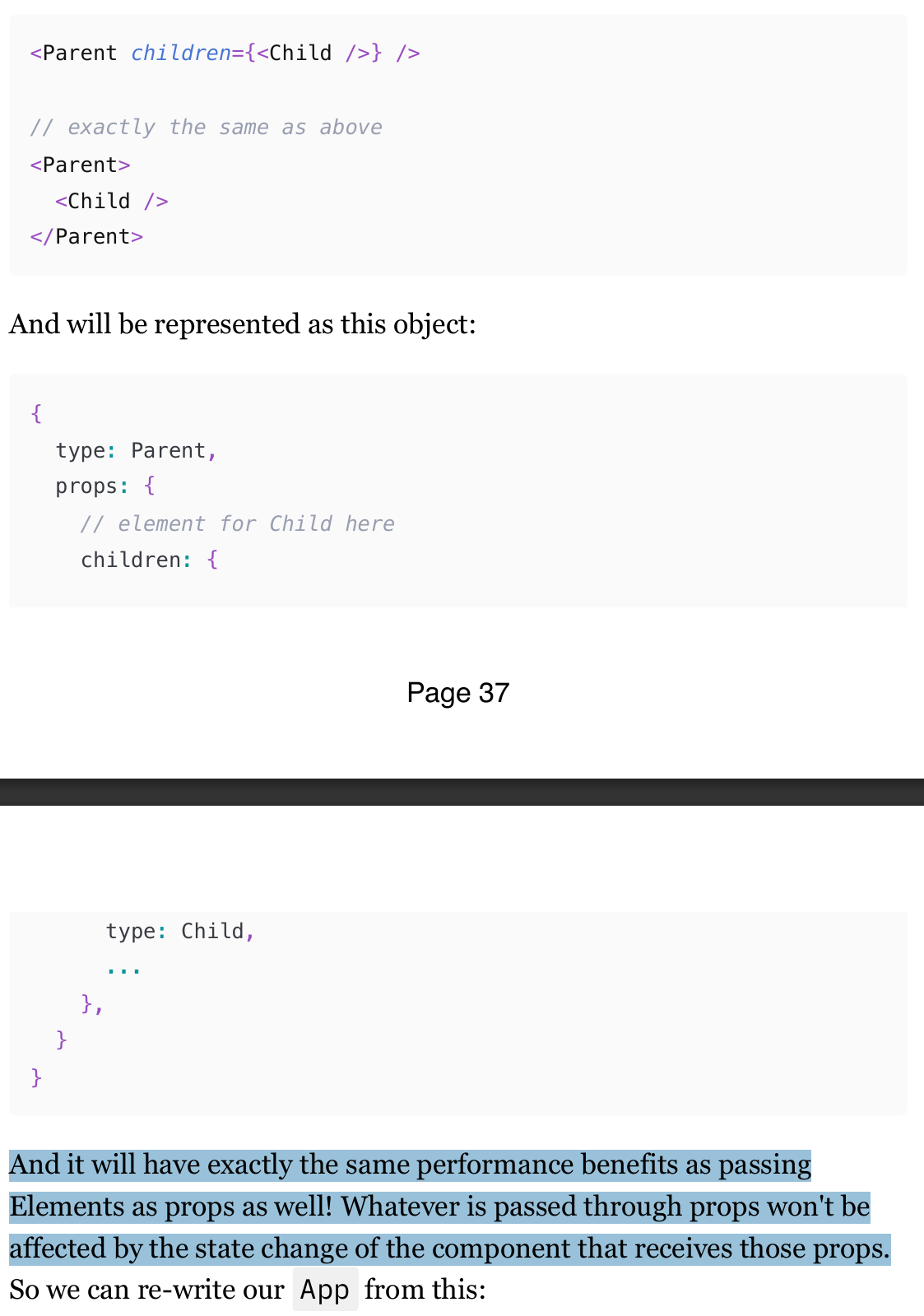
"children" are just props and behave like any other prop when they are passed via JSX nesting syntax.
And it will have exactly the same performance benefits as passing Elements as props as well! Whatever is passed through props won't be affected by the state change of the component that receives those props.
Conditional rendering and performance
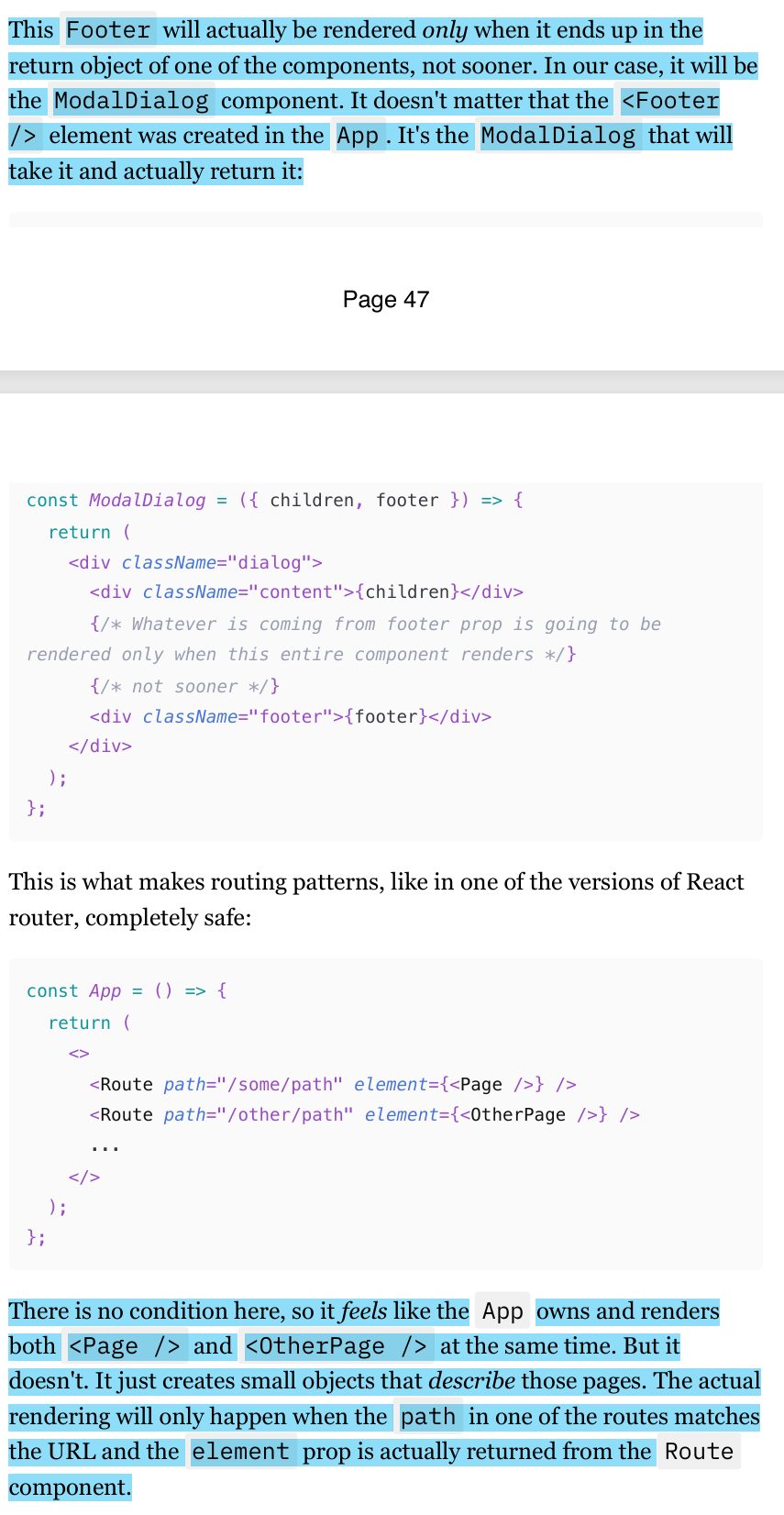
When you declare an element, such as <Footer />, it creates an object in memory, not an actual rendered component.
This object is only rendered when it is included in the return statement of a component, like ModalDialog. Therefore, even if the dialog is not open, the Footer element is not rendered, and there are no performance implications.
This principle also applies to routing patterns in React, where elements are only rendered when their corresponding route matches the URL.
Default values for the elements as from props
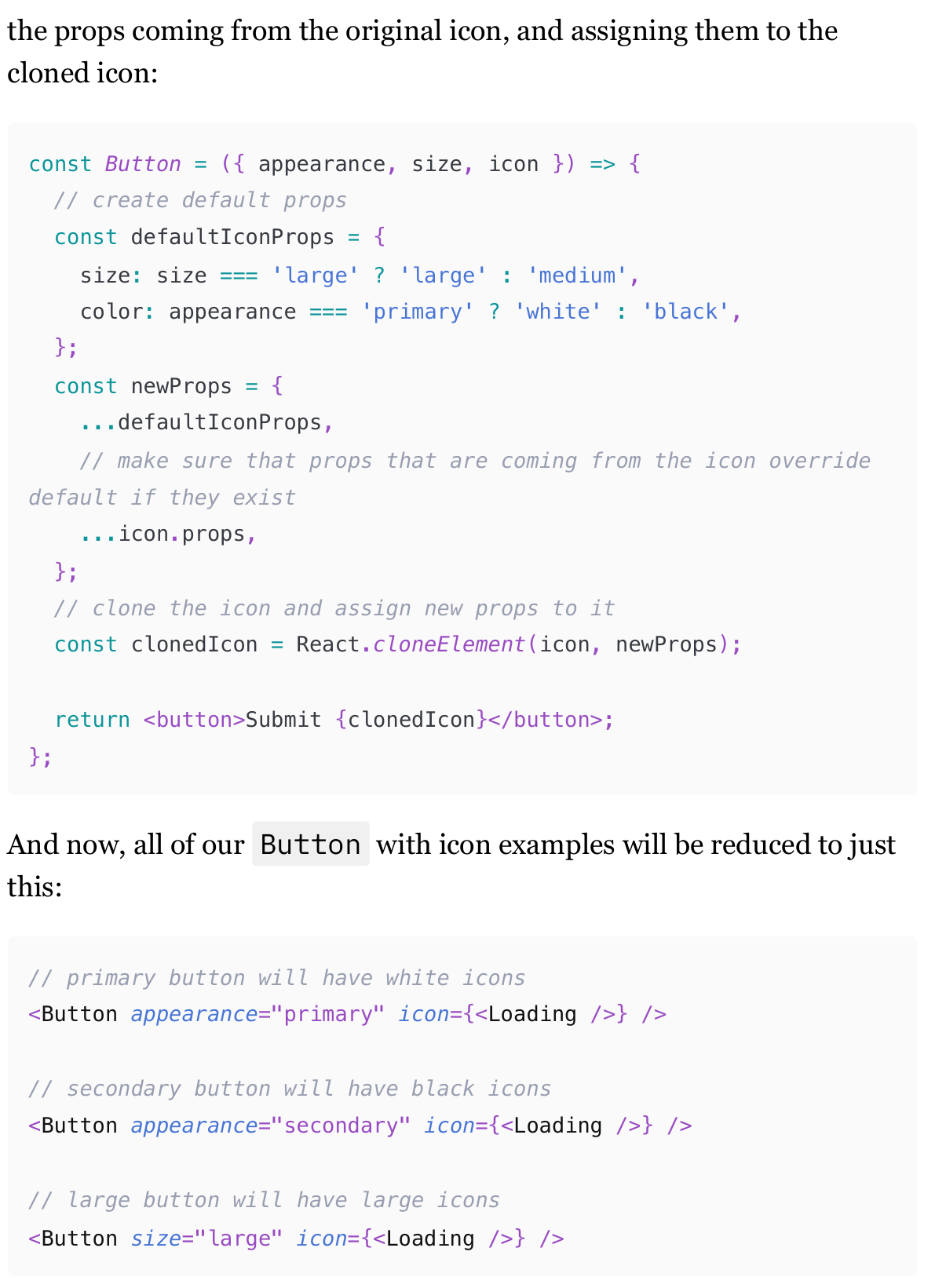
In some cases, we don’t want to pass everything in a component as props. Therefore, we need to have some limitations as default values.
The solution involves using React.cloneElement to clone the (For example) Icon and merge default props with the original icon's props.
This ensures that the Button can control the icon's appearance while still allowing consumers to override defaults if needed.
This approach simplifies usage and ensures consistency across different button states.
This pattern, however, is very fragile. It's too easy to make a mistake there, so use it only for very simple cases.
A render prop (or render function)
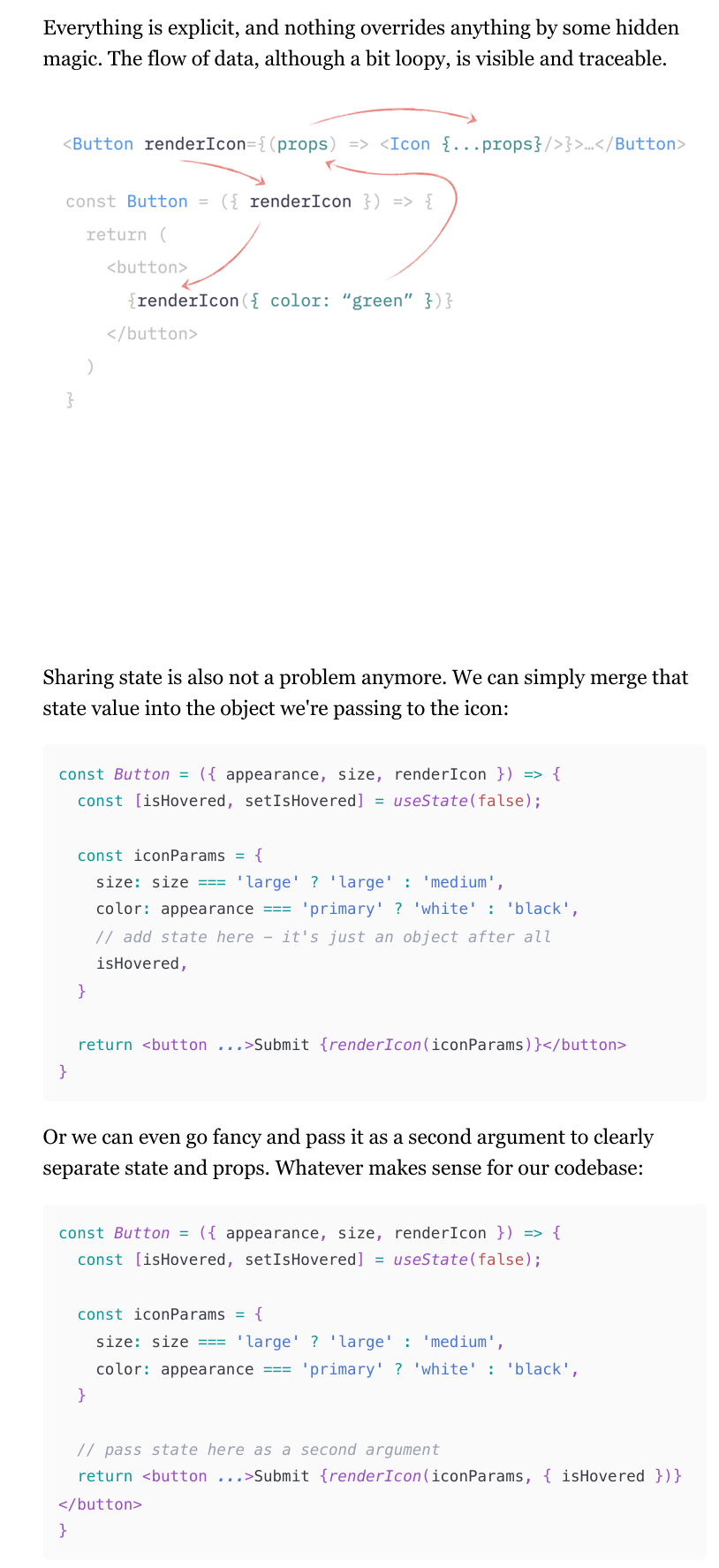
In React, instead of passing elements as props, you can use a render prop (or render function).
A render prop is a function that returns an element, similar to a component but called directly by you.
For example, in a Button component, you can pass a render function for an icon. This function is called where the icon should be rendered. This approach allows you to customize the icon's properties without cloning elements. You can pass default props to the render function and spread them over the icon, making it flexible and adaptable to different needs.
(57-59)
Sharing stateful logic: children as render props
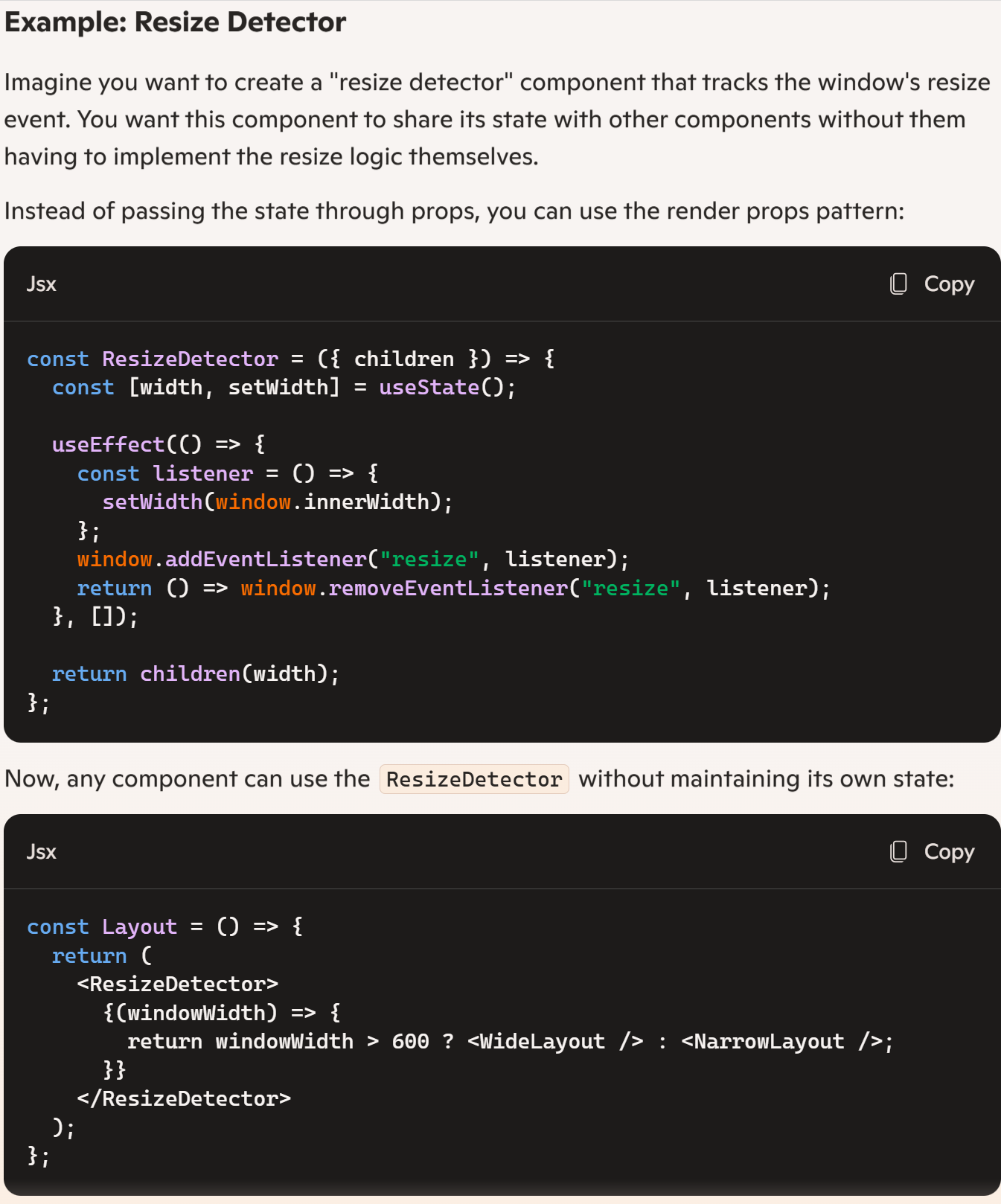
Render props can be used to share stateful logic between components. This often goes hand-in-hand with the "children as props" pattern.
(61-69)
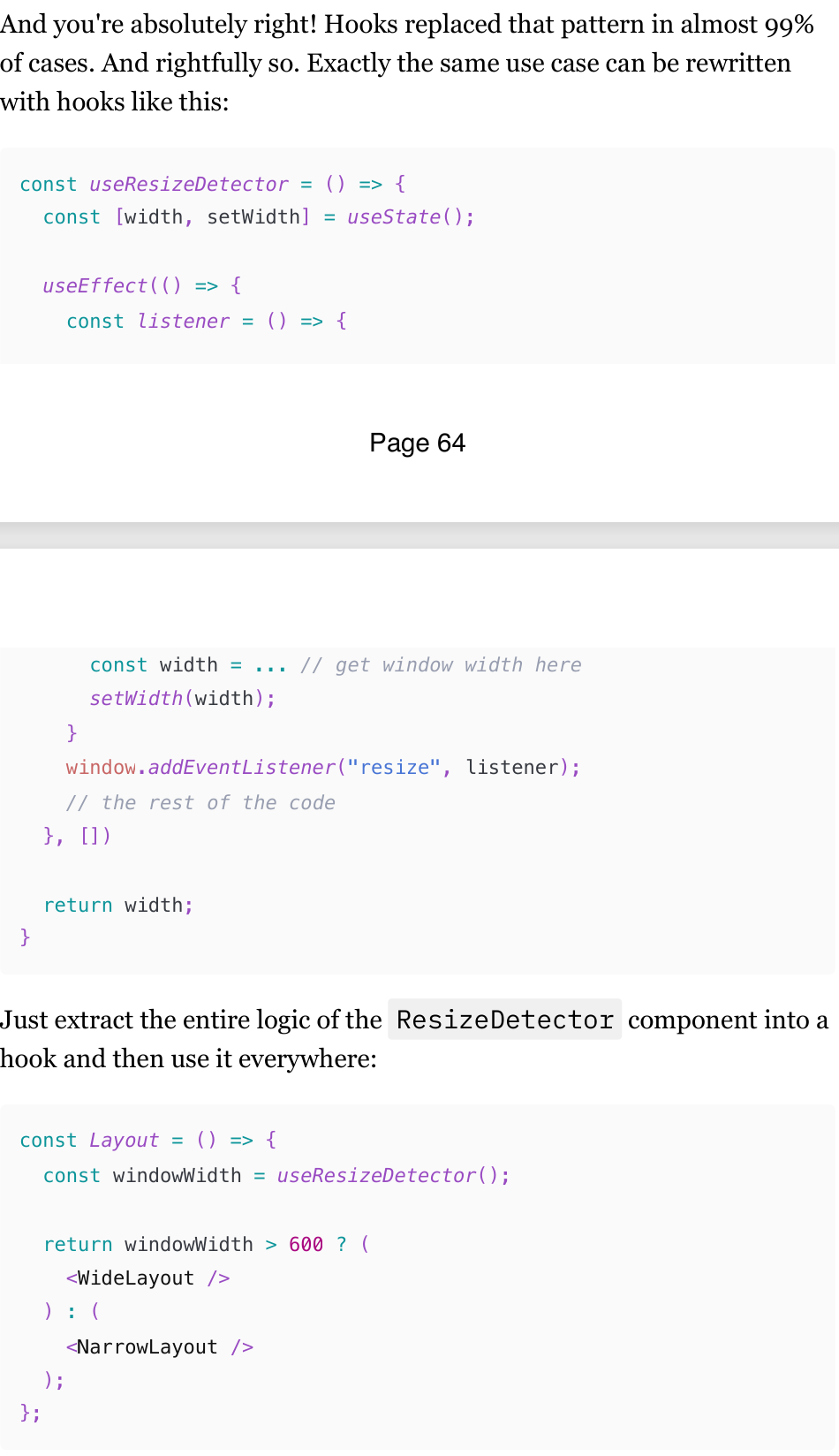
Hooks replaced render props
So why learn this pattern at all? A few reasons for this:
Render props for configuration and flexibility use cases, described at the beginning, are still very viable.
If you are working on a project that is a few years old, this pattern will be all over the codebase. It was really popular before the introduction of hooks, especially for encapsulating form validation logic. A few popular libraries still use it to this day.
It can still be useful for specific scenarios, such as when the logic and state that you want to share depend on a DOM element.
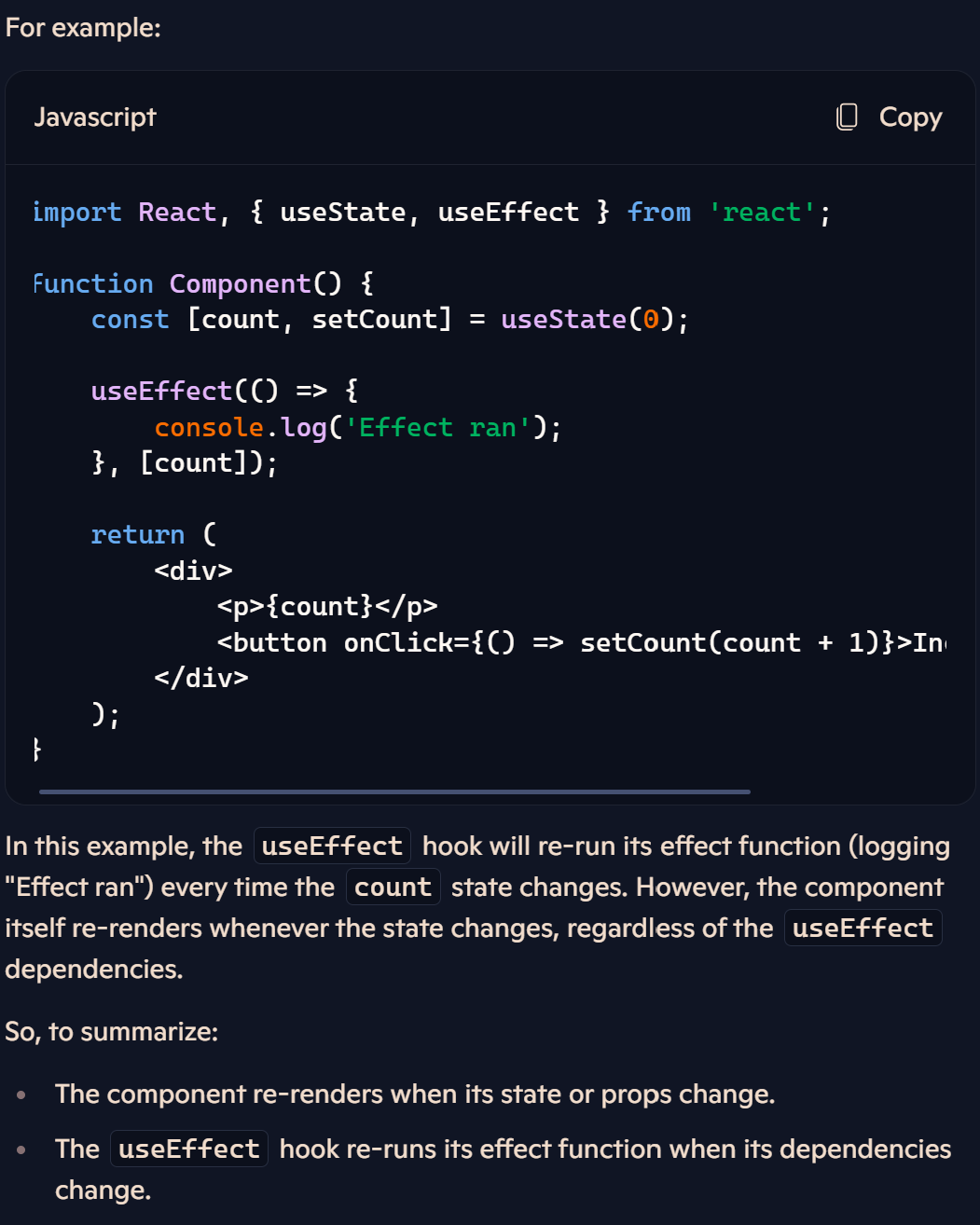
useEffect re-rendering
When the dependencies change in the useEffect hook, it doesn't re-render the component itself. Instead, it re-runs the effect function inside the useEffect.
Component Re-render: When a component re-renders, it means React is calling the component function again to update the UI based on the new state or props.
useEffect Re-run: If the dependencies specified in the
useEffecthook change between renders, React will re-run the effect function. This means the code inside theuseEffecthook will execute again.
So React will compare submit before and after re-render in order to determine whether it should run the useEffect hook this time. The comparison will always return false since it's a new reference each time. As a result, the useEffect hook will be triggered on every re render
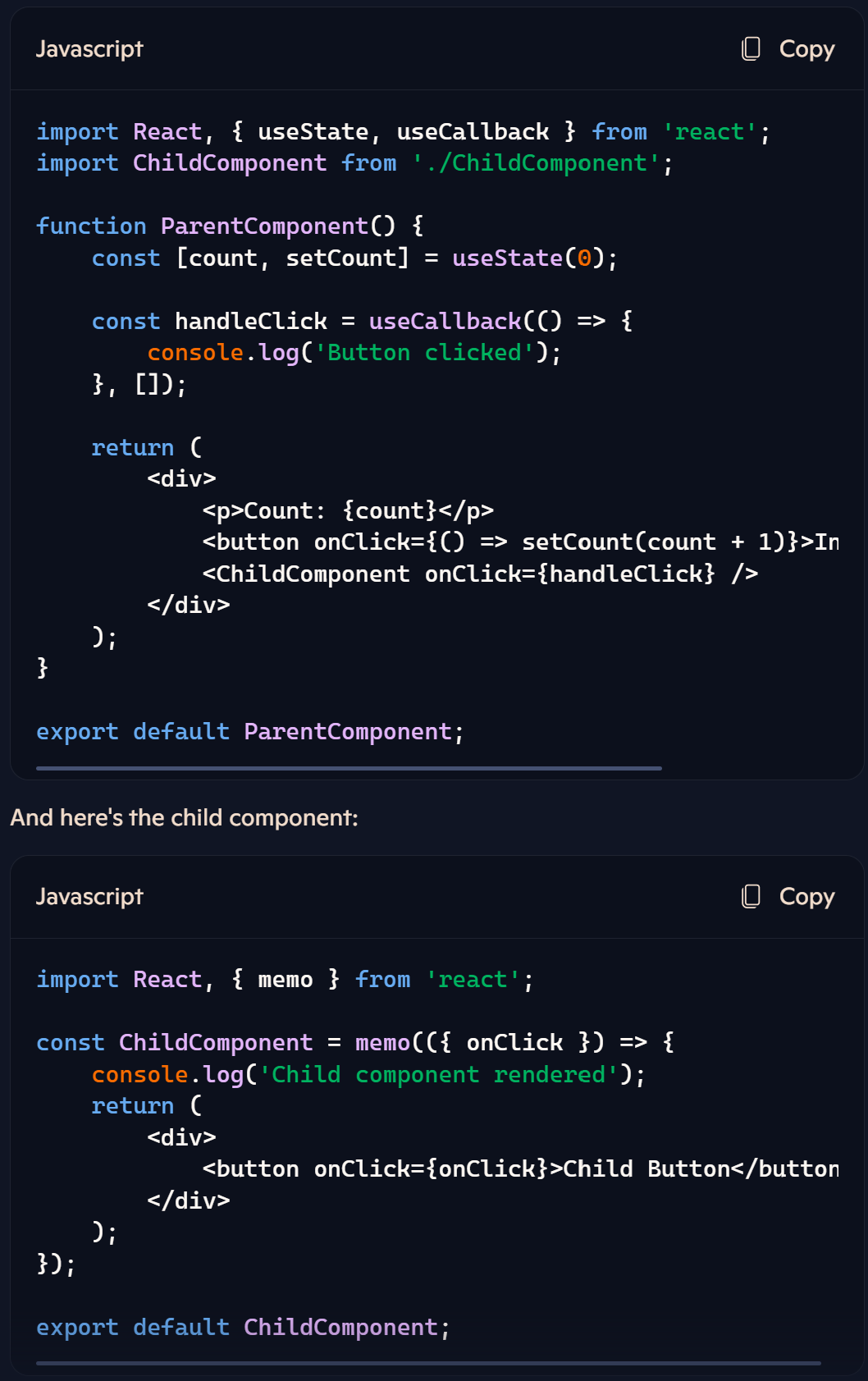
Major use cases where we actually need to memoize props on a component.
Child Components: If you pass props down to child components and those props are derived from parent state or props, memoizing can help prevent unnecessary re-renders of the child components when the parent re-renders.
When a component is wrapped in
React.memo, it means that React will memoize the component. This means that React will only re-render the component if its props change. If the props remain the same, React will skip the re-rendering process and use the previously rendered output.
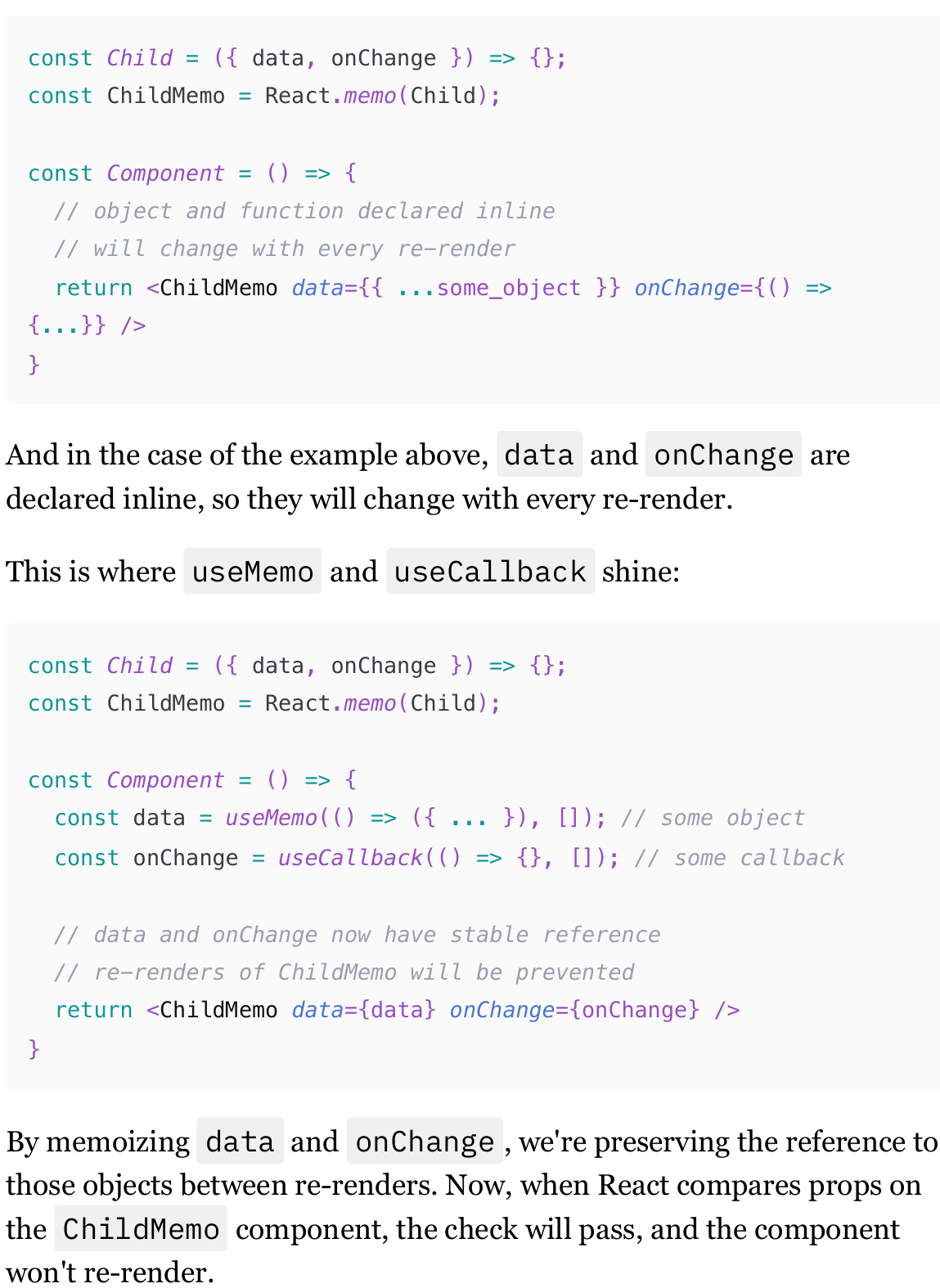
What is React.memo
React.memo (or just memo) is a utility provided by React that allows you to memoize a component. When a component is wrapped in React.memo, React will only re-render the component if its props change. If the props remain unchanged, React will skip the re-rendering process, preventing unnecessary re-renders.
This is particularly useful when a component's re-render is triggered by its parent. If any of the props change, the component wrapped in React.memo will re-render as usual.
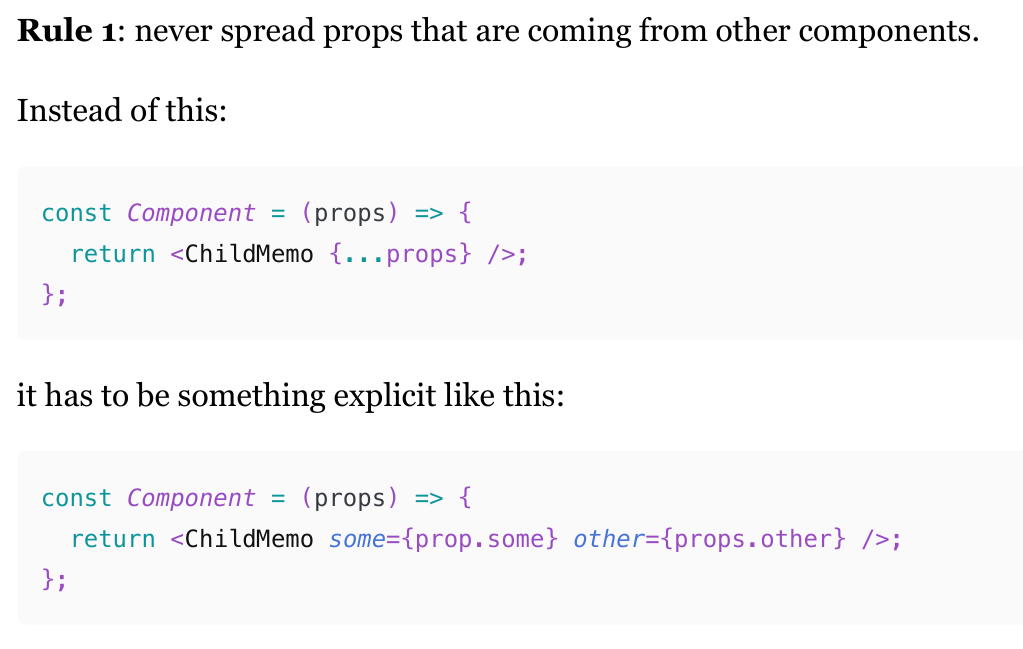
Using React.memo function on components has followe certain rules.
never spread props that are coming from other components.
avoid passing non-primitive props that are coming from other components. Even the explicit example like the one above is still quite fragile. If any of those props are non-memoized objects or functions, memoization will break again.
avoid passing non-primitive values that are coming from custom hooks.
(80-83)
React.memo and children
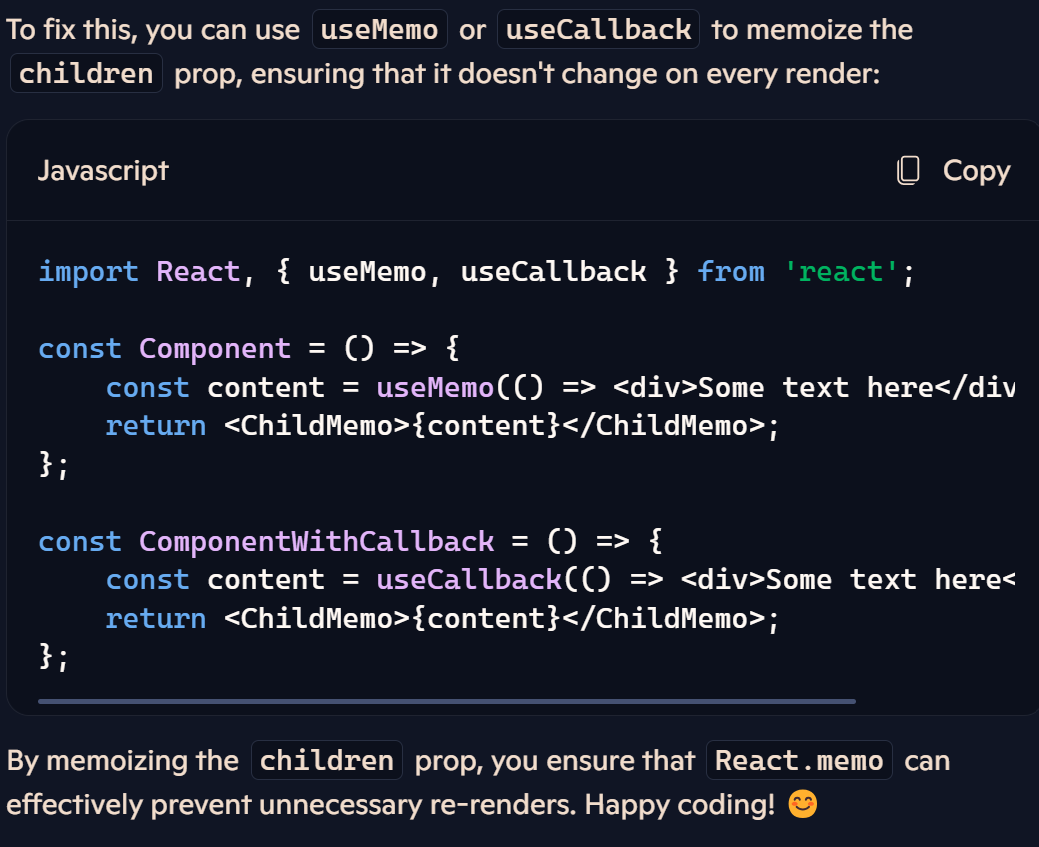
Children Prop: When you pass children to a component using JSX, it creates a new object for the children prop on every render. For example,
<ChildMemo><div>Some text here</div></ChildMemo>creates a new object for thechildrenprop each time the component re-renders.Memoization Check:
React.memoperforms a shallow comparison of the props to determine if the component should re-render. Since thechildrenprop is a new object on every render, the comparison will always returnfalse, causing the component to re-render even if the content hasn't changed.
React.memo and memoized children
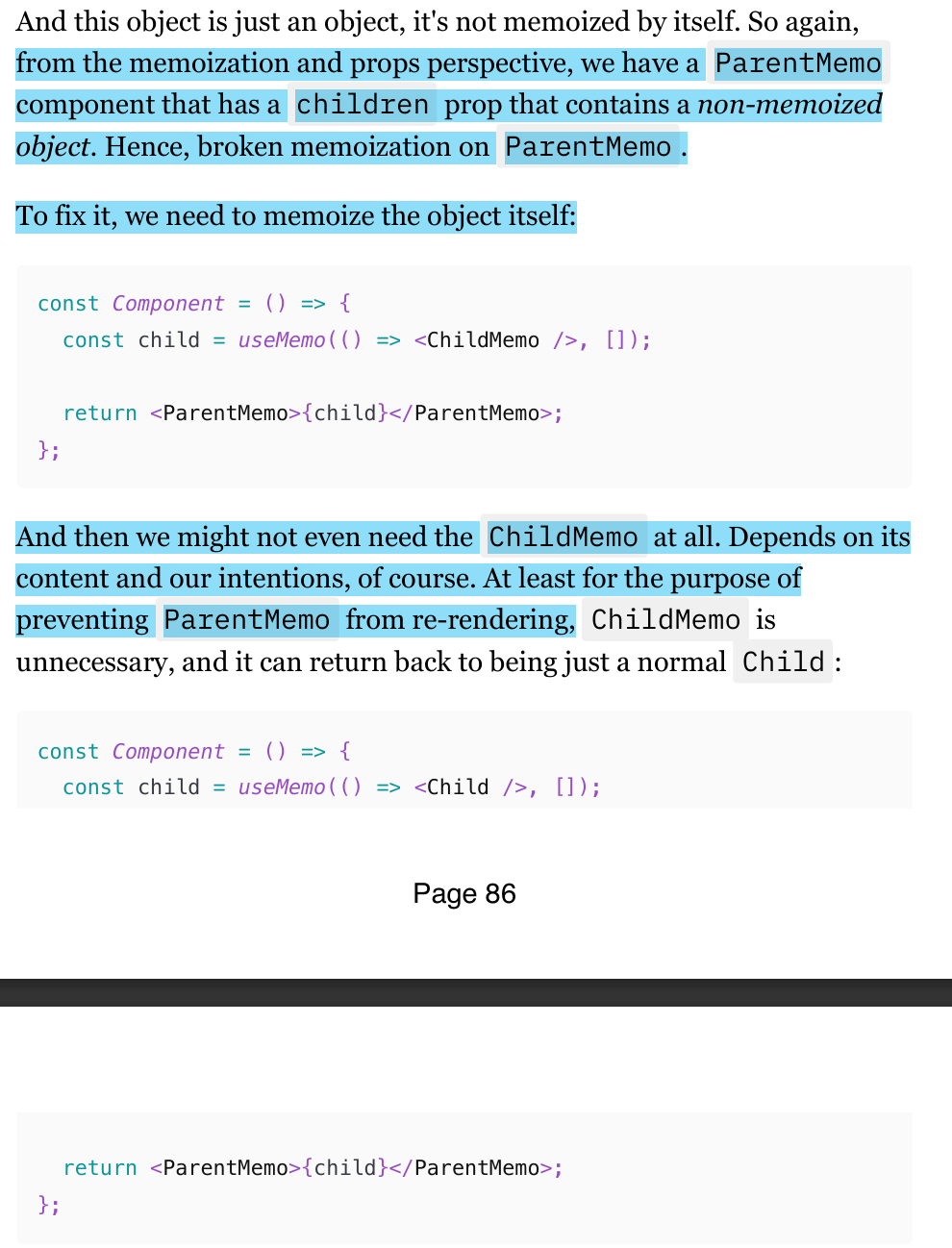
Passing a memoized component in a memoize component as a children prop will break the memoization.
We need to memoize the child component inside the memoized parent component
What is an expensive calculation
No one knows what’s an expensive calcualtion until it’s measured:
On a device that is representative of your user base
In context
In comparison with the rest of the stuff that is happening at the same time
In comparison with how it was before or the ideal state
It always depends. "Measure first" should be the default thinking when there is an urge to wrap something in useMemo because it's an "expensive calculation."
remember to measure how long it takes to re-render component elements as well; if you wrap every JavaScript calculation in useMemo and gain 10ms, but re-rendering components still takes almost 200ms, it complicates the code without any visible gain.
React components rendering and Raw JS
The performance benefits of using useMemo in React. It highlights that calculations performed within useMemo are generally much faster than re-rendering actual components.
For example, sorting an array of 300 items takes less than 2 milliseconds, while re-rendering list elements from that array can take more than 20 milliseconds.
Diffing & Reconciliation
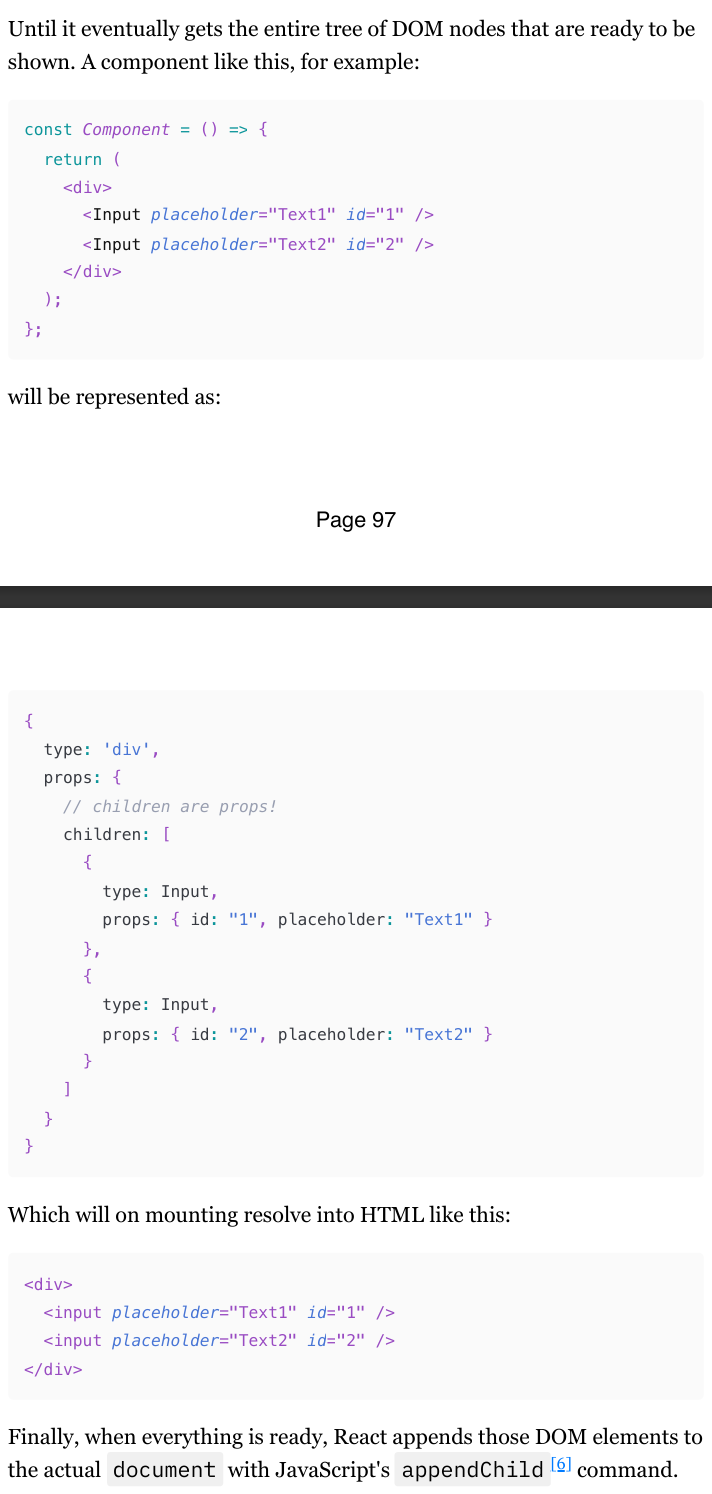
This Virtual DOM is just a giant object with all the components that are supposed to render, all their props, and their children - which are also objects of the same shape. Just a tree.
DOM elements like input or label will have their "type" as strings, and React will know to convert them to the DOM elements directly.
But if we're rendering React components, It just grabs the entire component’s function that we know as the Input component and puts it there in the “type” property of the returned object.
And then, when React gets a command to mount the app (initial render), it iterates over that tree and does the following:
If the "type" is a string, it generates the HTML element of that type.
If the "type" is a function (i.e., our component), it calls it and iterates over the tree that this function returned.
Reconciliation when A component’s state is updated
When a state update in a component is triggered, React needs to update all the elements on the screen with the new data that comes from that state update. Or maybe add or remove some new elements. React starts from where the state update was initiated.
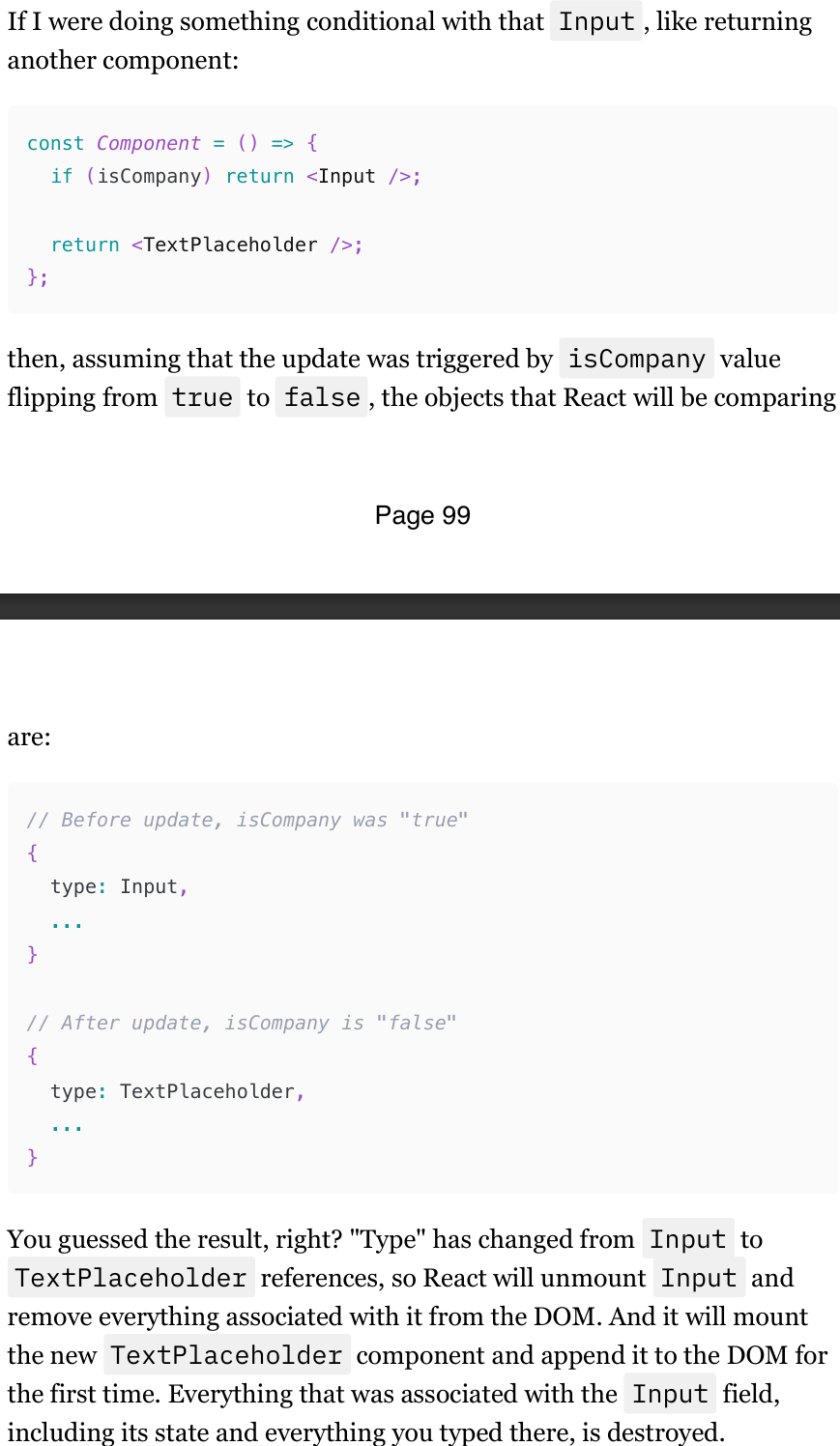
Ssame Type: If the "type" field of the component before and after the state update is the same, React marks the component as needing an update and triggers a re-render. This means that React will update the existing component with the new state or props without unmounting it.
Different Type: If the "type" field of the component before and after the state update is different, React unmounts the previous component and mounts the new one. This means that React will remove the old component from the DOM and add the new component, effectively replacing it.
Reconciliation and arrays
when React sees an array of children instead of an individual item, it just iterates over it and then compares "before" and "after" elements and their "type" according to their position in the array.
Even if some of those elements are rendered conditionally, React will still have a stable number of items in that array. Just sometimes, those items will be null.
And when React starts comparing them, item by item, it will be:
the first item, Checkbox before and after → re-render Checkbox
the second item, null before and Input after → mount Input
third item, Input before, null after → unmount Input
(105-108)
Reconciliation and “Key“ prop
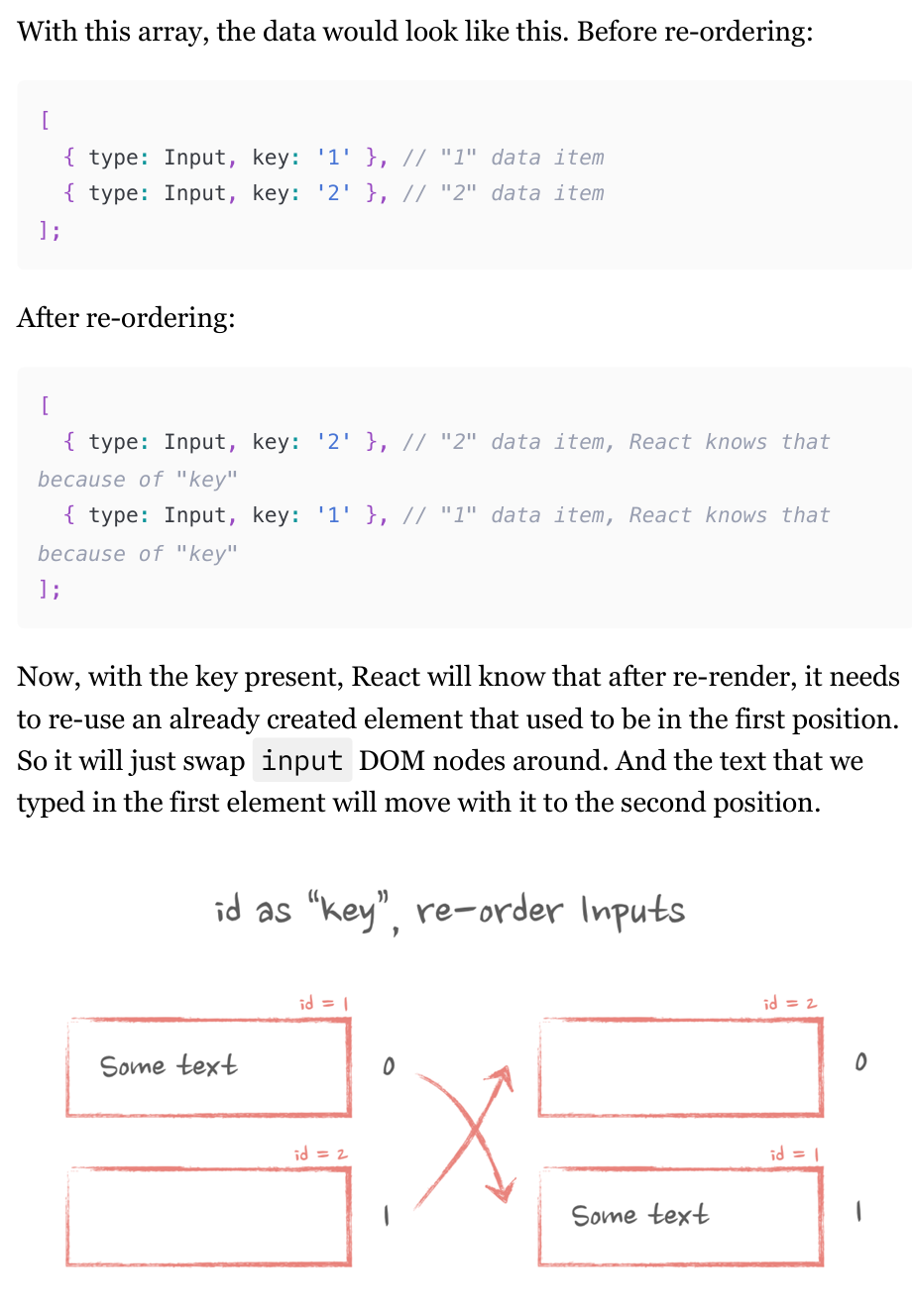
React handles dynamic lists of components. When the order of components in an array changes, React needs a way to identify which component is which to ensure the correct elements are re-used.
This is achieved using a "key" property, which acts as a unique identifier for each element. By using keys, React can maintain the state and DOM of each component even when their order changes in the array. This prevents issues like state being incorrectly associated with the wrong component after re-ordering.
(108-110)
"Key" attribute and memoized list
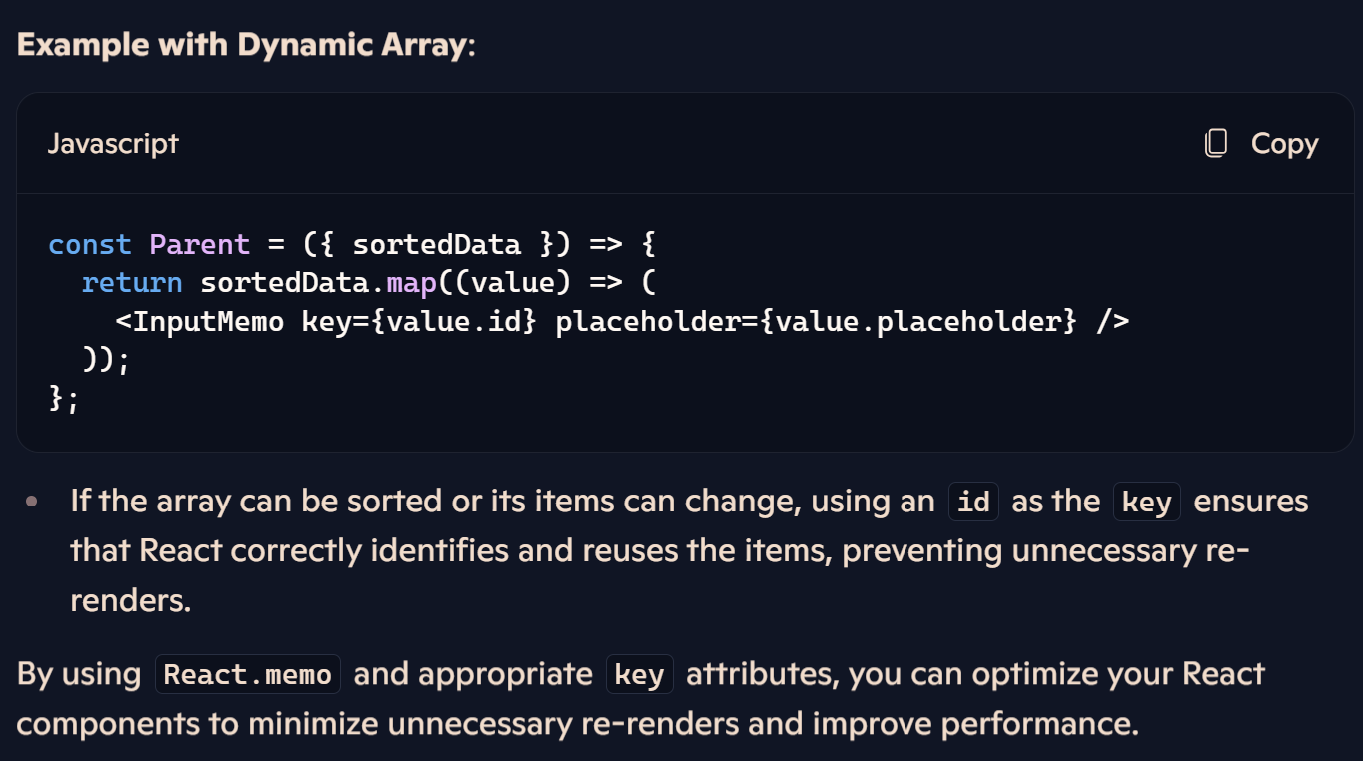
For static arrays (those that don't change their elements or positions), wrap the item element in
React.memoand use a stable identifier (like anidor array index) as thekey. (If the parent component re-renders,InputMemocomponents won't re-render because they are wrapped inReact.memoand thekeyhasn't changed.)Dynamic Arrays and Keys:
For dynamic arrays (those that can change their order or number of items), the
keyplays a crucial role.Using the array index as a
keycan cause issues if the array is reordered, as React may re-render items unnecessarily.
(111-116)
State reset technique
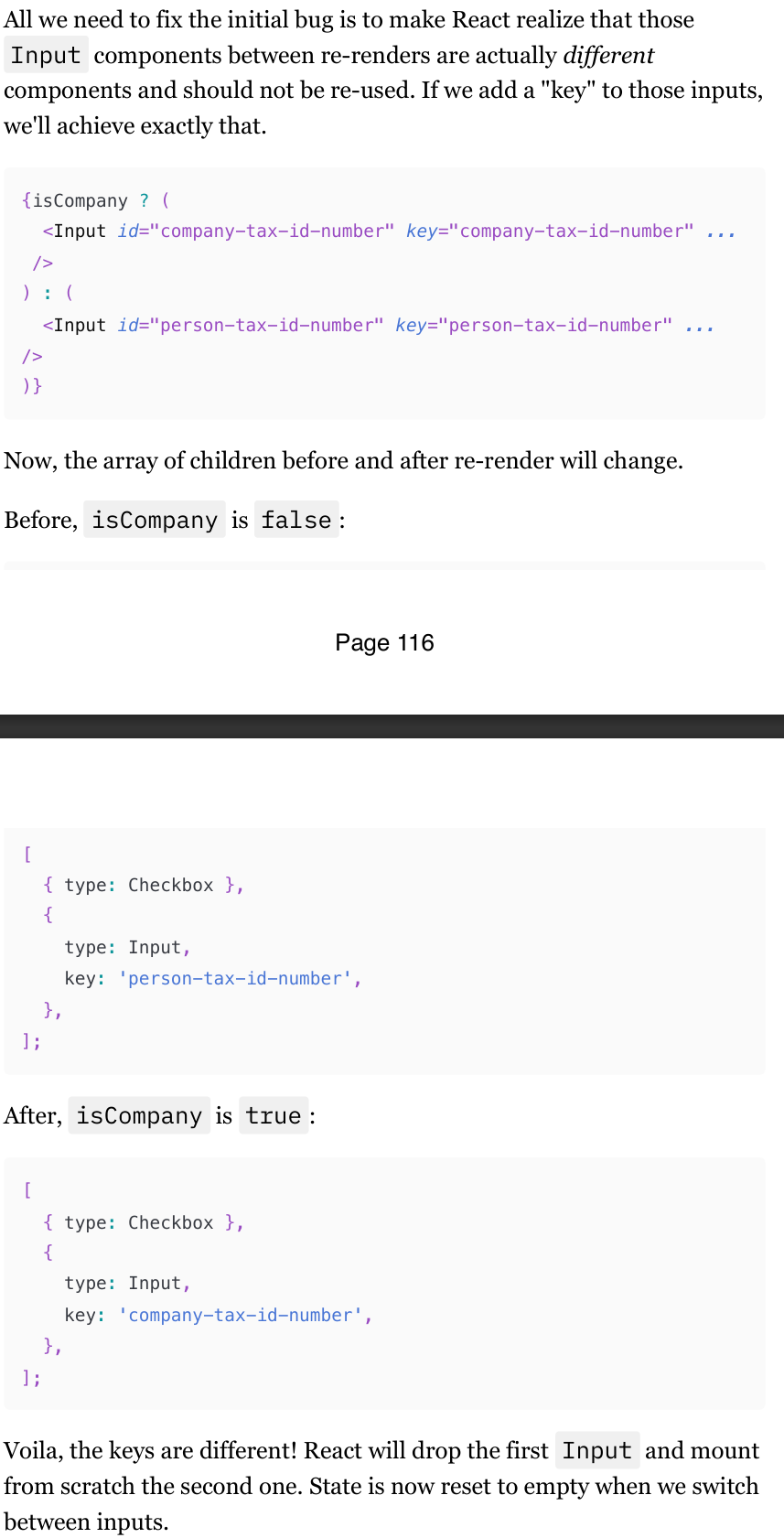
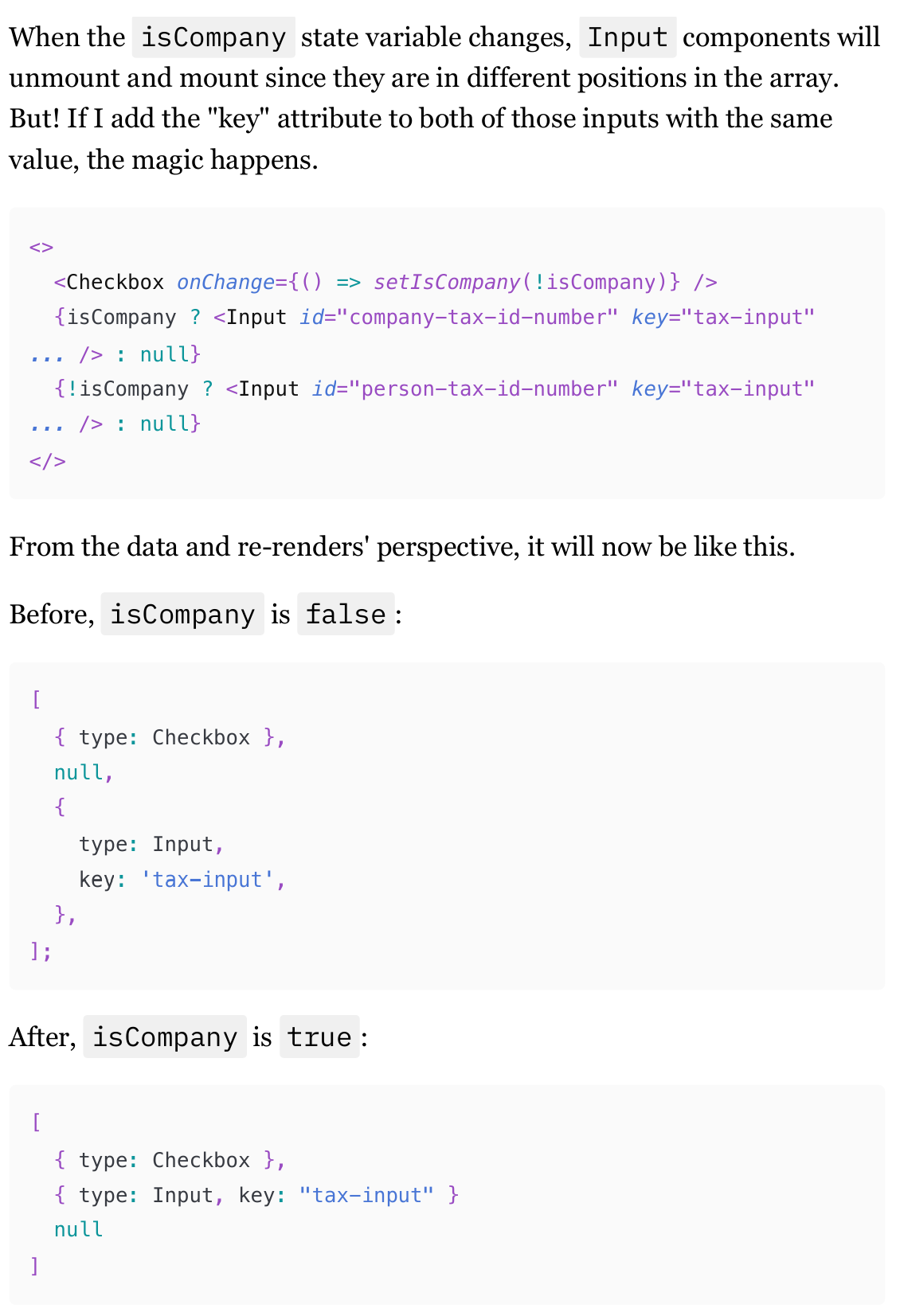
"key" is just an attribute of an element; it's not limited to dynamic arrays. In any children's array, it will behave exactly the same way.
React treats components children as the same between re-renders. To fix this, we need to make React realize that the
Inputcomponents are different between re-renders by adding a Key to the elementsBe careful here, though. It's not just "state reset" as you can see. It forces React to unmount a component completely and mount a new one from scratch. For big components, that might cause performance problems. The fact that the state is reset is just a by-product of this total destruction.
Using “Key“ to force reuse of an existing element
The
keyattribute can also help reuse existing elements in React.When rendering the
Inputelement in different positions in the children array, adding the samekeyvalue to both inputs can make React reuse the element.React sees an array of children and notices that before and after re-renders, there is an element with the
Inputtype and the samekey.React reuses the already created instance for the
Inputcomponent, preserving the state even though theInputcomponents are technically different.
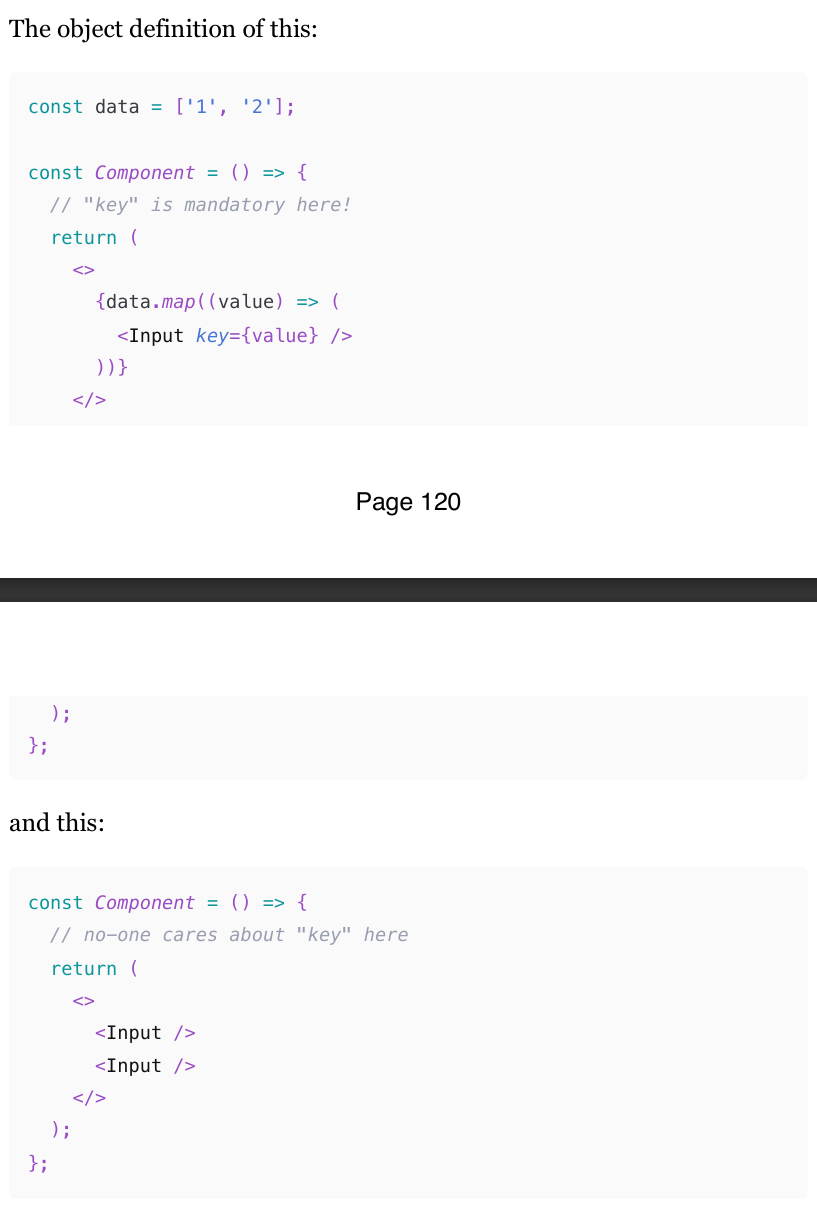
Why we don’t need keys outside of arrays?
In a dynamic array. React doesn't know what you will do with this array during the next re-render: remove, add, or rearrange items, or maybe leave them as-is. So it forces you to add the "key" as a precautionary measure, in case you're messing with the array on the fly
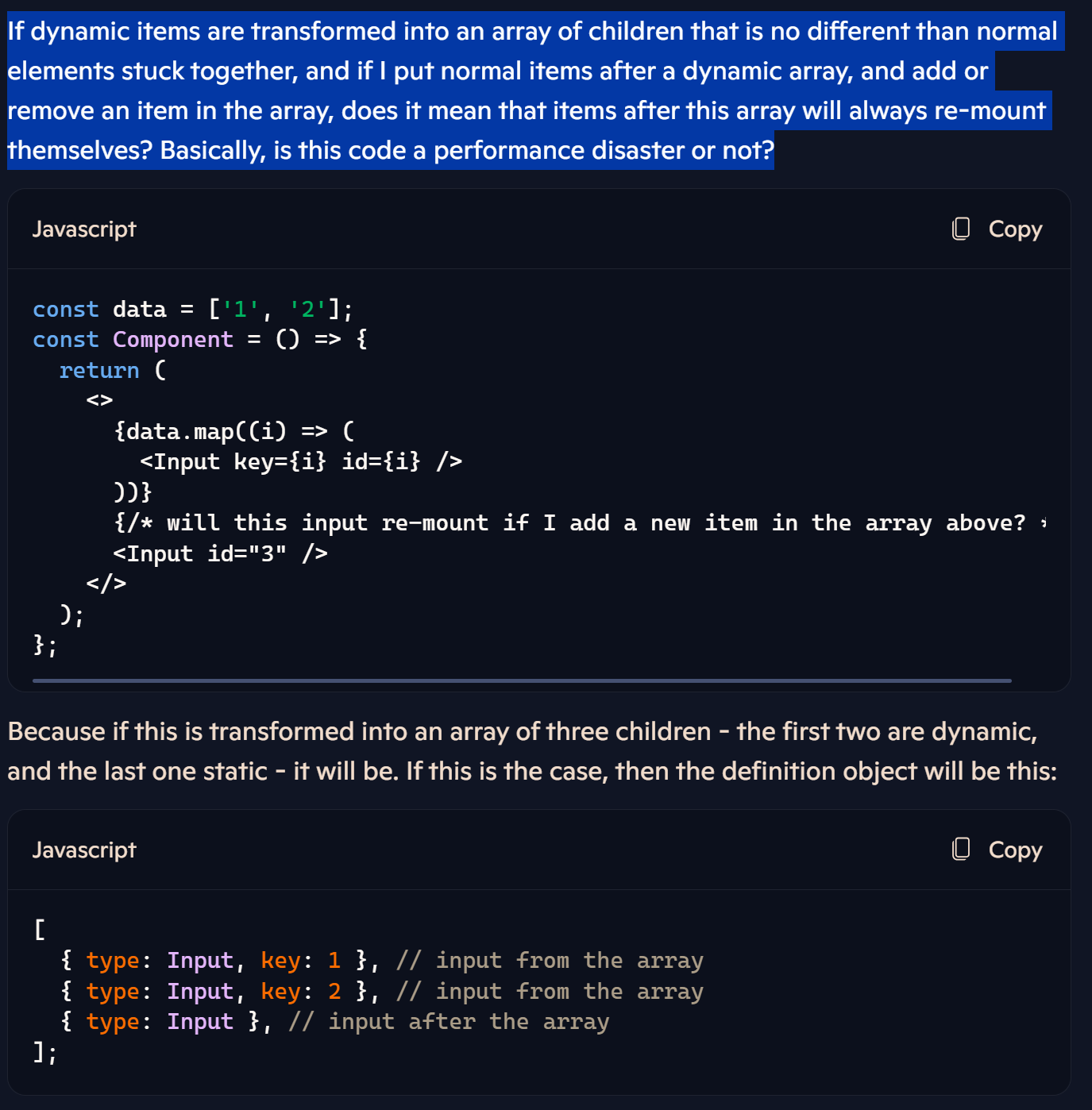
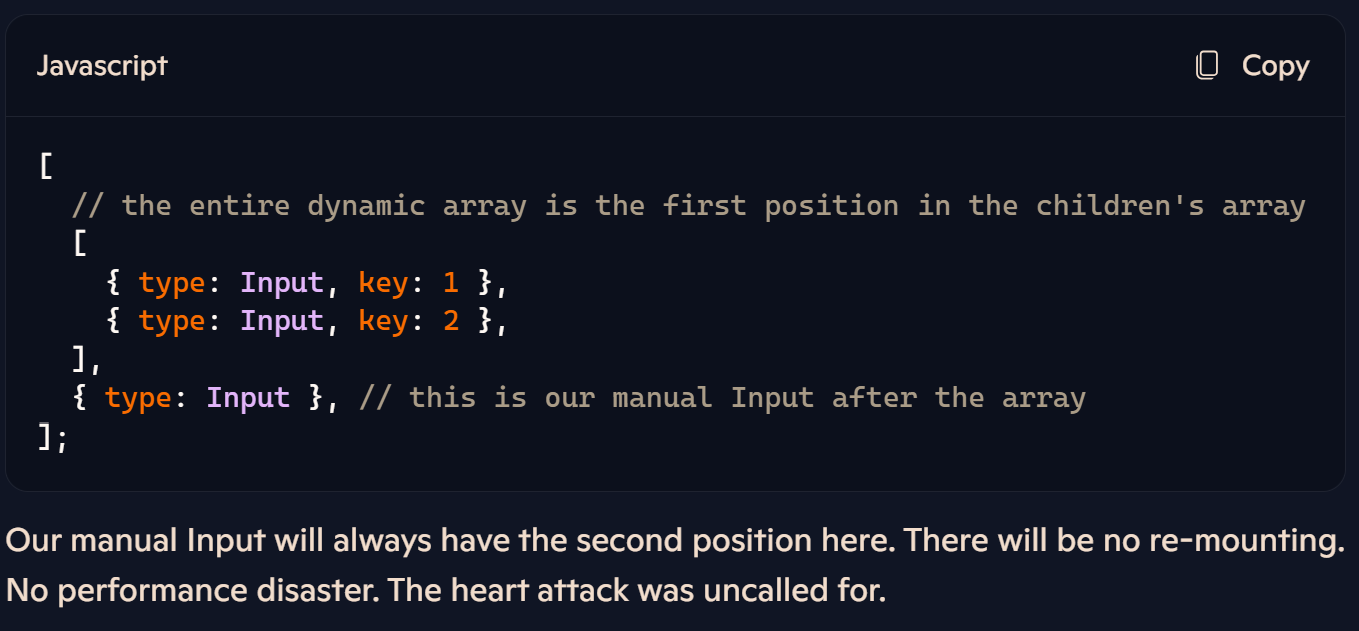
Dynamic arrays and normal elements together
When we mix dynamic and static elements, like in the code above, React simply creates an array of those dynamic elements and makes that entire array the very first child in the children's array. This is going to be the definition object for that code:
What is a High-Order Component
it's a function that accepts a component as one of its arguments, executes some logic, and then returns another component that renders the component from the argument.
(hooks replaced this as well.)
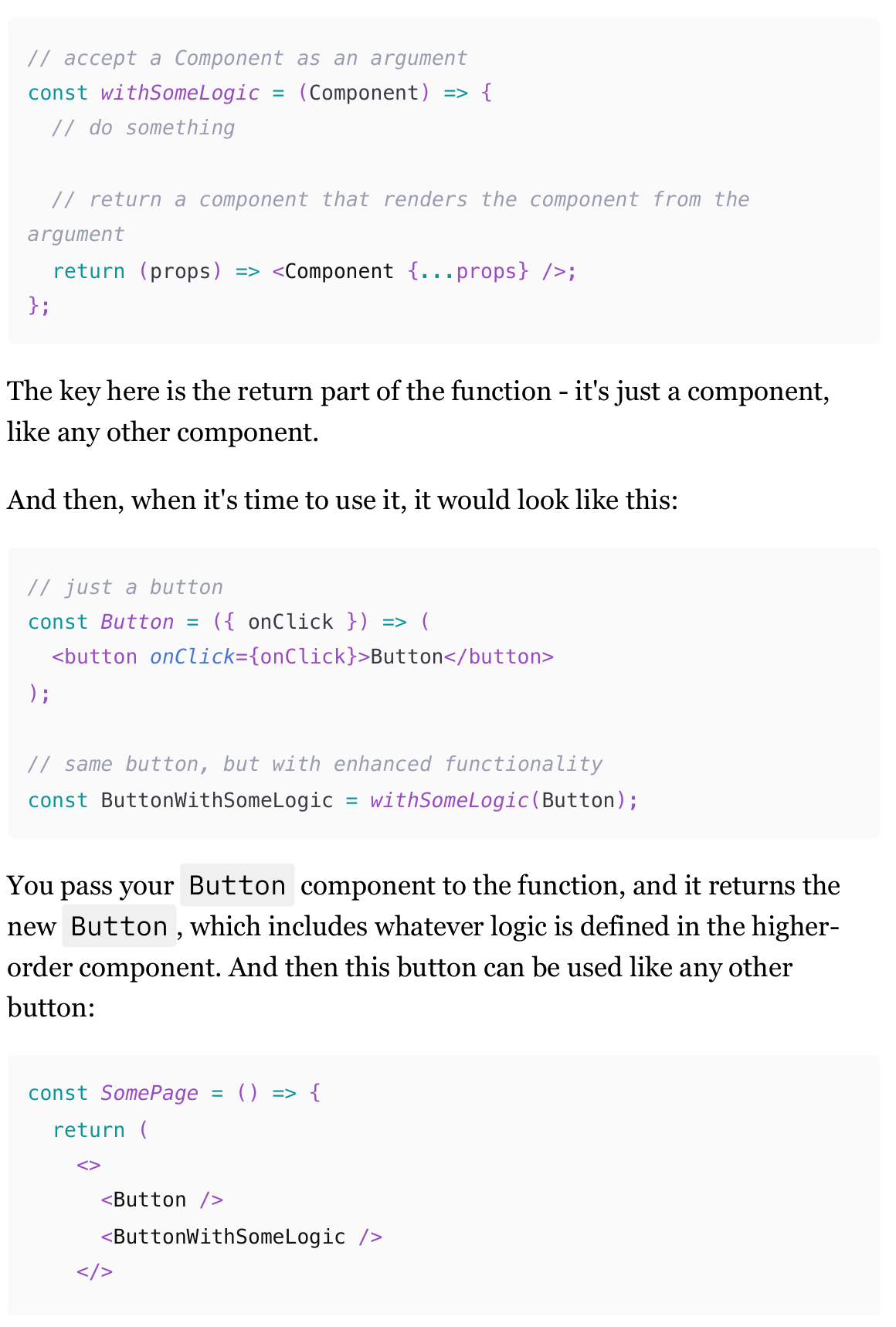
Use cases of High-Order Components
while hooks have probably replaced 99% of shared logic concerns and 100% of use cases for accessing context, higher-order components can still be useful even in modern code. Mostly for enhancing callbacks, React lifecycle events, and intercepting DOM and keyboard events. Only if you're feeling fancy, of course. Those use cases can also be implemented with hooks, just not as elegantly.
Enhancing callbacks (A HOC use case)
The problem we're trying to solve is how to consistently send advanced logging events whenever a callback, like an onClick event, is triggered across various components in a React application.
Using hooks, you might add logging directly within each component's callback, but this approach can lead to repetitive code and potential errors. For example, you might have a Button component with an onClick callback that logs events, and then you would need to repeat this logic in every component that requires logging.
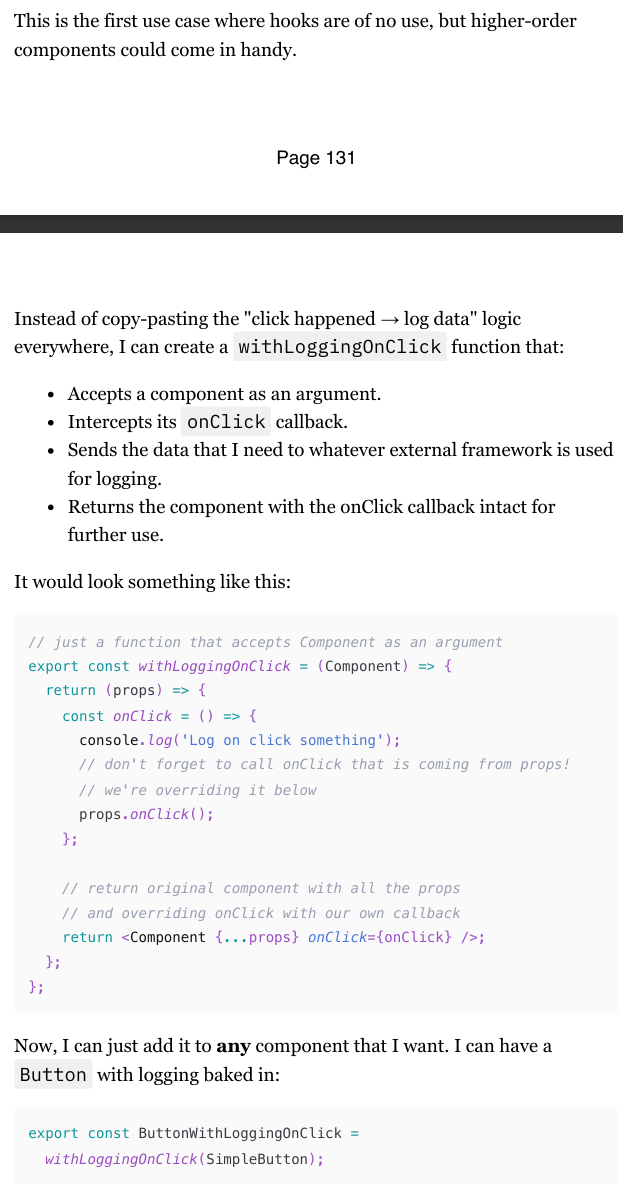
Adding data to the higher-order component
Considering that a higher-order component is nothing more than just a function, we can do that easily. We just need to add some other arguments to the function, that's it.
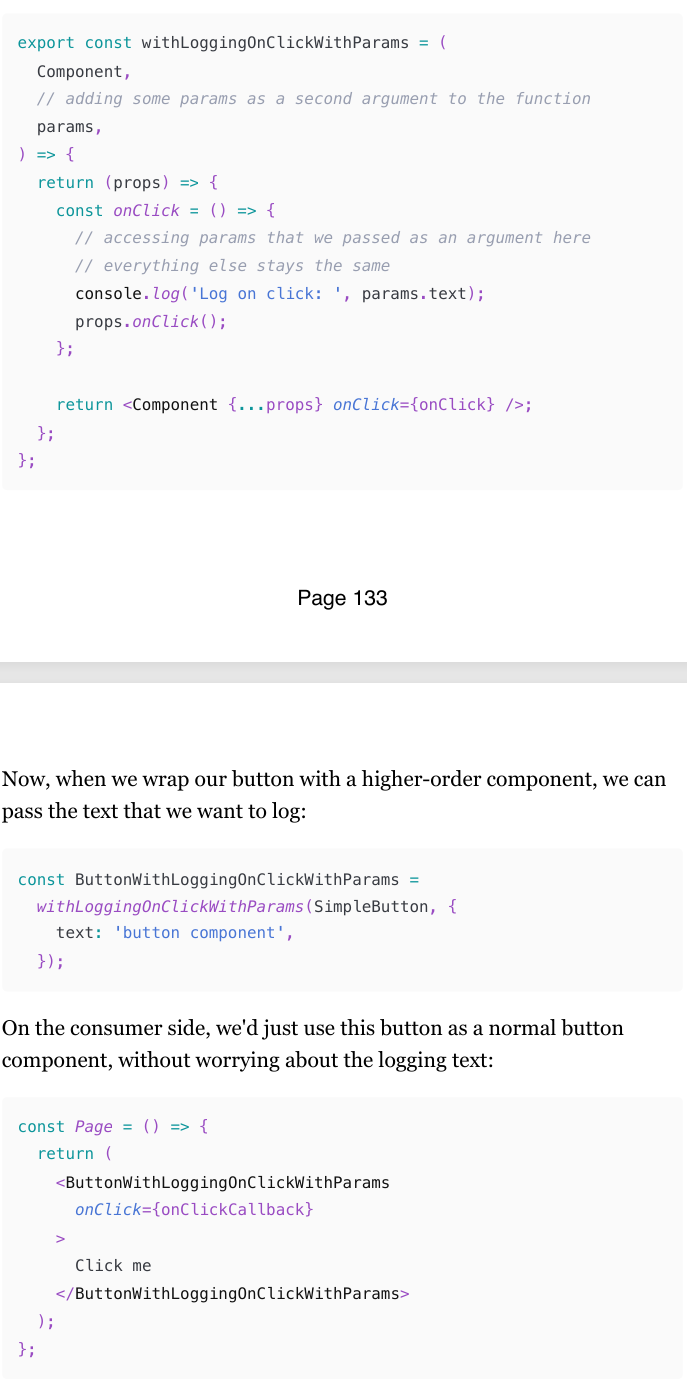
Adding dynamic data to HOC as a prop
What if we want to send different texts in different contexts of where the button is used?
Also very easy to solve: instead of passing that text as a function's argument, we can just pass it as a prop to the resulting button.
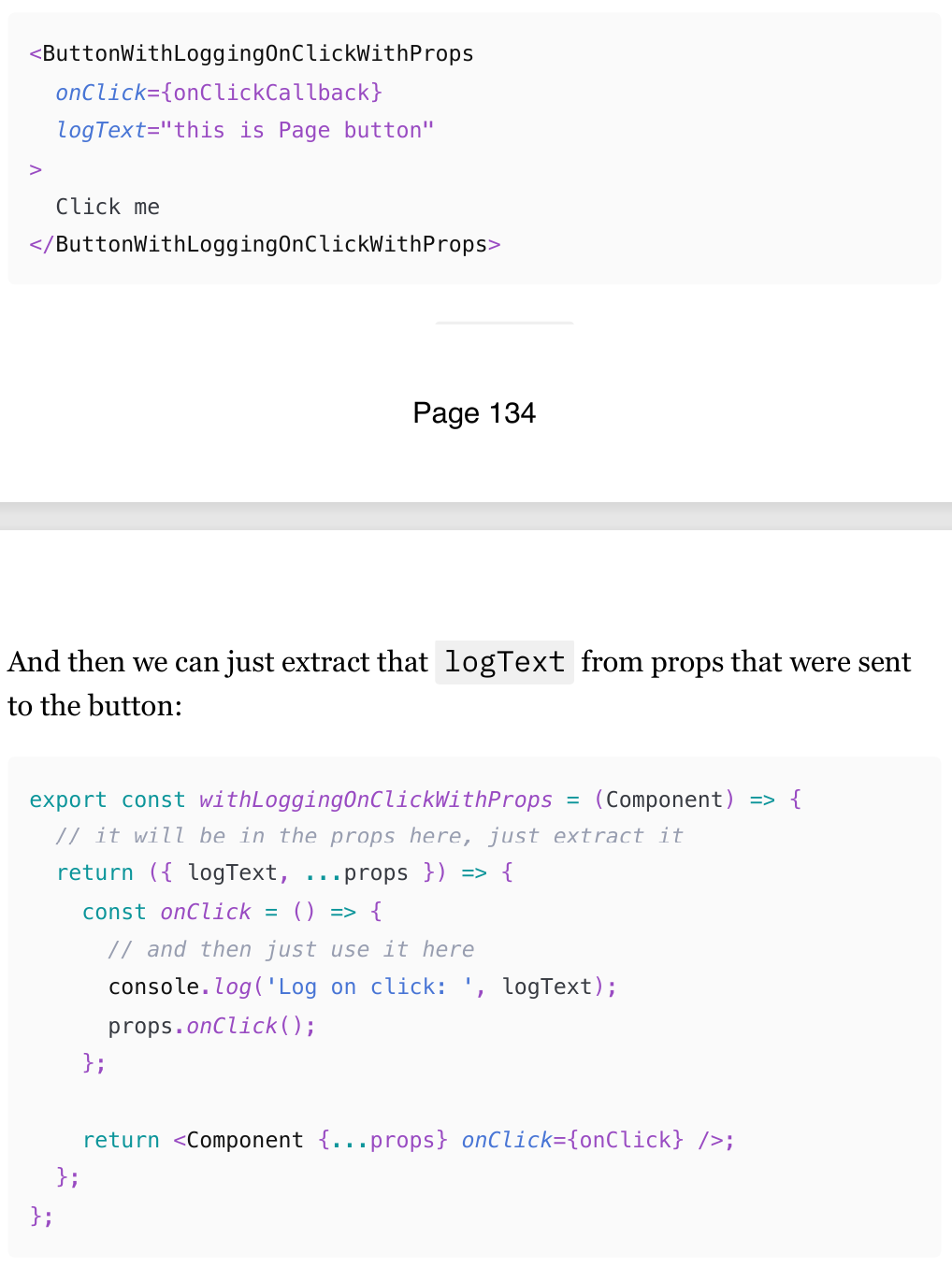
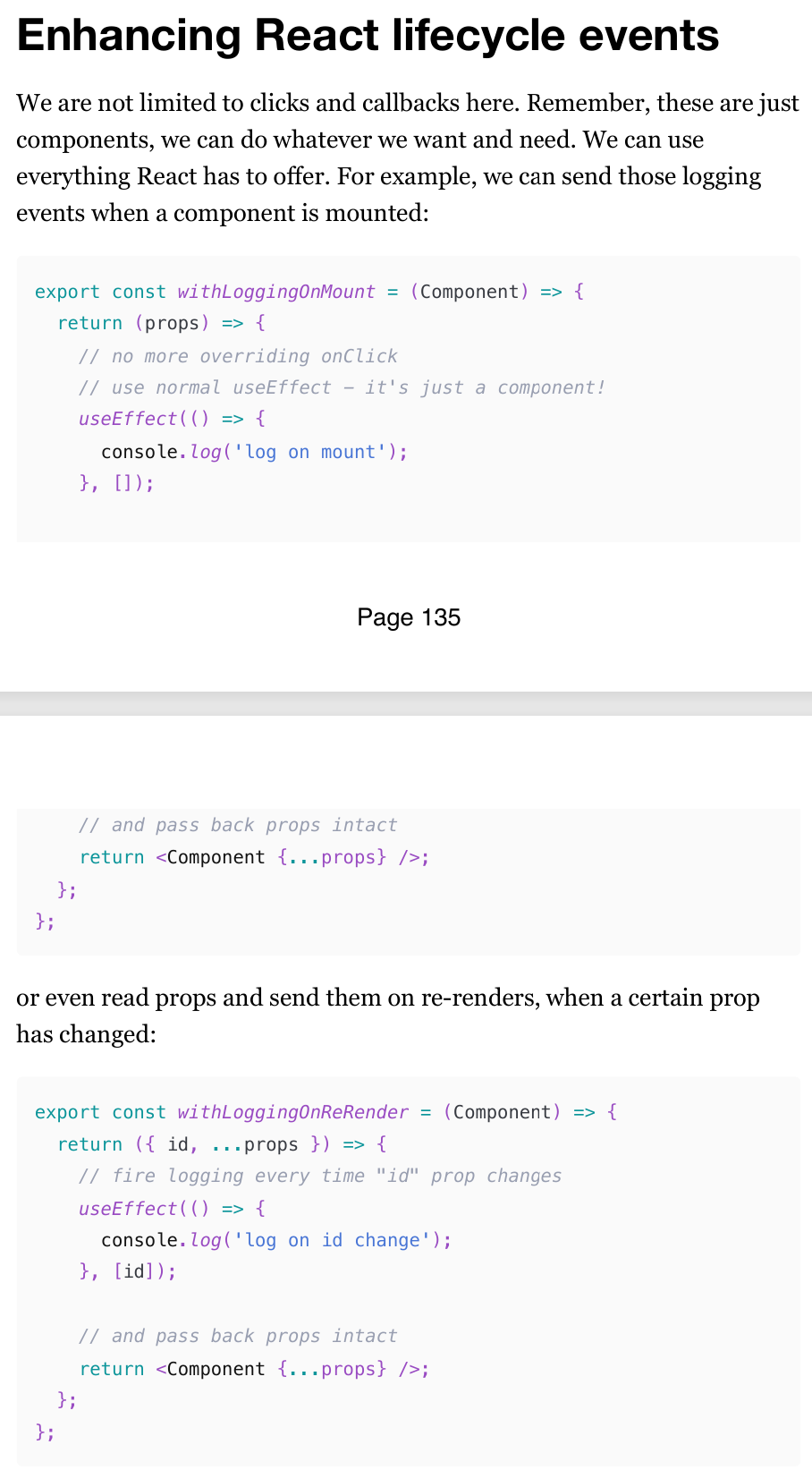
Enhancing React lifecycle events
We are not limited to clicks and callbacks with HOC.
Remember, these are just components, we can do whatever we want and need. We can use everything React has to offer.
For example, we can send those logging events when a component is mounted.
Intercepting DOM events
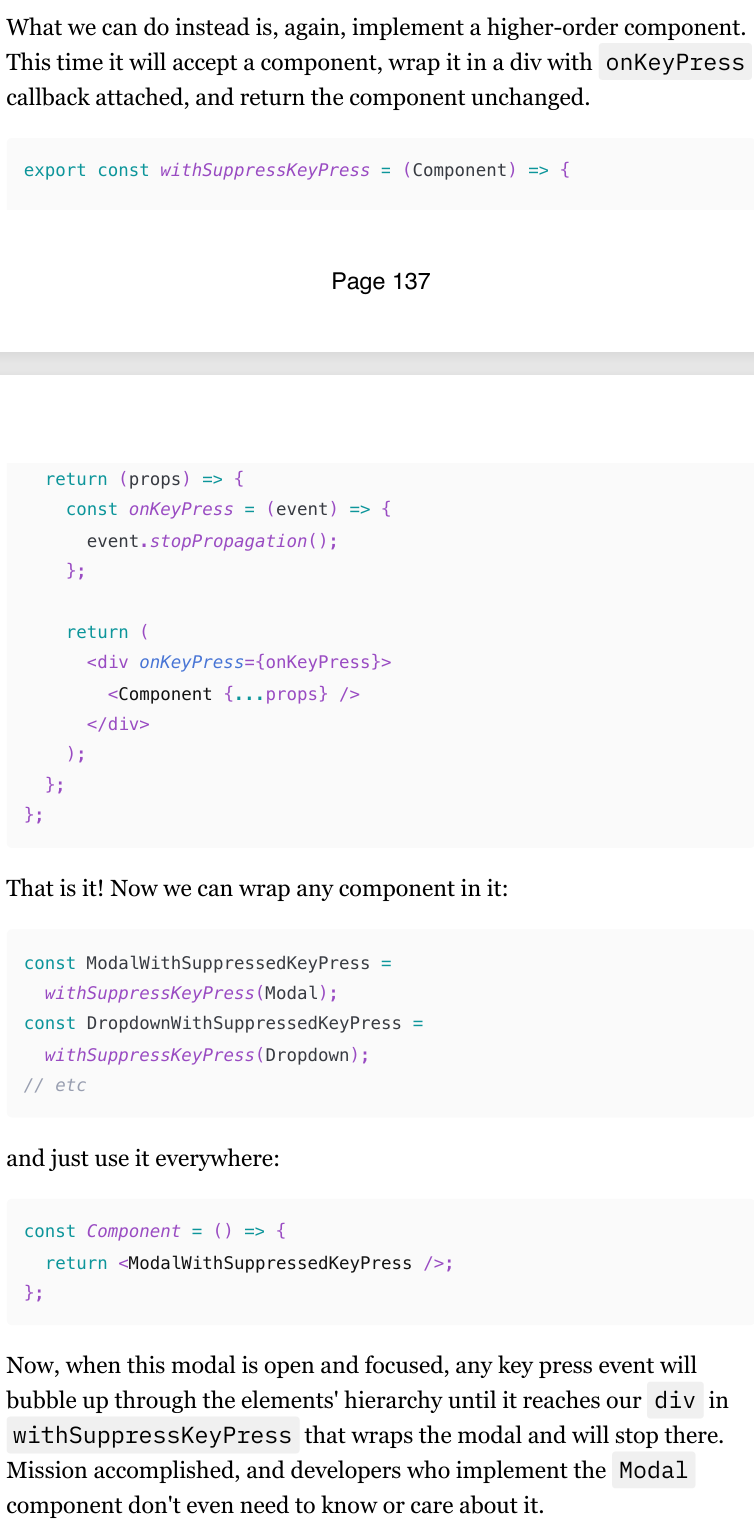
Another very useful application of higher-order components is intercepting various DOM and keyboard events.
Imagine, for example, you're implementing some sort of keyboard shortcuts functionality for your page. When specific keys are pressed, you want to do various things, like opening dialogs, creating issues, etc.
Do it manually with useEffect will lead to multiple duplicates of logic in various components. But the same story as with onClick logging - what if you have multiple components where you want to see this logic? Copy-paste that event.stopPropagation everywhere?
Context (understanding the concept)
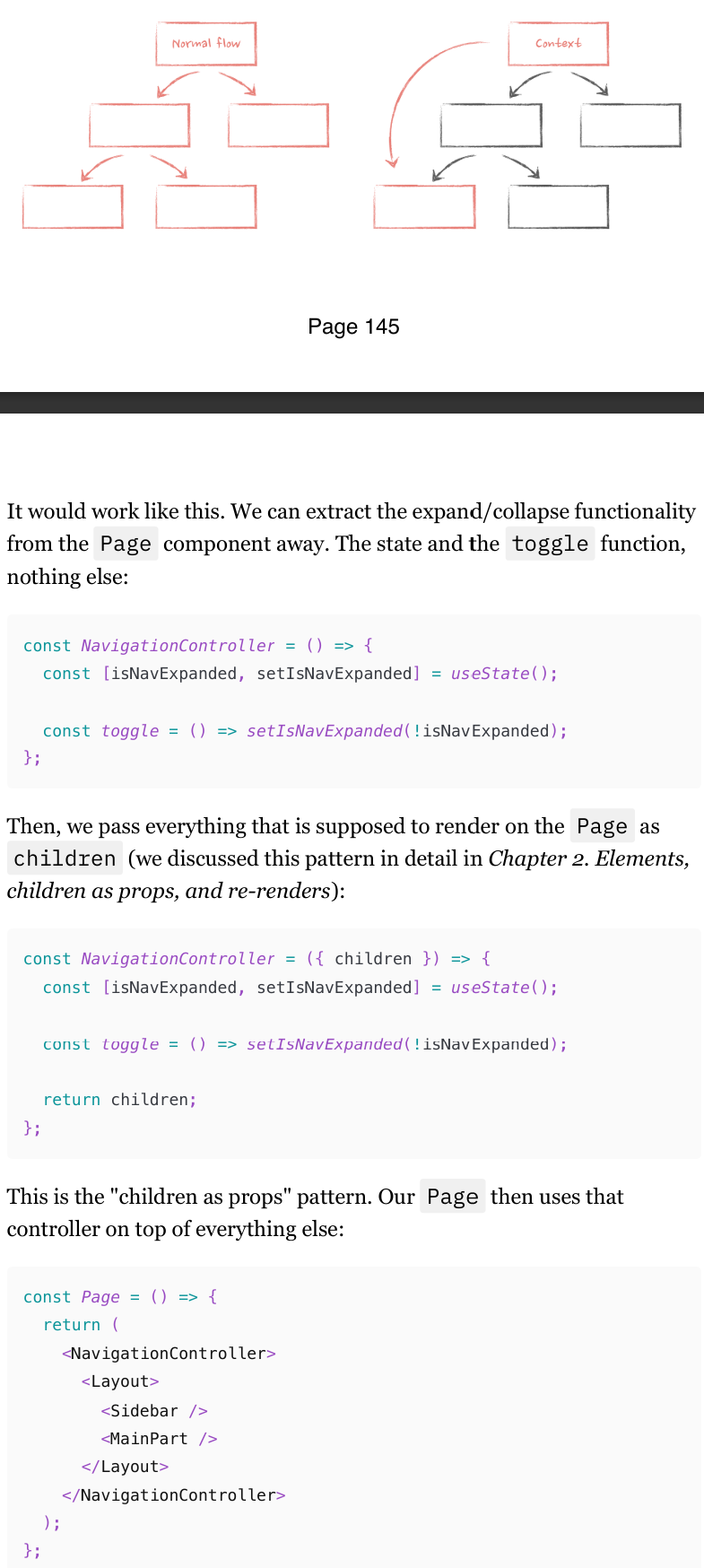
Context (or any context-like state management library) is very powerful. What they allow us to do is escape that tree of components and, instead of passing data through props, we can pass it directly from the component at the very top to the component at the bottom
createContext API
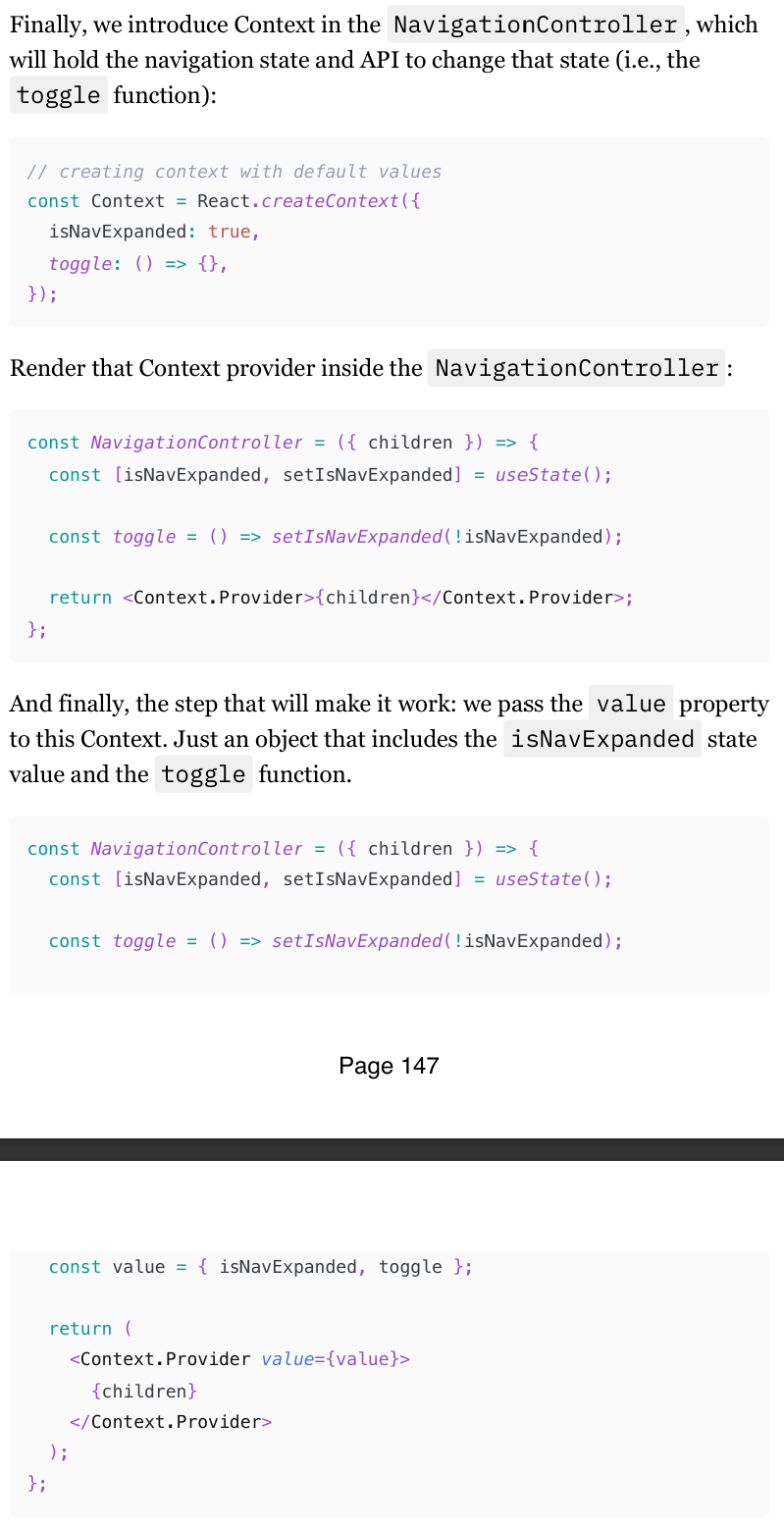
createContextlets you create a context that components can provide or read.createContextreturns a context object.
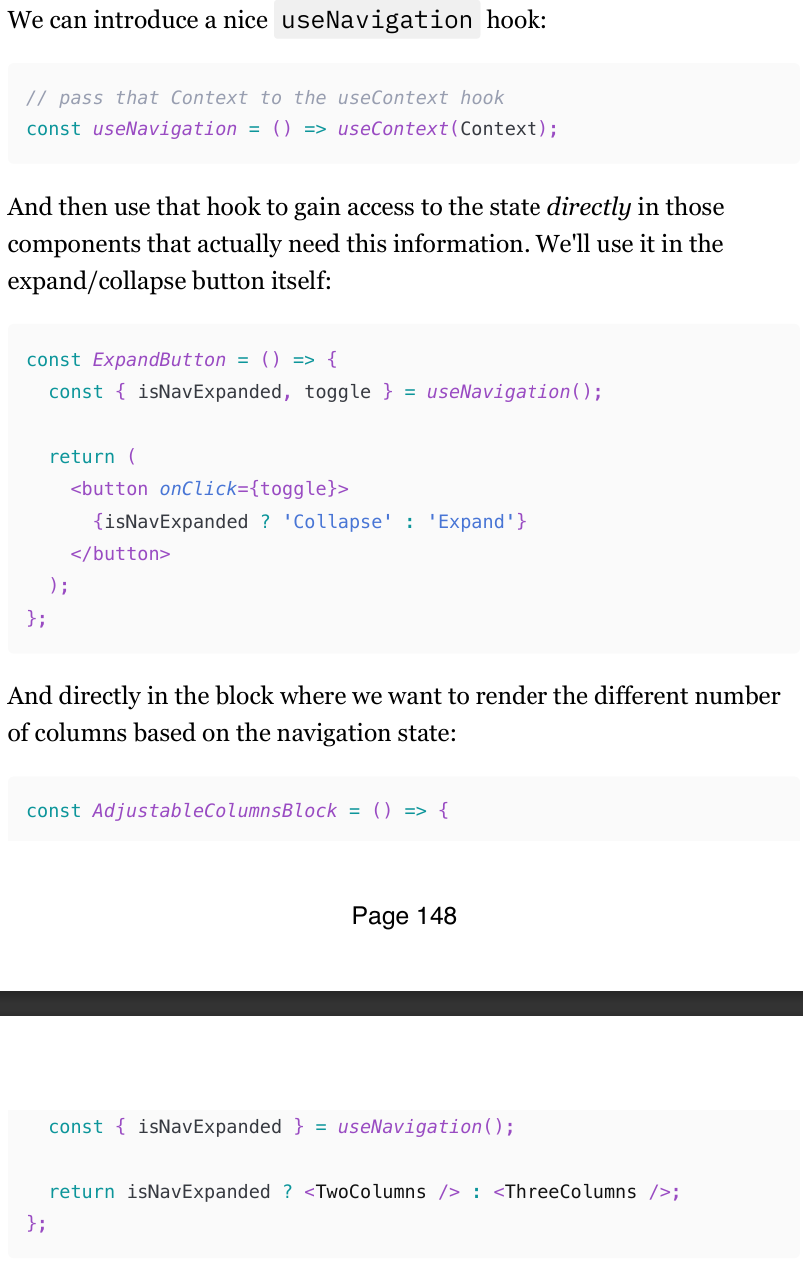
useContext Hook
Now every component that happens to be rendered down the tree from that provider of the created Context (even if they are passed as props like our now have access to that children !) will value through the useContext hook.
Context concerns
There are three major things that you need to know like the back of your hand when introducing Context into the app:
Context consumers will re-render when the value on the Provider changes.
All of them will re-render, even if they don't use the part of the value that actually changed.
Those re-renders can't be prevented with memoization (easily).
Context value change
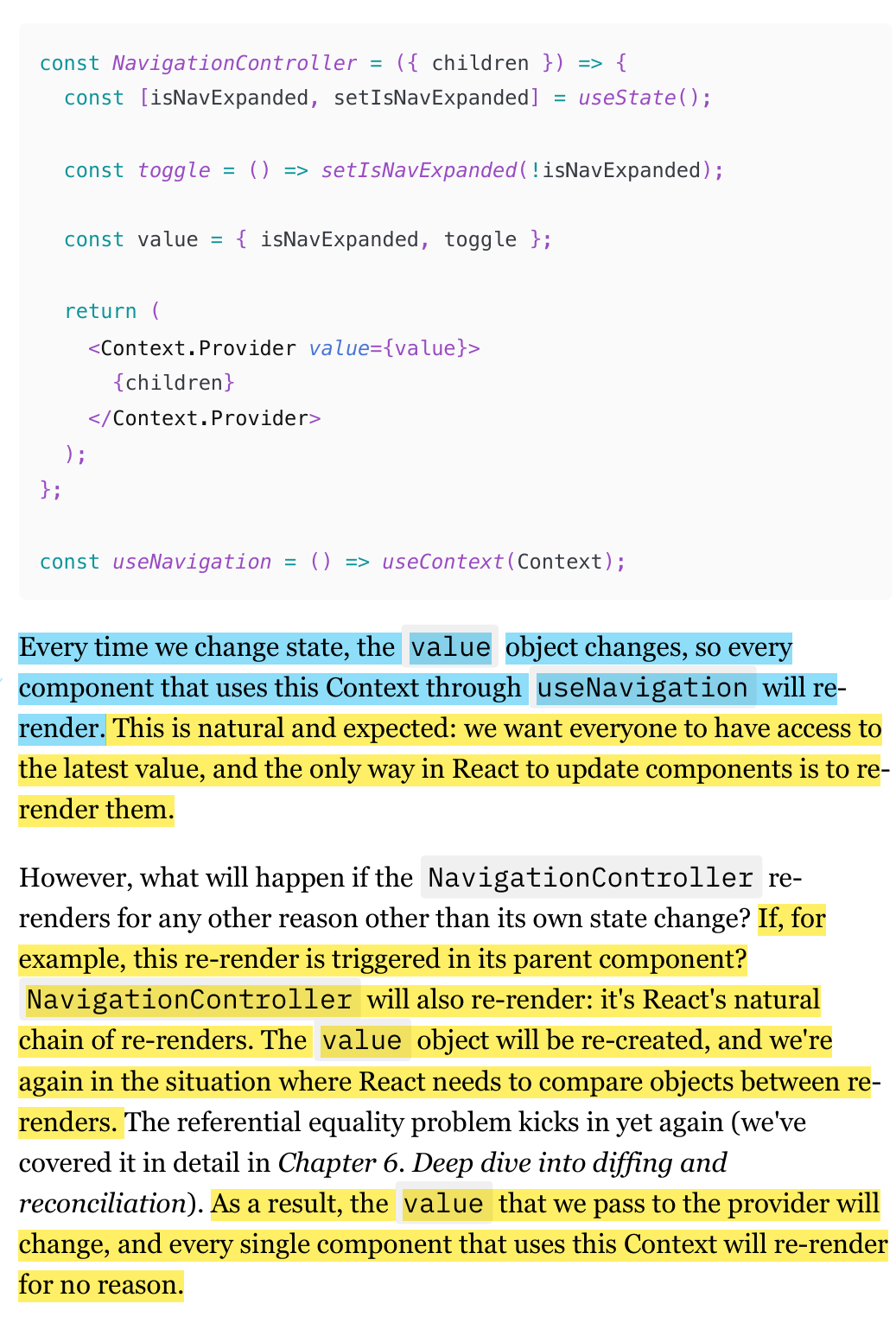
Every time the value prop on the Context provider changes, everyone who uses this Context will re-render.
If the parent component of the component that wraps Context Provider, state change, then the Value props changes, and causing all the components that use Context will render
Context value change re-rendering solution
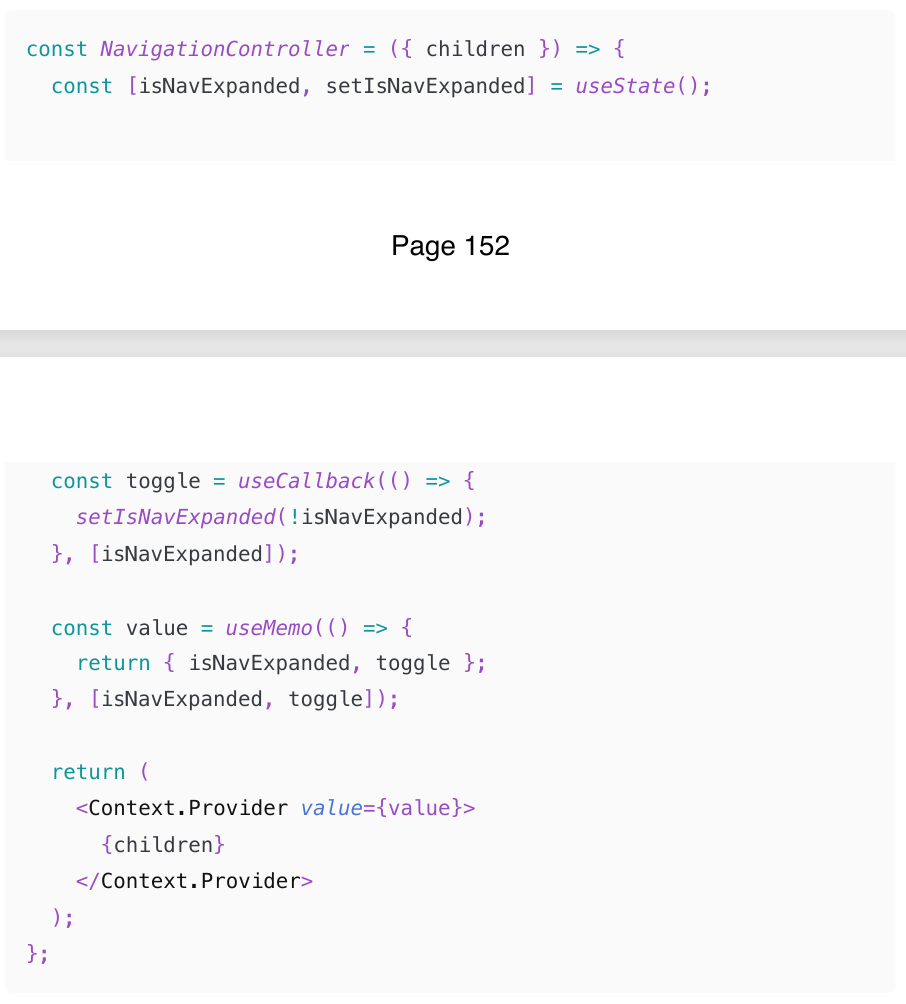
To solve re-rendering problem Value prop that causes components to re-render that use Context, is using useMemo and useCallback to memoize the value passed to the provider.
This is one of the few cases where always memoizing by default is actually not premature optimization. It will prevent much bigger problems in the future that will almost inevitably occur.
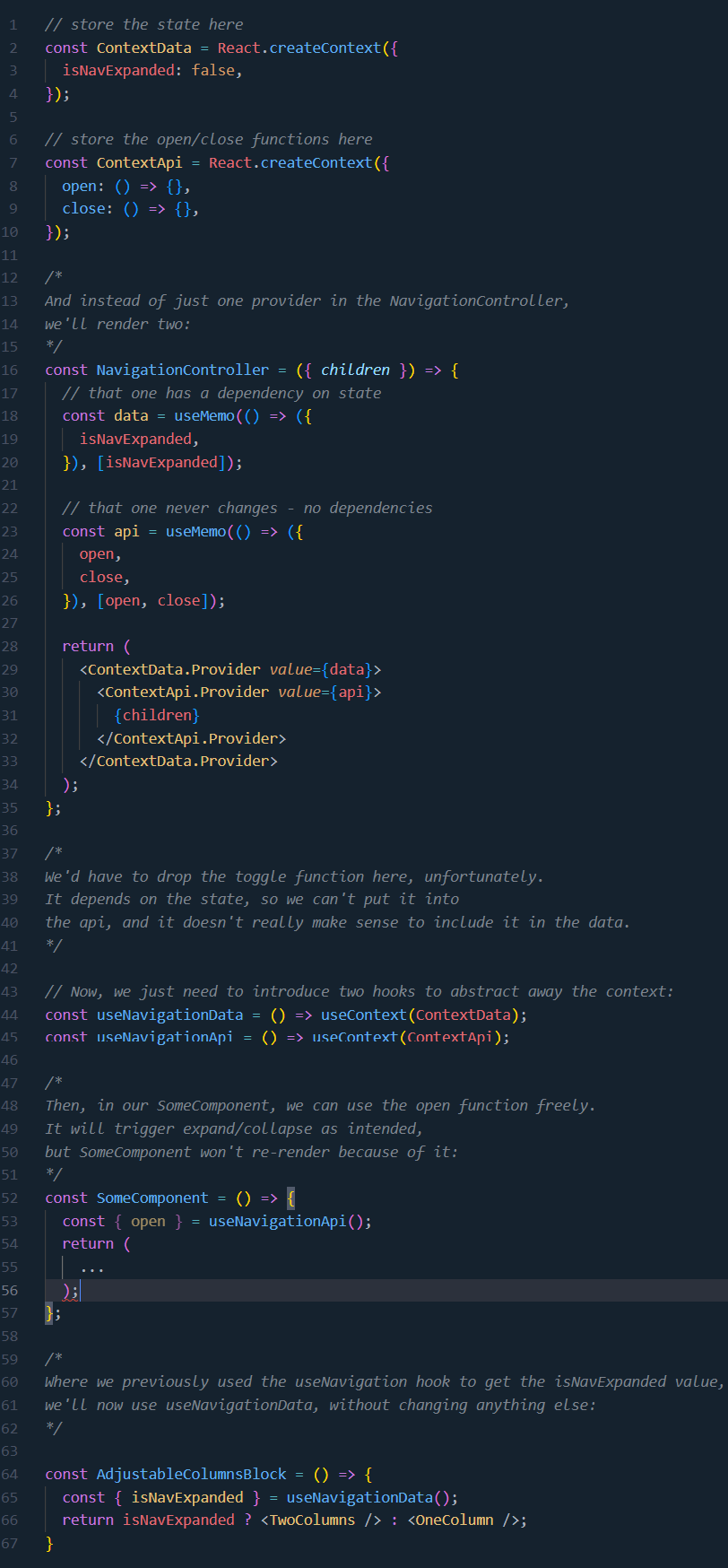
Preventing unnecessary Context re-use an interesting technique called "splitting providers" to achieve the desired result.renders: split providers
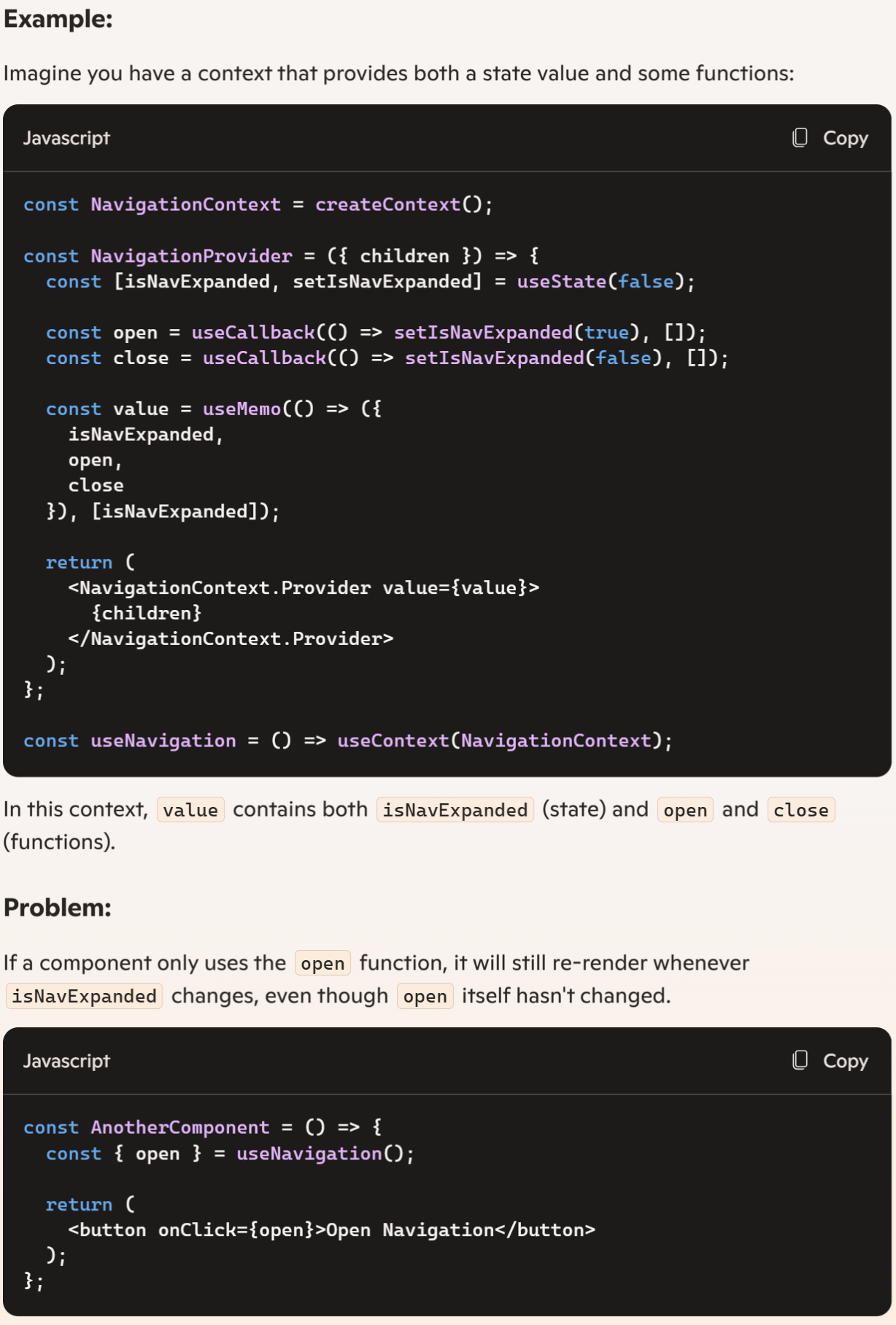
When using React Context, all components that consume the context will re-render whenever the context value changes, even if the part of the context they use hasn't changed (components will re-render even if the specific data it relies on within the context hasn't been updated.). This can lead to unnecessary re-renders.
To avoid unnecessary re-renders, you can split the context into multiple contexts, each responsible for a specific part of the state
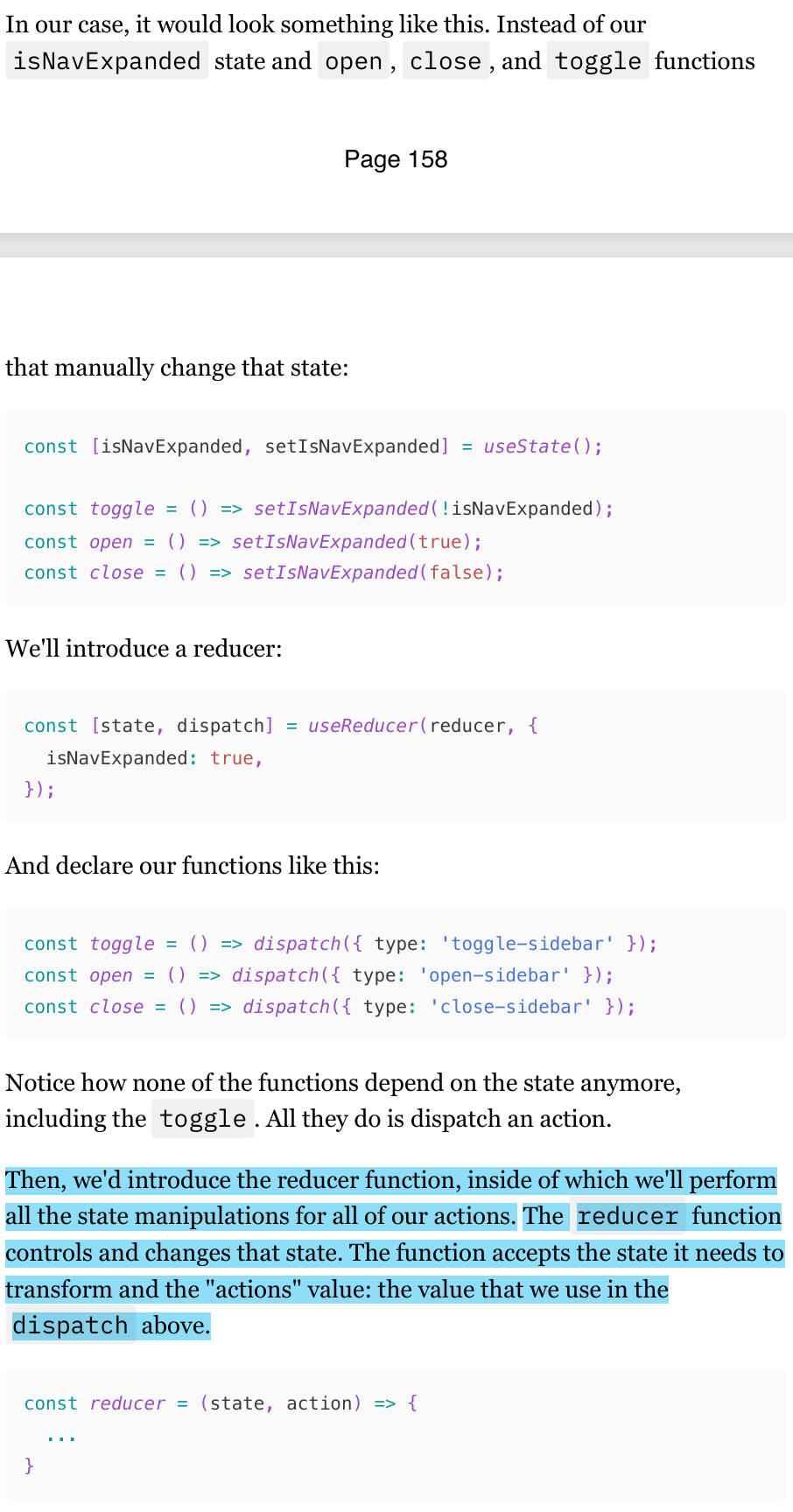
Split providers. To prevent unnecessary context rerendering
We can use an interesting technique called "splitting providers" to achieve the desired result.
Instead of just one Context that holds everything, we can create two: one will hold the value that changes, and another one will hold those that don't.
(154-158)
Reducers
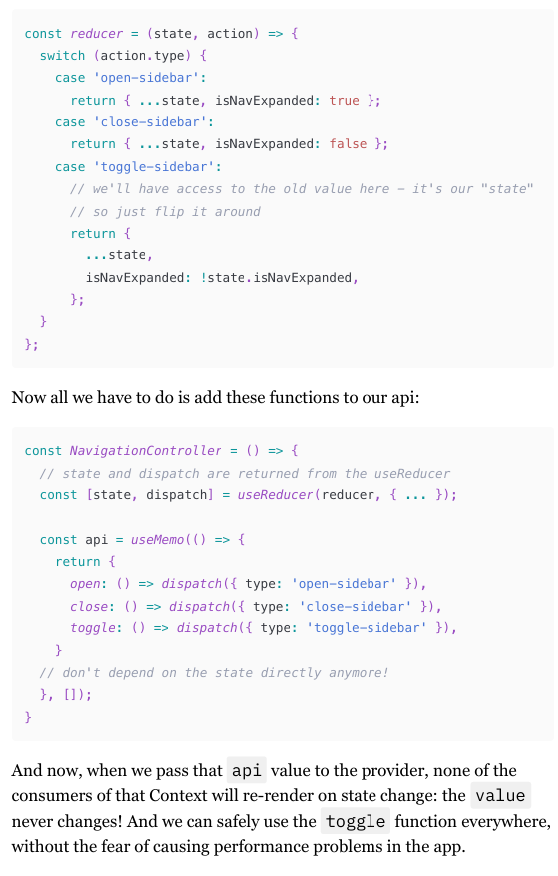
useReducer is a different way to manage a component's state.
Instead of being aware of the state we're changing and manipulating it manually, the reducers pattern allows us just to dispatch named "actions".
This reducer pattern is especially powerful when you have multiple state variables and more complex actions to perform on the state, rather than just flipping a boolean from false to true.
But from the re-render perspective, it's the same as useState : updating the state through dispatch will force the component to re-render.
Context selectors
Context selectors are a way to optimize the use of React Context in performance-sensitive areas by selecting only the necessary values from the context, thus avoiding unnecessary re-renders. When you use useContext, any change in the context value will trigger a re-render of every consumer, which can be inefficient.
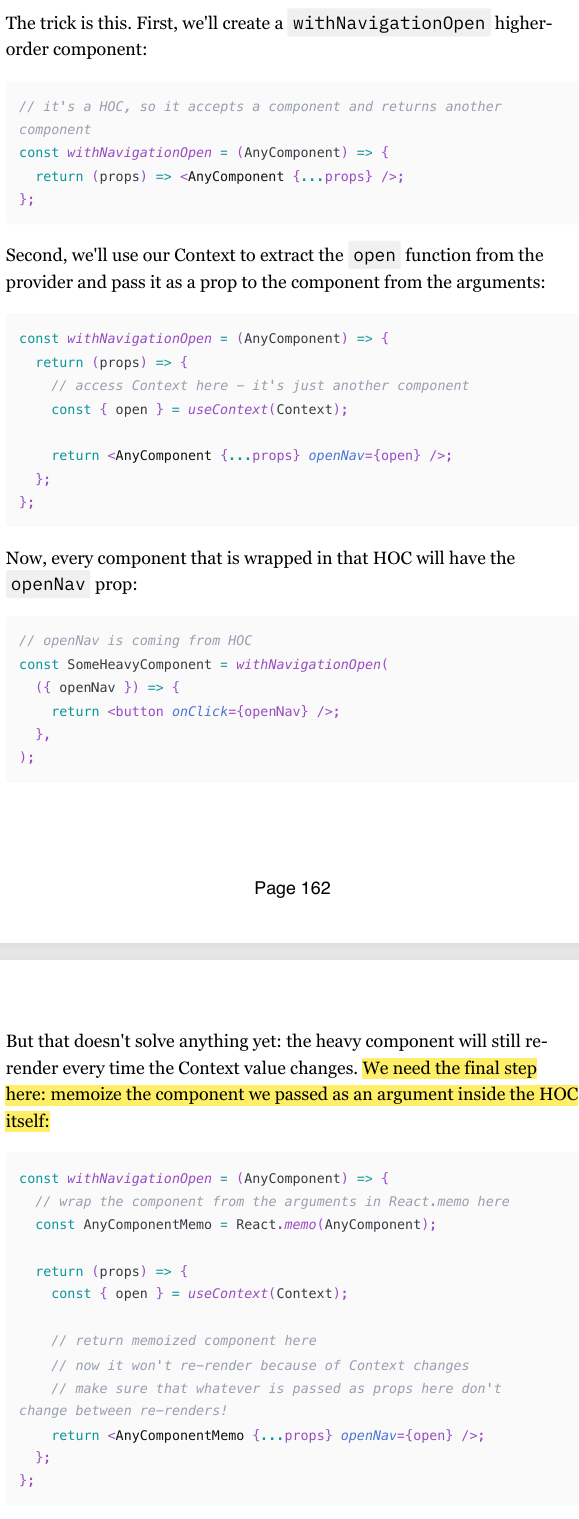
To solve this issue, is to use Higher Order Components (HOCs) to create a custom hook that only subscribes to the specific part of the context you need.
when the Context value changes,
the component that uses anything from Context will still re-render: our unnamed component that we return from the withNavigationOpen function.
But this component renders another component that is memoized. So if its props don't change, it won't re-render because of this re-render.
And the props won't change: those that are spread are coming from "outside", so they won't be affected by the context change.
And the open function is memoized inside the Context provider itself.
Ref update doesn’t trigger re-render
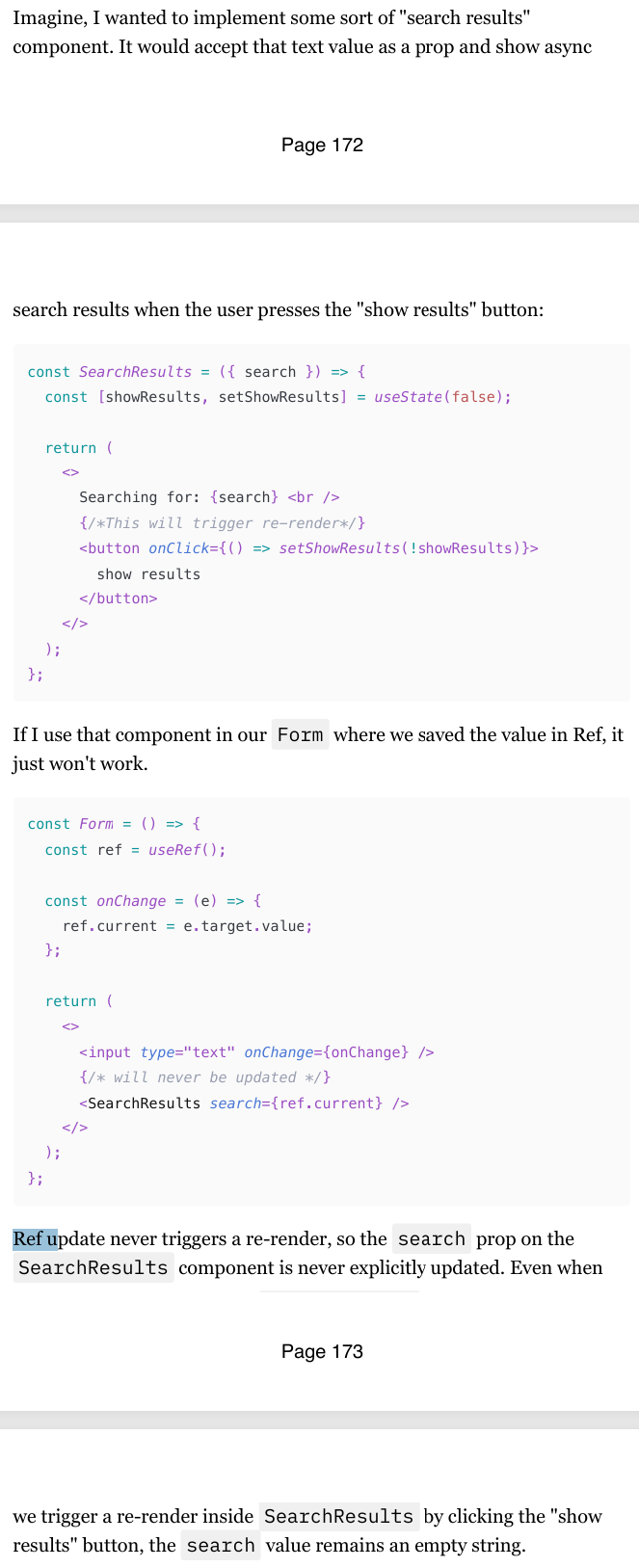
One of the biggest and most visible differences between Refs and state is that Refs update don't cause re-renders.
If you put both of those forms, you'll see that the console.log in Form component with the state re-renders with every keystroke, while the Form with the Ref stays quiet
Change in the value of a Ref will not be picked up by the downstream cocmponents if passed as props as a primitive value either
Ref update is synchronous and mutable
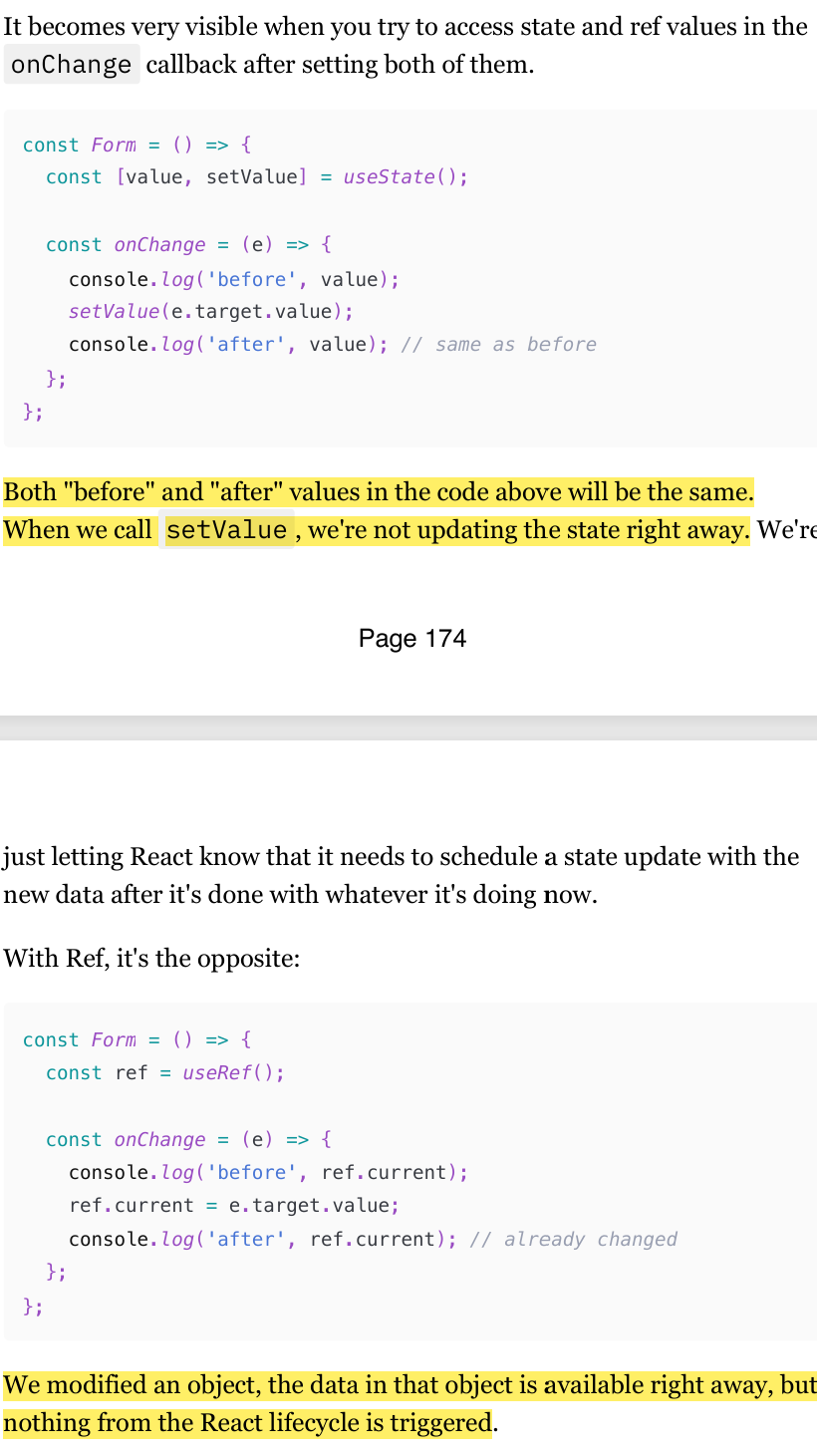
Ref updates are synchronous. We are just mutating an object after all, which is a synchronous operation in JavaScript.
State, however, is typically asynchronous. It's even more than asynchronous: state updates are run in "snapshots". React has a complicated system that manages it and makes sure that the data and components within one "snapshot" are consistent and updated properly.
Ref, however, has none of that: we're modifying an object directly, and that's all there is to it.
When can we use Ref
So, considering these differences, when is it actually okay to use Ref to store something, and when is state preferred? Ask yourself these questions:
Is this value used for rendering components?
Is this value passed as props to other components in any way?
If the answer to both of these questions is "nope", then Ref is okay to use
Assigning DOM elements to Ref
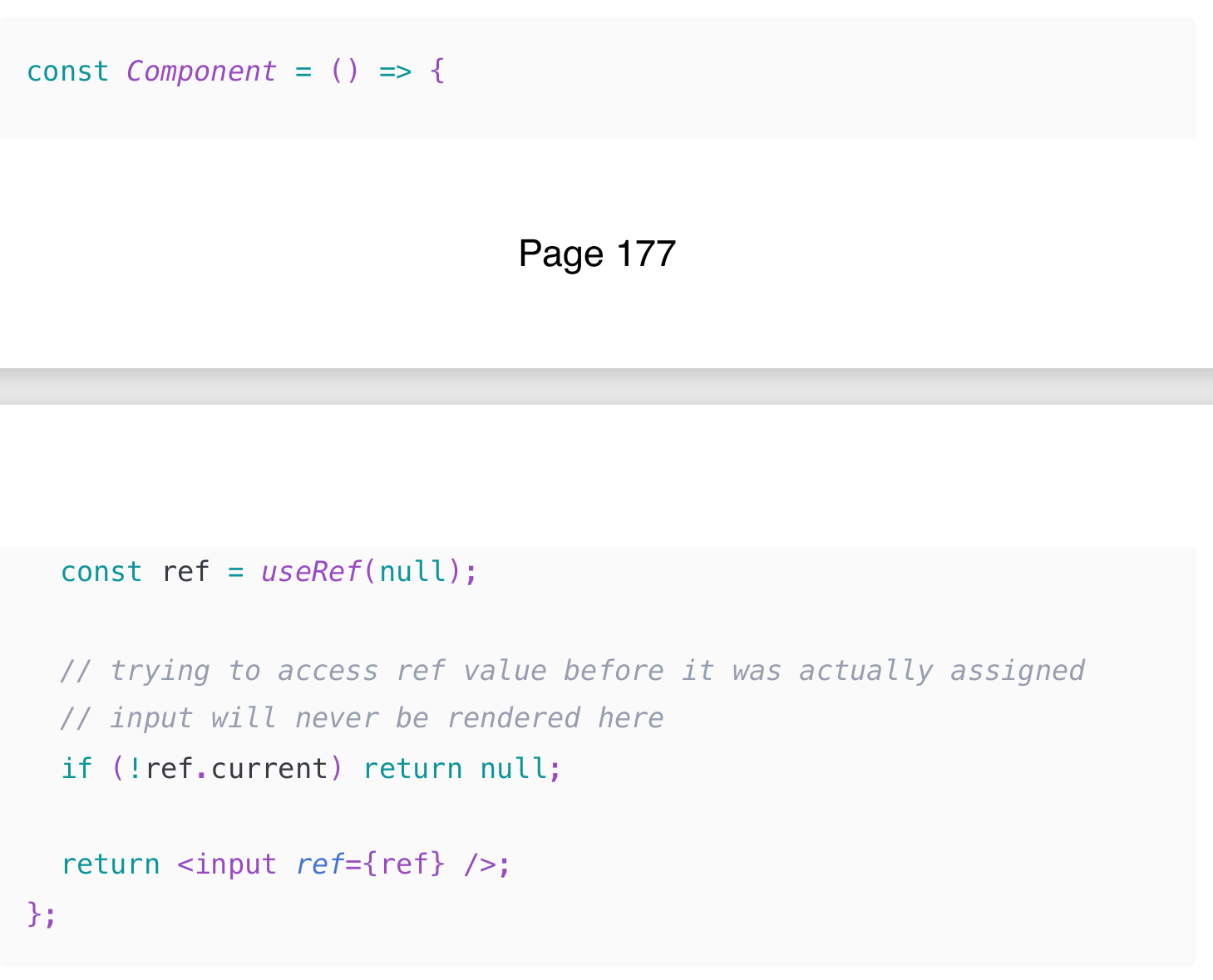
The important thing to remember here is that Ref will be assigned only after the element is rendered by React and its associated DOM element is created.
We need something to assign to that Ref, isn't it? That means that the ref.current value won't be available right away, and logic like this will just not work: (Check img) Therefore, we should not
We should only read and write ref.current either in the useEffect hook or in callbacks.
Passing Ref from parent to child as a prop
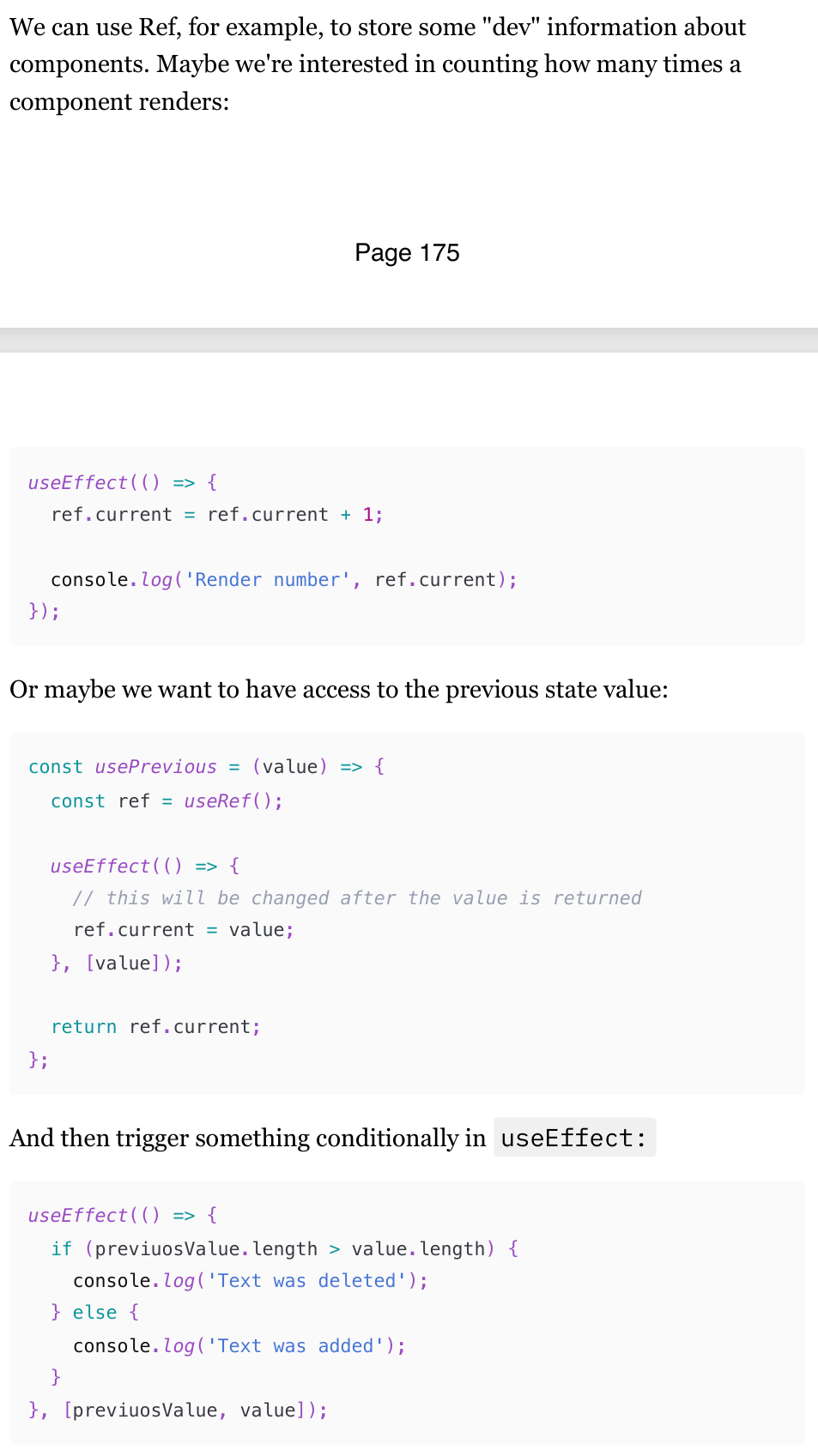
Ref Updates: Remember that updating the ref's current value doesn't trigger a re-render. This can be useful for performance optimization but requires careful handling to ensure the UI stays in sync.
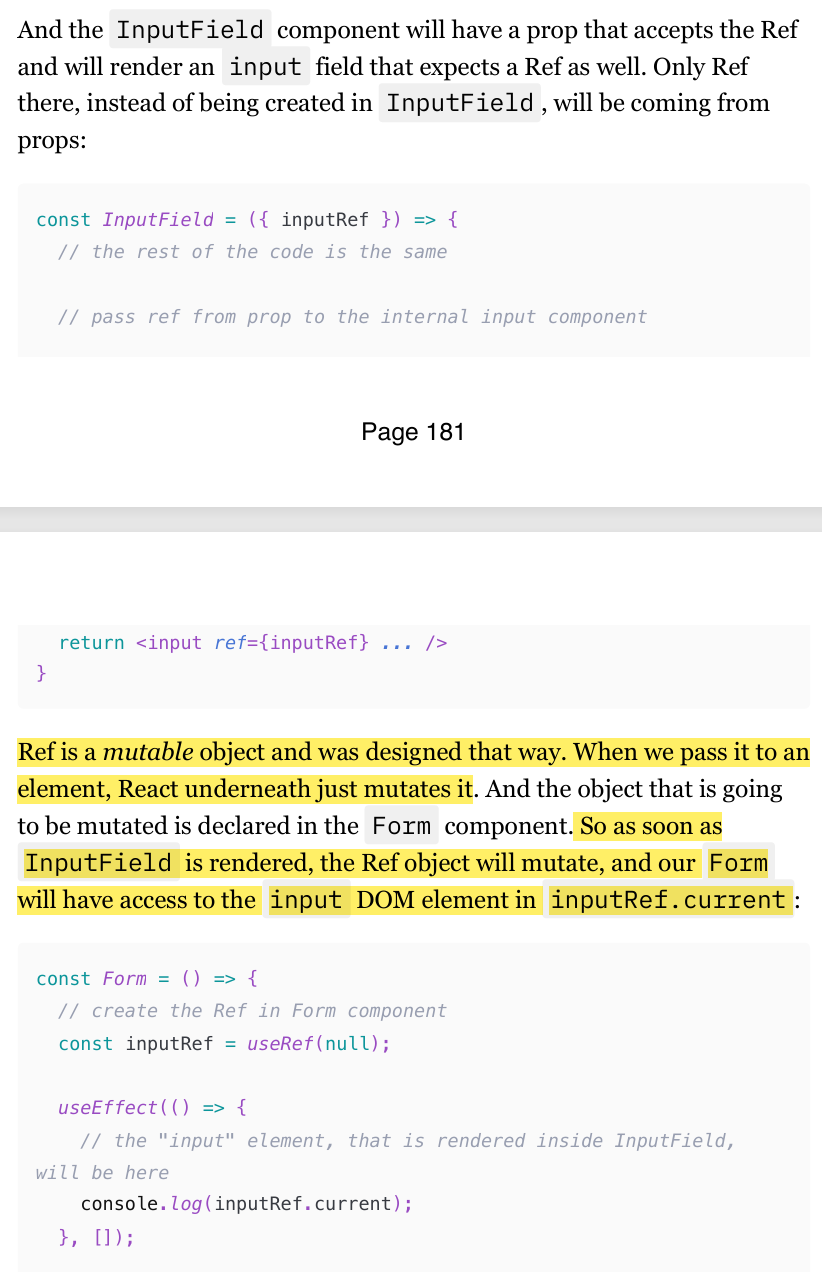
Passing Ref from parent to child with forwardRef (forwardRef is not needed in react 19)
Passing a Ref Prop Directly:
When you pass a ref as a regular prop, it means you're treating it just like any other prop. The child component gets this prop and can use it as needed, but the parent component doesn't directly control the ref.
When you pass a ref prop directly to a child component, it doesn't automatically become a ref to a DOM element or a class component instance. Instead, it is treated as a regular prop.
This means you need to manually handle the ref in the child component, which can lead to confusion and additional boilerplate code.
Using
forwardRef:When you use
forwardRef, you're allowing the parent component to directly control the ref of the child component. This is more powerful and aligns with React's best practices.When you use
forwardRef, the ref is automatically forwarded to the child component, making it easier to reference DOM elements or class component instances.
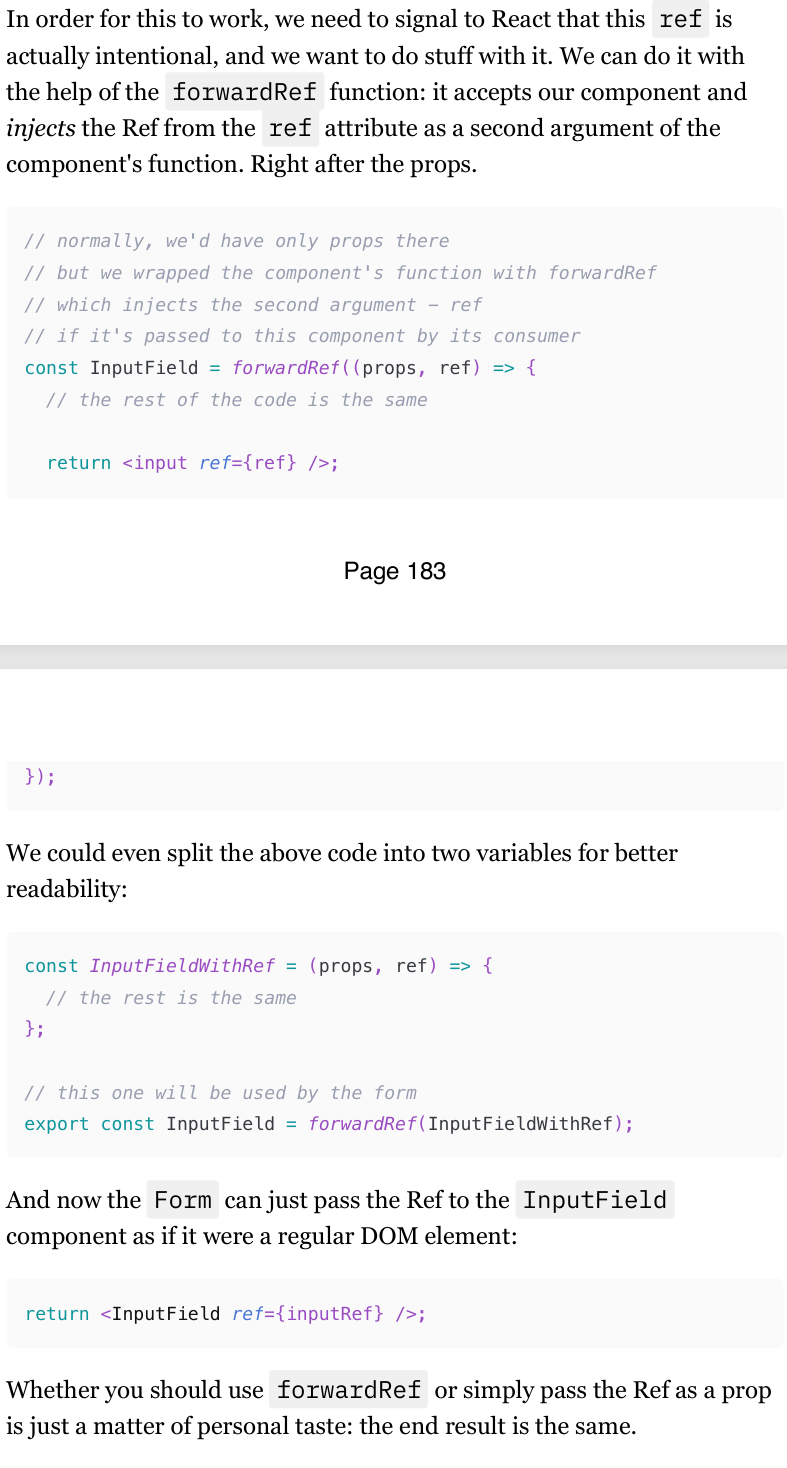
What is useImperativeHandle Hook?
useImperativeHandle is a React hook that allows you to customize the value that is assigned to a ref in a parent component. This hook is particularly useful when you need to expose a specific set of methods or properties from a child component to a parent component, giving you more control over the way your components communicate.
Here's a high-level overview of how useImperativeHandle works:
Define the Custom Handle: Within your functional component, you use
useImperativeHandleto specify which methods or properties should be available to the parent component.Use
forwardRef: Since functional components don't naturally handle refs, you need to wrap your component withforwardRefto properly pass the ref from the parent.
Just remember: the imperative way to trigger something is more of an escape hatch in React. In 99% of cases, the normal props/callbacks data flow is more than enough.
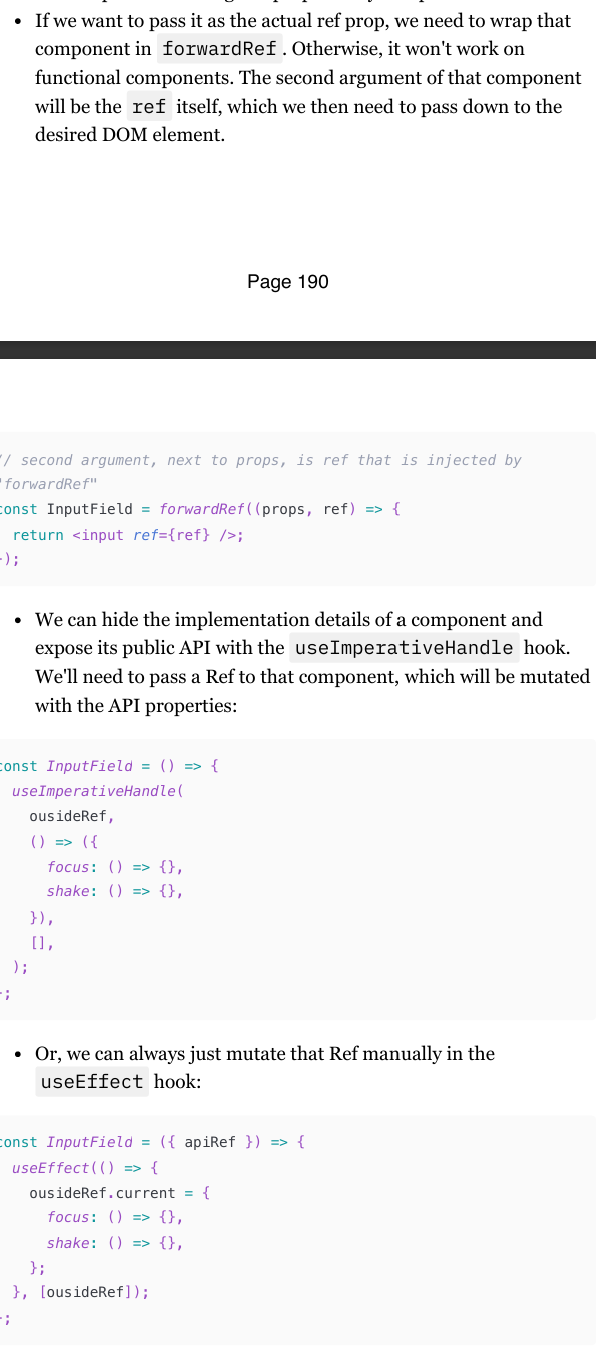
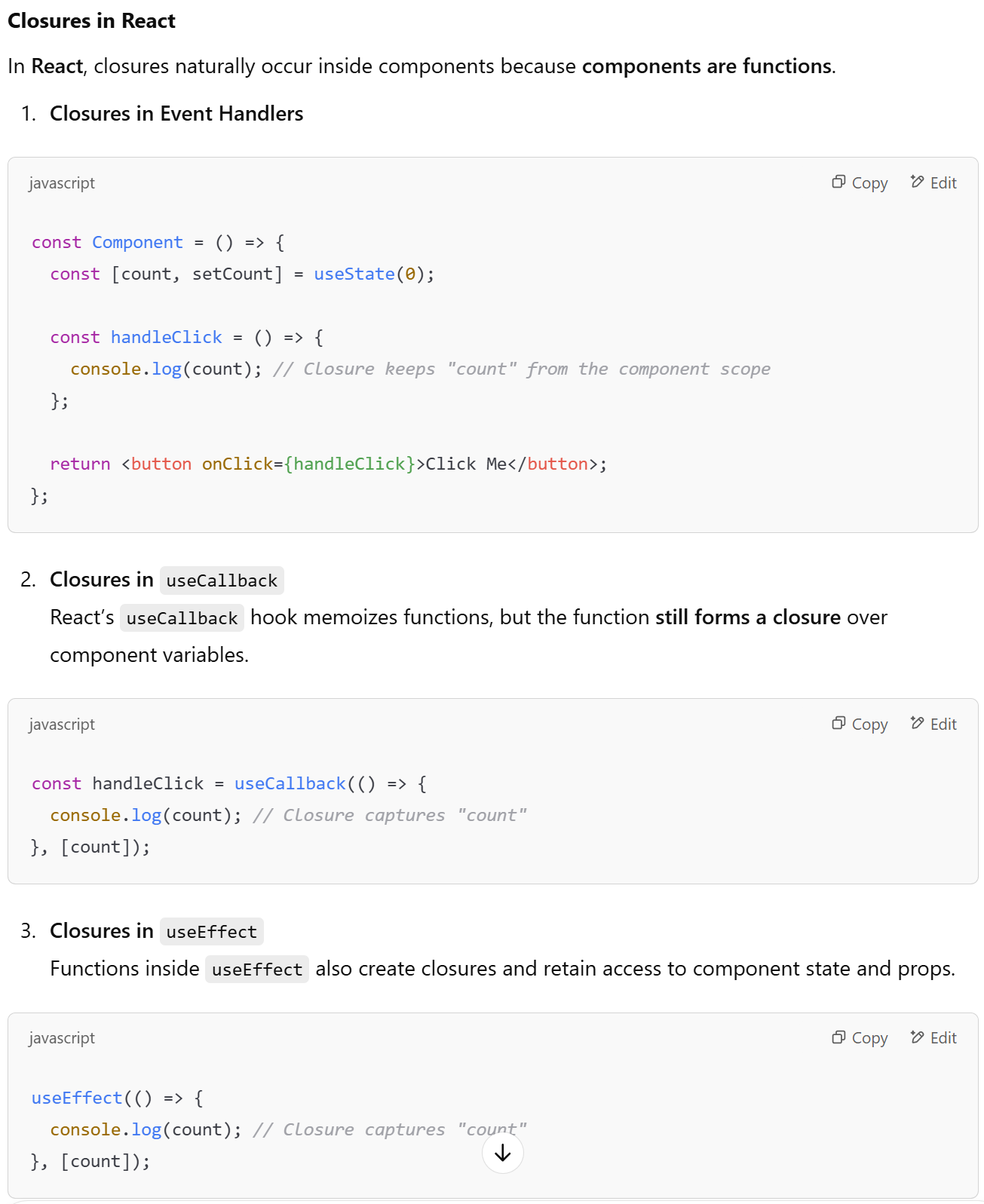
Closures in React
a stale closure happens when a function captures the variables from its outer scope (such as state or props) at the time of its creation, and those variables become outdated due to subsequent re-renders or state updates.
The Issue in Detail
Let's recap the issue step by step:
You have a form with an input field and a heavy component that you want to optimize using
React.memo.The
onClickhandler submits the form data and needs to log the current value of the input field.The
onClickhandler is memoized usinguseCallback, but because it depends on thevaluestate, it gets recreated on each state update.
The Dilemma
Memoizing
onClickwithuseCallbackand addingvalueas a dependency causes theonClickfunction to change every time the input value changes.This results in
React.memonot being effective, as the heavy component re-renders each time theonClickfunction changes.
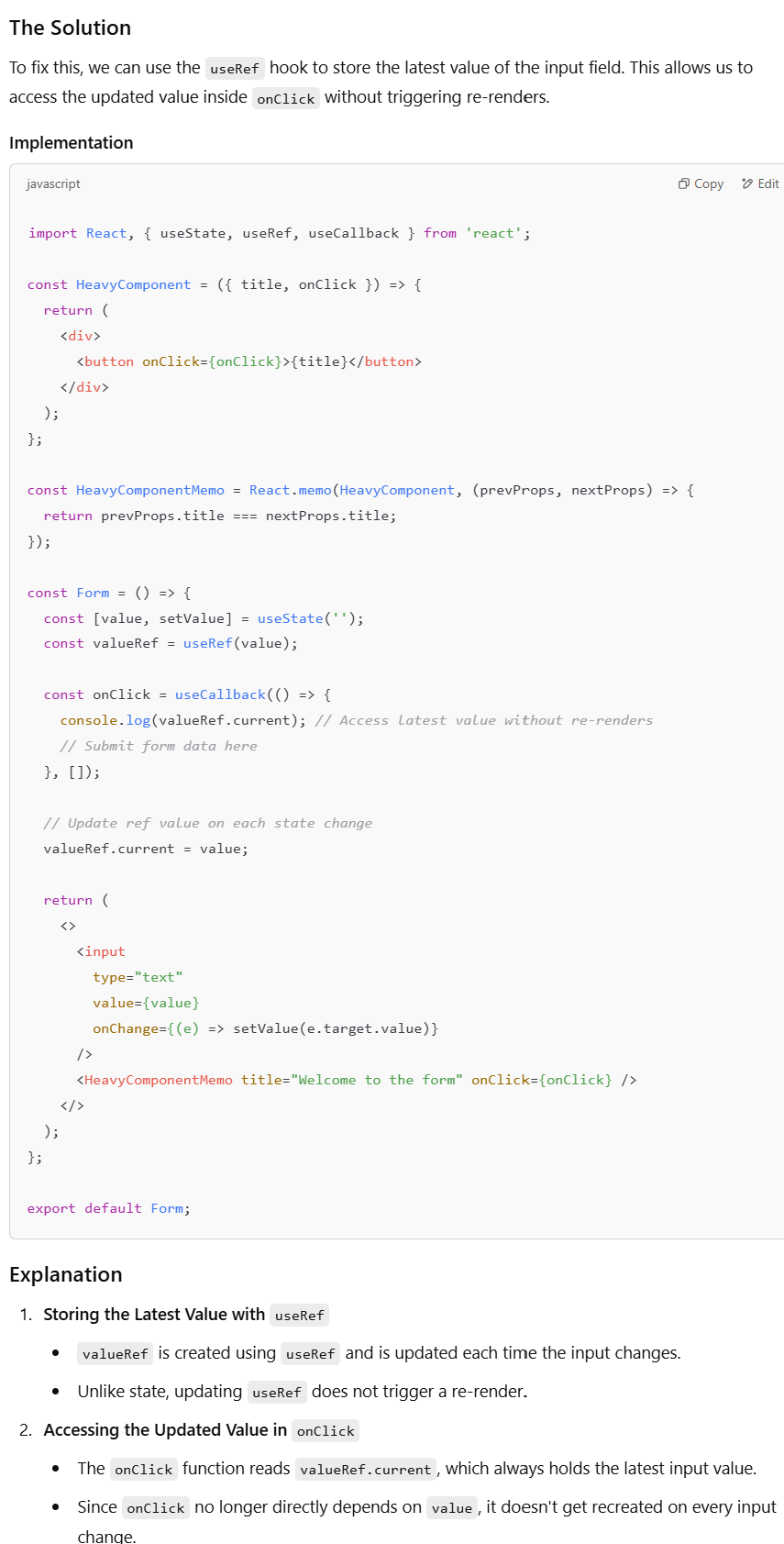
Javascript and React, scope and closures
In JavaScript, closures are useful for encapsulation and data persistence.
In React, every function inside a component is a closure, capturing state and props at the moment of definition.
Be mindful of stale closures, where a function retains outdated state due to memoization or missing dependencies.
The stale closure problem
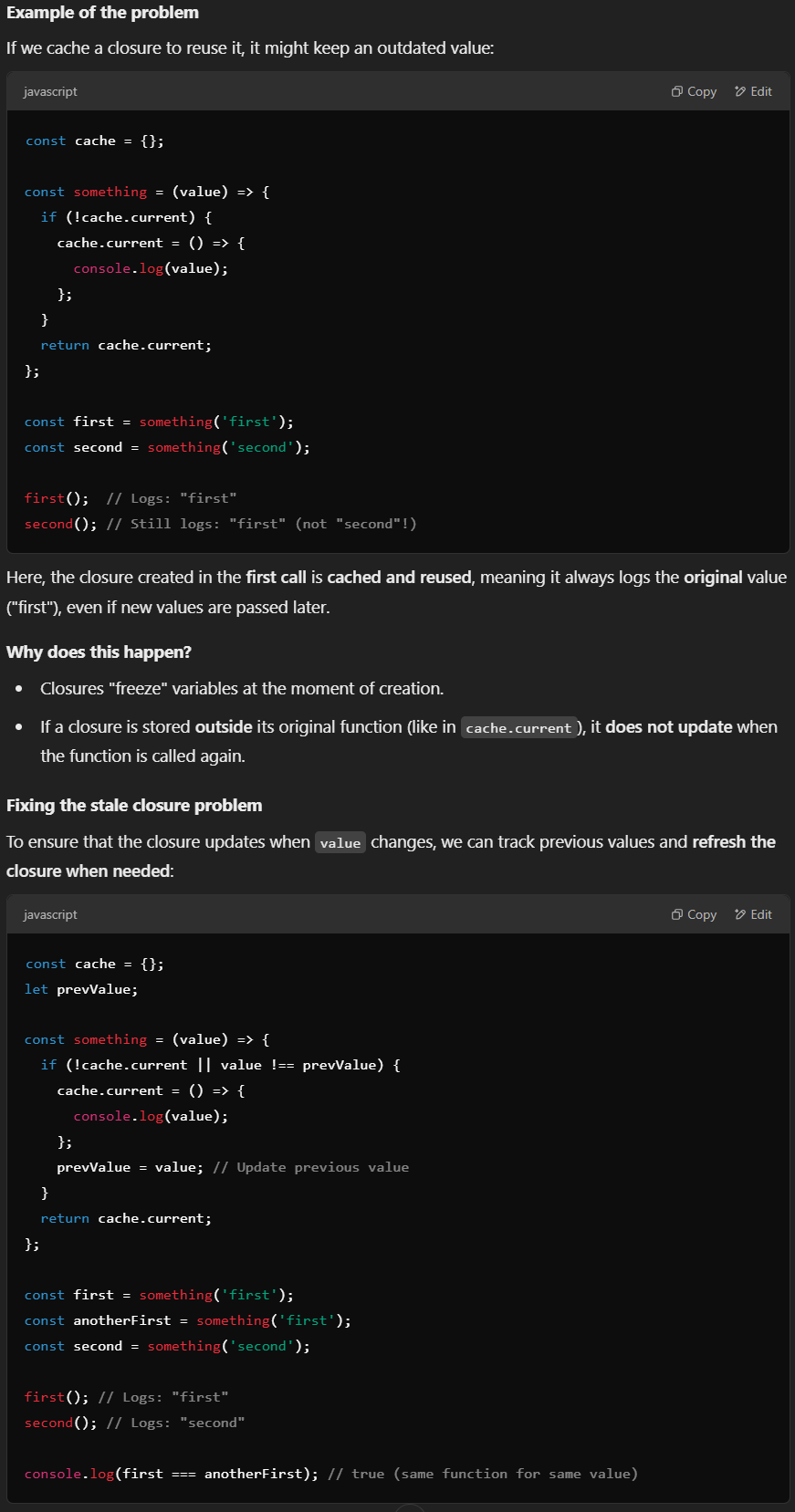
Closures in JavaScript retain references to variables from their outer scope at the moment they are created. If a closure is stored and reused without being updated, it may reference outdated (or "stale") data.
The problem with stale closure is not checking a certain value of a variable already exists or not but the function, object, or variable that we assigned in memory which cannot be itself compared if it already exists or not.
Stale closures in React: useCallback
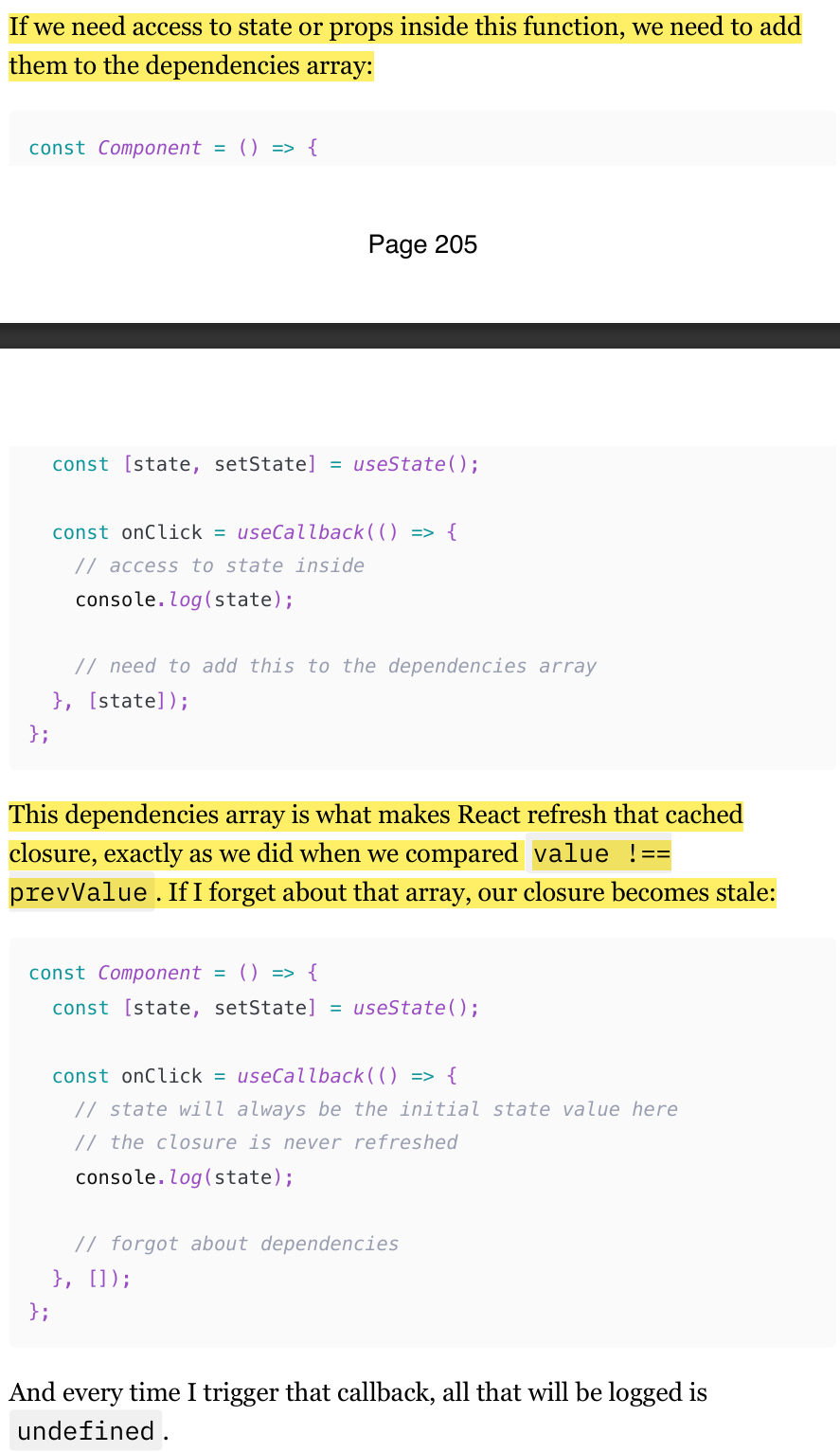
If you remember the Memoization with useMemo, useCallback, and React.memo chapter, the code in the previous flashcard should look familiar. And indeed, we just implemented exactly what the useCallback hook does for us. Every time we use useCallback , we create a closure, and the function that we pass to it is cached.
If we need access to state or props inside this function, we need to add them to the dependencies array in useCallback
This dependencies array in (useCallback, useMemo, memo, useFunction) is what makes React refresh that cached closure, exactly as we did when we compared value !== prevValue . If I forget about that array, our closure becomes stale:
Stale closures in React: Refs
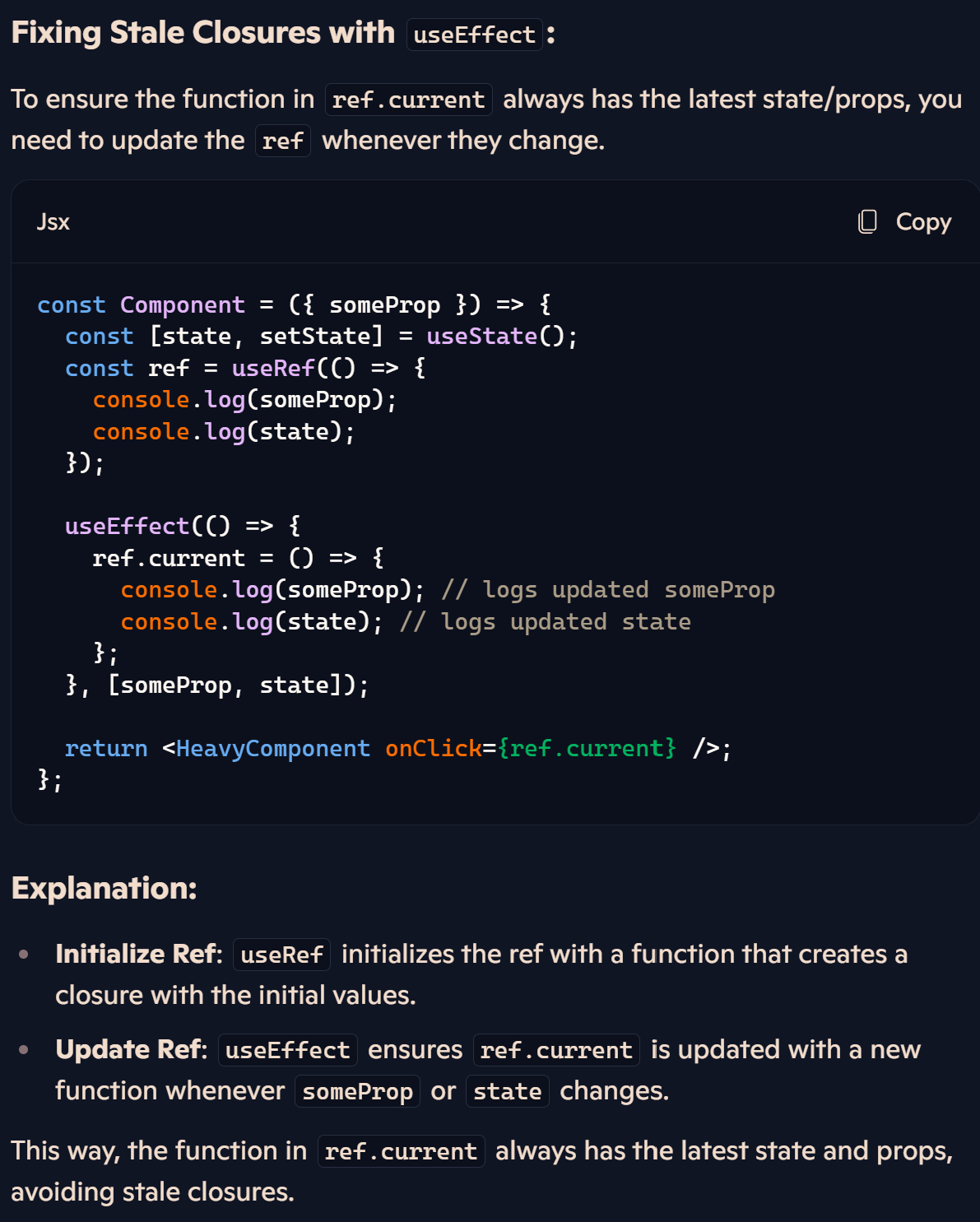
The second most common way to introduce the stale closure problem, after useCallback and useMemo hooks, is Refs.
When using useRef to store a function, it maintains the initial closure when the component is mounted. This means that any state or props accessed within that function will always reflect their initial values unless the ref is updated manually.
Stale closures in React: React.memo
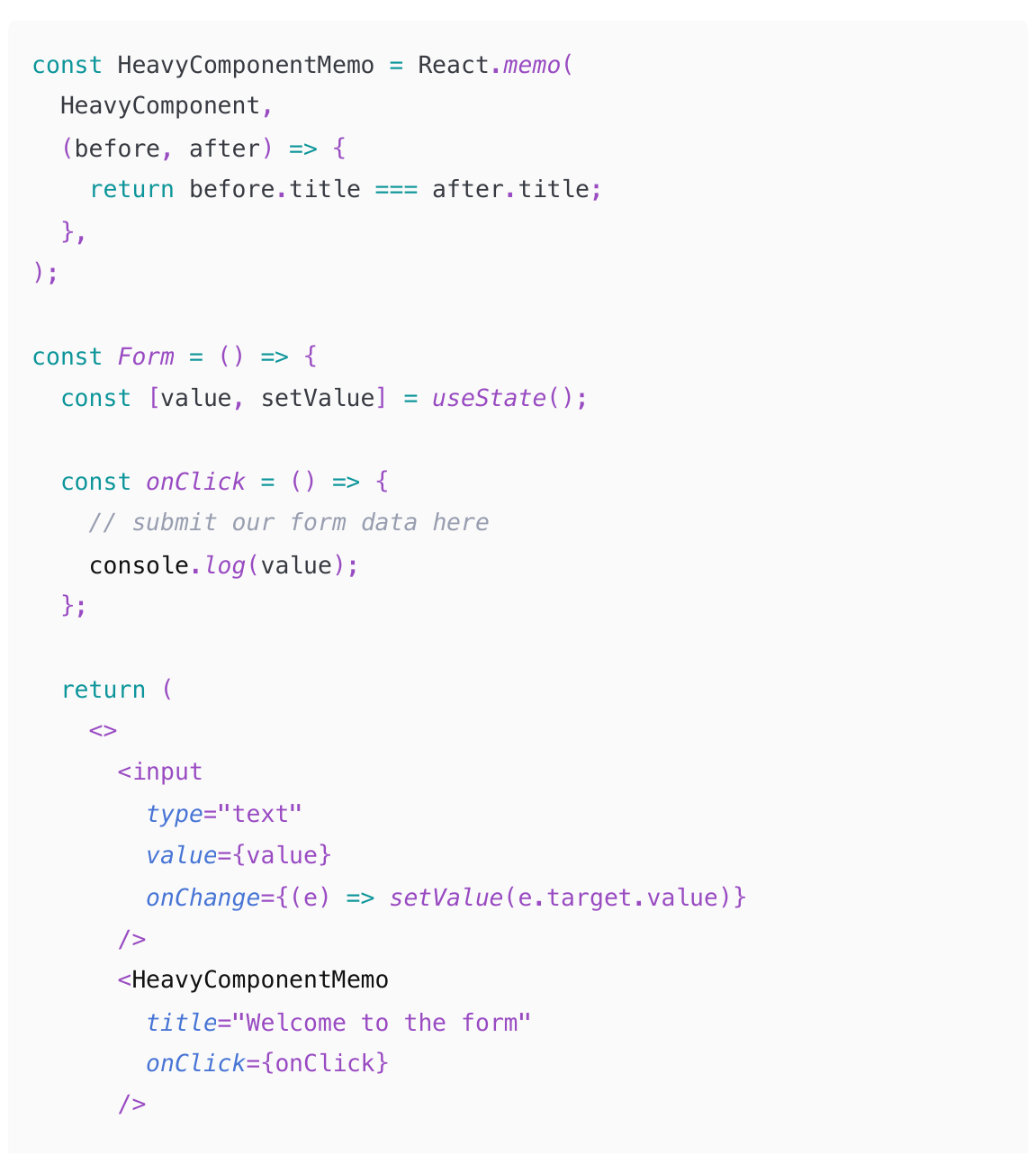
Every time we click on the button, we log "undefined". Our inside onClick is never updated.
When we create the onClick handler, it forms a closure with the initial state value ("undefined"). This closure is passed to the memoized component along with the title prop.
The comparison function only checks the title, which never changes, so HeavyComponent is never updated. As a result, it retains the reference to the initial onClick closure with the "undefined" value.
We can try many other things. But we don't have to do any heavy refactorings to escape that closures trap. There is one cool trick that can help us here.
(210-212)
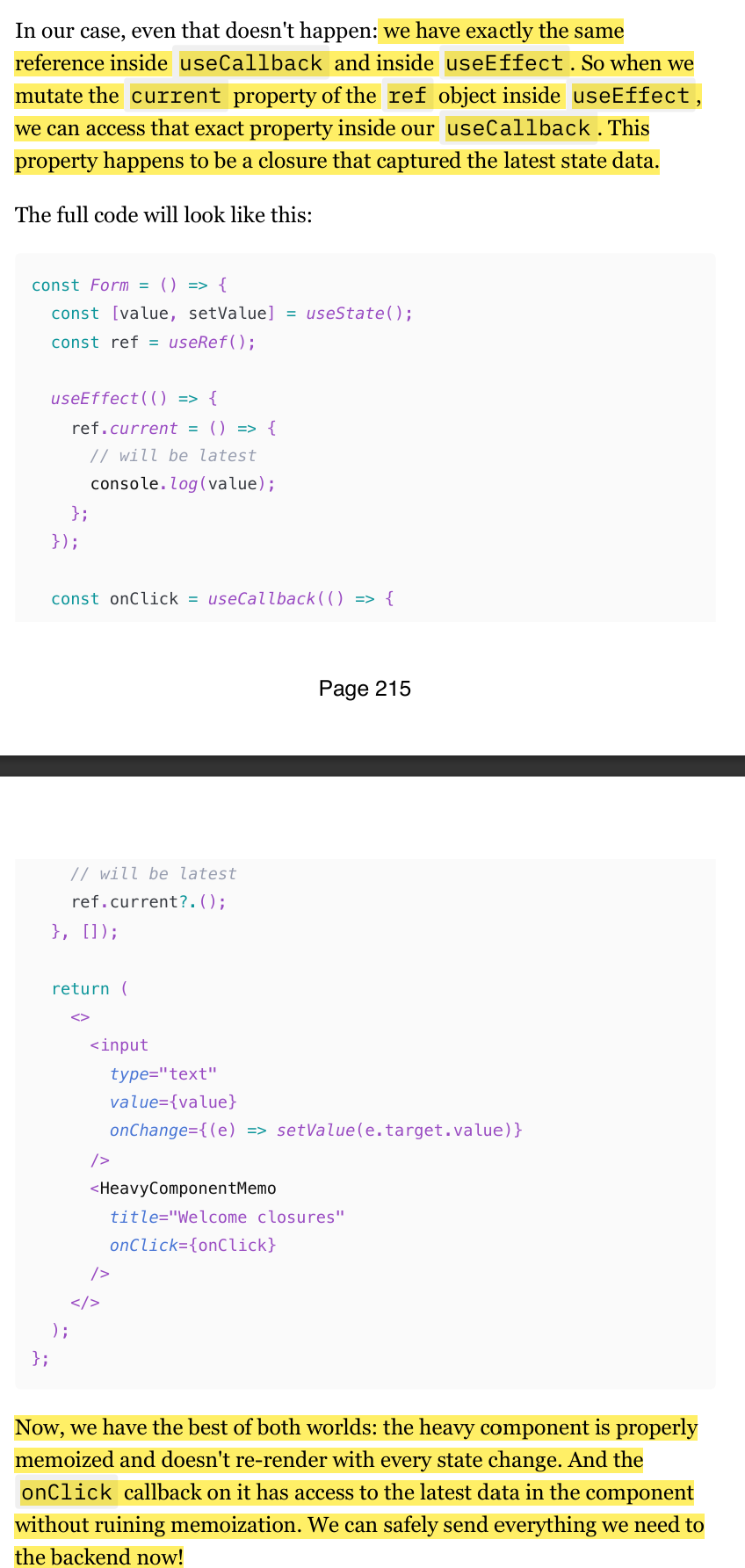
Escaping the closure trap with Refs
useEffect without the dependency array will be triggered on every re-render.
Which is exactly what we want. So now in our ref.current we have a closure that is recreated with every re-render, so the state that is logged there is always the latest.
we can't just pass that ref.current to the memoized component. That value will differ with every re-render, so memoization just won't work. So instead, create a small empty function wrapped in useCallback with no dependencies for that. Then all we need to make it work is to call ref.current inside that memoized callback. ref is not in the dependencies of the doesn't need to be. useCallback ? It ref by itself never changes. It's just a reference to a mutable object that the useRef hook returns.
(212-217)
Implementing advanced debouncing and throttling with Refs
One very important and quite common use case for Refs. It's storing various timers and timeout ids when dealing with functions like setInterval or debounce .
"Debouncing" and "Throttling" are techniques that allow us to skip function execution if that function is called too many times over a certain time period.
It's a very common scenario for various form elements. We usually would want to debounce/throttle inputs' onChange callbacks, for example, so that the form is not re-rendered with every keystroke
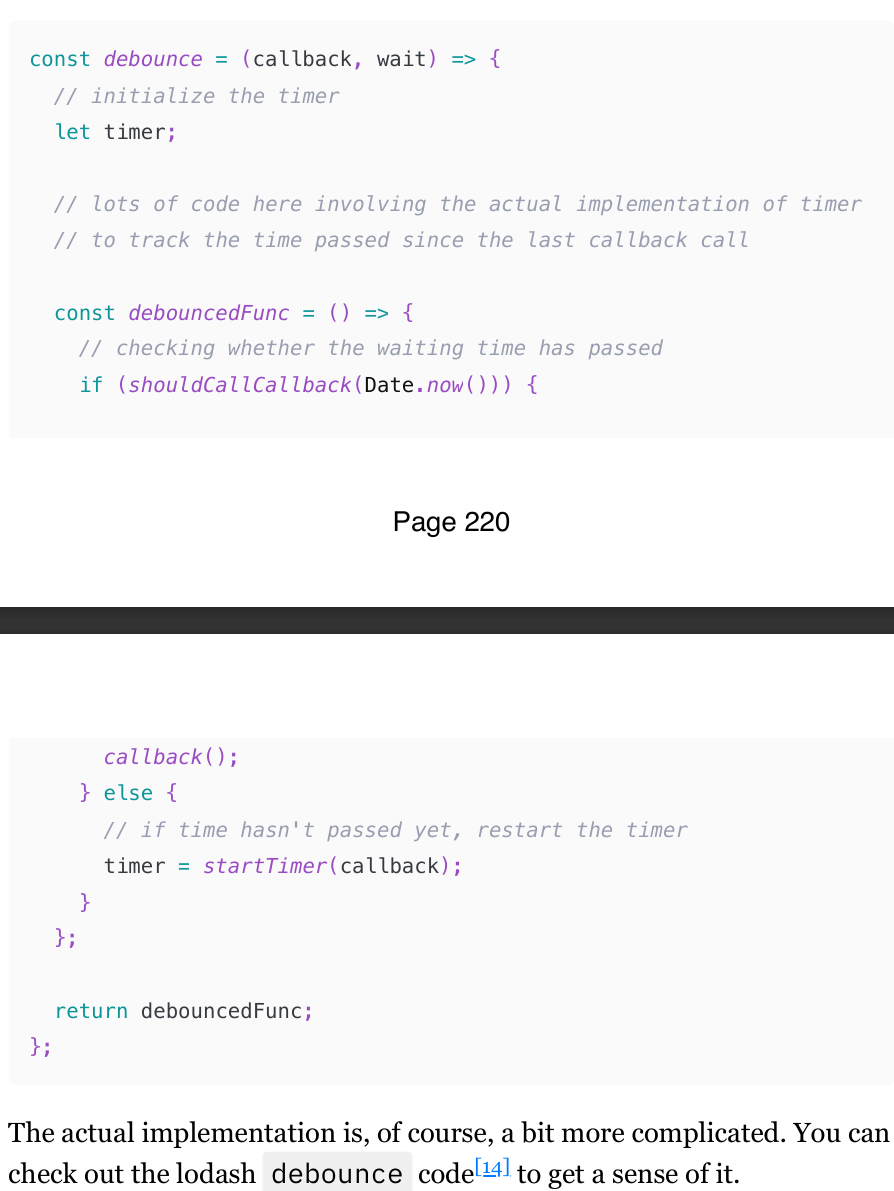
Debouncing
debounce is just a function that accepts a function, returns another function, and has a tracker inside that detects whether the passed function was called sooner than the provided interval. If sooner - then skip the execution and re-start the clock. If the interval has passed, call the passed function.
Throttle
Throttle is very similar, and the idea of keeping the internal tracker and a function that returns a function is the same.
If a user types something in the field, we want to send requests to the backend to save whatever they type "on the fly", without them pressing the "save" button explicitly. If a user is writing a poem in a field like that really, really fast, the "debounced" onChange callback will be triggered only once. And if something breaks while typing, the entire poem will be lost. The "throttled" callback will be triggered periodically, the poem will be regularly saved, and if a disaster occurs, only the last milliseconds of the poem will be lost. Much safer approach.
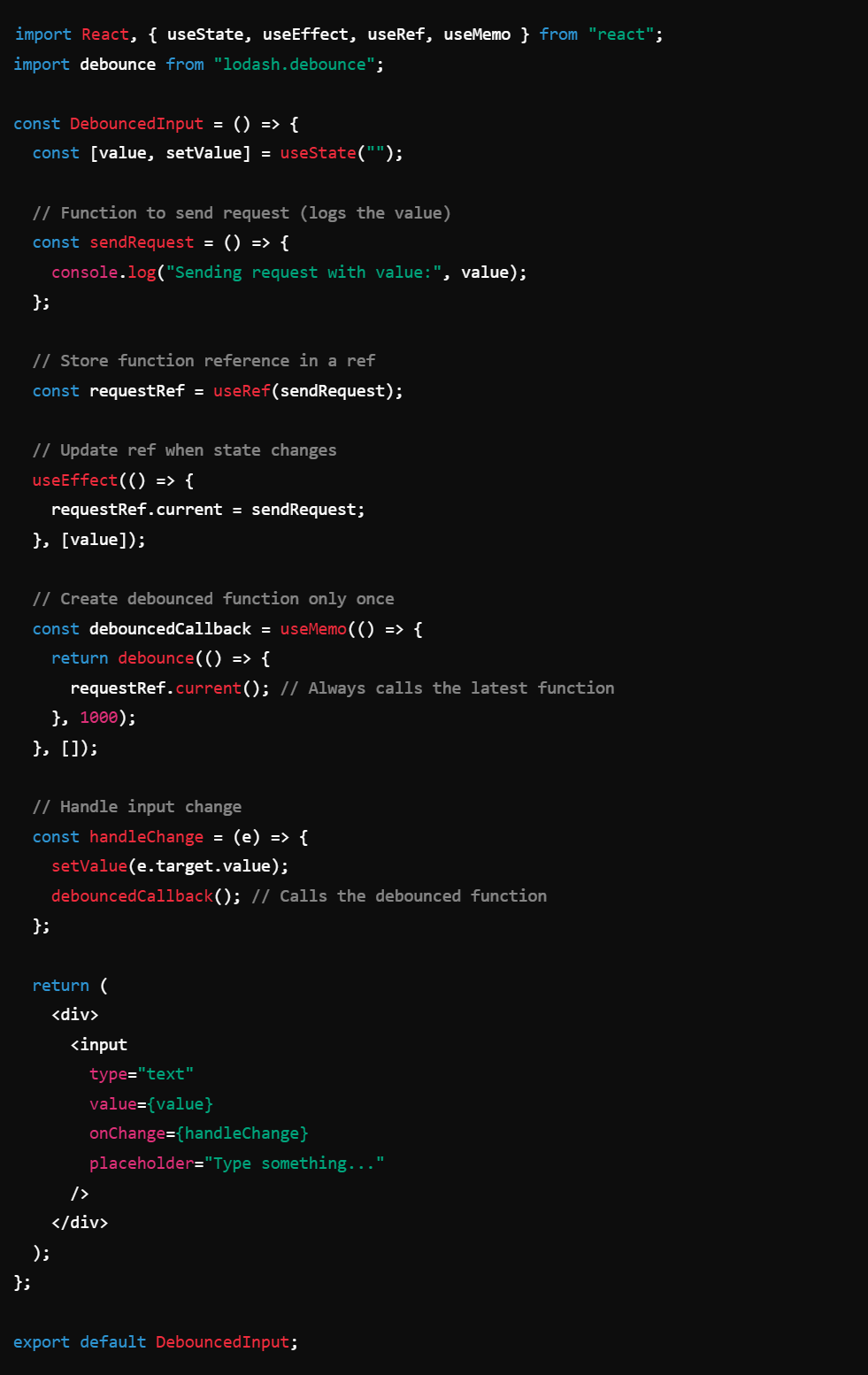
Debounced callback in React: dealing with re-renders (the solution to debouncing with useRef)
Debouncing in React can be tricky when working with state. Initially, a useCallback function is used to debounce input changes, but adding state dependencies causes the function to re-create on every render, making debounce ineffective.
To avoid this, useRef can store the debounced function, preventing unnecessary re-creation. However, since refs don’t update automatically, they require useEffect to update them with the latest state, or else the function becomes stale due to closures.
A more robust solution involves storing the function reference in a ref, updating it with useEffect, and using useMemo to create the debounced function only once. This allows the function to always access the latest state while avoiding unnecessary re-renders.
Browser rendering (Painting)
Browsers update the screen in frames rather than continuously, similar to presenting slides rather than drawing in real-time. They aim for 60 FPS (frames per second), meaning each frame updates approximately every 13ms—a process called "painting" in React.
Updates are managed as tasks in a queue. The browser picks and executes tasks until it runs out of time within the 13ms window, then refreshes the screen. This cycle repeats endlessly, enabling smooth experiences like scrolling and animations.
What is a Task in Painting
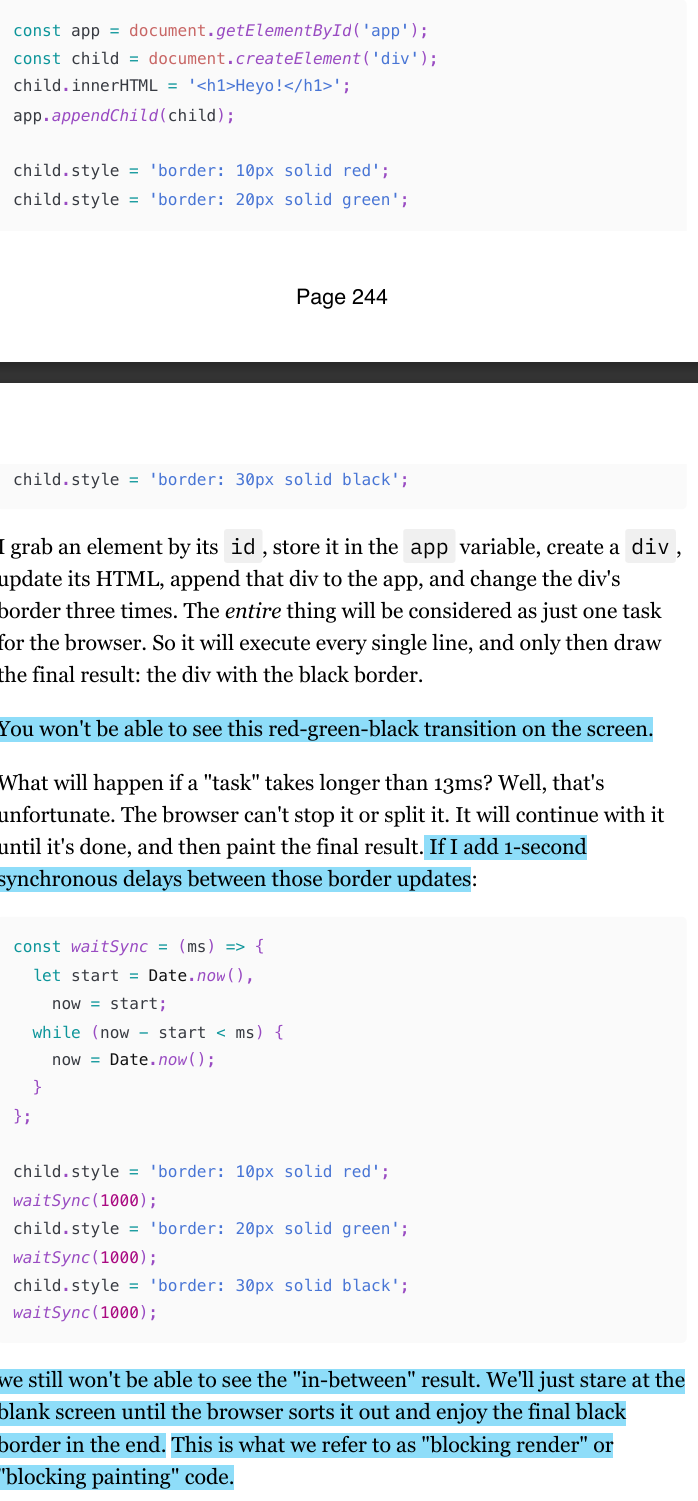
When it comes to normal JavaScript, it's everything that we put in the script tag and execute synchronously. (check img)
The main idea here is how the browser batches DOM updates and how synchronous tasks can block rendering.
DOM updates within a single task are processed together: Even though the border is updated three times (
red → green → black), the browser only paints the final state (black). Intermediate states (red, green) are never shown.Long-running tasks block rendering: If a task takes longer than 13ms (e.g., using
waitSync(1000)to delay updates), the browser freezes, showing nothing until the task finishes.This results in "blocking render" or "blocking painting", where the UI doesn’t update until the entire task completes.
What React does to Browser rendering (Browser Painting)
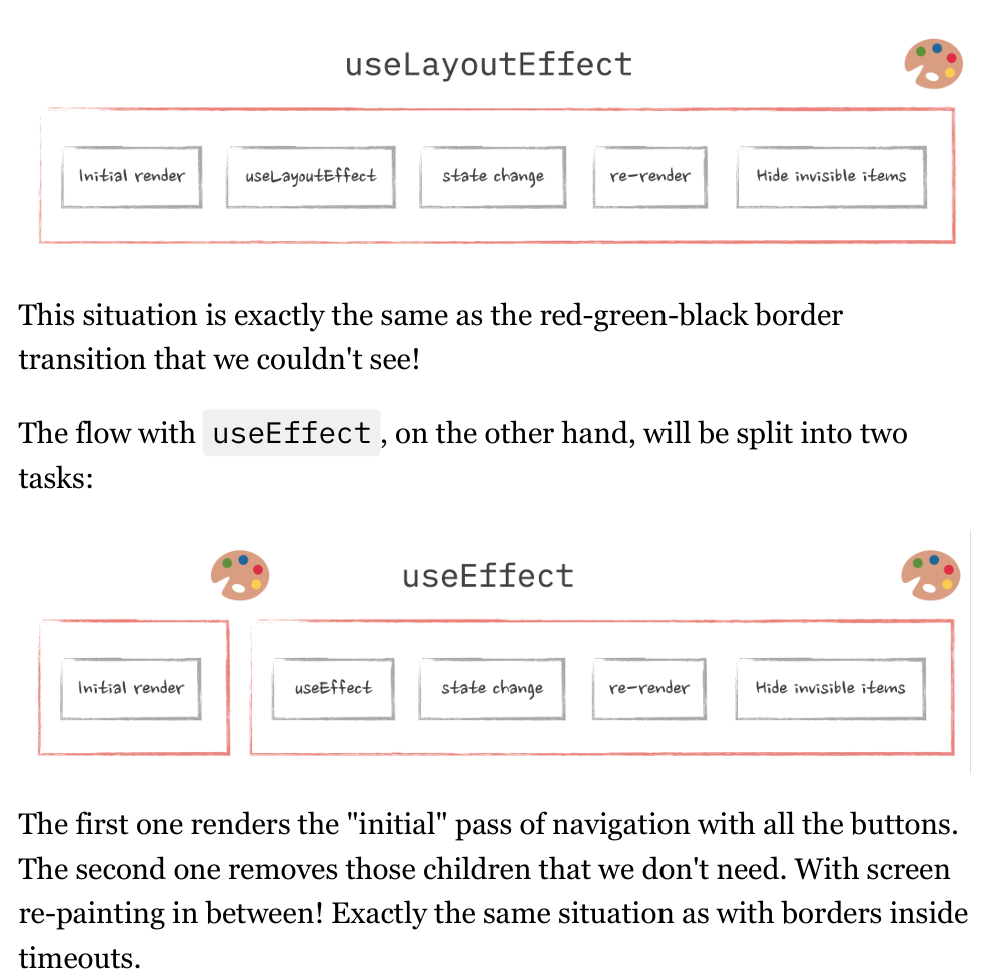
Now, although React is just JavaScript, it's not executed as one single task, of course. The internet would be unbearable if it was. The way to "break" a giant task like rendering an entire app into smaller ones is by using various "asynchronous" methods: callbacks, event handlers, promises, and so on.
React optimizes rendering by batching updates, prioritizing tasks, and rendering in chunks rather than blocking the browser.
useEffect vs useLayoutEffect
Execution Timing:
useLayoutEffectruns synchronously after all DOM mutations but before the browser paints. ButuseEffectruns after the render is committed to the screen.Use Case: It is used when you need to read layout and/or perform synchronous re-rendering before the browser updates the screen. This is useful for measurements or changing the DOM in a way that needs to be immediately visible.
Behavior: It blocks the browser from painting until the effect is complete, which caen potentially impact performance if overused.
How SSR works?
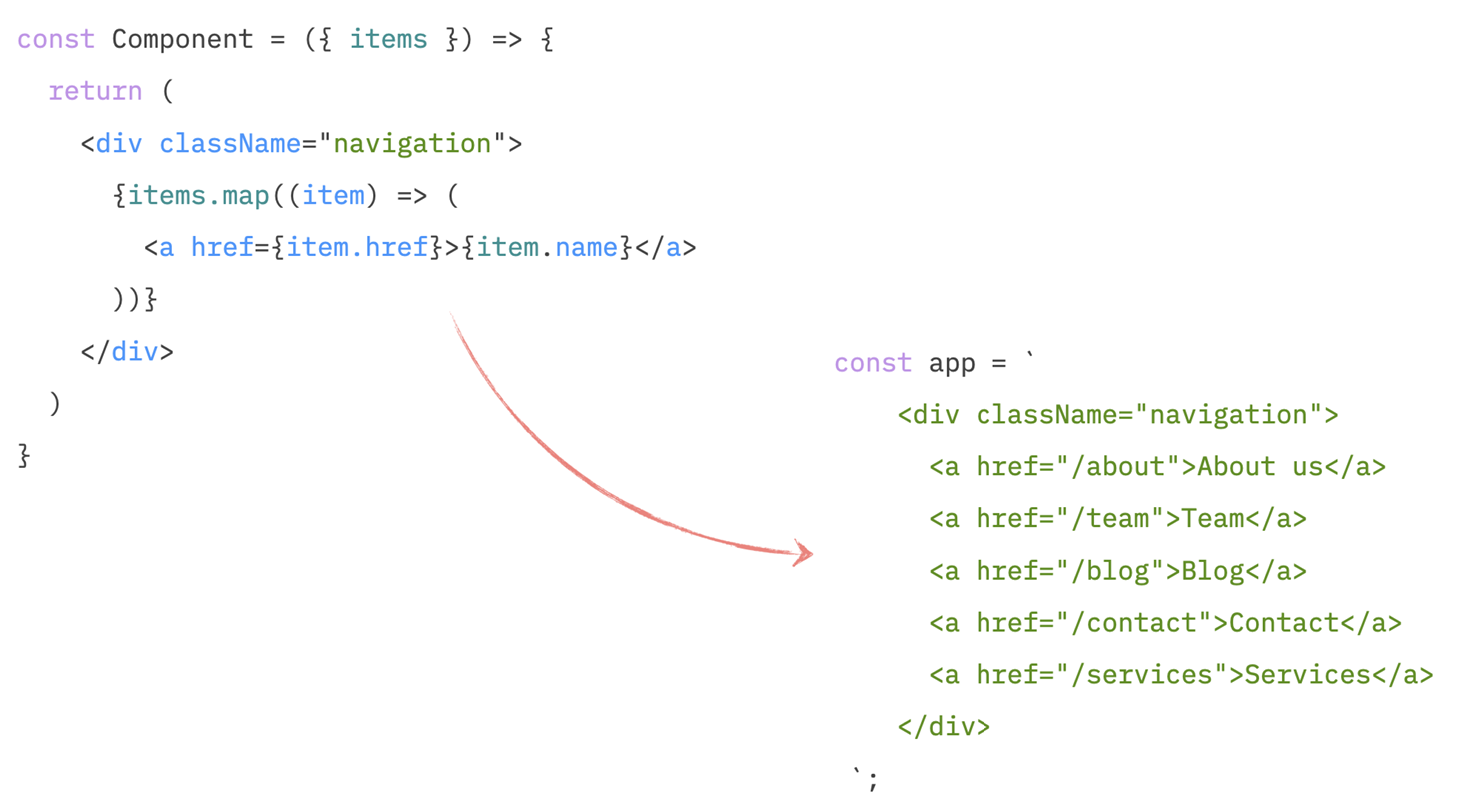
when we have SSR enabled, the very first pass at rendering React components and calling all the lifecycle events is done on the server before the code reaches the browser. On the backend, some method calls something like React.renderToString(). React then goes through all the components in the app, "renders" them (i.e., just calls their functions), and produces the HTML that these components represent.
Then, this HTML is injected into the page that is going to be sent to the browser.
After that, the browser downloads the page, shows it to us, downloads all the scripts (including React), runs them (including React again), React goes through that pre-generated HTML, sprinkles some interactivity on it, and our page is now alive again.
The problem here is: there is no browser yet (HTML generation happens on the server, not on the user's browser.) when we generate that initial HTML. Anything that would involve calculating actual sizes of elements (like we do in our useLayoutEffect ) will simply not work on the server. (because react is ran on the server). There are no elements with dimensions yet, just strings. And since the whole purpose of useLayoutEffect is to get access to the element's sizes, there is not much point in running it on the server. And React doesn't.
As a result, what we see during the very first load when the browser shows us the page that is not interactive yet is what we rendered during the "first pass" stage in our component: the row of all the buttons, including the "more" button.
How to fix some SSR problem that stop user interactivity in the browser?
How to fix it is a user experience problem and depends entirely on what you're willing to show to your users "by default."
We could show them some "loading" state instead of the menu. Or show one or two of the most important menu items. Or even hide the items completely and only render them on the client. It's up to you.
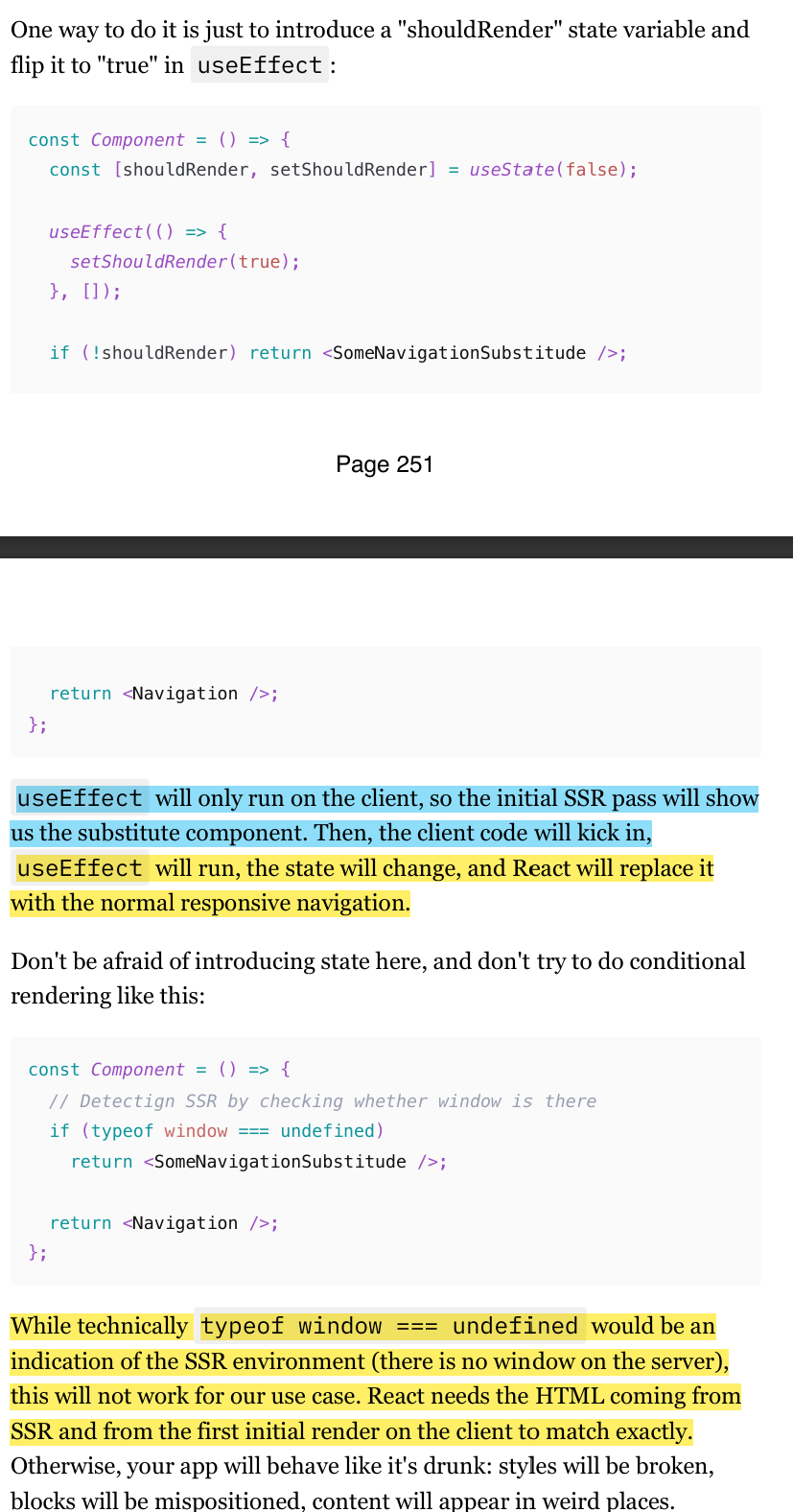
One way to do it is just to introduce a "shouldRender" state variable and flip it to "true" in useEffect. (check img), because useEffect will only run on the client, so the initial SSR pass will show us the substitute component. Then, the client code will kick in.
Absolute is not that absolute (in CSS)
First of all, the absolute position is not exactly… absolute. It's actually relative: relative to the closest element with the position set to any value. In our case, it just works by accident: because I don't have any positioned elements between my modal dialog and the root of the app.
If the dialog happens to be rendered inside a div with relative (or sticky or position: absolute ) and this div is not in the middle of the page, then it all falls apart. The modal will be positioned in the middle of that div, not in the middle of the screen.
Understanding Stacking Context
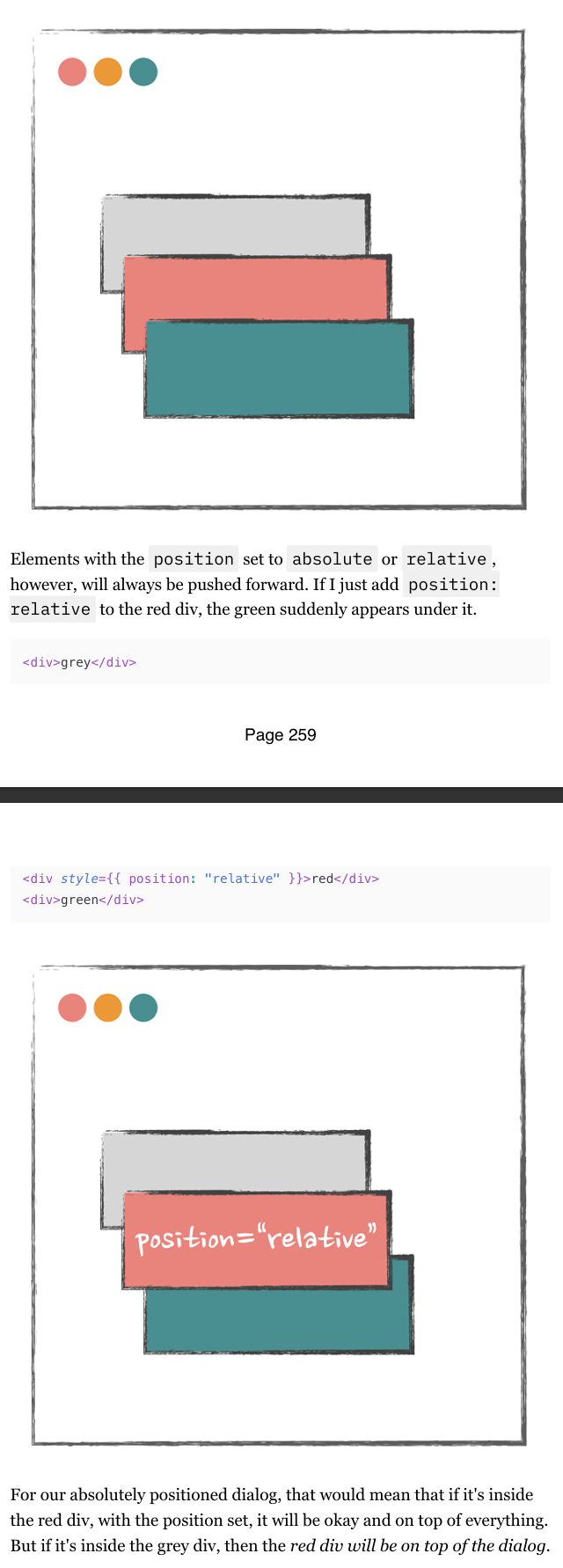
Stacking Context is a concept in web design that helps determine the order in which elements are rendered on a web page along the Z-axis (the depth). Think of it like layers in a 3D space.
Elements are generally stacked according to their order in the DOM.
Example: If you have
<div>grey</div>,<div>red</div>, and<div>green</div>, the green div will be in front of the red one, and the red one in front of the grey.Elements with
position: relativeorposition: absoluteare always pushed forward.
Using Portals in Reacct
Portals allow you to easily render some elements, like modal dialogs, outside of their current DOM position so that the Stacking Context doesn't trap them.
When using Portals, the rules are:
What happens in React stays within the React hierarchy.
What happens outside of React follows DOM structure rules.
Types of data fetching
in the modern frontend world, we can loosely separate the concept of "data fetching" into two categories: initial data fetching and data fetching on demand.
Data on demand is something that you fetch after a user interacts with a page in order to update their experience. All the various autocompletes, dynamic forms, and search experiences fall under this category. In React, the fetch of this data is usually triggered in callbacks.
Initial data is the data you'd expect to see on a page right away when you open it. It's the data we need to fetch before a component ends up on the screen. It's something that we need to be able to show users some meaningful experience as soon as possible. In React, if no SSR is involved, fetching data like this usually happens in useEffect (or in componentDidMount for class components).
Interestingly enough, although these concepts seem totally different, the core principles and fundamental patterns of data fetching are exactly the same for both.
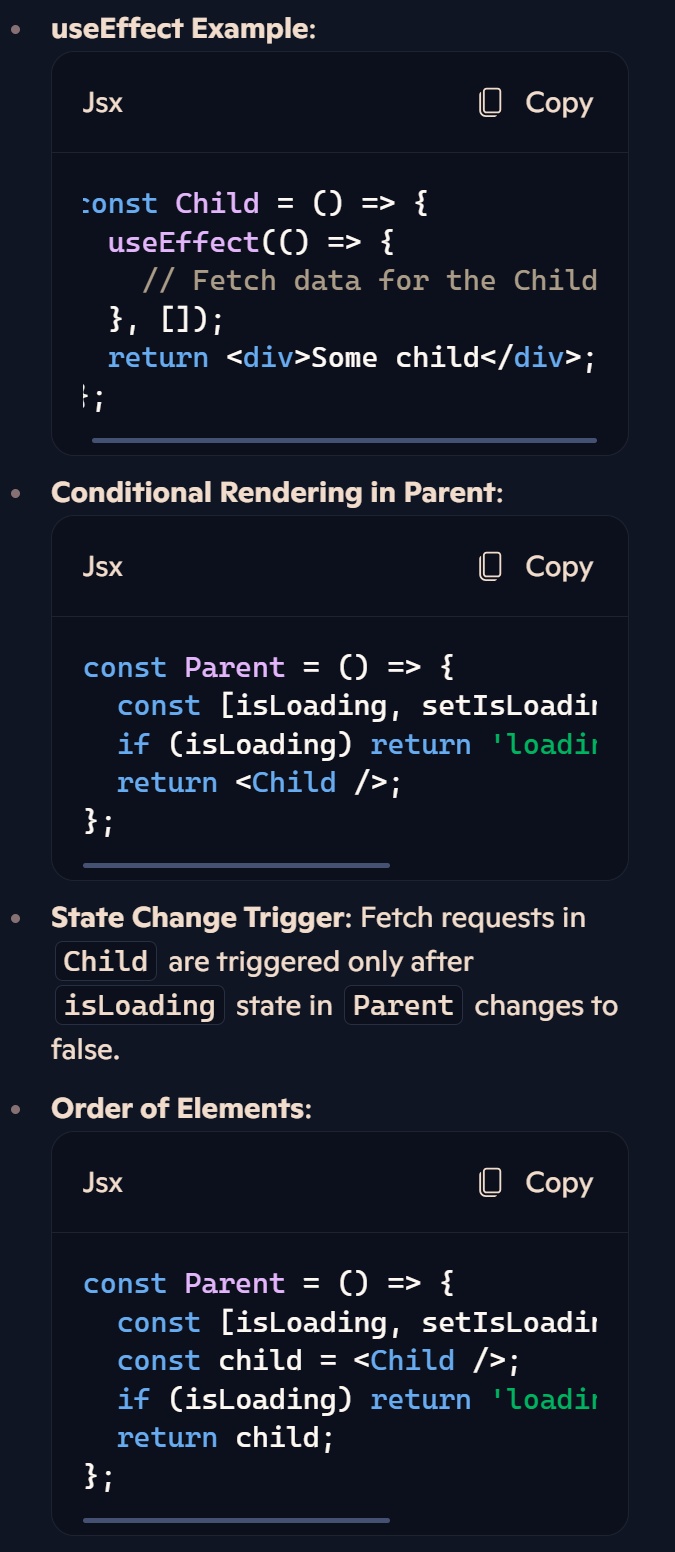
React Lifecycle and Data Fetching on render.
Lifecycle Importance: Plan fetch requests based on when the React component's lifecycle is triggered.
Conditional Rendering: Only trigger fetch requests when certain state changes occur.
Advanced Lifecycle Topics: Knowledge of triggers before/after painting, useLayoutEffect, and performance optimization becomes crucial in large apps.
Browser Limitations and Data Fetching
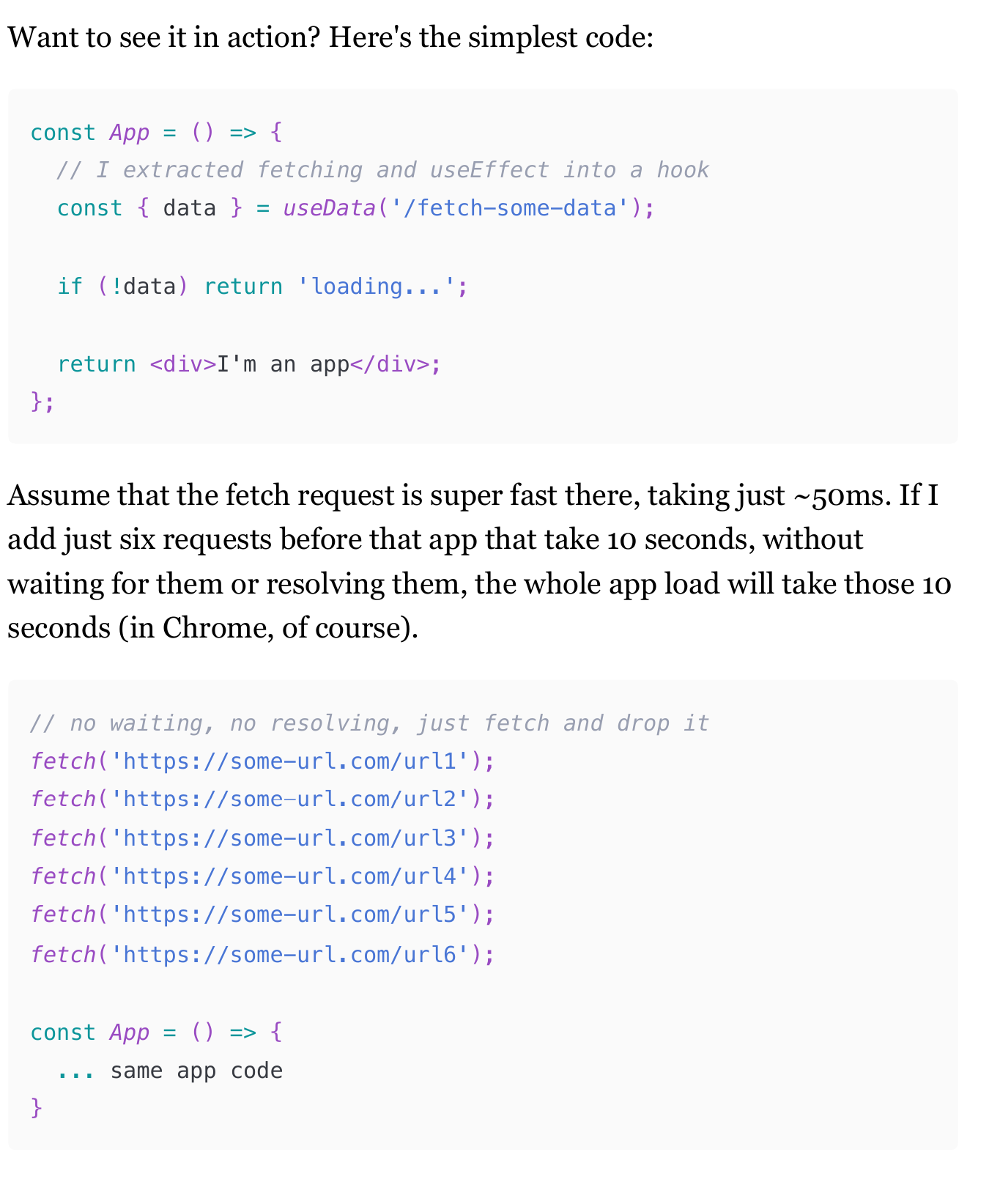
Complexity in Data Fetching: In large apps with many data fetching requests, firing all requests simultaneously and storing data in a global store can cause issues.
Browser Limitations: Browsers have a limit on the number of parallel requests to the same host (6 requests in Chrome for HTTP1). Exceeding this limit causes additional requests to queue.
Impact on Large Apps: For apps with numerous initial data fetching requests, this limitation can significantly slow down the user experience.
Requests Waterfalls: How They Appear
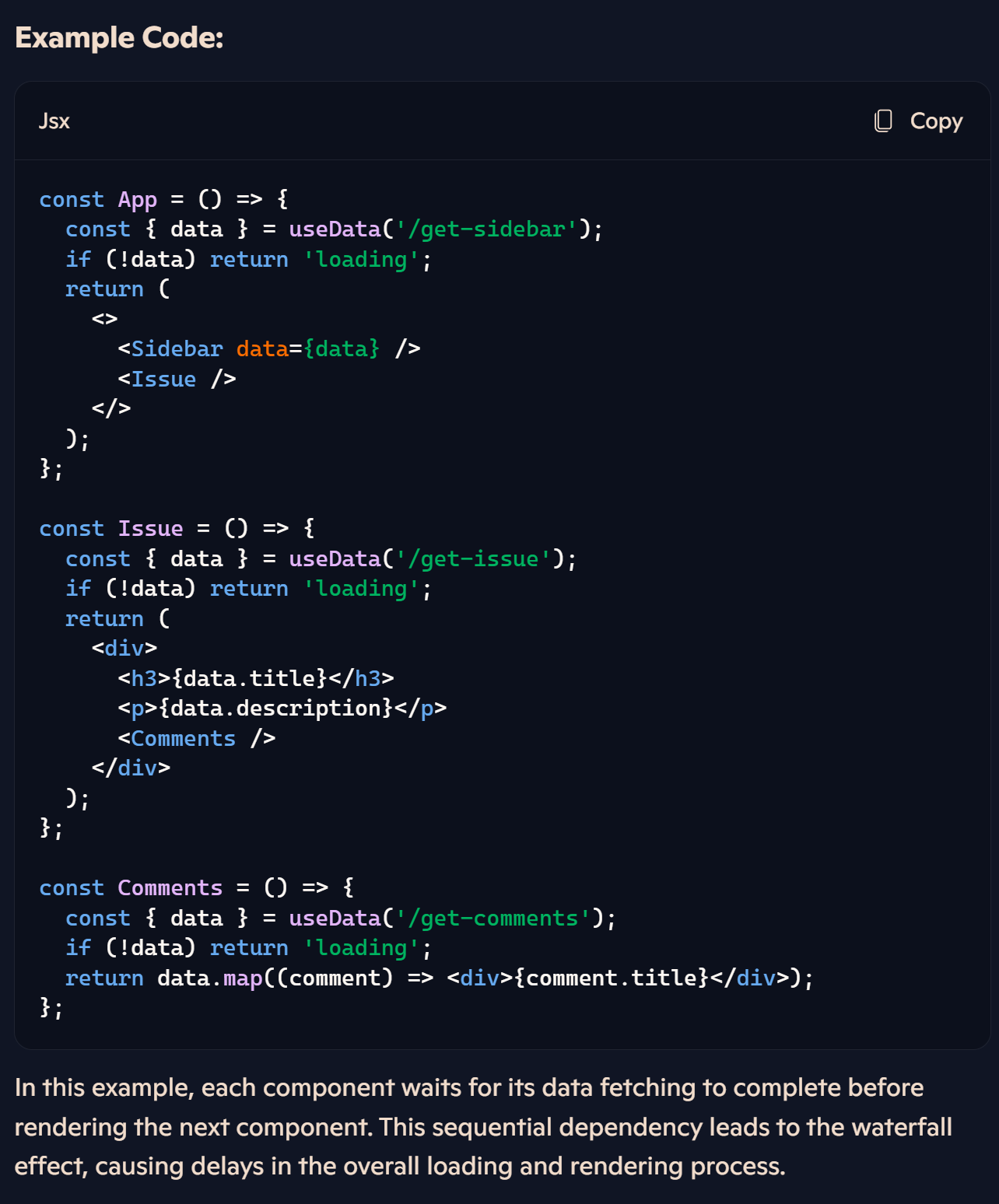
The waterfall effect in data fetching occurs when multiple dependent requests are made sequentially, one after the other. Each subsequent request waits for the previous one to complete before starting. This can lead to significant delays in loading data and rendering components, especially in large applications with numerous data fetching operations.
Solution:
To mitigate the waterfall effect, consider optimizing your data fetching strategy:
Parallel Requests: Initiate multiple requests simultaneously rather than sequentially.
State Management: Use state management libraries to manage and share data across components efficiently.
Batch Requests: Combine multiple requests into a single batch request when possible.
(285-294)
Race conditions
Race conditions occur due to asynchronous operations (Promises) and React's lifecycle. They can cause flickering content and data inconsistency when multiple fetch requests overlap.
Race condition reasons
Why Race Conditions Happen:
Asynchronous Nature of Promises:
When you trigger a
fetchrequest, it runs in the background while React continues rendering.If multiple
fetchrequests are initiated (e.g., due to rapid state changes), they don't cancel each other out. Each request will complete independently, even if the data is no longer needed.
React's Lifecycle:
When a component re-renders (e.g., due to a state or prop change),
useEffectcan trigger again.If a
fetchrequest is still pending from a previous render, and a newfetchis initiated, both requests will eventually complete and try to update the same state.
Outdated State Updates:
If an earlier
fetchcompletes after a later one, it will overwrite the state with outdated data.This results in a "flash" of incorrect data or unexpected UI behavior.
Fixing race conditions: Force re-mounting
Component Unmounting:
When navigating between pages, if the components are fully unmounted and remounted (e.g., using conditional rendering like
{page === 'issue' && <Issue />}), the old component and its state are completely destroyed.Any pending asynchronous operations (like
fetch) in the unmounted component will not update the state because the component no longer exists.
No Shared State:
If each page component manages its own state and data fetching independently, there’s no risk of overlapping state updates from multiple requests.
Automatic Cleanup:
When a component unmounts, React automatically cleans up its state and effects. Any pending
fetchrequests will not update the state of an unmounted component, preventing race conditions.
Fixing race conditions: Drop incorrect result
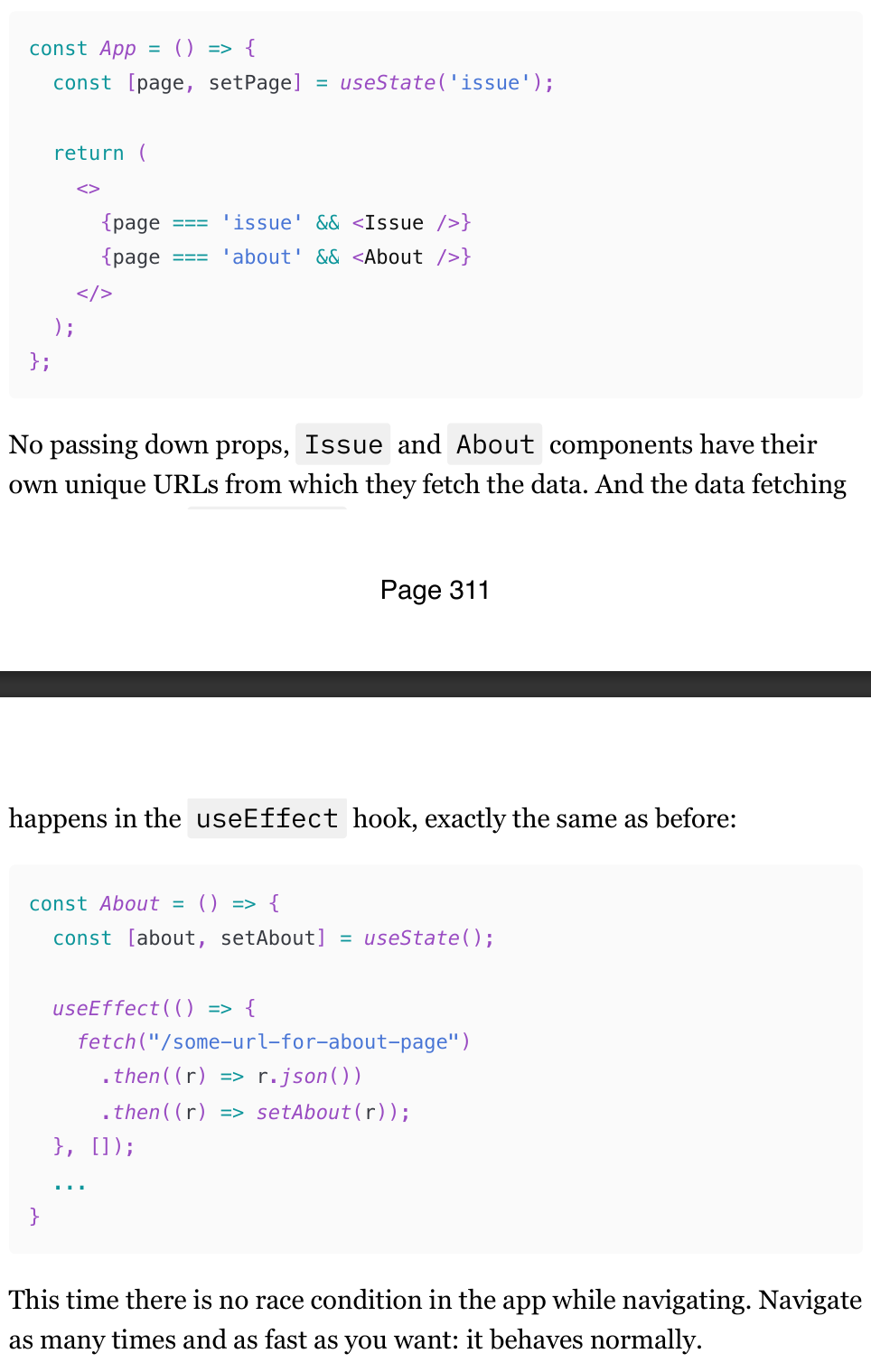
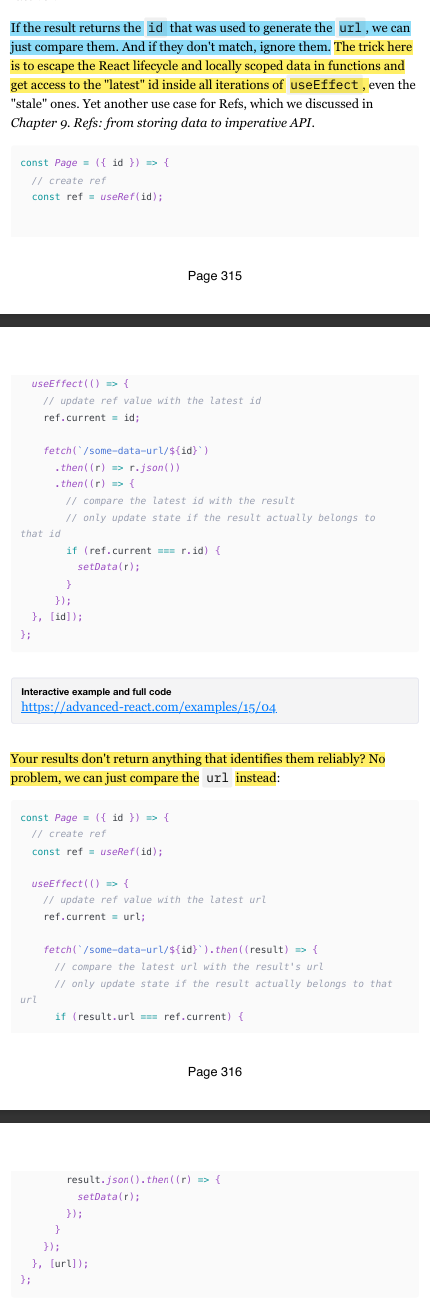
A much gentler way to solve race conditions, If the result returns the id that was used to generate the url , we can just compare them. And if they don't match, ignore them using Refs. The trick here is to escape the React lifecycle and locally scoped data in functions and get access to the "latest" id inside all iterations of useEffect , even the "stale" ones.
If your results don't return anything that identifies them reliably? No problem, we can just compare the URL instead
Fixing race conditions: Drop all previous results
Don't like the previous solution or think that using a ref for something like this is weird? No problem, there is another way. useEffect has something called a "cleanup" function, where we can clean up stuff like subscriptions. Or in our case, it's active fetch requests.
The cleanup function [36] is run after a component is unmounted, or before every re-render with changed dependencies.
The fetch Promise, although async, still exists only within that closure and has access only to the local variables of the started it. So when we check the useEffect run that isActive boolean in the .then callback, only the latest run, the one that hasn't been cleaned up yet, will have the variable set to true . So all we need now is to check whether we're in the active closure, and if yes - set state. If no - do nothing. The data will simply disappear into the void again.
Fixing race conditions: Cancel all previous requests
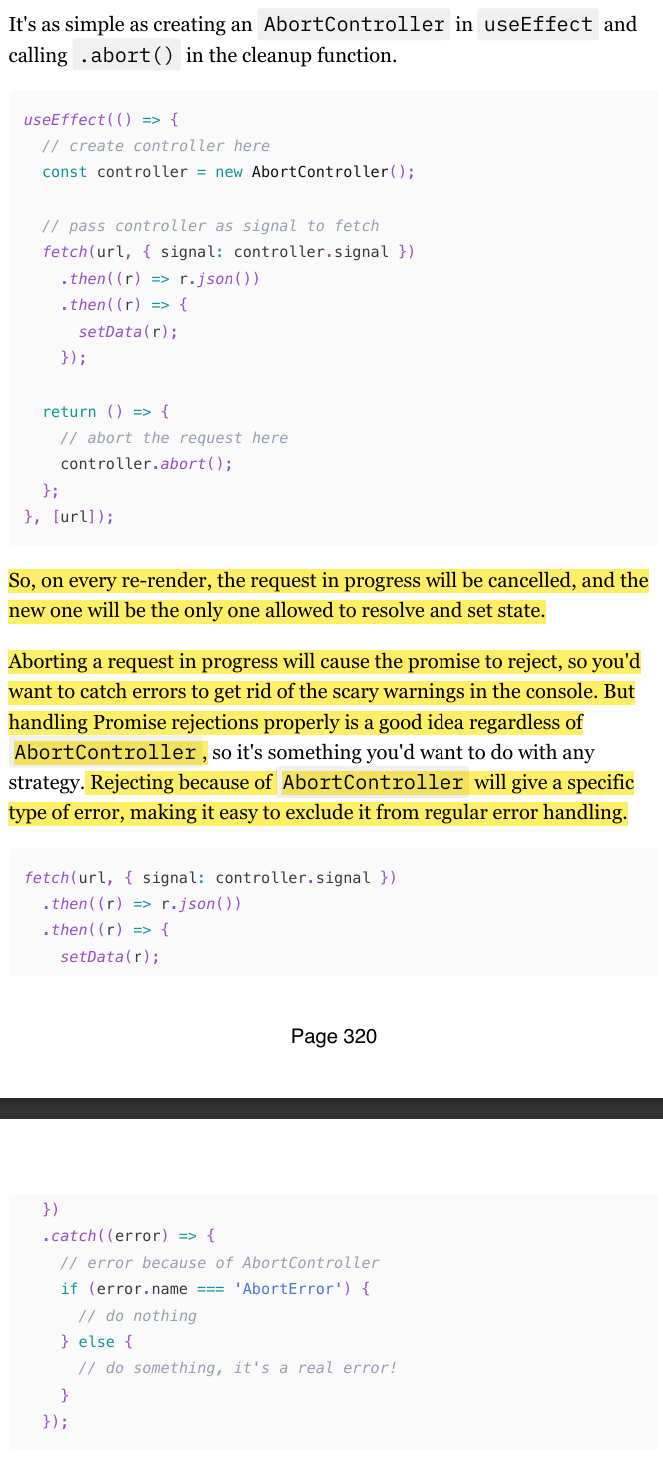
Instead of cleaning up or comparing results, we can simply cancel all the previous requests. If they never finish, the state update with obsolete data will never happen, and the problem won't exist. We can use the AbortController [39] interface for this.
Simple try/catch in React: how to and caveats
When an error is caught, we need to do something with it, right? So, what exactly can we do, other than logging it somewhere? Or, to be more precise: what can we do for our users? Just leaving them with an empty screen or broken interface is not exactly user-friendly.
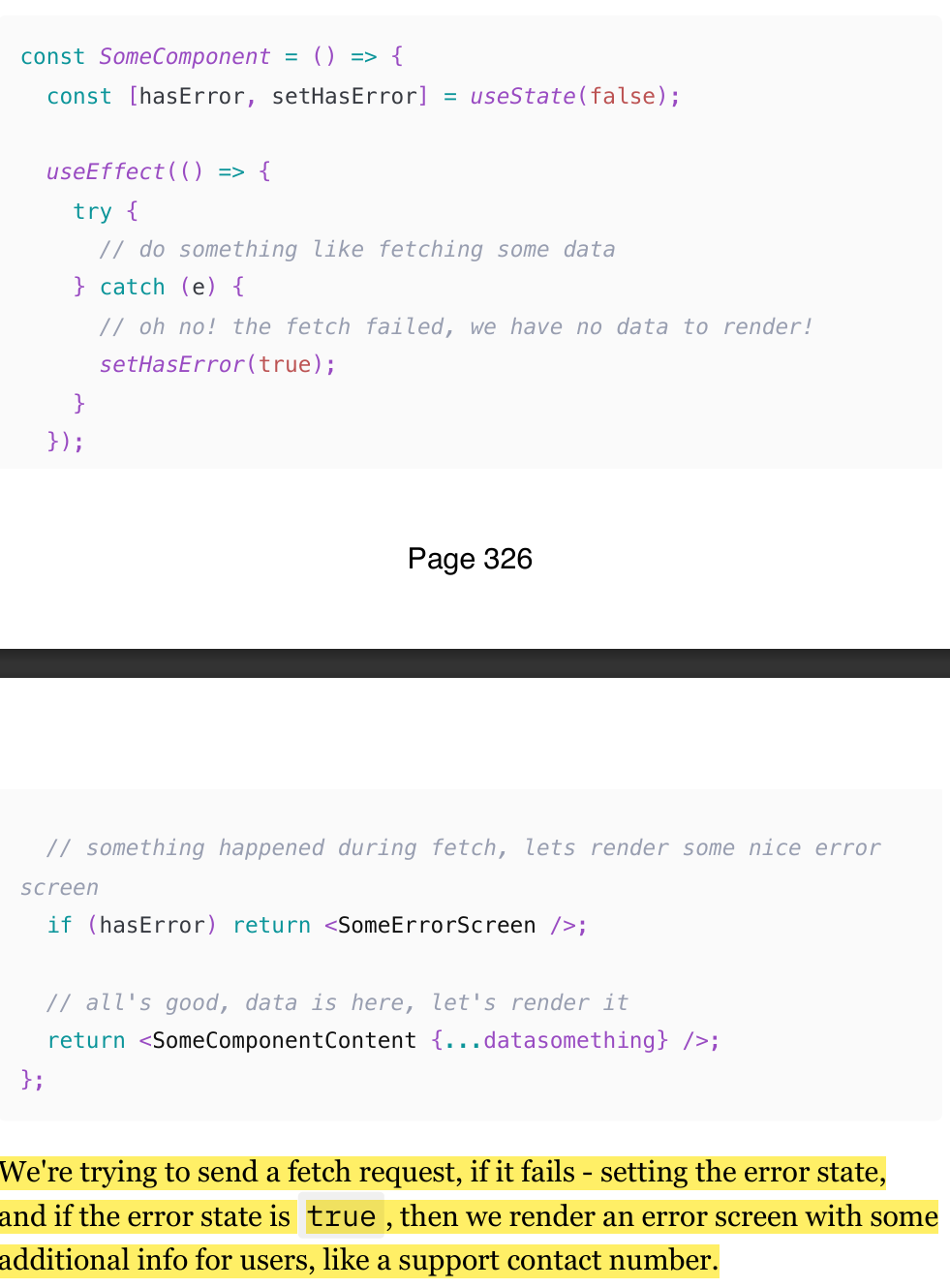
The most obvious and intuitive answer would be to render something while we wait for the fix. Luckily, we can do whatever we want in that catch statement, including setting the state. So we can do something. (check img)
This approach is pretty straightforward and works great for simple, predictable, and narrow use cases like catching a failed fetch request. But if you want to catch all errors that can happen in a component, you'll face some challenges and serious limitations.
Limitation 1: You will have trouble with the useEffect hook.
If we wrap useEffect with try/catch , it simply won't work (Check img)
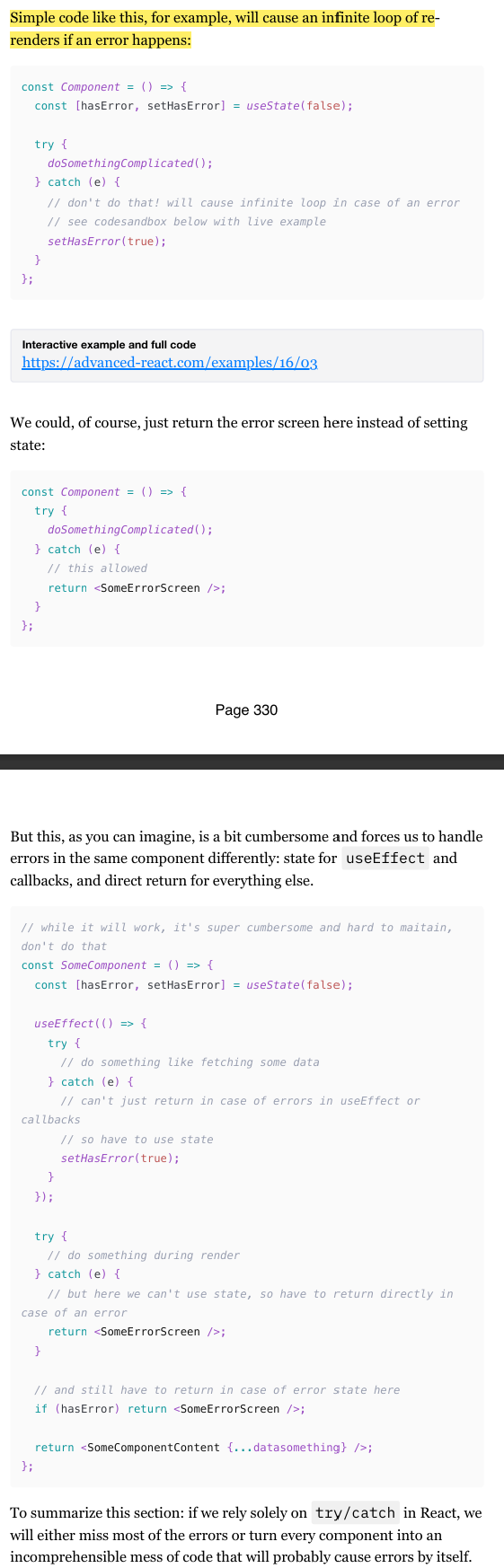
Limitation 3: Setting state during render is a no-no
If you're trying to catch errors outside of useEffect and various callbacks (i.e., during the component's render), then dealing with them properly is not that trivial anymore: state updates during render are not allowed
To summarize this section: if we rely solely on try/catch in React, we will either miss most of the errors or turn every component into an incomprehensible mess of code that will probably cause errors by itself.
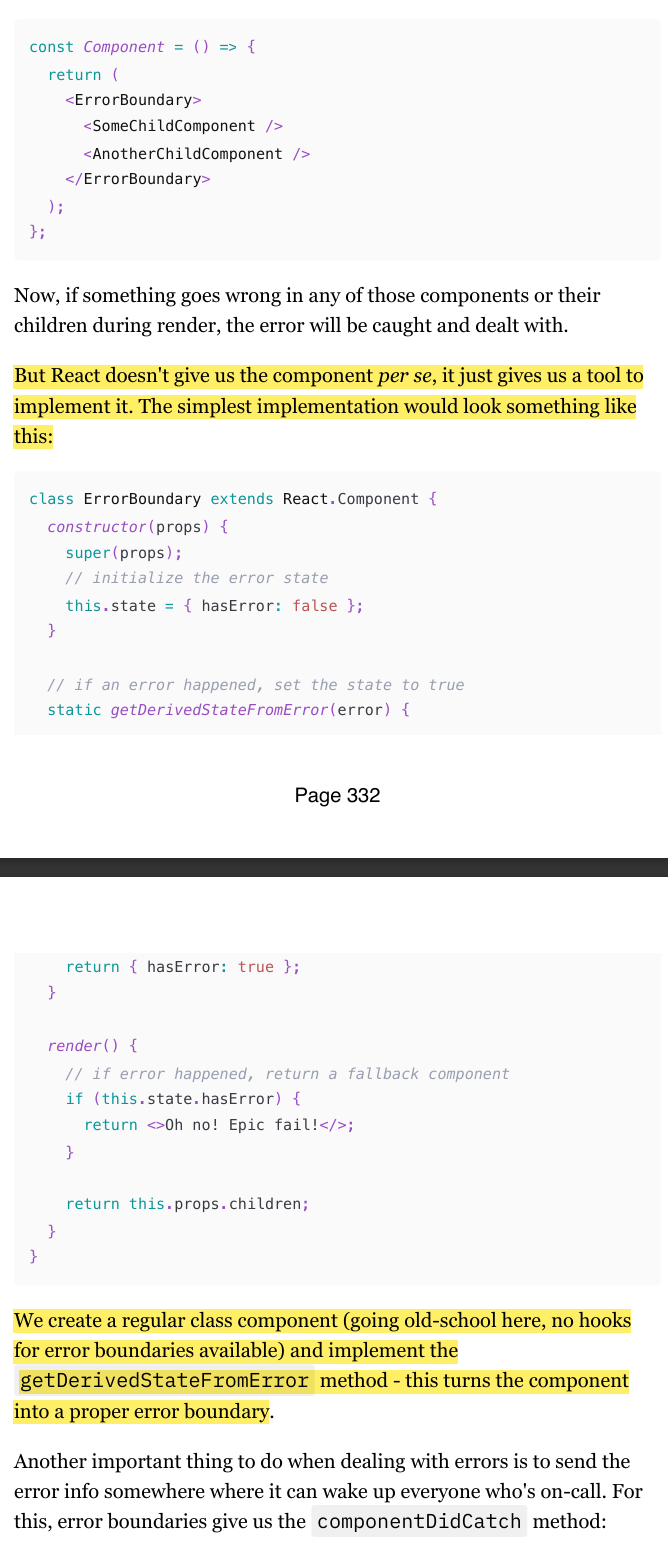
React ErrorBoyndary component
To mitigate the limitations from above, React gives us what is known as "Error Boundaries" [41]: a special API that turns a regular component into a try/catch statement in a way, only for React declarative code.