CS0045 Module 2
 Call Kai
 Learn
 Practice Test
 Spaced Repetition
 Match
 Flashcards
 Knowt Play
1/63

There's no tags or description
Looks like no tags are added yet.
64 Terms
The fundamental entities that we work in our graphics system
Primitives
• Points
• Line Segments
• Polygons
Primitives
Each primitive has properties called __ that determines how it is displayed by OpenGL
attributes
A primitive in OpenGL is defined by its __
vertices
A __ is simply a point in 3D, given by its x, y, and z coordinates
vertex

• GL_POINTS
• GL_LINES
• GL_LINE_STRIP
• GL_LINE_LOOP
• GL_POLYGON
• GL_TRIANGLES
• GL_TRIANGLE_STRIP
• GL_TRIANGLE_FAN
• GL_QUADS
• GL_QUAD_STRIP
OpenGL Primitives

glVertex3fv( v )OpenGL Command Format
glVertex3fv( v )
Number of components
2 - (x,y)
3 - (x,y,z)
4 - (x,y,z,w)
glVertex3fv( v )
Data Type
b - byte
ub - unsigned byte
s - short
us - unsigned short
i - int
ui - unsigned int
f - float
d - double
glVertex3fv( v )
omit “v” for scalar form
glVertex2f( x, y )
Points
• GL_POINTS
Use this primitive type to render mathematical points. OpenGL renders a point for each vertex specified.
GL_POINTS
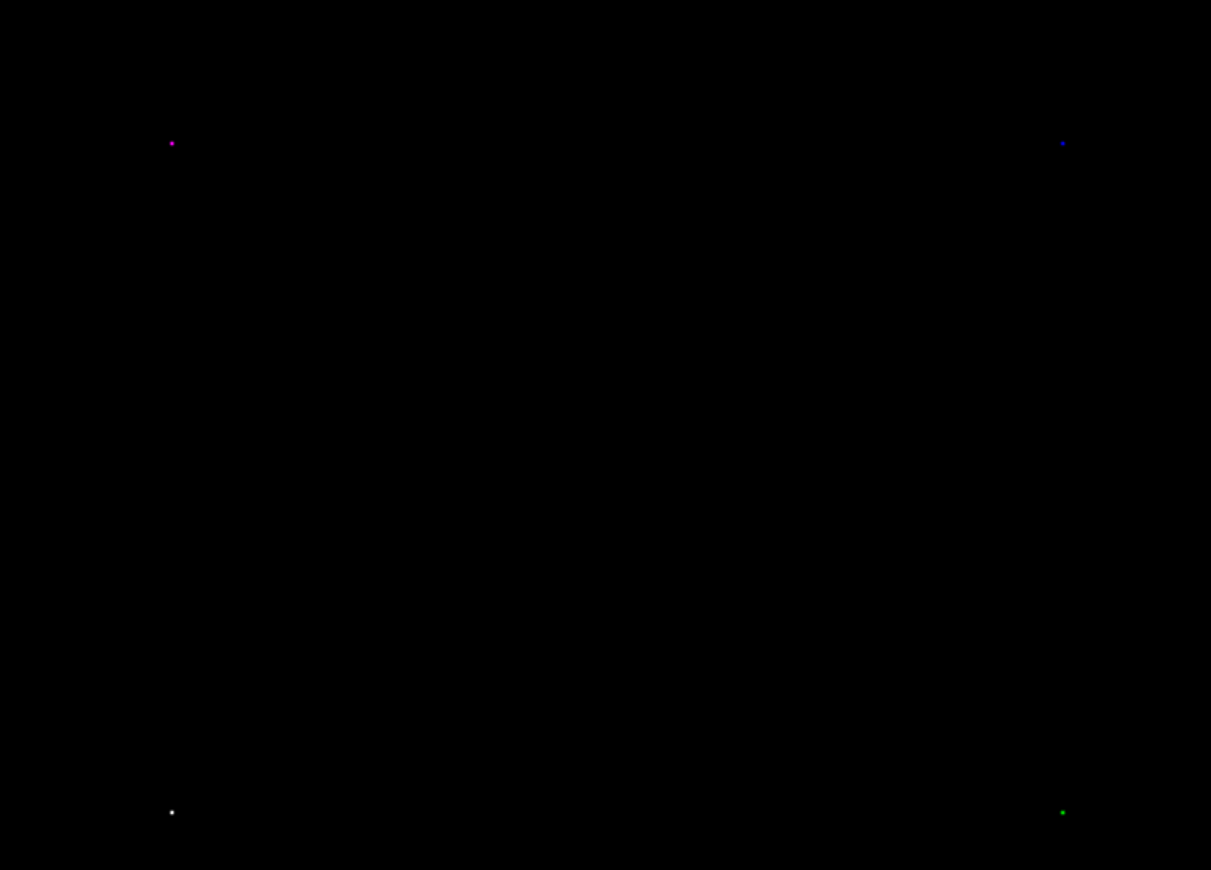
glPointSize(2.0);
glBegin(GL_POINTS);
    glColor3f(1.0, 1.0, 1.0);
    glVertex2f(-0.5, -0.5);
    glColor3f(1.0, 0.0, 1.0);
    glVertex2f(-0.5, 0.5);
    glColor3f(0.0, 0.0, 1.0);
    glVertex2f(0.5, 0.5);
    glColor3f(0.0, 1.0, 0.0);
    glVertex2f(0.5, -0.5);
glEnd();
GL_POINTS
Lines
• GL_LINES
• GL_LINE_STRIP
• GL_LINE_LOOP
Use this primitive to draw unconnected line segments
GL_LINES
OpenGL draws a line segment for each group of two vertices. If the application specifies n vertices, OpenGL renders n/2 line segments. If n is odd, OpenGL ignores the final vertex
GL_LINES

glBegin(GL_LINES);
    glVertex2f(-0.5, -0.5);
    glVertex2f(-0.5, 0.5);
    glVertex2f(0.5, 0.5);
    glVertex2f(0.5, -0.5);
glEnd();
GL_LINES
Use this primitive to draw a sequence of connected line segments
GL_LINE_STRIP
OpenGL renders a line segment between the first and second vertices, between the second and third, between the third and fourth, and so on
GL_LINE_STRIP

glBegin(GL_LINE_STRIP);
    glVertex2f(-0.5, -0.5);
    glVertex2f(-0.5, 0.5);
    glVertex2f(0.5, 0.5);
    glVertex2f(0.5, -0.5);
glEnd();
GL_LINE_STRIP
Use this primitive to close a line strip
GL_LINE_LOOP
OpenGL renders this primitive like a GL_LINE_STRIP with the addition of a closing line segment between the final and first vertices
GL_LINE_LOOP
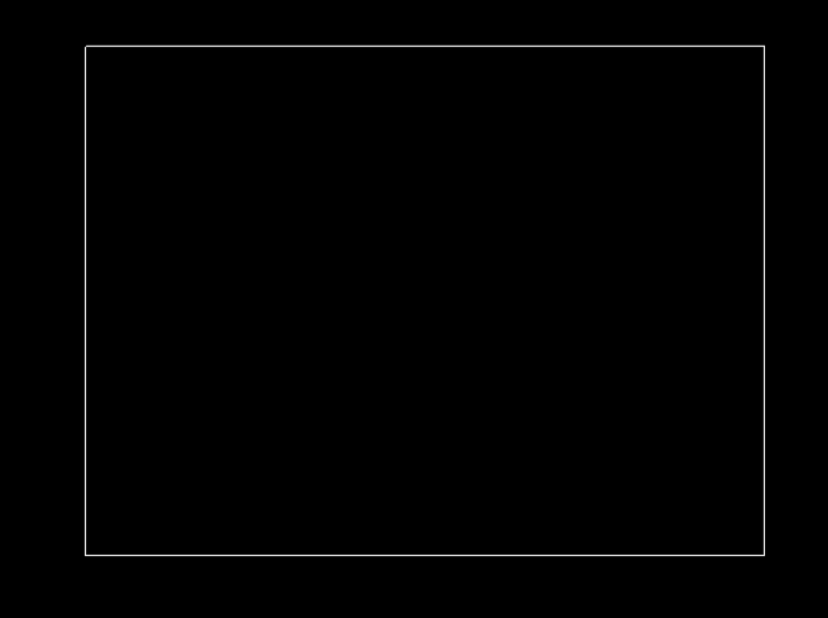
glBegin(GL_LINE_LOOP);
    glVertex2f(-0.5, -0.5);
    glVertex2f(-0.5, 0.5);
    glVertex2f(0.5, 0.5);
    glVertex2f(0.5, -0.5);
glEnd();
GL_LINE_LOOP
void glLineWidth(GLfloat width);
Sets the fixed width of lines. The default value is 1.0. width is the new value of line width and must be greater than 0.0, otherwise an error is generated.
A technique used to break a solid line into a repeating pattern of dots or dashes
Line Stippling

It allows you to create dashed or dotted lines by masking out specific pixels during the line-drawing process, rather than drawing every single pixel on the line
Line Stippling

Parameter __ is used to reference a 16-bit integer that describes how the line should be displayed
pattern

Integer parameter __ specifies how many times each bit in the pattern is to be repeated before the next bit in the pattern is applied
repeatFactor

The hexadecimal code__ converts into a 16-bit binary sequence containing eight zeros and eight ones
0x00FF

This specific sequence creates a repeating pattern where a solid eight-pixel segment is followed by an eight-pixel gap
0x00FF

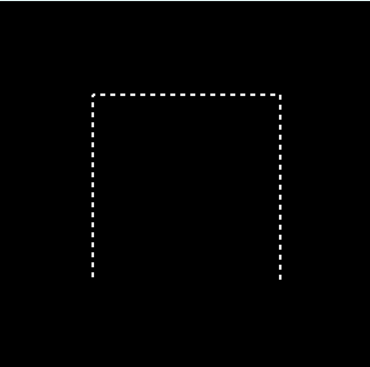
This image illustrates how combining different stipple patterns and integer factors alters the final visual appearance of a line
Line Stippling

The "__" column specifies the binary layout of dashes and gaps using hexadecimal values, such as the tightly alternating bits of 0xAAAA
PATTERN

The "__" column defines a multiplier that scales and stretches the length of each individual dot or dash
FACTOR

As demonstrated across the examples, increasing this __ elongates the rendered line segments without changing the underlying hexadecimal code itself
factor
Before a line can be displayed in the current line-style pattern, we must activate the line-style feature of OpenGL. We accomplish this with the following function:
glEnable(GL_LINE_STIPPLE);

glDisable(GL_LINE_STIPPLE);#include <GL/glut.h>
using namespace std;
void display(){
glClear(GL_COLOR_BUFFER_BIT);
glEnable(GL_LINE_STIPPLE);
glLineWidth(2.0f);
glLineStipple(4, 0xAAAA);
glBegin(GL_LINE_STRIP);
glVertex2f(-0.5, -0.5);
glVertex2f(-0.5, 0.5);
glVertex2f(0.5, 0.5);
glVertex2f(0.5, -0.5);
glEnd();
glFlush();
glDisable(GL_LINE_STIPPLE);
}
int main(int argc, char** argv){
glutInit(&argc, argv);
glutCreateWindow("Line Strip");
glutDisplayFunc(display);
glutMainLoop();
return 0;
}GL_LINE_STIPPLE
• GL_TRIANGLES
• GL_POLYGON
• GL_TRIANGLE_STRIP
• GL_TRIANGLE_FAN
• GL_QUADS
• GL_QUAD_STRIP
Filled Primitives
Use this primitive to draw individual triangles. OpenGL renders a triangle for each group of three vertices.
GL_TRIANGLES
If your application specifies n vertices, OpenGL renders n/3 triangles. If n isn't a multiple of 3, OpenGL ignores the excess vertices
GL_TRIANGLES

void displayTriangle(){

    glClear(GL_COLOR_BUFFER_BIT);
    glBegin(GL_TRIANGLES);
        glVertex2f(-.5f,-.5f);
        glVertex2f(.5f,-.5f);
        glVertex2f(0.0f,.5f);
    glEnd();
    glFlush();
}
GL_TRIANGLES
Use __ to draw a single filled convex n-gon primitive
GL_POLYGON
OpenGL renders an n-sided polygon, where n is the number of vertices specified by the application. If n is less than 3, OpenGL renders nothing
GL_POLYGON

void displayPolygon(){
    glClear(GL_COLOR_BUFFER_BIT);
    glBegin(GL_POLYGON);
        glVertex2f(0.1,0.1);
        glVertex2f(0.6,0.1);
        glVertex2f(0.7,0.3);
        glVertex2f(0.6,0.6);
        glVertex2f(0.1,0.6);
        glVertex2f(0.0,0.3);
    glEnd();
    glFlush();
}
GL_POLYGON
Use this primitive to draw a sequence of triangles that share edges
GL_TRIANGLE_STRIP
OpenGL renders a triangle using the first, second, and third vertices, and then another using the second, third, and fourth vertices, and so on
GL_TRIANGLE_STRIP

void displayTriangleStrip(){
    glClear(GL_COLOR_BUFFER_BIT);
    glBegin(GL_TRIANGLE_STRIP);
        glVertex2f(-.5f,-.5f);
        glVertex2f(.5f,-.5f);
        glVertex2f(0.0,.5f);
        glVertex2f(.7f,.5f);
    glEnd();
    glFlush();
}
GL_TRIANGLE_STRIP
Use this primitive to draw a fan of triangles that share edges and also share a vertex. Each triangle shares the first vertex specified.
GL_TRIANGLE_FAN
If the application specifies a sequence of vertices v, OpenGL renders a triangle using v0, v1, and v2; another triangle using v0, v2, and v3; another triangle using v0, v3, and v4; and so on
GL_TRIANGLE_FAN

void displayTriangleFan(){
    glClear(GL_COLOR_BUFFER_BIT);
    glBegin(GL_TRIANGLE_FAN);
        glVertex2f(0.0f,-.5f);
        glVertex2f(.5f,.5f);
        glVertex2f(0.0,.5f);
        glVertex2f(-.5f,.5f);
    glEnd();
    glFlush();
}
GL_TRIANGLE_FAN
Use this primitive to draw individual convex quadrilaterals. OpenGL renders a quadrilateral for each group of four vertices.
GL_QUADS
If the application specifies n vertices, OpenGL renders n/4 quadrilaterals. If n isn't a multiple of 4, OpenGL ignores the excess vertices
GL_QUADS

void displayQuads(){
    glClear(GL_COLOR_BUFFER_BIT);
    glBegin(GL_QUADS);
        glVertex2f(-0.25f, 0.25f); // vertex 1
        glVertex2f(-0.5f, -0.25f); // vertex 2
        glVertex2f(0.5f, -0.25f); // vertex 3
        glVertex2f(0.25f, 0.25f); // vertex 4

        glVertex2f(.7f, 0.5f); // vertex 1
        glVertex2f(0.0f,0.5f); // vertex 2
        glVertex2f(0.0f, 0.7f); // vertex 3
        glVertex2f(0.7f, 0.7f); // vertex 4
    glEnd();
    glFlush();
}
GL_QUADS
Use this primitive to draw a sequence of quadrilaterals that share edges
GL_QUAD_STRIP
If the application specifies a sequence of vertices v, OpenGL renders a quadrilateral using v0, v1, v3, and v2; another quadrilateral using v2, v3, v5, and v4; and so on
GL_QUAD_STRIP

void displayQuadStrip(){
    glClear(GL_COLOR_BUFFER_BIT);
    glBegin(GL_QUAD_STRIP);
        glVertex2f(-.5f, -.5f);  // vertex 1
        glVertex2f(.5f,-.5f);  // vertex 2
        glVertex2f(-.5f, 0.0f);  // vertex 3
        glVertex2f(.5f, 0.0f);  // vertex 4

        glVertex2f(-.7f, .80f);  // vertex 5
        glVertex2f(.7f, 0.80f);  // vertex 6
    glEnd();
    glFlush();
}
GL_QUAD_STRIP
RGBA
Red, Green, Blue, Alpha
In RGBA mode, a color is specified by three intensities (for the Red, Green, and Blue components of the color) and optionally a fourth value, __, which controls transparency
Alpha
The function _______ maps available red, green, and blue intensities onto (0.0, 1.0) where 0.0 means that the color component is absent ((0.0, 0.0, 0.0) is black) and 1.0 is a saturated color ((1.0, 1.0, 1.0) is white
glColor4f(red, green, blue, alpha)
Fourth component = __
opacity
(Alpha) 1.0 is __ 0.0 is __
opaque, transparent
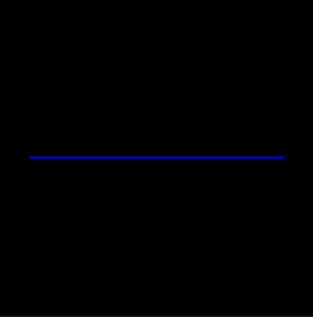
void colorSample(){
    glClear(GL_COLOR_BUFFER_BIT);

    glColor3f(0.0,0.0,1.0);
    glLineWidth(2.0f);

    glBegin(GL_LINES);
        glVertex2f(-0.8, 0.0);
        glVertex2f(.8, 0.0);

    glEnd();
    glFlush();
}
glColor3f(0.0,0.0,1.0);

void colorSample2(){
    glClear(GL_COLOR_BUFFER_BIT);

    glColor3ub(92,181,100);

    glBegin(GL_TRIANGLES);
        glVertex2f(-.5f,-.5f);
        glVertex2f(.5f,-.5f);
        glVertex2f(0.0,.5f);

    glEnd();
    glFlush();
}
glColor3ub(92,181,100);


void colorSample3(){
    glClear(GL_COLOR_BUFFER_BIT);

    glLineWidth(10.0f);

    glBegin(GL_LINES);
        glColor3ub(92,181,100);
        glVertex2f(-0.8, 0.0);

        glColor3f(1.0f,0.0f,0.0f);
        glVertex2f(.8, 0.0)

    glEnd();
    glFlush();
}
glColor3ub(92,181,100);
glColor3f(1.0f,0.0f,0.0f);

void colorSample4(){
    glClear(GL_COLOR_BUFFER_BIT);

    glBegin(GL_TRIANGLES);
        glColor3ub(92,181,100);
        glVertex2f(-.5f,-.5f);
        glColor3f(1.0f,0.0f,0.0f);
        glVertex2f(.5f,-.5f);
        glColor3f(0.0f,0.0f,1.0f);
        glVertex2f(0.0,.5f);

    glEnd();
    glFlush();
}
glColor3ub(92,181,100);
glColor3f(1.0f,0.0f,0.0f);
glColor3f(0.0f,0.0f,1.0f);