Saturation (Fab Filter) (DONE)
 Call Kai
 Learn
Learn Practice Test
 Spaced Repetition
 Match
Match Flashcards
 Knowt Play
1/18

There's no tags or description
Looks like no tags are added yet.
19 Terms

Here you chose the type of ? / ? Type
Saturation/Distortion

? controls how intensely the processing effect is pushed.
Drive
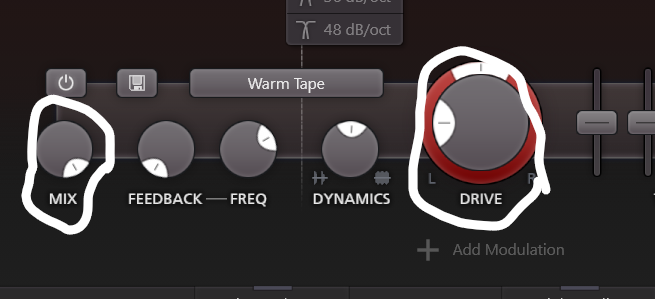
? blends wet and dry audio
? controls how intensely the processing effect is pushed.
Mix vs Drive

? controls the balance between clean dry audio and processed wet audio.
Mix

The ? Level Knob/Fader controls the output gain of the final volume of the band AFTER saturation
Band Level

The ? knob, controls how the plugin reacts to the incoming input audio volume dynamics to either compress or expand
Dynamics Knob

The ? knob takes a portion of the distorted sound from the plugin's output and feeds it right back into the input, creating a continuous loop.
Feedback

The Feedback ? Knob, Sets the specific frequency that loops back into the plugin.
Frequency
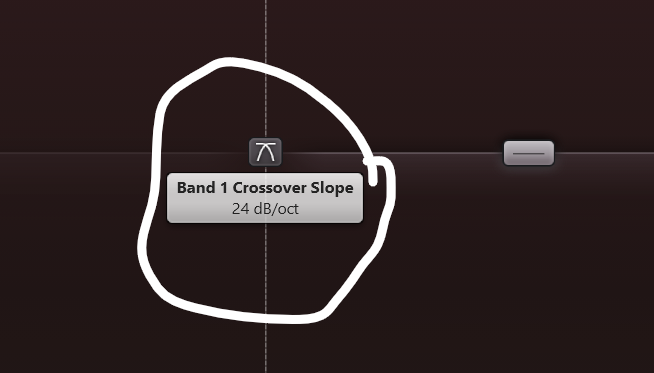
The ? Slope (dB/oct)
Determines how steep or gradual the filter cutoffs are where the spectrum splits into bands.
Crossover slope.

The Crossover Handles Set the ? boundaries dividing the audio spectrum into individual saturation bands.
Frequency

The ? Faders are multi-band EQ faders built into the band to shape the tonal balance of the output
Tone Faders

Saturation usually comes ? Compressor
After

Blending a heavily distorted signal under a clean one to keep transient punch while adding harmonics is called ?
Parallel saturation

Having saturation on your ? adds warmth, and glues instruments together
Master

Tube or tape saturation thickens low-mids & helps ? cut through.
Vocals
? adds upper harmonics to make deep sub-frequencies audible on smaller speakers.
Saturation

? Faders live directly inside the saturation band to quickly reshape that specific distorted signal.
Tone Faders
For the ? slopes.
A low number ie; 6 dB = Low boundaries. Everything bleeds together smoothly.
A high number 48 dB = High walls. Everything is locked in its own zone.
Crossover slopes

Turning the ? knob leftward compresses
While turning it rightward expands
Dynamics