Chapter 9,10,11 - Refs, useImperativeHandle, Closures
 Call Kai
 Learn
 Practice Test
 Spaced Repetition
 Match
 Flashcards
 Knowt Play
1/17

There's no tags or description
Looks like no tags are added yet.
18 Terms
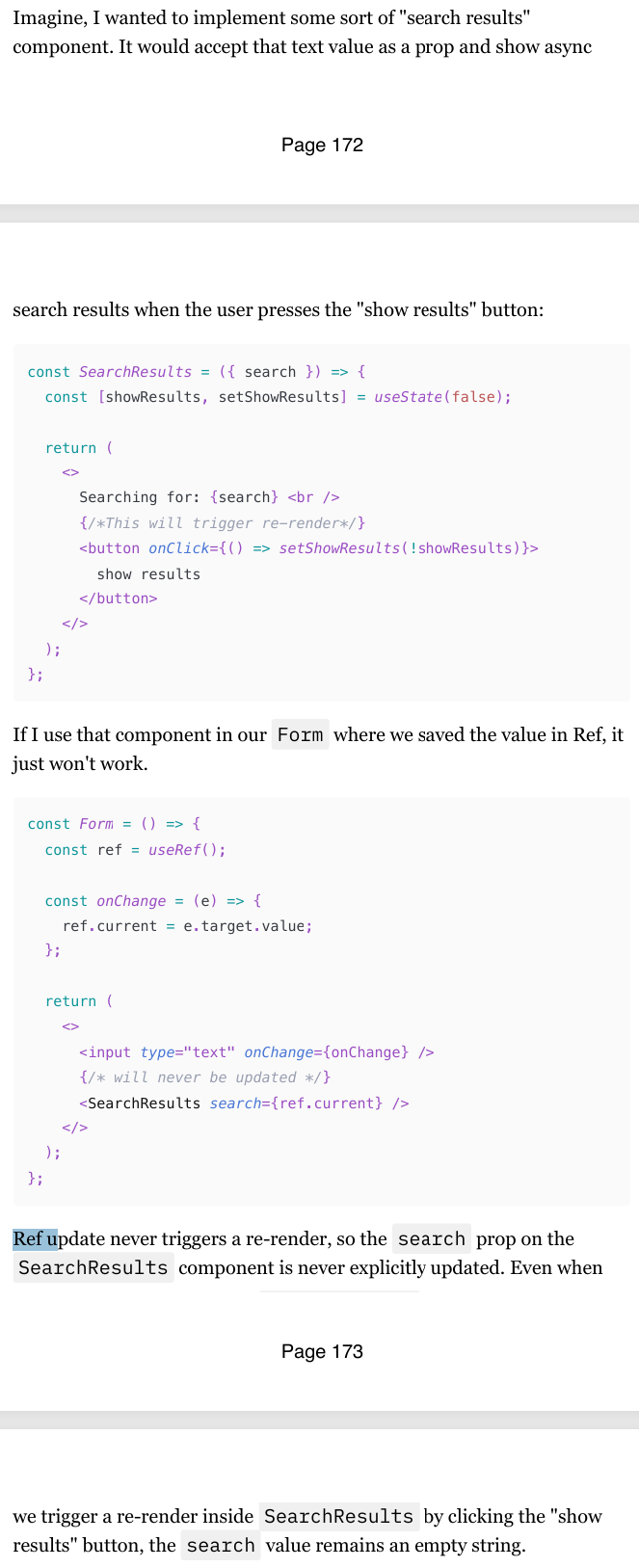
Ref update doesn’t trigger re-render
One of the biggest and most visible differences between Refs and state is that Refs update don't cause re-renders.
If you put both of those forms, you'll see that the console.log in Form component with the state re-renders with every keystroke, while the Form with the Ref stays quiet
Change in the value of a Ref will not be picked up by the downstream cocmponents if passed as props as a primitive value either
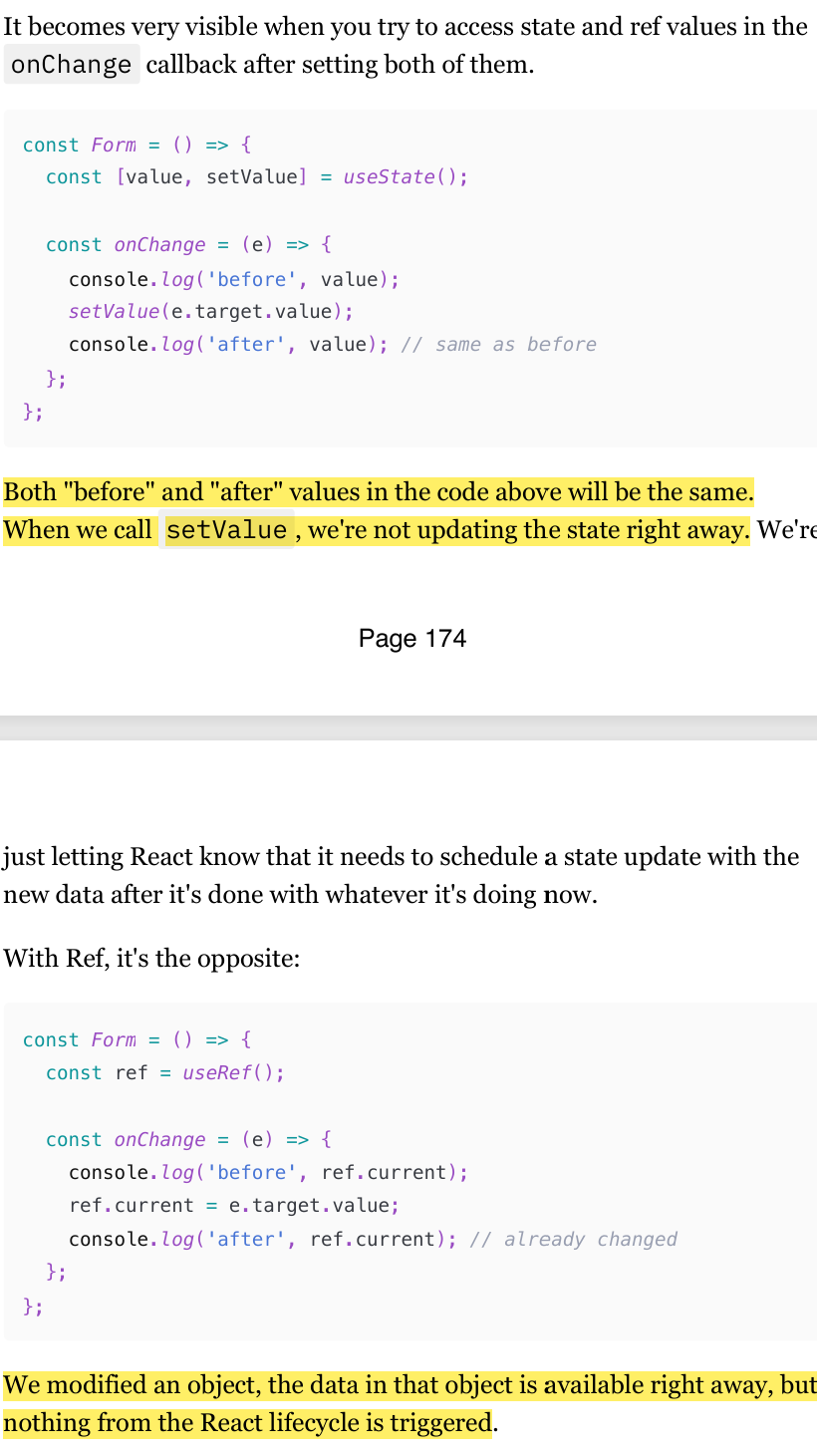
Ref update is synchronous and mutable
Ref updates are synchronous. We are just mutating an object after all, which is a synchronous operation in JavaScript.
State, however, is typically asynchronous. It's even more than asynchronous: state updates are run in "snapshots". React has a complicated system that manages it and makes sure that the data and components within one "snapshot" are consistent and updated properly.
Ref, however, has none of that: we're modifying an object directly, and that's all there is to it.
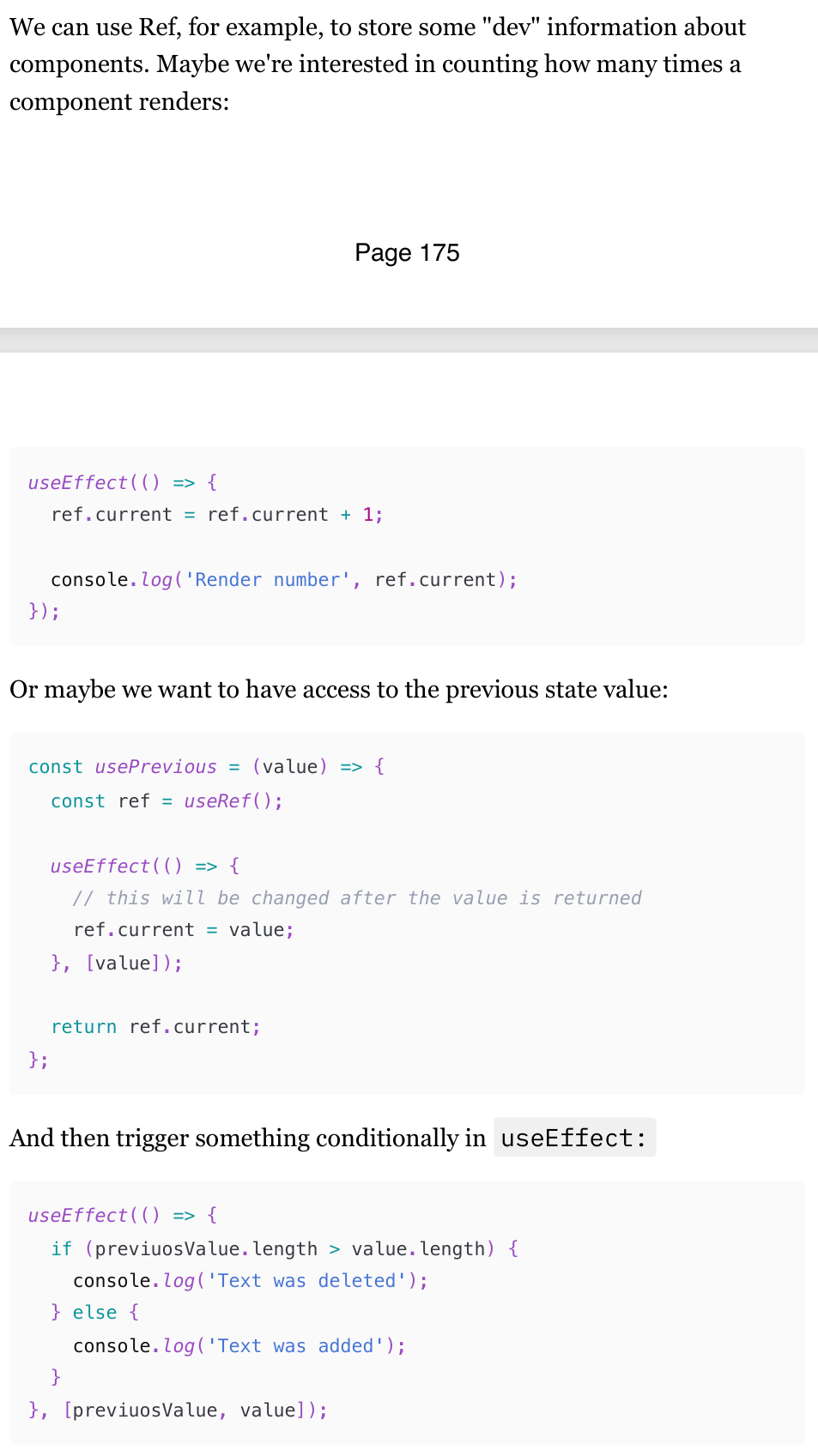
When can we use Ref
So, considering these differences, when is it actually okay to use Ref to store something, and when is state preferred? Ask yourself these questions:
Is this value used for rendering components?
Is this value passed as props to other components in any way?
If the answer to both of these questions is "nope", then Ref is okay to use
Assigning DOM elements to Ref
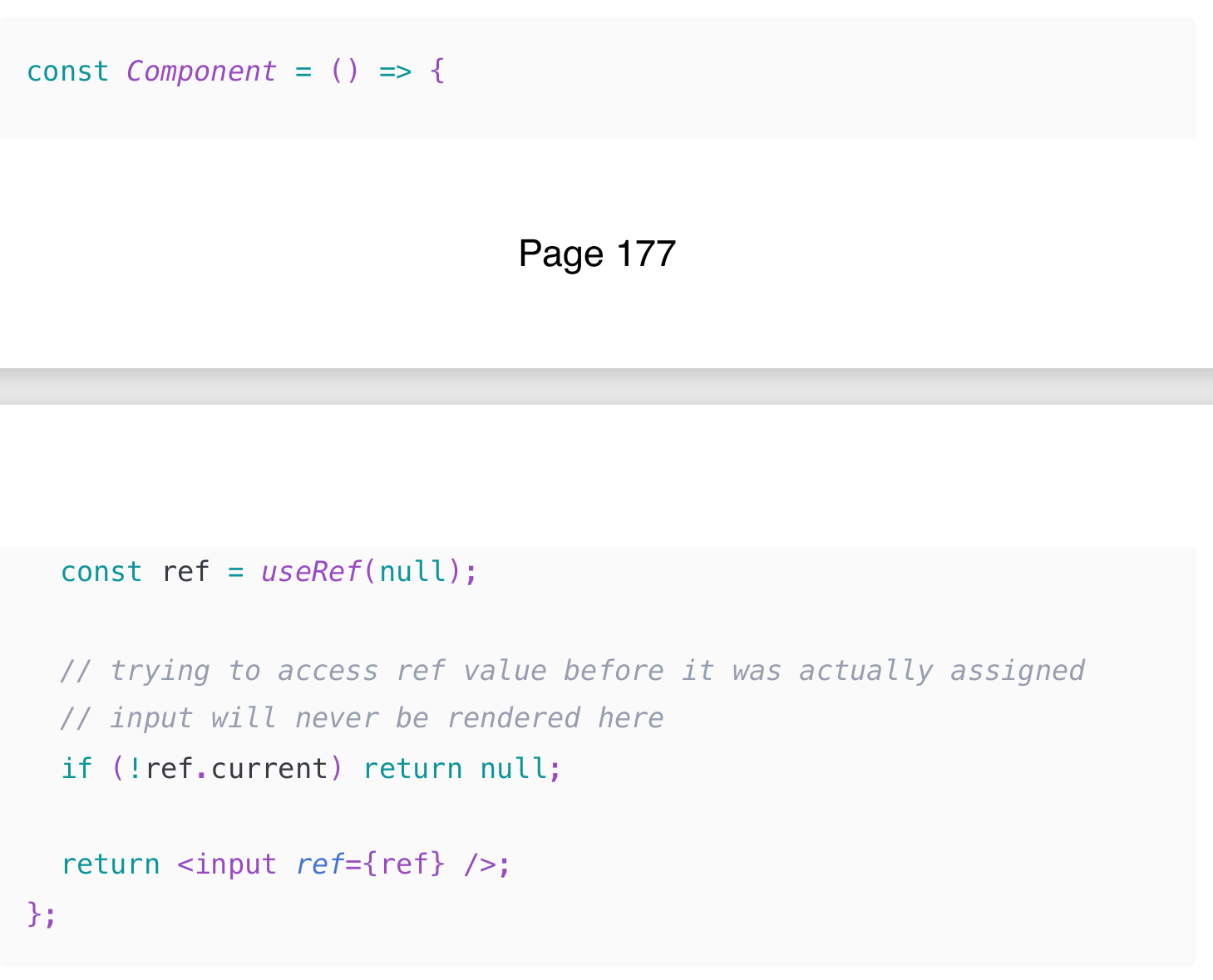
The important thing to remember here is that Ref will be assigned only after the element is rendered by React and its associated DOM element is created.
We need something to assign to that Ref, isn't it? That means that the ref.current value won't be available right away, and logic like this will just not work: (Check img) Therefore, we should not
We should only read and write ref.current either in the useEffect hook or in callbacks.
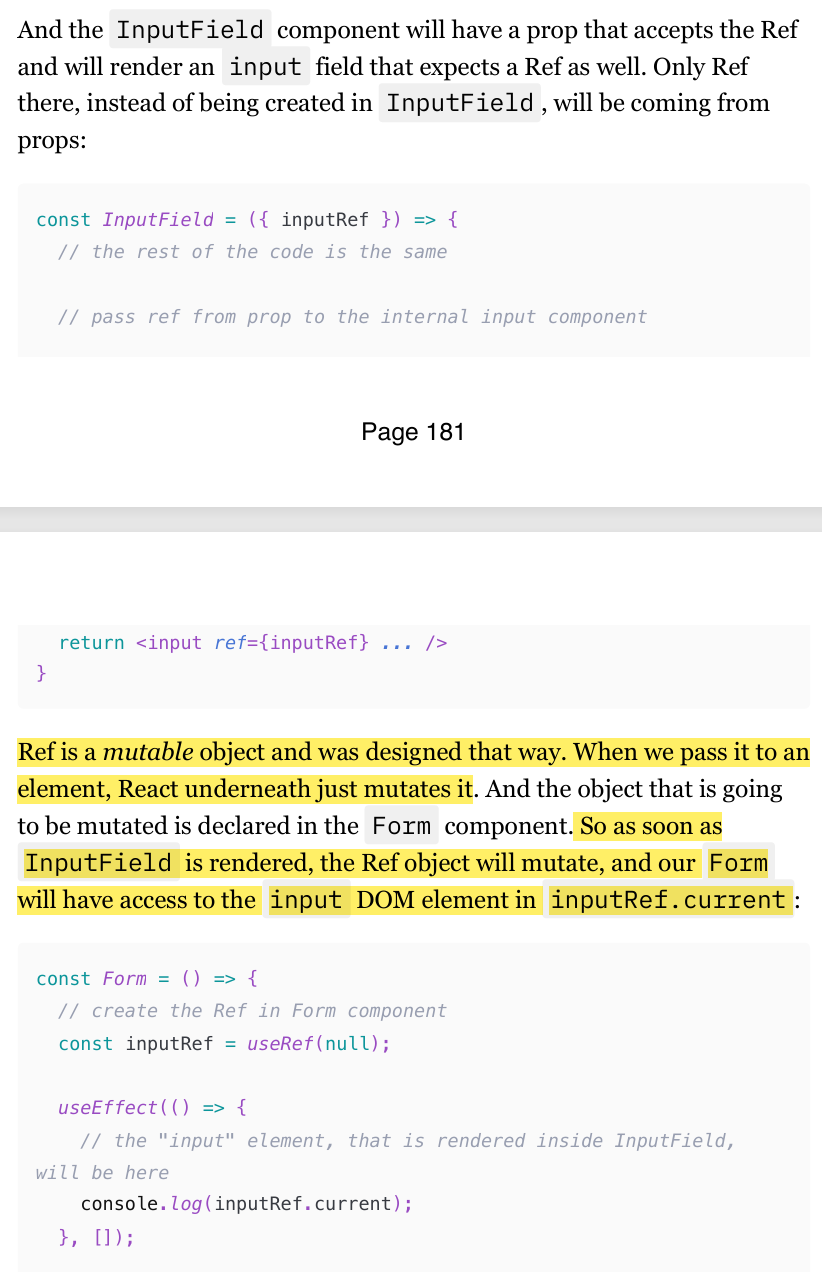
Passing Ref from parent to child as a prop
Ref Updates: Remember that updating the ref's current value doesn't trigger a re-render. This can be useful for performance optimization but requires careful handling to ensure the UI stays in sync.
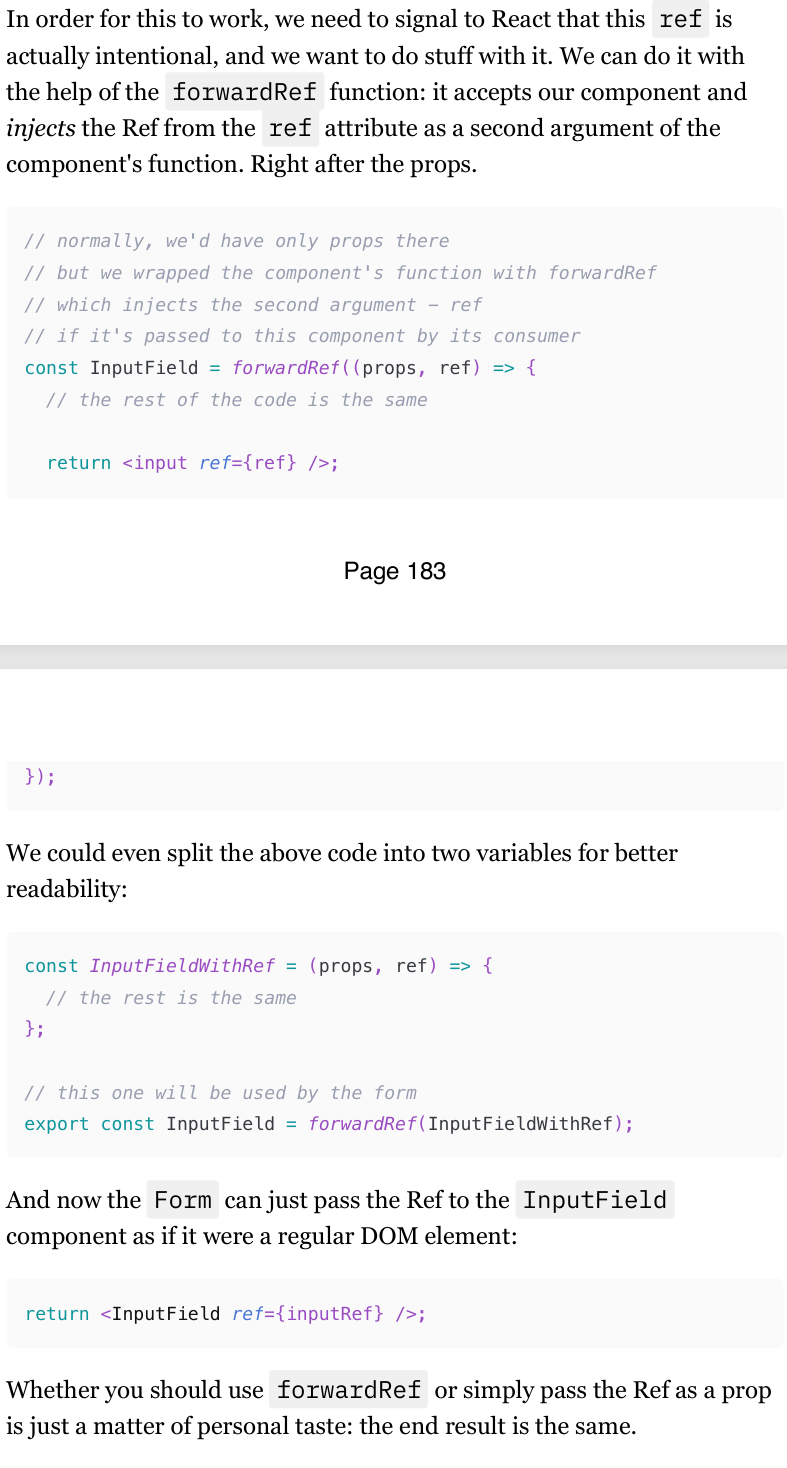
Passing Ref from parent to child with forwardRef (forwardRef is not needed in react 19)
Passing a Ref Prop Directly:
When you pass a ref as a regular prop, it means you're treating it just like any other prop. The child component gets this prop and can use it as needed, but the parent component doesn't directly control the ref.
When you pass a ref prop directly to a child component, it doesn't automatically become a ref to a DOM element or a class component instance. Instead, it is treated as a regular prop.
This means you need to manually handle the ref in the child component, which can lead to confusion and additional boilerplate code.
Using
forwardRef:When you use
forwardRef, you're allowing the parent component to directly control the ref of the child component. This is more powerful and aligns with React's best practices.When you use
forwardRef, the ref is automatically forwarded to the child component, making it easier to reference DOM elements or class component instances.
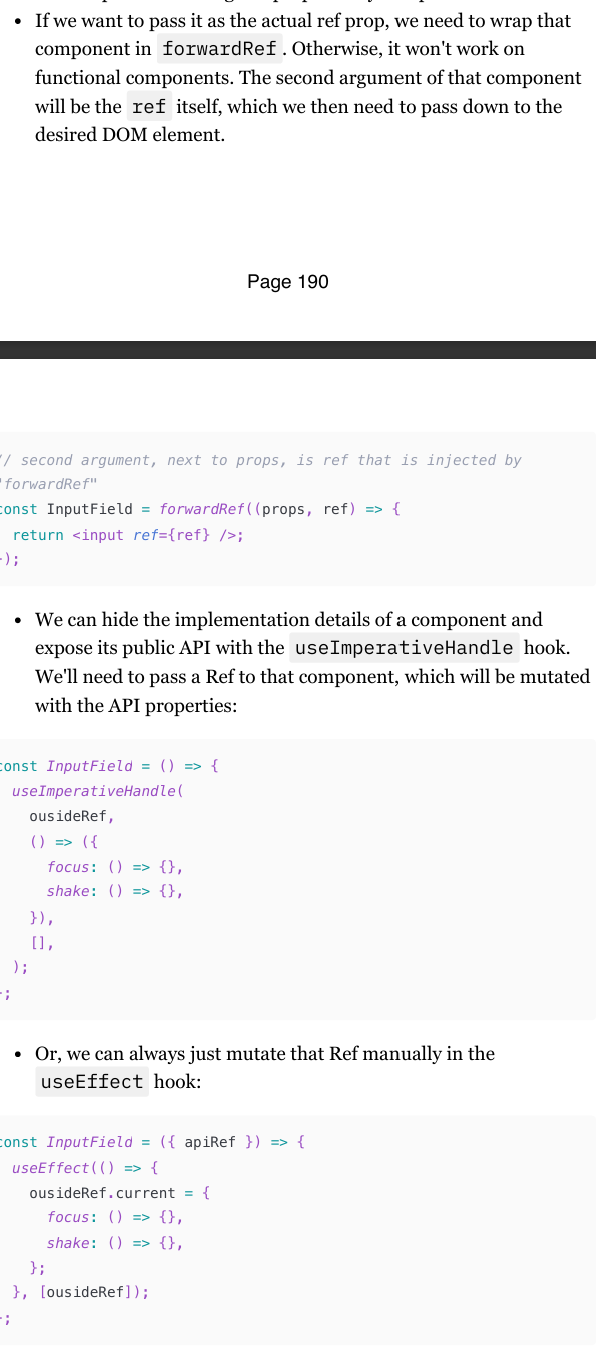
What is useImperativeHandle Hook?
useImperativeHandle is a React hook that allows you to customize the value that is assigned to a ref in a parent component. This hook is particularly useful when you need to expose a specific set of methods or properties from a child component to a parent component, giving you more control over the way your components communicate.
Here's a high-level overview of how useImperativeHandle works:
Define the Custom Handle: Within your functional component, you use
useImperativeHandleto specify which methods or properties should be available to the parent component.Use
forwardRef: Since functional components don't naturally handle refs, you need to wrap your component withforwardRefto properly pass the ref from the parent.
Just remember: the imperative way to trigger something is more of an escape hatch in React. In 99% of cases, the normal props/callbacks data flow is more than enough.
Closures in React
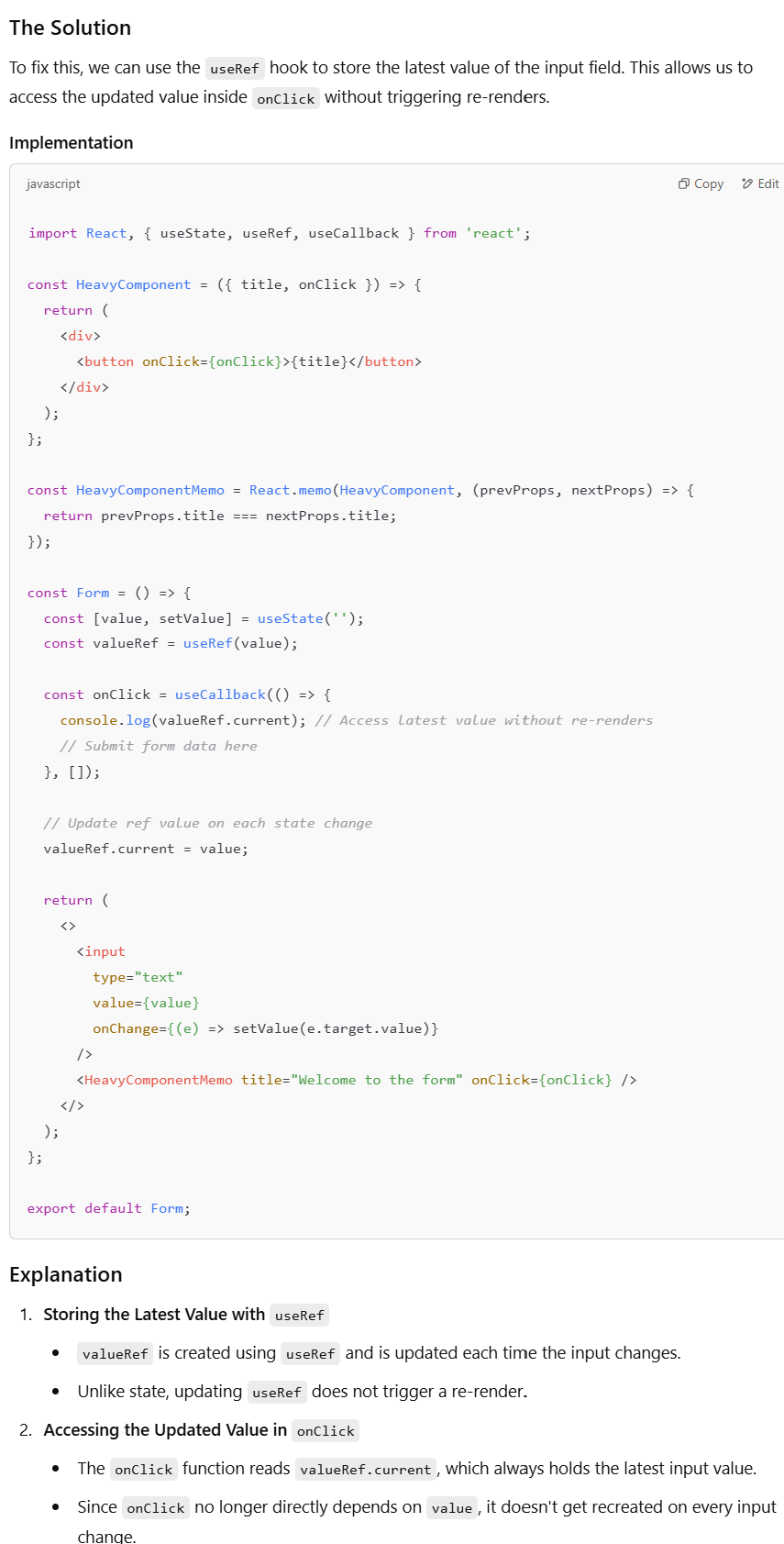
a stale closure happens when a function captures the variables from its outer scope (such as state or props) at the time of its creation, and those variables become outdated due to subsequent re-renders or state updates.
The Issue in Detail
Let's recap the issue step by step:
You have a form with an input field and a heavy component that you want to optimize using
React.memo.The
onClickhandler submits the form data and needs to log the current value of the input field.The
onClickhandler is memoized usinguseCallback, but because it depends on thevaluestate, it gets recreated on each state update.
The Dilemma
Memoizing
onClickwithuseCallbackand addingvalueas a dependency causes theonClickfunction to change every time the input value changes.This results in
React.memonot being effective, as the heavy component re-renders each time theonClickfunction changes.
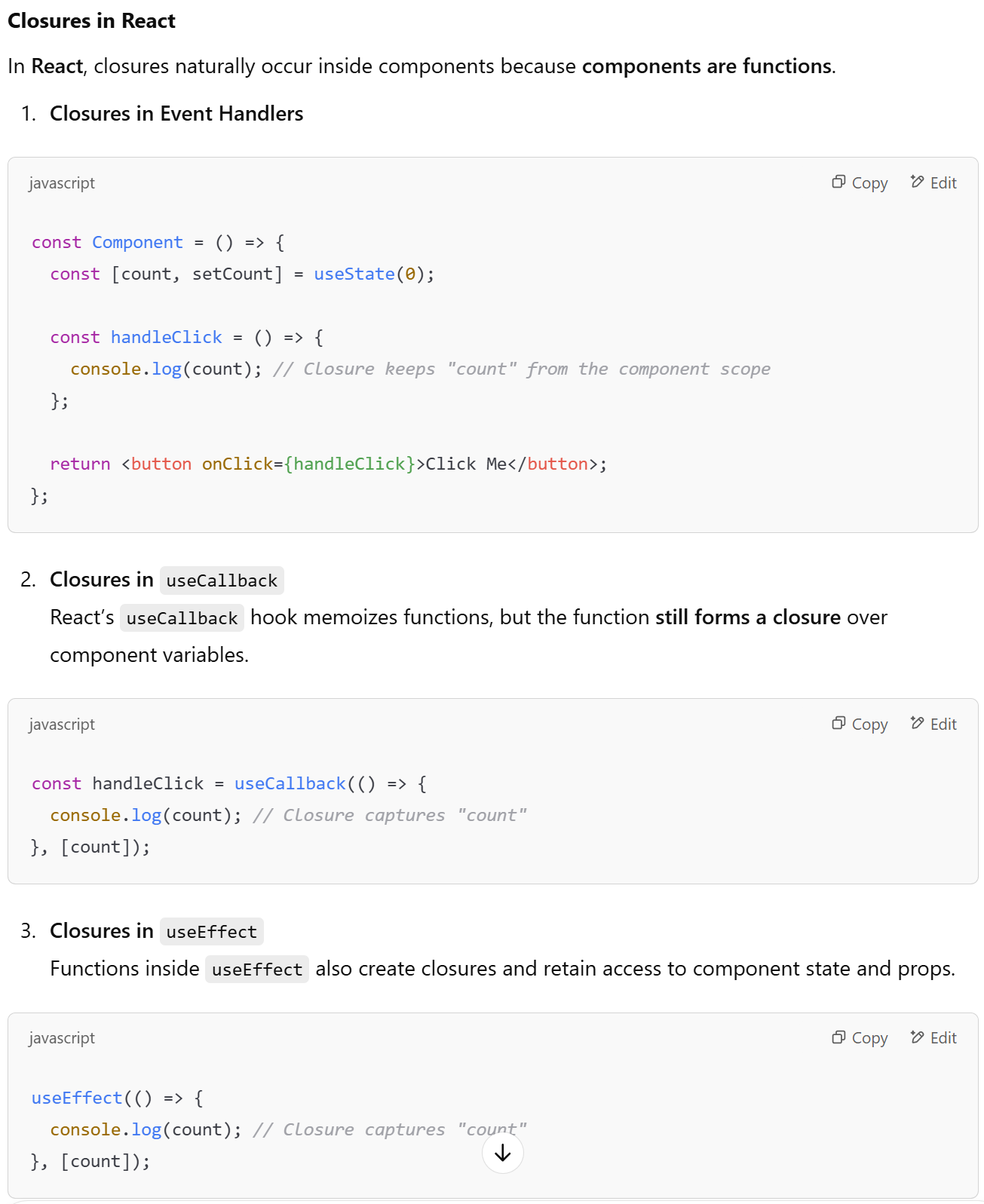
Javascript and React, scope and closures
In JavaScript, closures are useful for encapsulation and data persistence.
In React, every function inside a component is a closure, capturing state and props at the moment of definition.
Be mindful of stale closures, where a function retains outdated state due to memoization or missing dependencies.
The stale closure problem
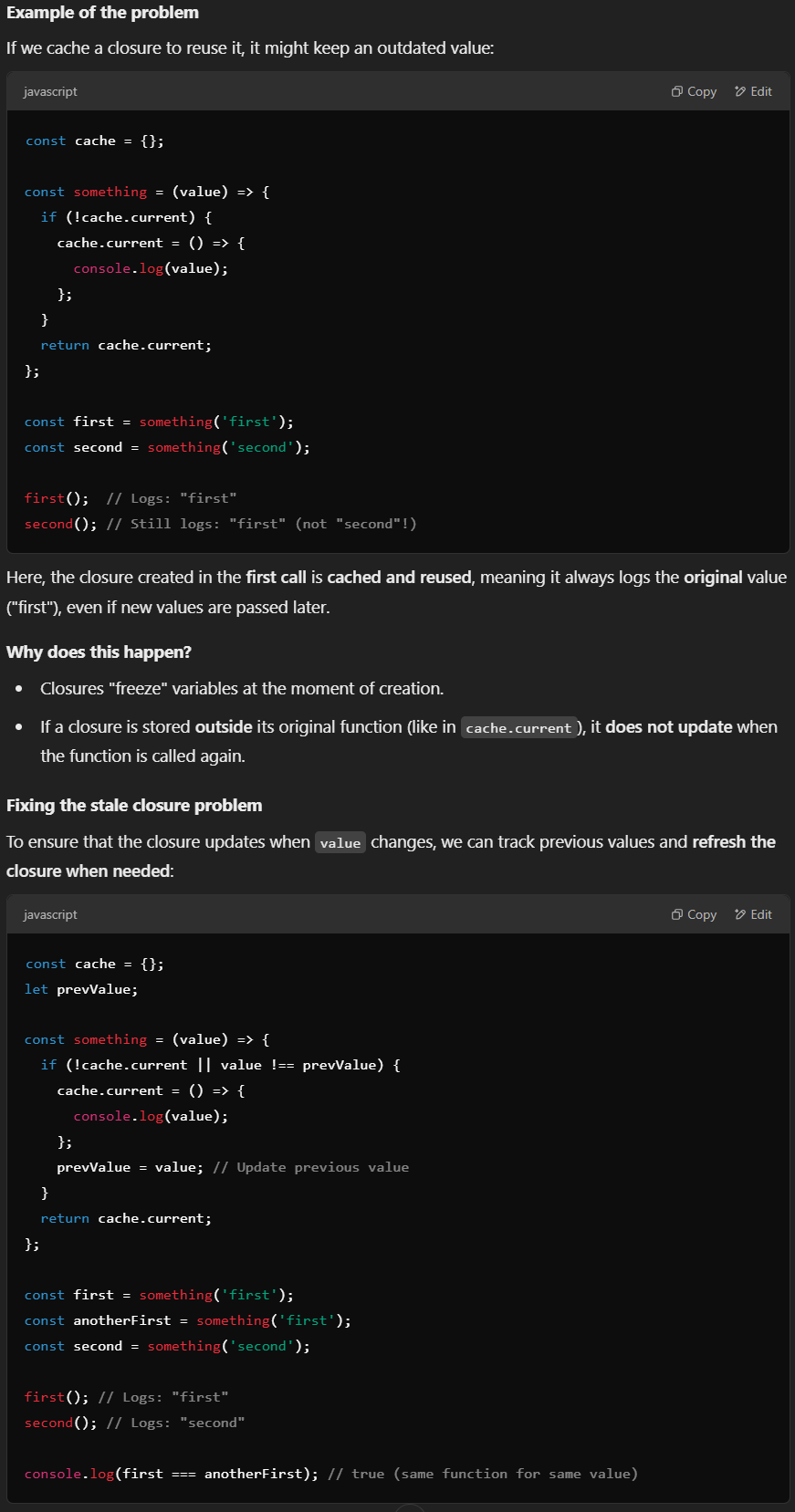
Closures in JavaScript retain references to variables from their outer scope at the moment they are created. If a closure is stored and reused without being updated, it may reference outdated (or "stale") data.
The problem with stale closure is not checking a certain value of a variable already exists or not but the function, object, or variable that we assigned in memory which cannot be itself compared if it already exists or not.
Stale closures in React: useCallback
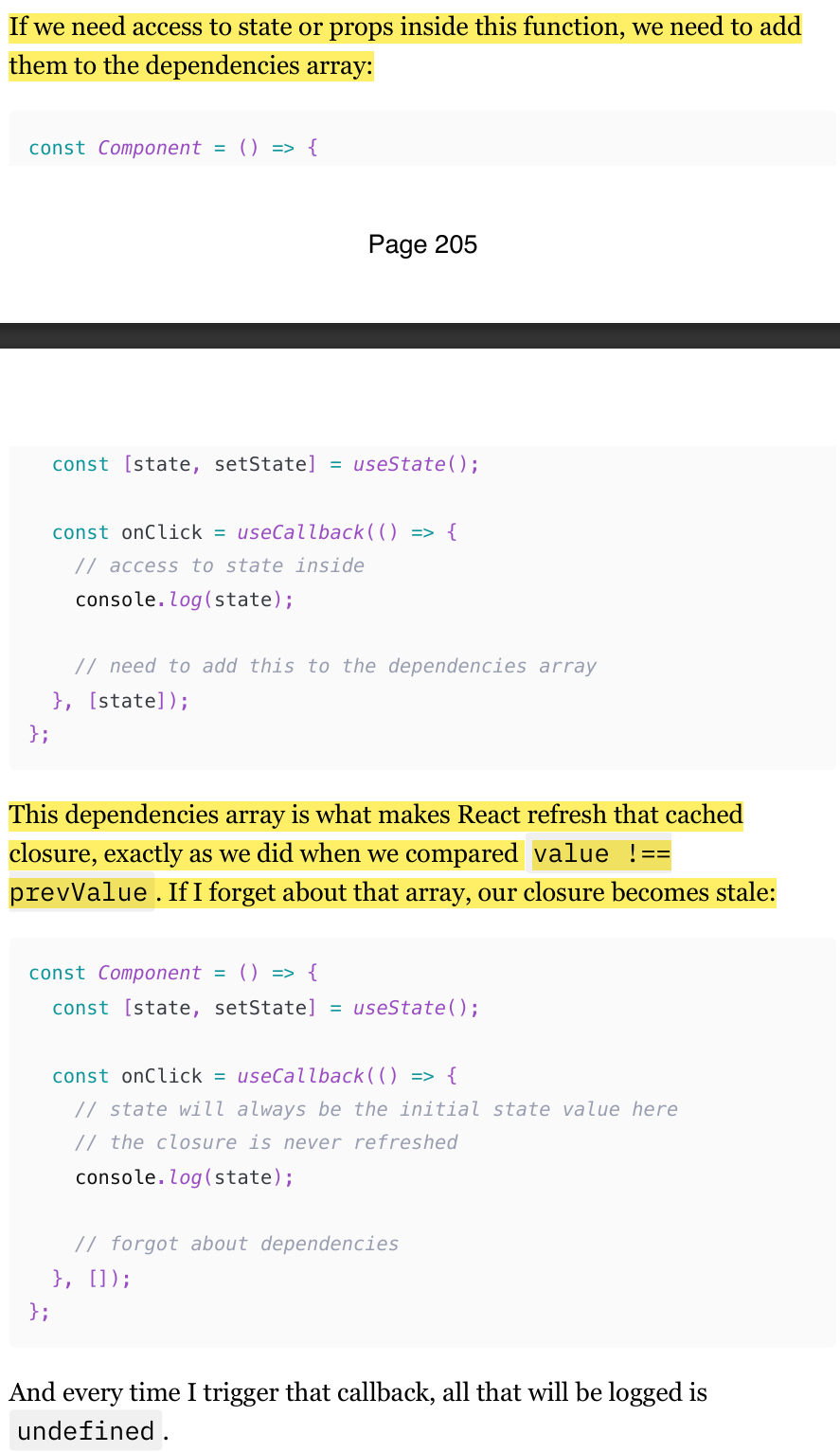
If you remember the Memoization with useMemo, useCallback, and React.memo chapter, the code in the previous flashcard should look familiar. And indeed, we just implemented exactly what the useCallback hook does for us. Every time we use useCallback , we create a closure, and the function that we pass to it is cached.
If we need access to state or props inside this function, we need to add them to the dependencies array in useCallback
This dependencies array in (useCallback, useMemo, memo, useFunction) is what makes React refresh that cached closure, exactly as we did when we compared value !== prevValue . If I forget about that array, our closure becomes stale:
Stale closures in React: Refs
The second most common way to introduce the stale closure problem, after useCallback and useMemo hooks, is Refs.
When using useRef to store a function, it maintains the initial closure when the component is mounted. This means that any state or props accessed within that function will always reflect their initial values unless the ref is updated manually.
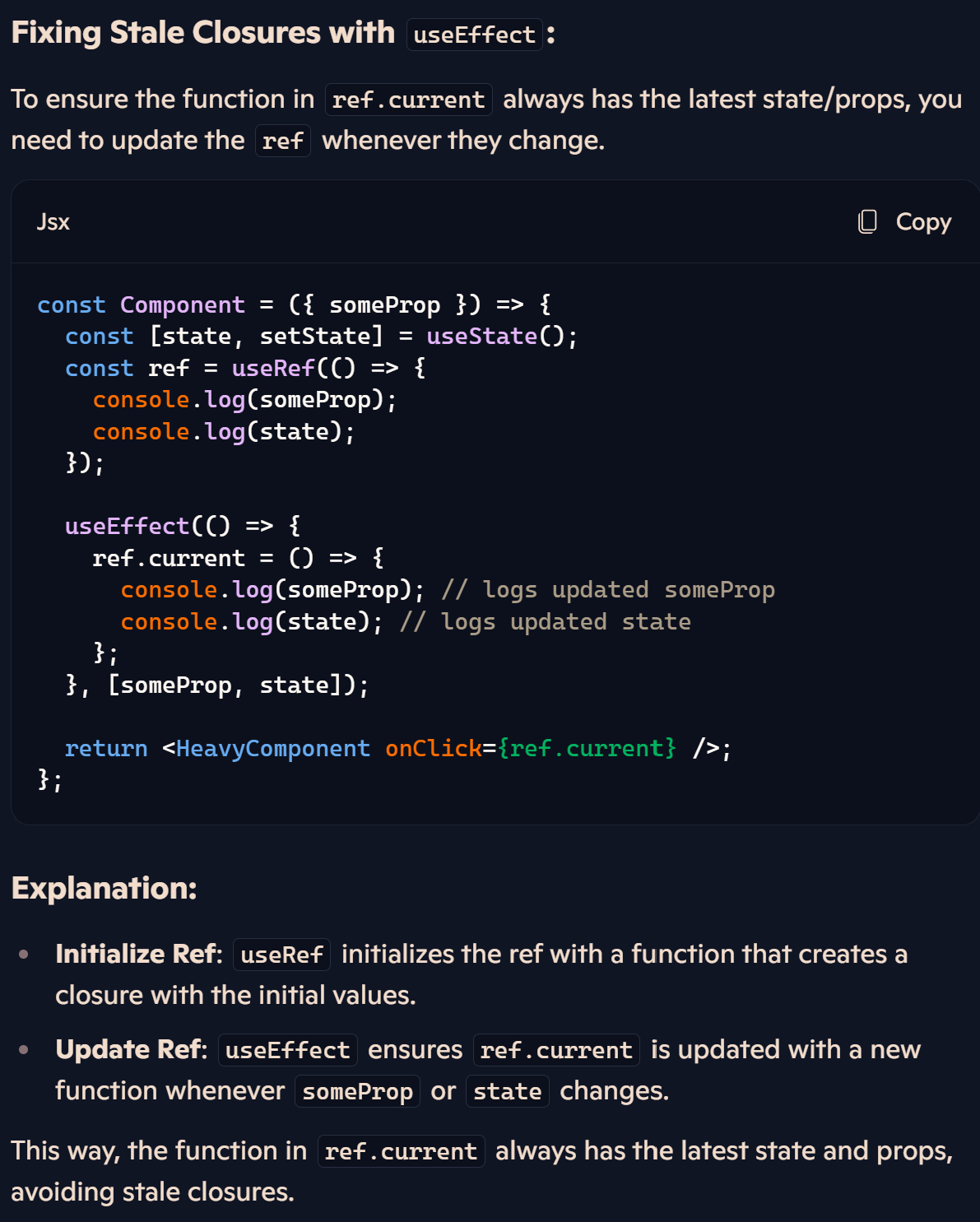
Stale closures in React: React.memo
Every time we click on the button, we log "undefined". Our inside onClick is never updated.
When we create the onClick handler, it forms a closure with the initial state value ("undefined"). This closure is passed to the memoized component along with the title prop.
The comparison function only checks the title, which never changes, so HeavyComponent is never updated. As a result, it retains the reference to the initial onClick closure with the "undefined" value.
We can try many other things. But we don't have to do any heavy refactorings to escape that closures trap. There is one cool trick that can help us here.
(210-212)
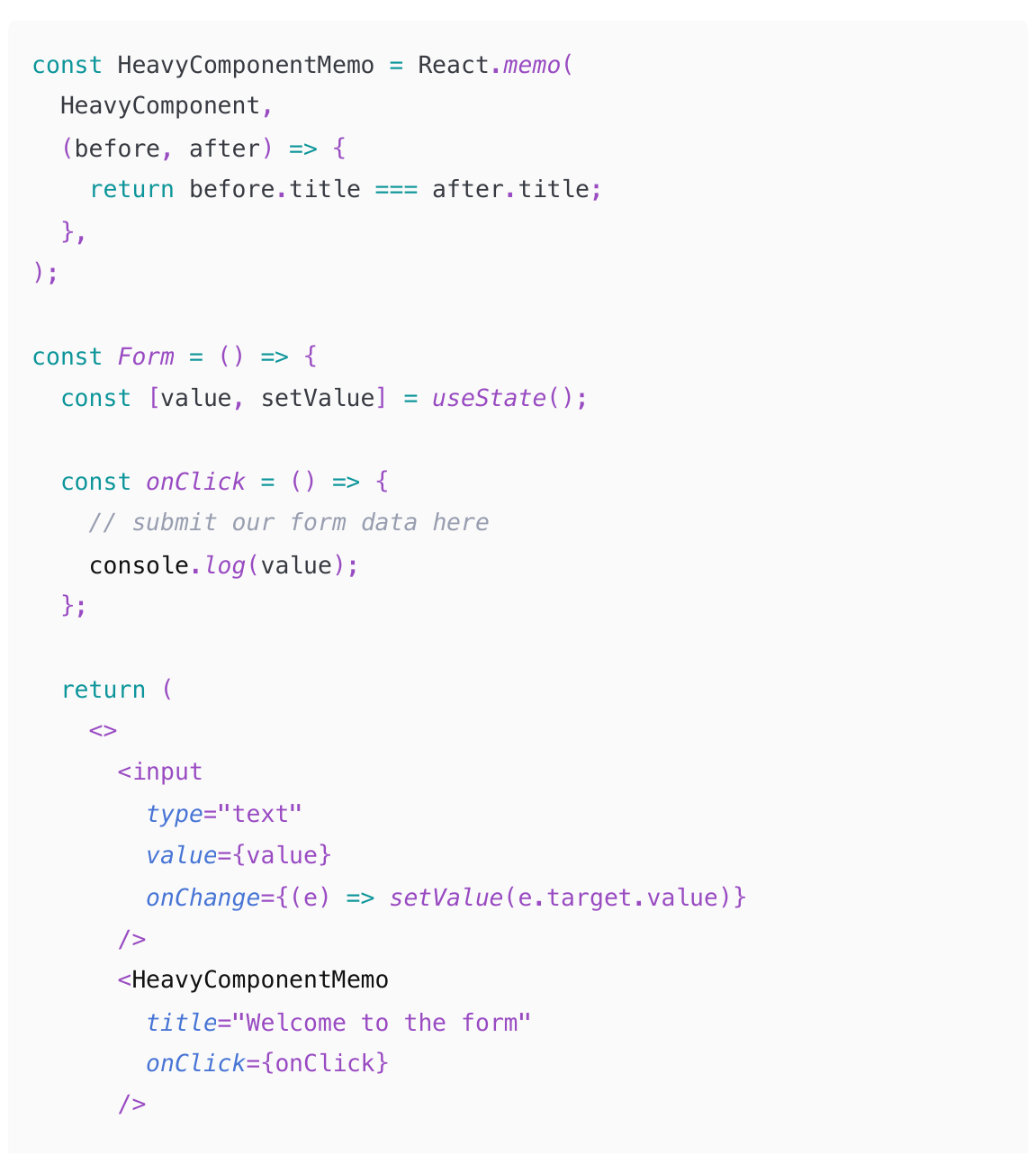
Escaping the closure trap with Refs
useEffect without the dependency array will be triggered on every re-render.
Which is exactly what we want. So now in our ref.current we have a closure that is recreated with every re-render, so the state that is logged there is always the latest.
we can't just pass that ref.current to the memoized component. That value will differ with every re-render, so memoization just won't work. So instead, create a small empty function wrapped in useCallback with no dependencies for that. Then all we need to make it work is to call ref.current inside that memoized callback. ref is not in the dependencies of the doesn't need to be. useCallback ? It ref by itself never changes. It's just a reference to a mutable object that the useRef hook returns.
(212-217)
Implementing advanced debouncing and throttling with Refs
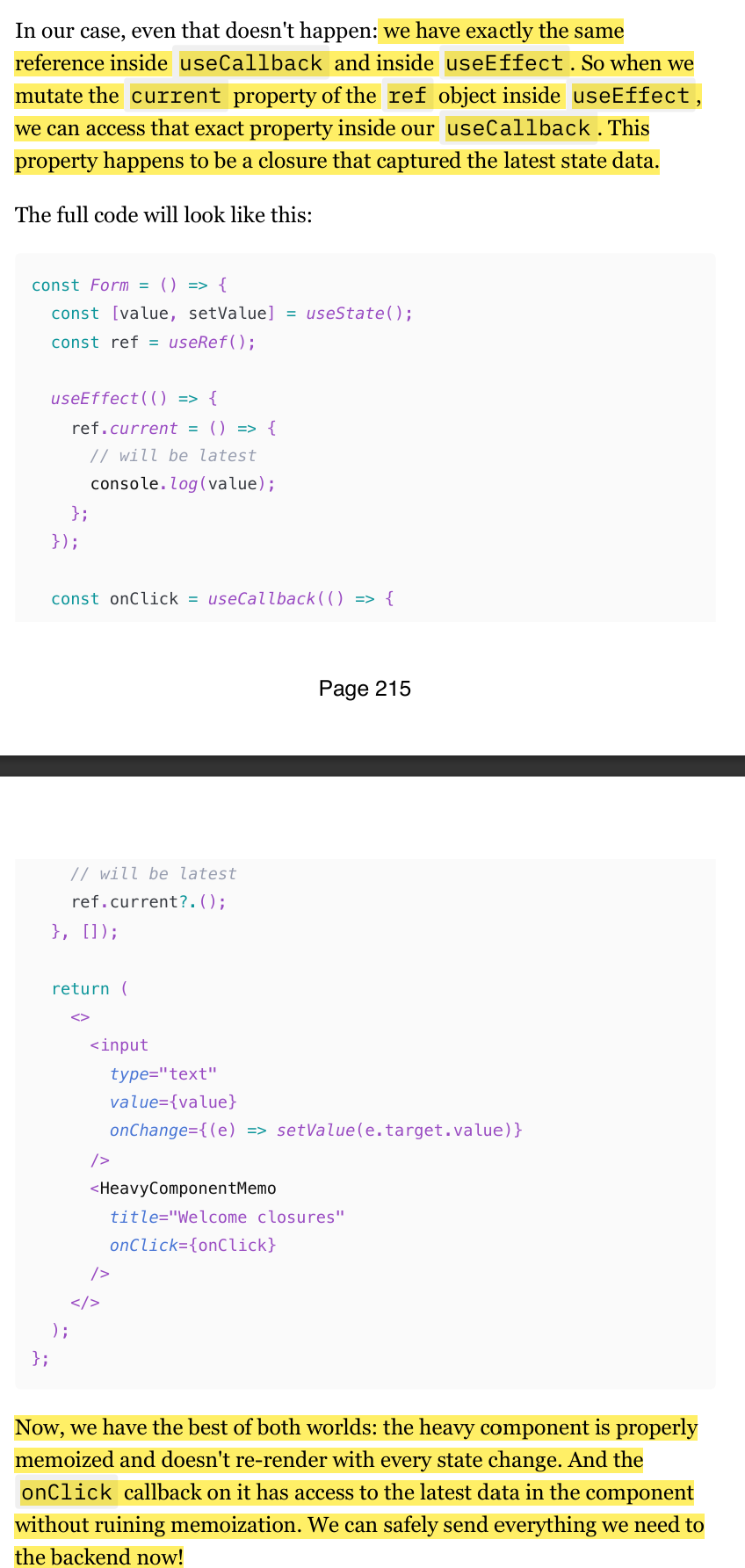
One very important and quite common use case for Refs. It's storing various timers and timeout ids when dealing with functions like setInterval or debounce .
"Debouncing" and "Throttling" are techniques that allow us to skip function execution if that function is called too many times over a certain time period.
It's a very common scenario for various form elements. We usually would want to debounce/throttle inputs' onChange callbacks, for example, so that the form is not re-rendered with every keystroke
Debouncing
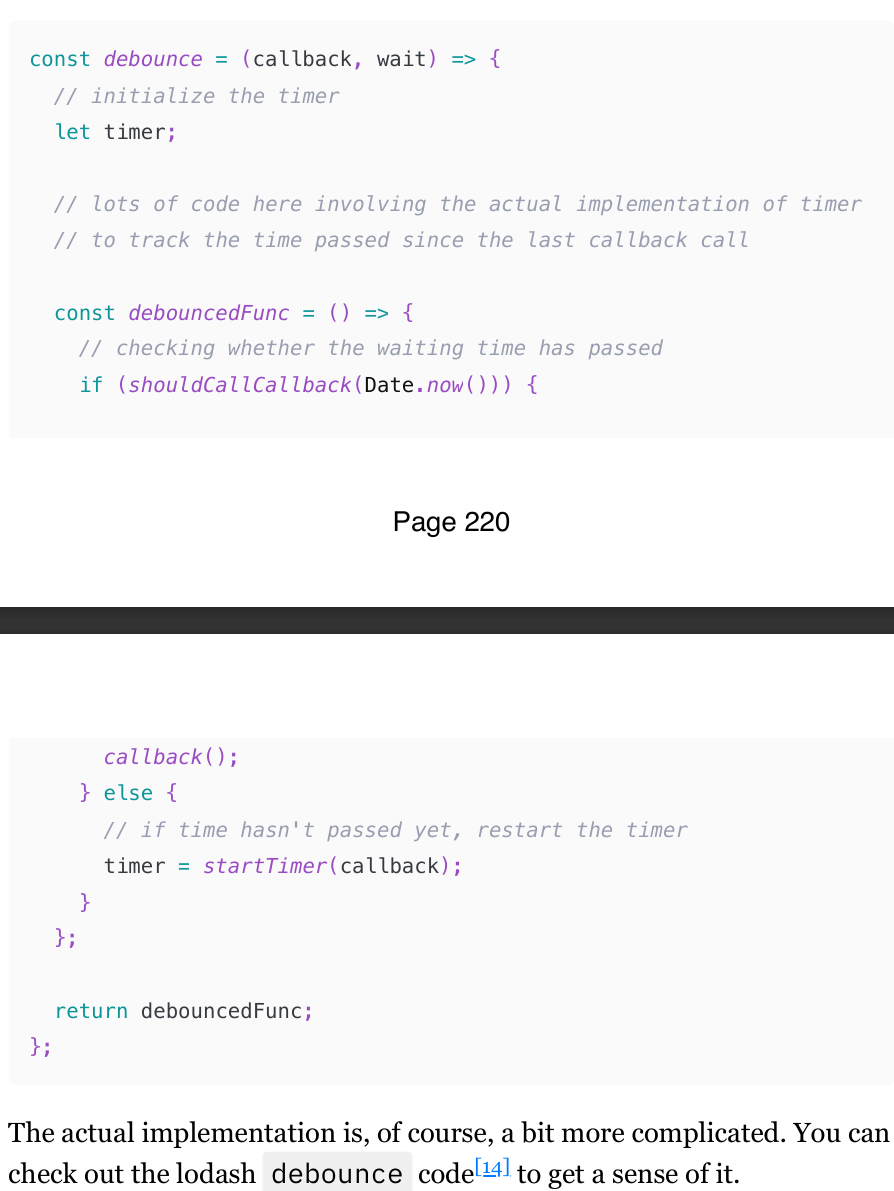
debounce is just a function that accepts a function, returns another function, and has a tracker inside that detects whether the passed function was called sooner than the provided interval. If sooner - then skip the execution and re-start the clock. If the interval has passed, call the passed function.
Throttle
Throttle is very similar, and the idea of keeping the internal tracker and a function that returns a function is the same.
If a user types something in the field, we want to send requests to the backend to save whatever they type "on the fly", without them pressing the "save" button explicitly. If a user is writing a poem in a field like that really, really fast, the "debounced" onChange callback will be triggered only once. And if something breaks while typing, the entire poem will be lost. The "throttled" callback will be triggered periodically, the poem will be regularly saved, and if a disaster occurs, only the last milliseconds of the poem will be lost. Much safer approach.
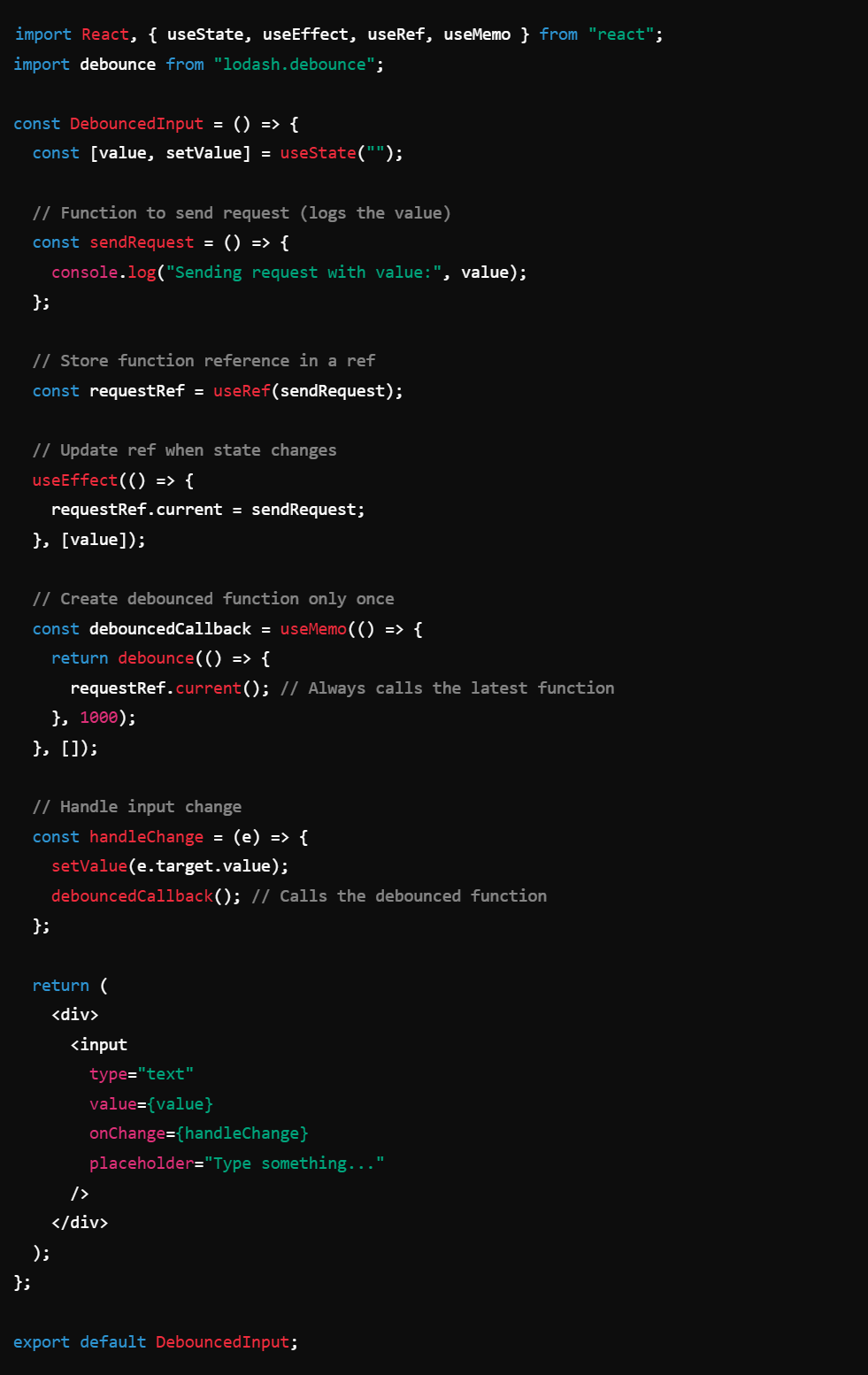
Debounced callback in React: dealing with re-renders (the solution to debouncing with useRef)
Debouncing in React can be tricky when working with state. Initially, a useCallback function is used to debounce input changes, but adding state dependencies causes the function to re-create on every render, making debounce ineffective.
To avoid this, useRef can store the debounced function, preventing unnecessary re-creation. However, since refs don’t update automatically, they require useEffect to update them with the latest state, or else the function becomes stale due to closures.
A more robust solution involves storing the function reference in a ref, updating it with useEffect, and using useMemo to create the debounced function only once. This allows the function to always access the latest state while avoiding unnecessary re-renders.