Points to Study (Combined Set)
 Call Kai
 Learn
Learn Practice Test
 Spaced Repetition
 Match
Match Flashcards
 Knowt Play
1/340

Earn XP
Description and Tags
CompTIA Core 1 Points to Study
Name | Mastery | Learn | Test | Matching | Spaced | Call with Kai | Chat |
|---|
No analytics yet
Send a link to your students to track their progress
341 Terms
- Print or scan a test page
- Use diagnostic tools
What are ways to test a printer?
- Inkjet: Dirty print heads
- Laser: Could be a scratched photosensitive drum
What could be the issue if there are lines down the printed page?
Lower toner or ink
Why could prints be blank or faded?
- The laser printer optical drum is not cleaned properly
- Ghost or "shadow" from previous drum rotation
Why might you be seeing double/echo images or speckling?
- Bad printer driver / wrong model
- Bad application
Why might you be seeing a garbled print?
- Be careful when removing
- Check the tray
- Check for problems in the paper path
What should you do if you're getting a paper jam?
Corrupted print jobs
Why might you be getting multiple prints pending in queue?
- Paper jam
- Carriage might be stalled or jammed
Why might you be hearing an odd noise from the printer?
Check the settings when printing for any driver updates
What should you do if you're getting an incorrect page orientation?
The size of the printed page is not matched with the size of the paper in the tray
Why might the printer tray not be recognized?
- Confirm the connection type
- Verify the IP address configurations
- Check the print server
What should you do if you're experiencing connection issues with the printer?
- Check if you have a link light
- Ping loopback
- Ping local IP address
- Ping default gateway
- Ping devices on router's other side
What should you do if you're experiencing no network connectivity?
- Interference
- Bad signal strength
- Incorrect channel
- Bounce and latency
- Incorrect access point placement
Why might you be getting intermittent wireless connectivity?
- The network is slow
- Confirm end-to-end connectivity
- Evaluate connectivity on each network hop
- May require a packet capture
Why might you be getting slow network speeds and what can you do to resolve it?
- Check the local IP address
- Perform the ping tests if DHCP address is obtained
What should you do if you're getting limited or no connectivity?
Jitter
- The time between frames on a network
- Causes you to miss information
- Check the internet connection
- Verify the local networking equipment
- View the network performance
What should you do if you're getting poor VoIP quality?
- When network interface goes up and down
- Verify the cable
- Move between switch interfaces
- Replace bad hardware or cables
What is port flapping and what can you do to fix it?
High Latency
The delay between the request and the response
- Fluorescent lights
- Microwave ovens
- Cordless telephones
- High-power sources
What are some examples of predictable external interferences?
- Multi-tenant building
What is an example of an unpredictable external interference
Signal to Noise Ratio (SNR)
The level of a signal relative to a background of noise
- Verify the active session
- Perform a packet capture if necessary
What should you do if you're experiencing authentication issues?
- Aging of the battery
- Bad reception
What are signs of poor battery health?
Device might be damaged and needs to be replaced
What should you do if your phone battery swells up?
Backup the system
What should you do first if your screen is damaged before replacing it?
- Check everything in the charging process
- Check the cable interface
- Check the cable
- Verify the power adapter
What should you do if your phone is having problems charging?
- Throughput interference
- WIFI has a limited range
What are some reasons to have poor or no Wi-Fi or cellular connectivity?
- Power down the phone
- Remove the case, cards, back, and battery
- Use the silicone packets if necessary
What should you do if your phone is damaged by liquid?
- Phone gets warm and automatically shuts down
- Charging/discharging the battery, CPU usage, and display light can overheat the battery
What are the signs and causes for phones to overheat?
Reset or restart your device through the documentation of your device
What is the main thing you do if your experiencing digitizer issues?
Replace the system board because the port is usually not modular
What should you do if your charging port is damaged and why?
- Unusual apps
- Large data transfers
- Pop up messages
- High CPU usage, device overheating
- Excessive battery use
What are some symptoms for malware on your phone?
- Use a touch calibration app
- May be a hardware issue and you'll have to replace the entire display
What should you do if you're experiencing a cursor drift?
- Not enough space
- Network connectivity issues
- OS or app is incompatible
Why might your phone not be able to install new applications?
- Power issues
- Bluetooth connectivity issues
- Hardware issues
Why might the phone stylus not work?
- Outdated OS and app software
- Low storage
- Hardware issues
- Excessive background apps
- Outdated hardware
What are some reasons for degraded performance?
- Check to make sure it's connected to the right input
- Check image brightness
- Try the monitor on another computer if all else fails.
What should you do if a monitor is not displaying anything or displaying a message that says "No Signal"?
Bulb might be burnt-out and it's best to replace it and clean the dust from the air filters and external air input/output
What should you do if an LCD projector bulb is having issues?
The video settings don't match a display's native resolution
What is the main cause of a fuzzy image display?
Image Burn-in
A problem when the same image or interface elements is displayed for a long period of time.
Dead Pixels
Pixels that do not display light as expected and will show up as small black dots. You'll have no other option than to replace the display.
- Check the video cable for any loos connections
- Replace the video cable
- Confirm the display settings in the operating system if it is a monitor issue
What should you do if your display is experiencing a flashing screen?
- Check the monitor settings
- Check the driver configuration
- Check the OS configuration
What should you do if your monitor is showing an incorrect color display?
- Check the volume levels and mute status
- Confirm the audio input over HDMI, DisplayPort, or Thunderbolt
What should you do if your monitor is experiencing audio issues?
- Check the brightness in the monitor video settings
- Check the OS
- Might be a backlight failure if all else fails
What should you do if your monitor has a dim image?
- Check the cable pins
- Check the OS refresh rate and resolution settings
- Check or replace any cables
- Disable hardware acceleration
What should you do if your getting image quality problems?
- The display may scale to fit the image
- Your using a small scaling option in the OS
Why would someone be getting sizing issues of an image on a display
- Check for any bad cables, video adapters, or video drivers
- Replace the entire display
What should you do if you have a distorted image displayed
- Read/write failure
- Slow performance
- Loud clicking noise
What are the storage failure symptoms?
- Hard drives are mechanical devices
- They have very high tolerances
Why would hard drives experience grinding noises?
- Get a backup (if possible)
- Check for loose or damaged cables
- Check for overheating
- Check the power supply
- Run hard drive diagnostics
What are some troubleshooting steps for disk failure?
- Drive not recognized, boot device not found
- Operating system not found
What are some boot failure symptoms?
- Check your cables
- Check boot sequence in BIOS
- For new installation, check hardware configuration
- Try the drive in a different computer
What are some troubleshooting steps for boot failures?
Always have a backup
What is the best way to prevent data loss/corruption
- Error messages
- Email notifications
- Audible alarms
What are some ways to know if a RAID array has failed?
False
True or False: Each RAID array has the same failure condition
Self-Monitoring, Analysis, and Reporting Technology (S.M.A.R.T.)
A feature in computer hard disk drives (HDDs) and solid-state drives (SSDs) that monitors drive health and predicts potential failures
Input/output operations per second (IOPS)
Performance indicator that measures the time taken to complete read/write operations
Beeps or Codes
Failures are usually noted with what when POSTing:
- Bad video, bad RAM, bad CPU
- A BIOS configuration issue
Blank screen on boot is usually a sign of what?
- Set boot order in BIOS configuration
- Confirm that the startup device has a valid operating system
- Check for media in a startup device
What should you do if your computer attempts to boot to an incorrect device?
- Use Last Known Good, System Restore, or Rollback Driver
- Reseat or remove hardware
- Run hardware diagnostics
What are some possible things to do if this happens?
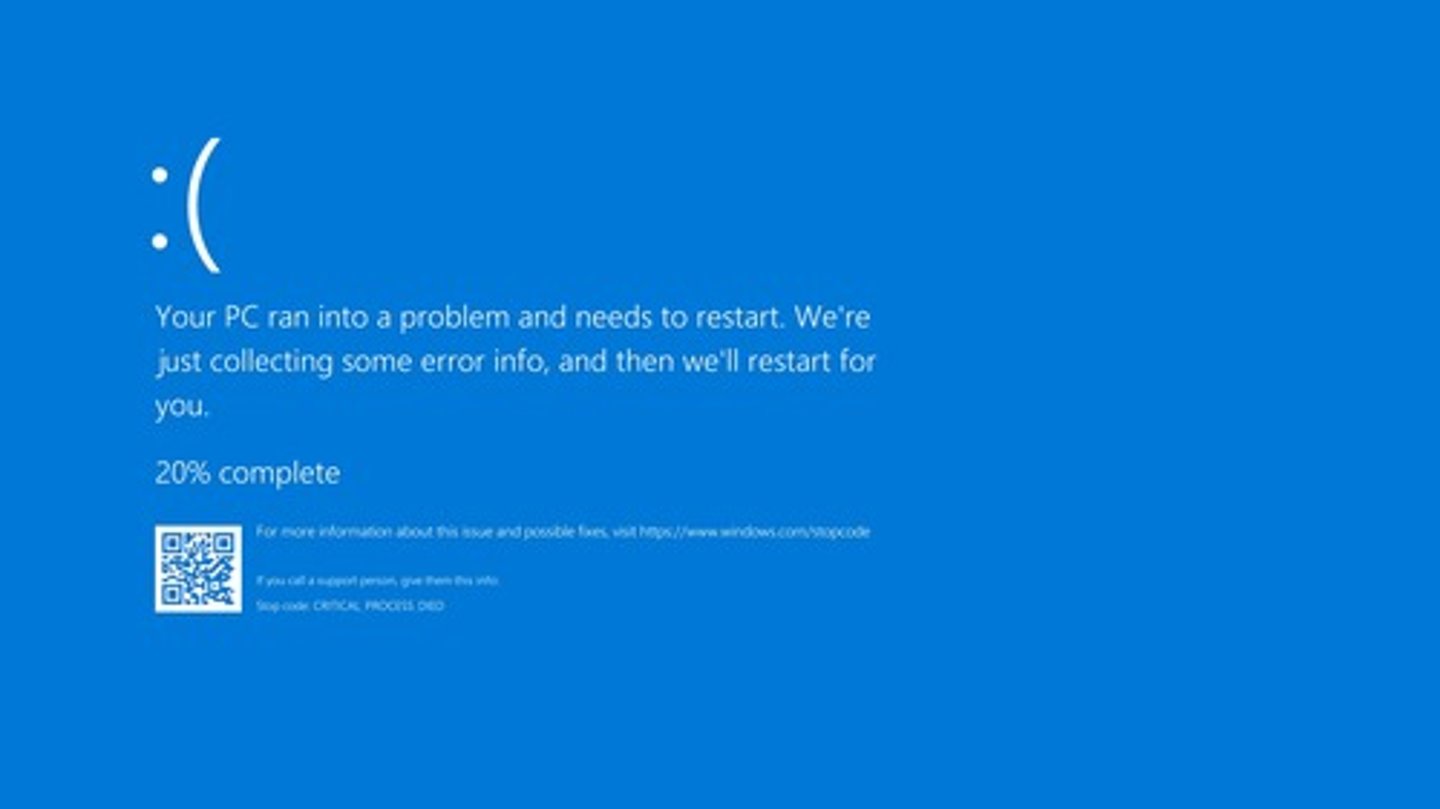
Proprietary Crash Screen
What is this?
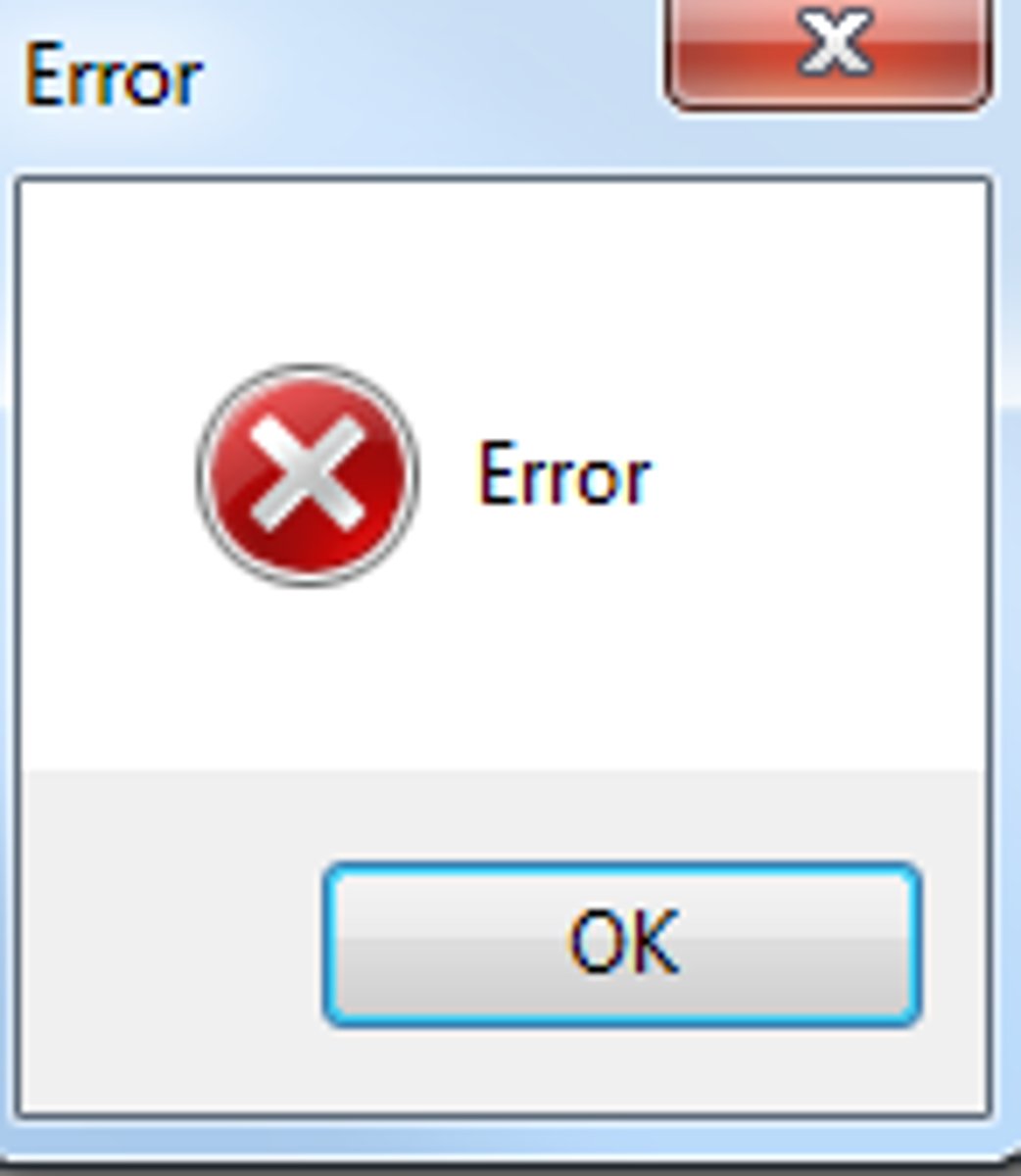
- Check if the monitor is connected
- Choose the correct input on the monitor
- Check the brightness
- Swap the monitor if all else fails
What should you do if your monitor has a blank screen
- No power at the source
- No power at the power supply
- Check outlets with multimeter
- Check your fan connections
- Check if you're motherboard is bad
- Check the power supply output
What issues could there be if there's no power to the computer or fans and what should you do?
- Check task manager for high CPU utilization and I/O
- Check for Windows Updates
- Check disk space
- Check if power-saving mode is on if you're using a laptop
- Use anti-virus and anti-malware
What should you do if you're getting sluggish performance?
- Make sure they're clean and clear
- Verify the temperature with monitoring software
What are some ways to stop components from overheating
- Always disconnect the power
- Locate any bad components and replace them
What should you do if you smell smoke and burning in a computer
- Heat-related issues
- Failing hardware
- Check event viewer
- Check device manager and run diagnostics
- Eliminate what's working
What might cause computers to randomly shutdown and what could you do to resolve it?
- Check the Event Viewer or logs
- Check the Reliability Monitor
- Reinstall the application
What should you do if an application crashes?
- Rattling could be loose components
- Scraping could be a hard drive issue
- Clicking could be a fan problem
- A pop could be a blown capacitor
What are the unusual noises you can hear inside a computer and what problems could they be
It keeps asking for a date/time on every boot
How to know if your motherboard battery is bad
Internal/Private Cloud
- Dedicated resources
- Build your own cloud
- Pay for everything up front
- No ongoing costs
External/Private Cloud
- Share resources with a public cloud
- Underlying infrastructure owned by a third-party
- Cost may be metered or up-front
Metered Utilization
- You pay for what you use
- Cost to upload, store, and download
Non-Metered Utilization
- You pay for a block of storage
- No cost to upload or download
- Elasticity
- Availability
- File Synchronization
- Multitenancy
What are the 4 cloud computing characteristics:
Cloud Computing
- More than just a server hosted elsewhere
- Effectively unlimited resources
- Deploy an infrastructure in minutes
- Public
- Private
- Hybrid
- Community
What are the cloud deployment models
Infrastructure as a Service (IaaS)
Delivers hardware networking capabilities, including the use of servers, networking, and storage, over the cloud using a pay-per-use revenue model
Software as a Service (SaaS)
A form of cloud computing where a firm subscribes to a third-party software and receives a service that is delivered online.
Platform as a Service (Paas)
A cloud computing model that provides a platform for developing, running, and managing applications without the complexity and cost of managing the underlying infrastructure
Hypervisor
- A virtual machine manager that managers the virtual platform and guest operating systems
- May require a CPU that supports virtualization
Type 1 Hypervisor
- Bare Metal
- When the hypervisor is the primary operating system
- VMware ESXi, Microsoft Hyper-V, Xen Project
Type 2 Hypervisor
- Hosted
- When hypervisor runs in the existing OS (Windows, Linux, macOS, etc)
- Virtual machines run on top of the current OS
- CPU Processor Support
- Memory
- Disk space
- Network
Resource requirements for virtualization are?
Virtual Desktop Infrastructure (VDI)
- Basic application usage where your desktop is running on a remote server
- Requires network connectivity
- Minimal operating system on the client
Application Containerization
- An isolated process in a sandbox
- Contains everything you need to run an application
- Code and dependencies
Virtualization
- One computer with many operating systems
- Has separate OS, independent CPU, memory, network, etc
Sandboxing
- Isolated testing environment
- A virtualize development process
- Has additional development features
Cross-Platform Virtualization
- Run different operating systems at the same time
- Saves time and resources
Dot-Matrix (Impact) Printers
- Print head with a small matrix of pins
- Presses against a ribbon to make a mark on paper
- Good for carbon/multiple copies
- Low cost per page
- NOISY
- Poor graphics
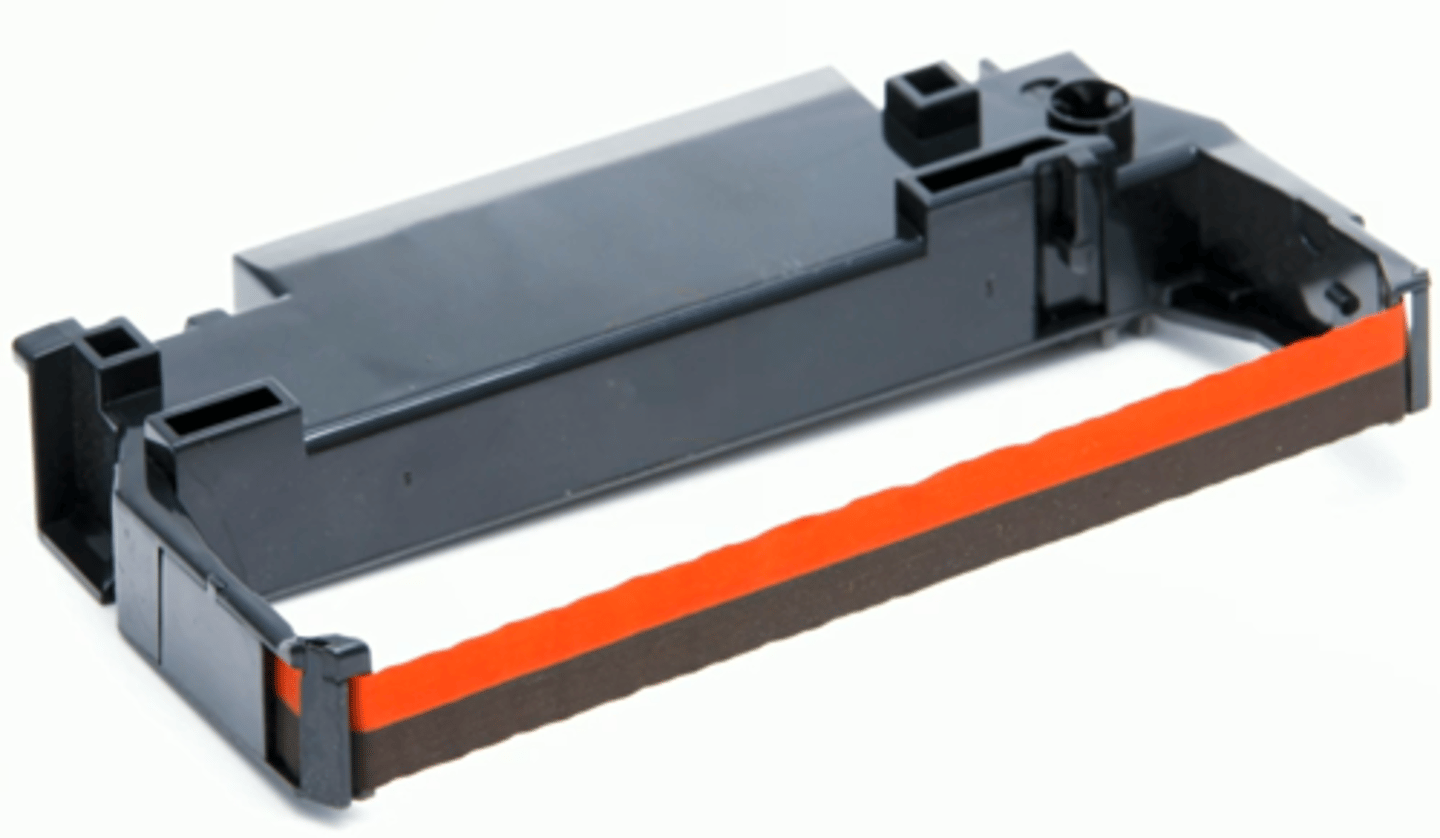
Impact Printer Ribbon
What's this?
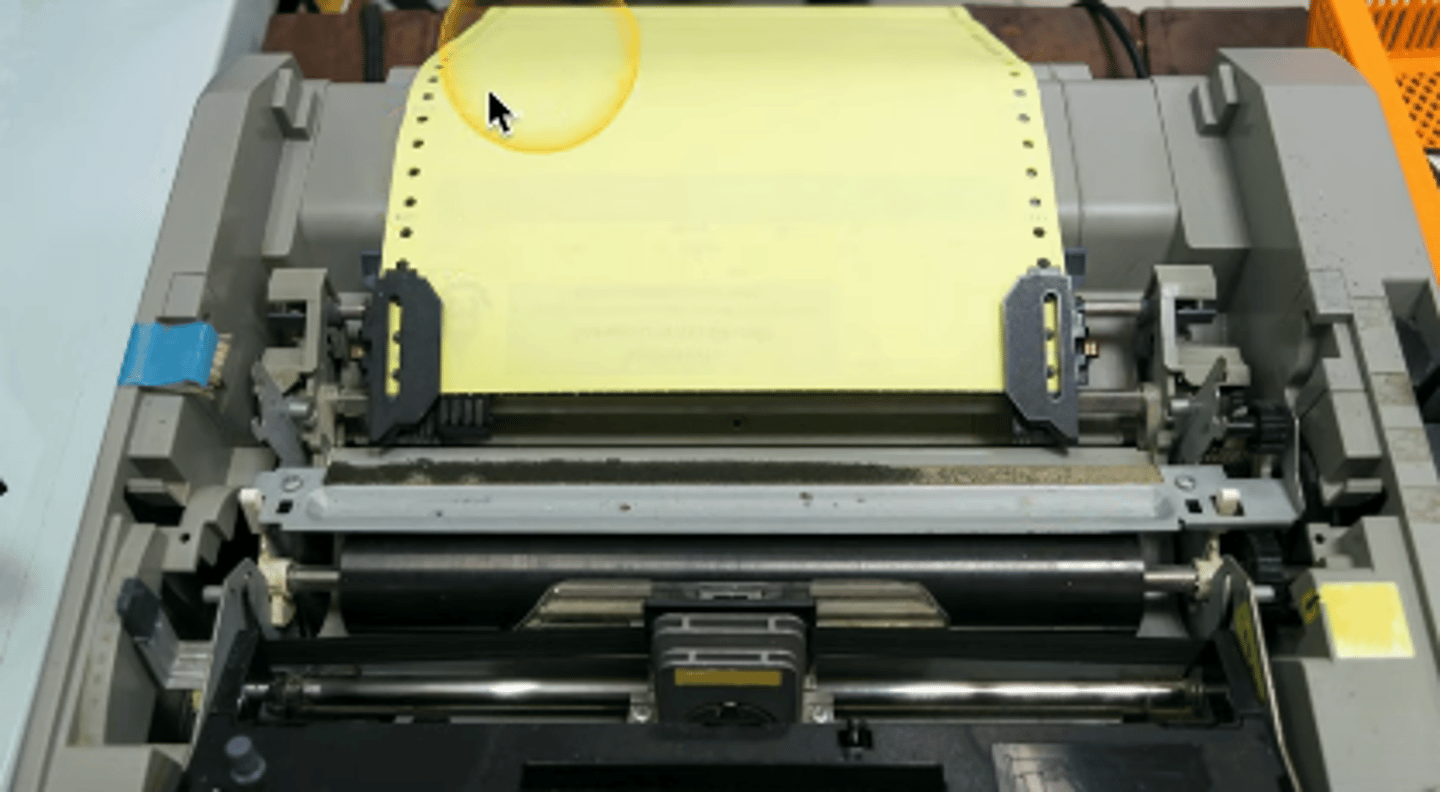
Tractor Feed
Continuous paper feed that has perforations between pages
Multipart Paper
Has carbonless copying and can provide multiple copies of a single form in a single pass
Thermal Printer
- Uses white paper that is common as a receipt of label printer
- Very quiet
- Has paper that is sensitive to light and heat
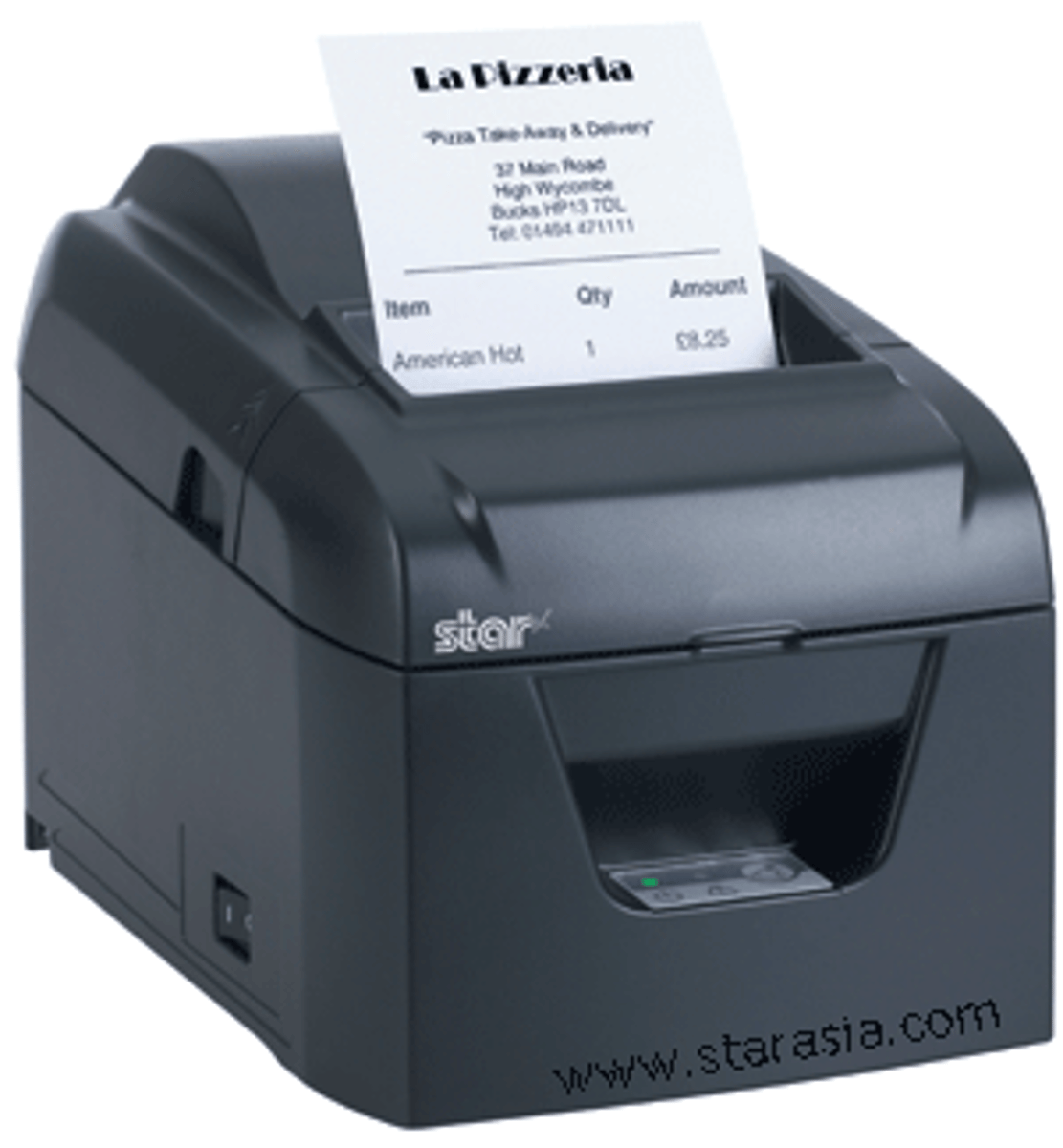
Thermal Paper
- Paper covered with a chemical
- Commonly used at cash registers or credit card terminals
Inkjet (ink-dispersion) printer
- Relatively inexpensive technology
- Quiet
- High-resolution
- Expensive ink
- Eventually fades
- Clogs easily
Ink Cartridge
- Places drops of ink onto a page
- Has CMYK (Cyan, Magenta, Yellow, and Key).