Python Topic 5 Part 2
5.13 String slicing
String slicing basics
Strings are a sequence type, having characters ordered by index from left to right. An index is an integer matching a specific position in a string's sequence of characters. An individual character is read using an index surrounded by brackets. Ex: my_str[5] reads the character at index 5 of the string my_str. Indices start at 0, so index 5 is a reference to the 6th character in the string.
A programmer often needs to read more than one character at a time. Multiple consecutive characters can be read using slice notation. Slice notation has the form my_str[start:end], which creates a new string whose value contains the characters of my_str from indices start to end -1. If my_str is 'Boggle', then my_str[0:3] yields string 'Bog'. Other sequence types like lists and tuples also support slice notation.
Figure 5.13.1: String slicing.
| |
The last character of the slice is one location before the specified end. Consider the string my_str = 'John Doe'. The slice my_str[0:4] includes the element at index 0 (J), 1 (o), 2 (h), and 3 (n), but not 4, thus yielding 'John'. The space character at index 4 is not included. Similarly, my_str[4:7] would yield ' Do', including the space character this time. To retrieve the last character, an end index greater than the length of the string can be used. Ex: my_str[5:8] or my_str[5:10] both yield the string 'Doe'.
Negative numbers can be used to specify an index relative to the end of the string. Ex: If the variable my_str is 'Jane Doe!?', then my_str[0:-2] yields 'Jane Doe' because the -2 refers to the second-to-last character '!', and the character at the end index is not included in the result string.


Table 5.13.1: Common slicing operations.
A list of common slicing operations a programmer might use.
Assume the value of my_str is 'http://en.wikipedia.org/wiki/Nasa/'
Syntax | Result | Description |
|---|---|---|
| wikipedia | Returns the characters in indices 10-18. |
| wikipedia.org/wiki/ | Returns the characters in indices 10-28. |
| n.wikipedia.org/wiki/Nasa/ | Returns all characters from index 8 until the end of the string. |
| Returns every character up to index 23, but not including my_str[23]. | |
| Returns all but the last character. |
The slice stride
Slice notation also provides for a third argument known as the stride. The stride determines how much to increment the index after reading each element. For example, my_str[0:10:2] reads every other element between 0 and 10. The stride defaults to 1 if not specified.
Figure 5.13.3: Slice stride.
| |

Aligning text
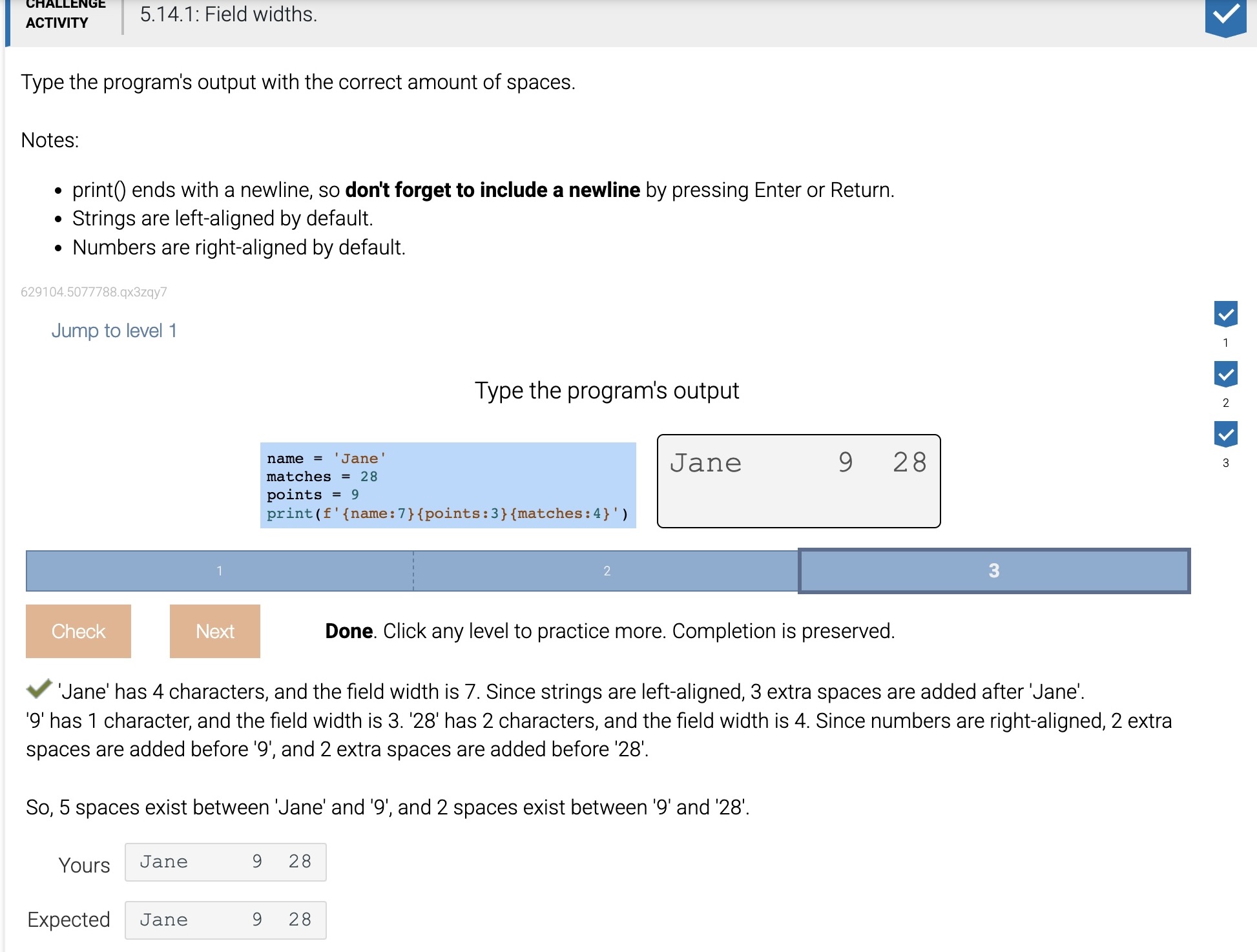
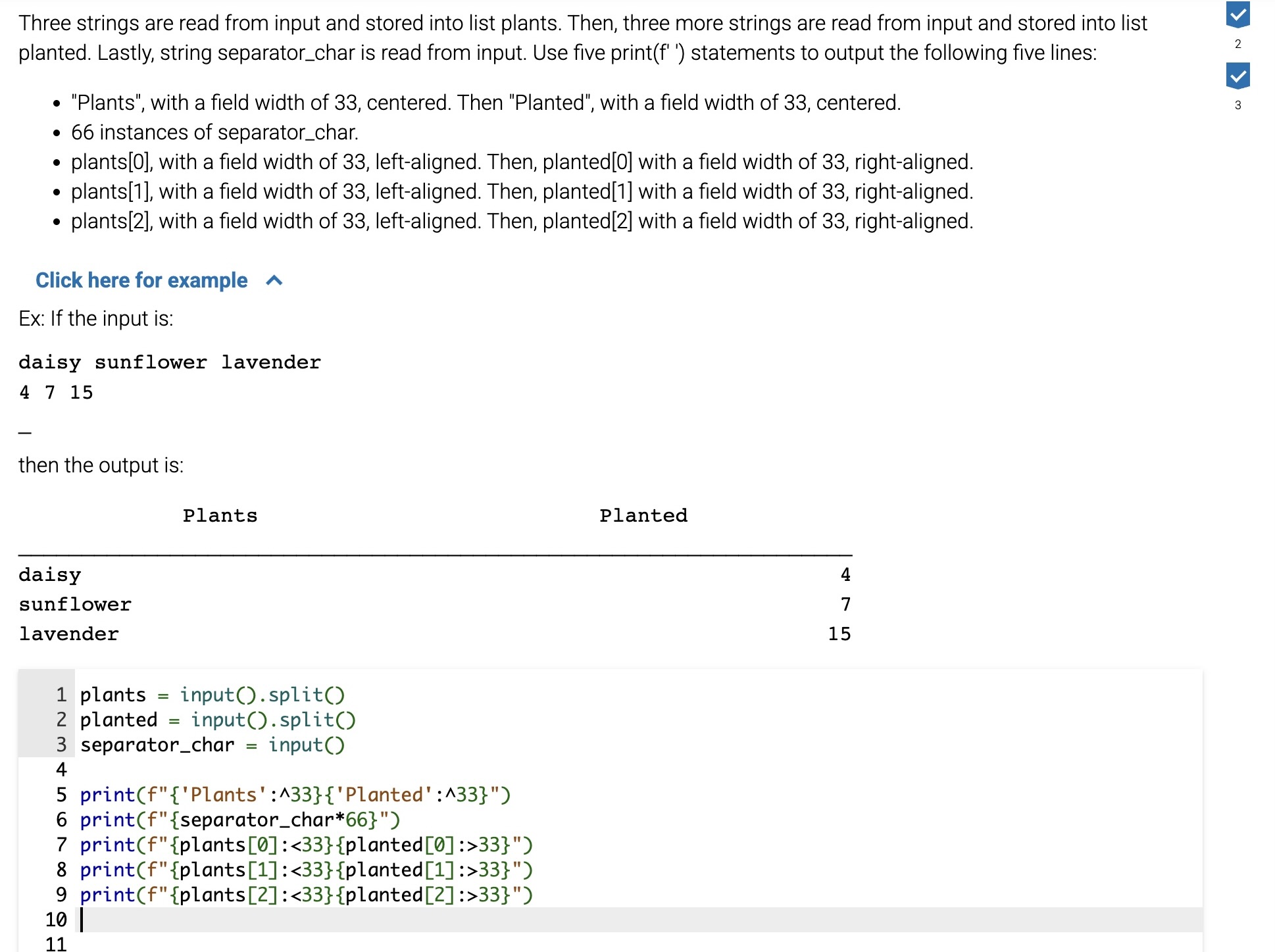
A format specification can include an alignment character that determines how a value should be aligned within the width of the field. Alignment is set in a format specification by adding a special character before the field width integer. The basic set of possible alignment options include left-aligned (<), right-aligned (>) and centered (^). Numbers will be right-aligned within the width by default, whereas most other types like strings will be left-aligned.
Figure 5.14.2: Aligning strings within a field.
Consider the following code that prints a table, and how changing the alignment impacts the column organization.
names = ['Sadio Mane', 'Gabriel Jesus']
goals = [22, 7]

print(<f-string 1>)        #Replaced in table below
print('-' * 24)
for i in range(2):
    print(<f-string 2>)    #Replaced in table below
Alignment type | <f-string 1> | Output |
|---|---|---|
Left-aligned |
| |
Right-aligned |
| |
Centered |
| |
Fill
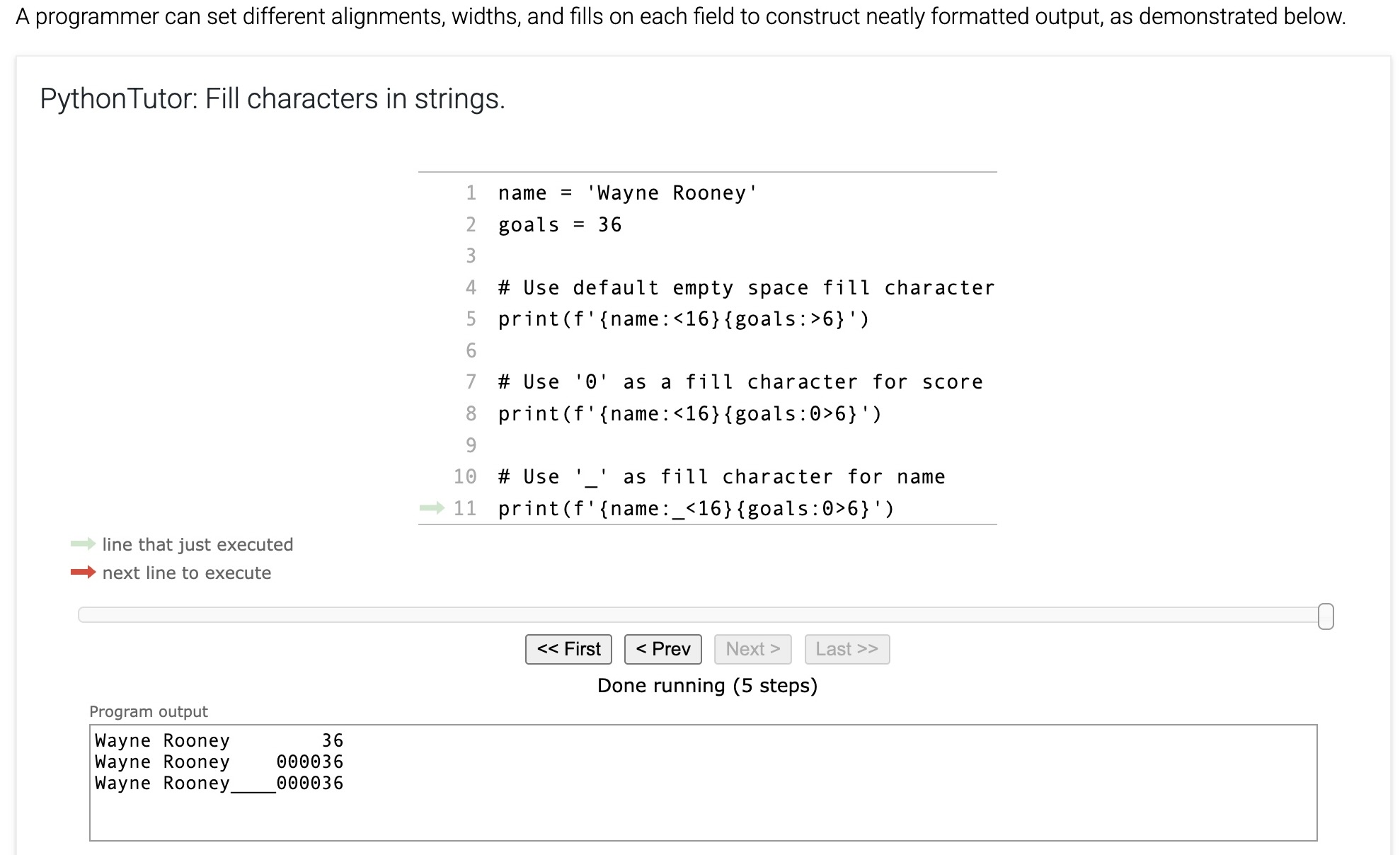
The fill character is used to pad a replacement field when the inserted string is smaller than the field width. The default fill character is an empty space ' '. A programmer may define a different fill character in a format specification by placing the different fill character before the alignment character. Ex: {score:0>4} generates "0009" if score is 9 or "0250" if score is 250.
Table 5.14.1: Using fill characters to pad tables.
Format specification | Value of score | Output |
|---|---|---|
| 9 | |
| 9 | |
| 9 | |
| 18 | |
| 18 | |
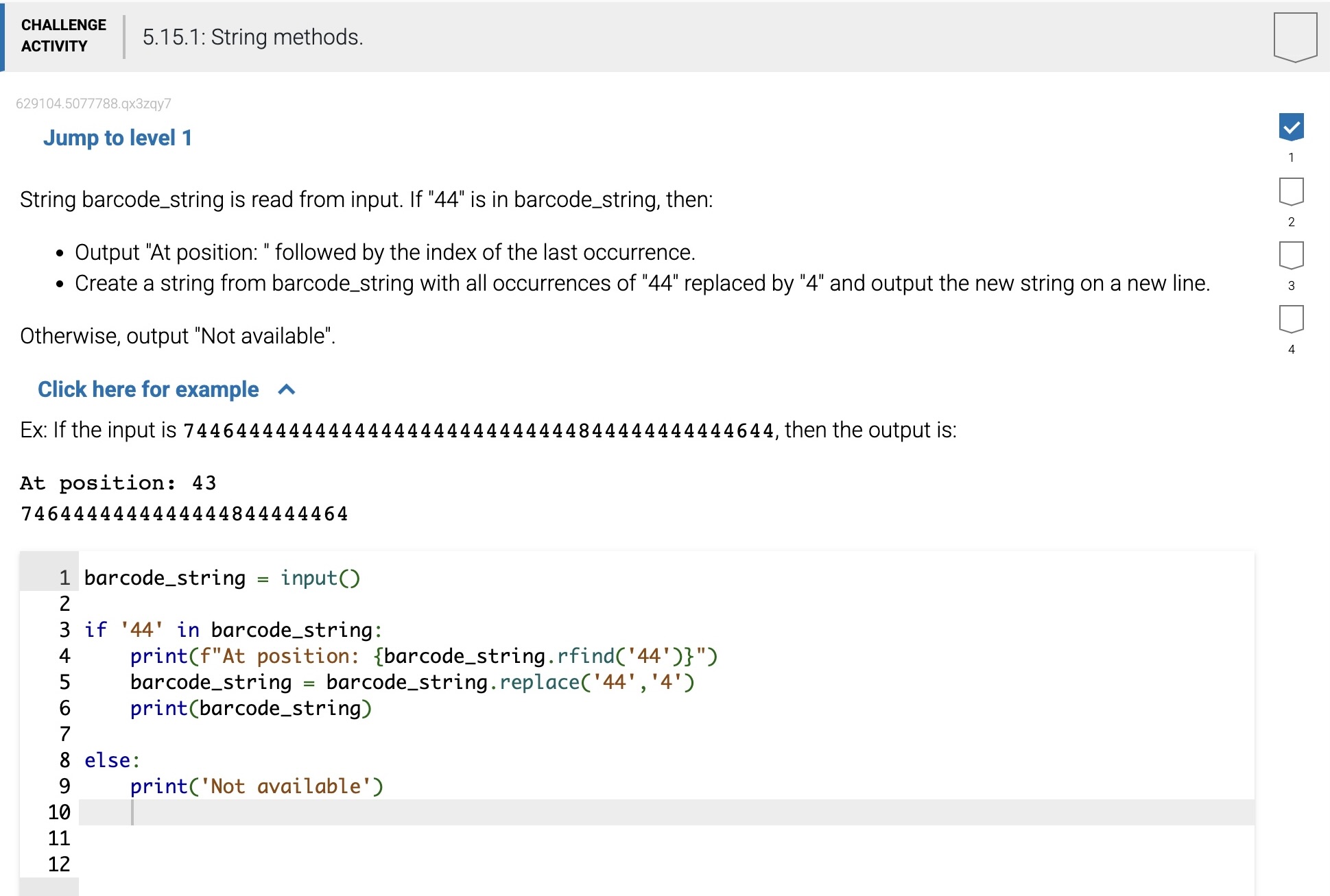
Some methods are useful for finding the position of where a character or substring is located in a string:
find(x) -- Returns the index of the first occurrence of item x in the string, otherwise, find(x) returns -1. x may be a string variable or string literal. Recall that in a string, the index of the first character is 0, not 1. If
my_stris 'Boo Hoo!':my_str.find('!') # Returns 7my_str.find('Boo') # Returns 0my_str.find('oo') # Returns 1 (first occurrence only)
find(x, start) - Same as find(x), but begins the search at index start:
my_str.find('oo', 2) # Returns 5
find(x, start, end) -- Same as find(x, start), but stops the search at index end - 1:
my_str.find('oo', 2, 4) # Returns -1 (not found)
rfind(x) -- Same as find(x) but searches the string in reverse, returning the last occurrence in the string.
Another useful function is count, which counts the number of times a substring occurs in the string:
count(x) -- Returns the number of times x occurs in the string.
my_str.count('oo') # Returns 2
Note that methods such as find() and rfind() are useful only for cases where a programmer needs to know the exact location of the character or substring in the string. If the exact position is not important, then the in membership operator should be used to check if a character or substring is contained in the string:
Table 5.15.1: String comparisons.
Example | Expression result | Why? |
|---|---|---|
| True | The strings are exactly identical values |
| False | The left hand string does not end with '!'. |
| True | The first character of the left side 'Y' is "greater than" (in ASCII value) the first character of the right side 'A'. |
| False | The characters of both sides match until the second word. The first character of the second word on the left 'S' is not "greater than" (in ASCII value) the first character on the right side 'Z'. |
| True | The substring 'seph' can be found starting at the 3rd position of 'Joseph'. |
| False | 'jo' (with a lowercase 'j') is not in 'Joseph' (with an uppercase 'J'). |
Figure 5.15.2: Identity vs. equality operators.
'
| |
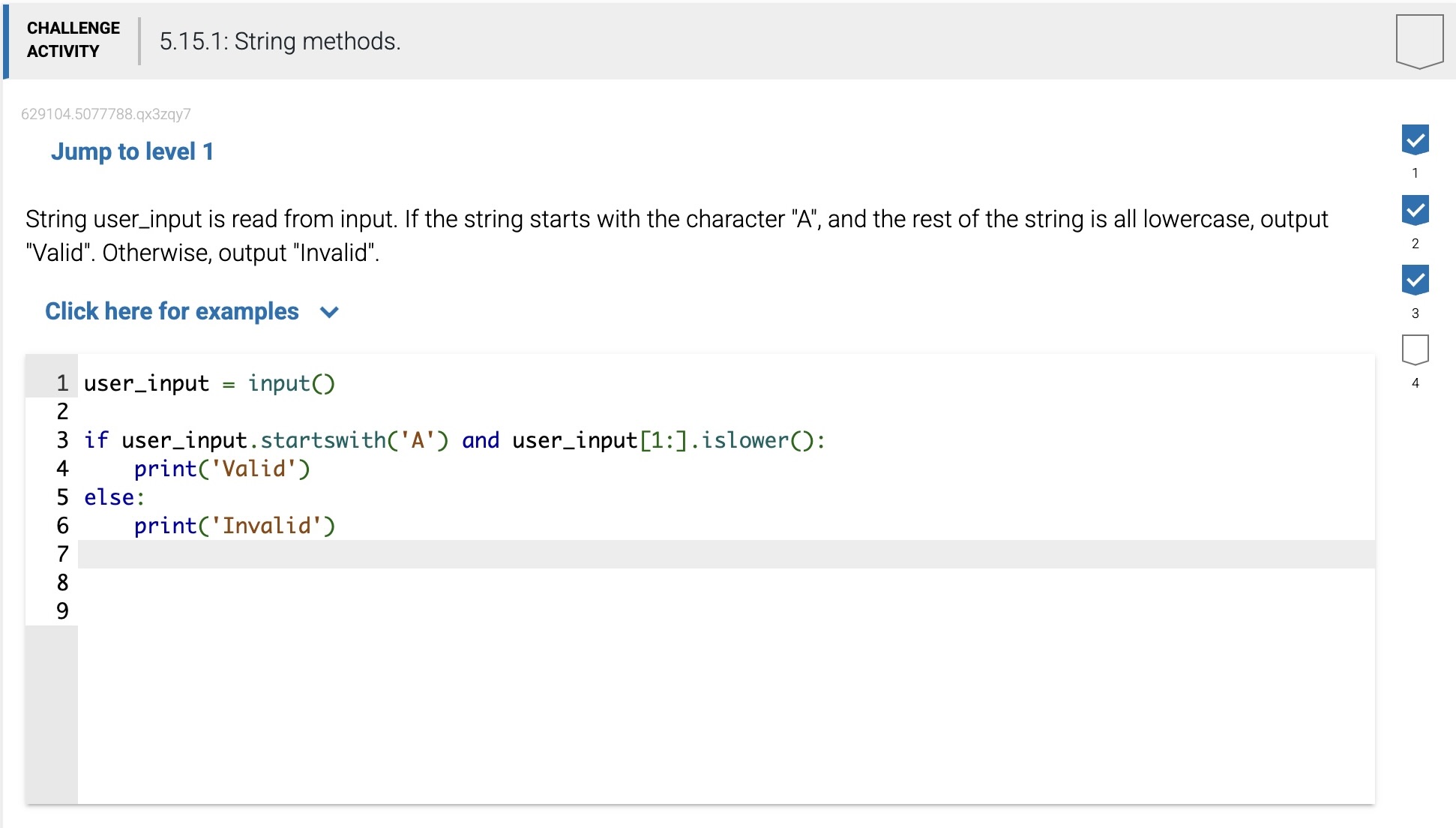
Methods to check a string value that returns a True or False Boolean value:
isalnum() -- Returns True if all characters in the string are lowercase or uppercase letters, or the numbers 0-9.
isdigit() -- Returns True if all characters are the numbers 0-9.
islower() -- Returns True if all cased characters are lowercase letters.
isupper() -- Returns True if all cased characters are uppercase letters.
isspace() -- Returns True if all characters are whitespace.
startswith(x) -- Returns True if the string starts with x.
endswith(x) -- Returns True if the string ends with x.
Note that the methods islower() and isupper() ignore non-cased characters. Ex: 'abc?'.islower() returns True, ignoring the question mark.
Creating new strings from a string
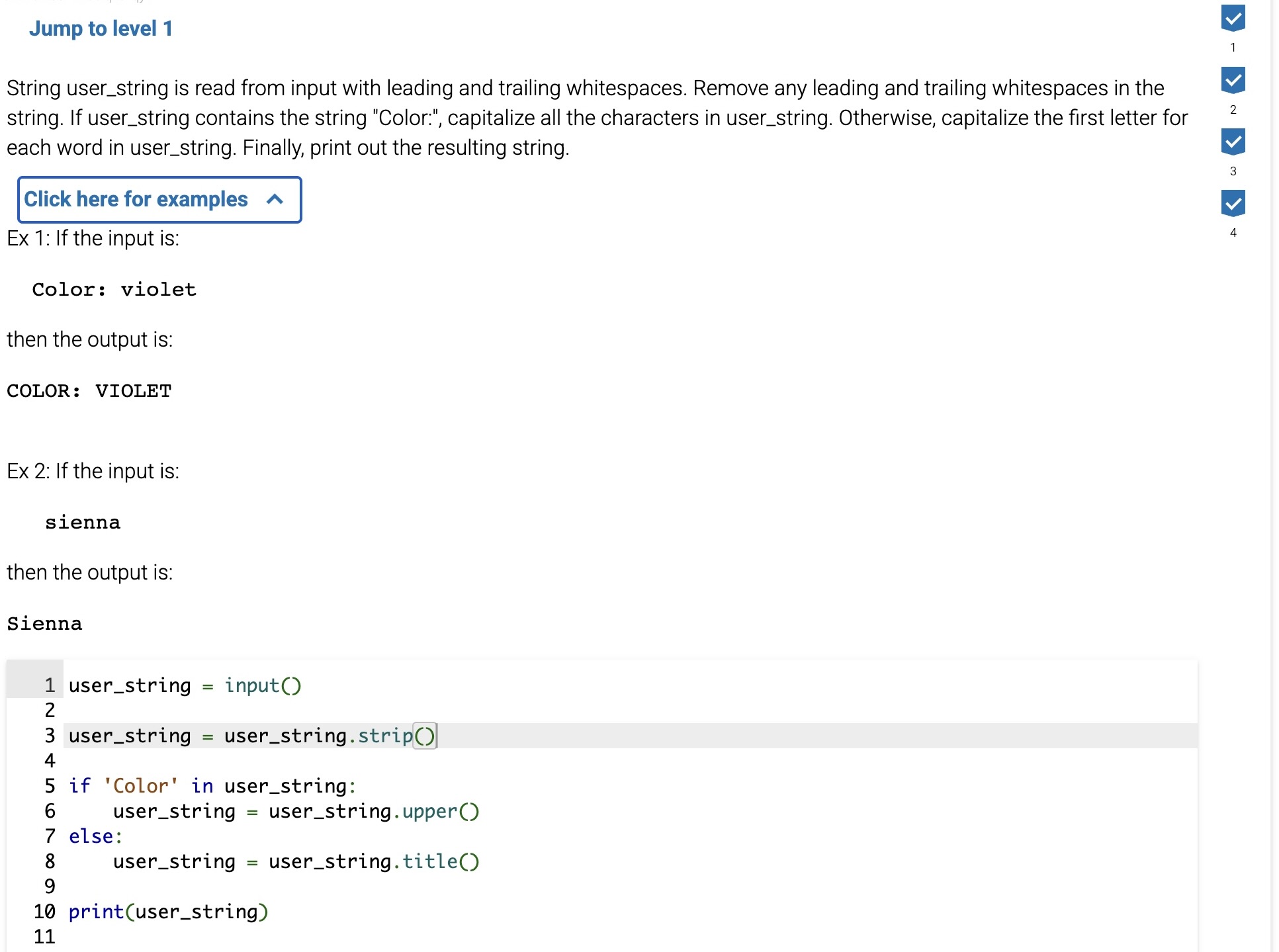
A programmer often needs to transform two strings into similar formats to perform a comparison. The list below shows some of the more common string methods that create string copies, altering the case or amount of whitespace of the original string:
Methods to create new strings:
capitalize() -- Returns a copy of the string with the first character capitalized and the rest lowercased.
lower() -- Returns a copy of the string with all characters lowercased.
upper() -- Returns a copy of the string with all characters uppercased.
strip() -- Returns a copy of the string with leading and trailing whitespace removed.
title() -- Returns a copy of the string as a title, with first letters of words capitalized.
A user may enter any one of the non-equivalent values 'Bob' , 'BOB ', or 'bob' into a program that reads in names. The statement name = input().strip().lower() reads in the user input, strips the leading and trailing whitespace, and changes all the characters to lowercase. Thus, user input of 'Bob', 'BOB ', or 'bob' would each result in name having just the value 'bob'.
Good practice when reading user-entered strings is to apply transformations when reading in data (such as input), as opposed to later in the program. Applying transformations immediately limits the likelihood of introducing bugs because the user entered an unexpected string value. Of course, there are many examples of programs in which capitalization or whitespace should indicate a unique string - the programmer should use discretion depending on the program being implemented.