ITEC 1100
What is a computer?
A device (usually, but necessarily, electronic) that is capable of executing programs, i.e., instructions.
What are bit and byte? How many possible values each can have and why?
A bit is one binary digit and can have 2 possible values, 0 and 1. A byte is a collection of 8 bits and can have 2 to the power of 8 or 256 values, from 0 to 255 (1111 1111 binary or FF Hex).
How is text stored in computers?
As a series of binary codes for each character. One byte in ASCII and two bytes in UNICOD standards.
What are the main parts of a computer based on Von Neumann model?
CPU, Input, Output, Memory (and sometimes permanent storage).
What are the main properties of digital media?
Programmable/Procedural, Interactive/Participatory, Encyclopedic, Multi-dimensional, and Distributed
What are the decimal value of these binary numbers? 11, 101, 1010, 1111?
3, 5, 10, 15
What are the meanings of resolution, aspect ratio, and colour depth in computer screens?
Number of pixels in each dimension
Ratio of resolution dimensions
Number of bits per colour for each pixel
What is the difference of vector and raster graphics?
Vector graphics defines the operation but raster graphics specifies the exact pixel values
What is the difference of object and world coordinate systems?
Object coordinate system defines the location of a point relative to the top-left of the object it belongs to.
World coordinate system defines the location of appoint relative to the top-left of the world.
How does Image Blur work?
By averaging the colour (RGB) values of the points around each pixel
What is a sprite?
A small, sometimes animated, shape that represents a character or object
What is a keyframe and how is it used for animation?
An important point in time during the animation when shape or movement changes. Between keyframes the changes are linear and can be interpolated by software.
What are quantitative, qualitative, subjective, and objective data in user studies?
Quantitative data is numeric while qualitative data is some form of description (text, speech, video, etc).
Subjective data is the opinion of the person providing it while objective data is (assumed to be) fact-based and measured.
What is an HTML element and how do we identify it?
HTML elements are commands to format or style content and are identified using a pair of < >.
What is an attribute for HTML elements? Give two examples?
Attributes are extra data provided for an element. For example src is an attribute of <img> and href is an attribute of <a>.
What does this HTML line do? <img src=”x.jpg” width=”100”>
It displays an image called x.jp which is at the same location as the HTML file, with a scaled width of 100.
What is the difference between width=”100” and width=”100%”?
100 is in pixels and 100% is percent of the available space
What is the difference between the result of these two HTML codes?
<p>Test
text</p>
<p>Test text</p>
No difference. HTML ignores spaces and line breaks in source file.
In the above example, what is the right way to move the word “text” to the next line?
We use <br> for line breaks or a new paragraph <p></p>
Write an HTML code to show a table, as wide as the browser window, with three rows and three columns, showing the multiplication table for 4-6?
16 | 20 | 24 |
20 | 25 | 30 |
24 | 30 | 36 |
<table border="1" width=""100%">
<tr>
<td>16</td>
<td>20</td>
<td>24</td>
</tr>
<tr>
<td>20</td>
<td>25</td>
<td>30</td>
</tr>
<tr>
<td>24</td>
<td>30</td>
<td>36</td>
</tr>
</table>
What is the HTML code for making the following list?
Item 1
Item 2
Item 3
<ul>
<li>Item 1</li>
<li>Item 2</li>
<li>Item 3</li>
</ul>
Write the HTML code for the following table?
User | Photo | Information |
Ali |
|
|
Bella |
|
|

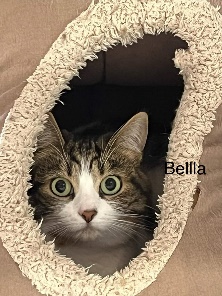
<table border="1" width="100%">
<tr>
<td><b>User</b></td>
<td><b>Photo</b></td>
<td><b>Information</b></td>
</tr>
<tr>
<td>Ali</td>
<td><img src="Ali.jpg"></td>
<td>
<ul>
<li>Associate Professor</li>
<li>School of Information Technology</li>
<li>Carleton University</li>
<li>Ottawa</li>
</ul>
</td>
</tr>
<tr>
<td>Bella</td>
<td><img src="Bella.jpg"></td>
<td>
<ul>
<li>Teaching Assistant</li>
<li>School of Information Technology</li>
<li>Carleton University</li>
<li>Ottawa</li>
</ul>
</td>
</tr>
</table>
How do you resize an image on the page in HTML when using<img> element?
We can use the width attribute
How do we define a new variable (data item) in Javascript?
var data;
How do we define a new function (code item) in Javascript?
function MyFunction()
{
//add code here
}
What is the HTML code for adding a button to a web page? How do you add a Javascript code to run when the button is clicked?
<button onclick= "MyFunction()">Click Here</button>
What is the HTML code for adding a textbox for user input? How do you read that text in a Javascript code? How do we convert the text to an integer number? How do we convert the text to all-lowercase?
<input id=”myData”>
In script:
var data = Number(myData.value);
or:
var data = myData.value.toLowerCase();
Notes:
Any name that is followed by () is a function.
Some functions have input (parameter) that goes inside the ( ).
Some functions return a result so a variable can be set to that result.
toLowerCase() is a member of any text and converts it to lower case. It doesn’t need a parameter ad it acts on its own owner text.
Number() converts a text to number. It is not a member of anything (we call it “global”) and so needs a parameter.
Members are always shown using a period, like a.b .
Write a simple HTML/Javascript code that shows a button and when clicked show a pop-up message saying “hello”? Make two versions: with and without a new function.
<button onclick="alert('hi')">Click Here</button>
Or:
<button onclick="myFunction()">Click Here</button>
And in <script>:
function myFunction()
{
alert(“hi”);
}
Write a simple HTML/Javascript code that shows an edit box where user can enter a text, and then a button that user can click and write the user text in a paragraph on the page?
<button onclick="myFunction()">Click Here</button>
<input id="myData">
<p id=“d”>.</p>
And in <script>:
function MyFunction()
{
var data = myData.value;
d.innerText = data;
}
Repeat the question 29 but with two text box. The new box is used to enter a number and then the program writes the text in the first box as many times as the user has identified in the second box. For example, if the user enters 3 and Ali, the program will write AliAliAli.
<html>
<head>
<script>
function MyFunction()
{
var data = myData1.value;
var num = Number(myData2.value);
var text = "";
for(var i=0; i < num; i++)
text += data;
d.innerText = text;
}
</script>
</head>
<body>
<button onclick="MyFunction()">Click Here</button>
<input id="myData1">
<input id="myData2">
<p id="d">.</p>
</body>
</html>
Repeat the question 29 but the program should answer to what the user has entered:
If user says Hello, the program writes Hi.
If the user says Good bye or Bye, the program writes Bye.
If the user says anything else, the program writes “What was that?”
<html>
<head>
<script>
function MyFunction()
{
var data = myData1.value;
var text = "What was that?";
if(data == "Hello")
text = "Hi";
if(data == "Good bye")
text = "Bye";
d.innerText = text;
}
</script>
</head>
<body>
<button onclick="MyFunction()">Click Here</button>
<input id="myData1">
<input id="myData2">
<p id="d">.</p>
</body>
</html>
Write the HTML/Javascript code for a simple gallery.
Show a series of thumbnail images (width 50) in one line
Show the first one at a bigger size below the line of thumbnails at a bigger size (width 500)
If the user clicks on any of the thumbnails, that image will be shown as big
Hint: Use a Javascript function to change src for the big image
<html>
<head>
<script>
function MyFunction(name)
{
myImg.src = name;
}
</script>
</head>
<body>
<img id="myImg" src="1.jpg">
<br>
<br>
<img onclick="MyFunction('1.jpg')" src="1.jpg" width="50"> - <img onclick="MyFunction('2.jpg')" src="2.jpg" width="50">
</body>
</html>