Formatting Output/ If
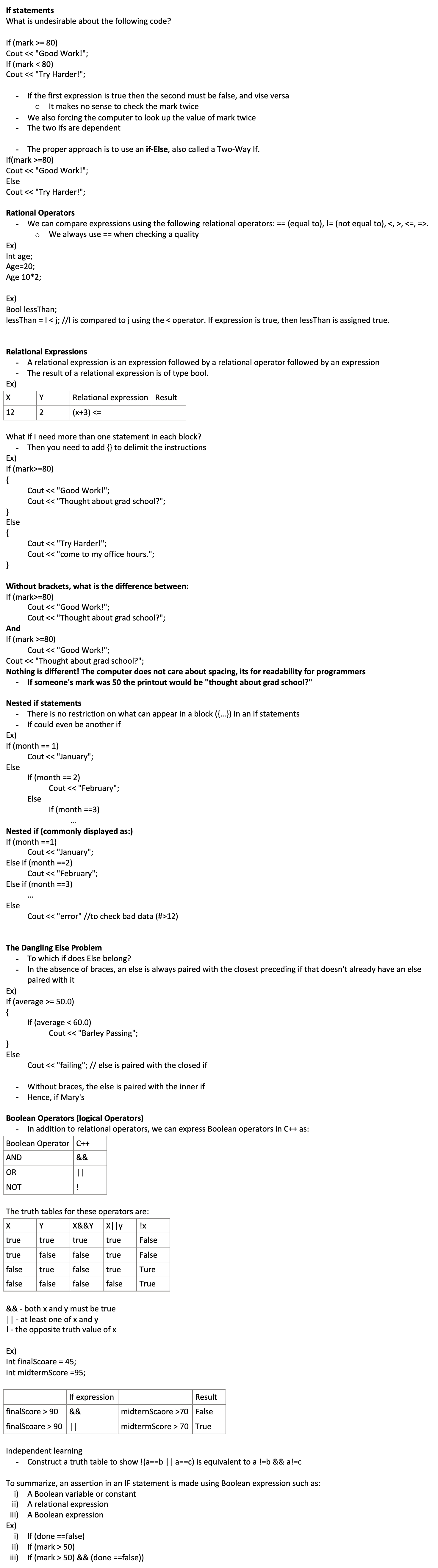
Formatting Output (not required for assignment 1)
This code : i=15; j=2; k=6;
Cout << "answer is: " << I << j << k;
Produces output:
Answers: 1526
We could hardcode the spacing as:
Cout << "answer is: " << I << j << k;
Giving output
Answer is: 15 2 6
Set Width (setw)
For integer and string data types, not char
Takes an integer parameter specifying the width
Output is right-justified (blanks on left)
Setw only folds for the very next output item
Ex)
Ans =33;
Num=7132;
Cout << setw(4) << ans << setw(5) << num << setw(6) << "Hi";
__33_7132____Hi
Cout << setw(1) << ans <<setw(5) << num;
33_7132
Expands automatically to fit the output item
You can not under specify the value
Ans is being printed regardless of setw parameters
Cout << "Hi" << setw(5) << ans << num;
Hi___337132
Setw only applies to the next instruction
Floating-Point numbers
Setw still works but remember 3.14 requires FOUR positions
Setprecision means show n significant digits
Fixed: show output in decimal from (not scientific notation)
Setprecision(2), with fixed, says to display two decimal places
Setprecision, unlike setw, remains in effect until you specify another setprecision call
Showpoint means always show the decimal point (even if .0)
Ex)
Float x=4.88;
Cout << setw(10) << setprecision(3) << x;
_____4.880
Cout << setw(5) << setprecision(1) << x;
__4.9
Round off last displayed digit
The computer does not know what setw is so…
^^ are defined in the iomanip header file.
Thus add the header to the top of our C++ program:
#include <iomanip>
Want to include common math functions (sqrt)
Add the cmath header file, #include <cmath>
Things like this can be found in the text book
Flow of Control
The order of which program statements are executed
Before now we have focused on sequential flow of control
Execute the first instruction then the second ect.
If we want it to loop and run another block of code again
What is a control structure?
Special instructions that transfer control to a statement other than the one that physically comes next
The selection Control Structure (if)
Commonly called "if"
Forces the computer to choose between alternate actions
We make an assertion (a claim that is either true of false)
If the assertion is true, the computer executes one statement otherwise if executes a different instruction
Ex)
If (age > 40)
Cout << "You are old";
Why is there no ; after the id statement
It is a control structure, it determines whether to execute the following line
The Bool Data Type
Only has two values, the constants true and false
Logical data type
Way simpler than int
Ex)
Bool done; //set to true when work is finished
Done = true; // statement somewhere in my program
If statements
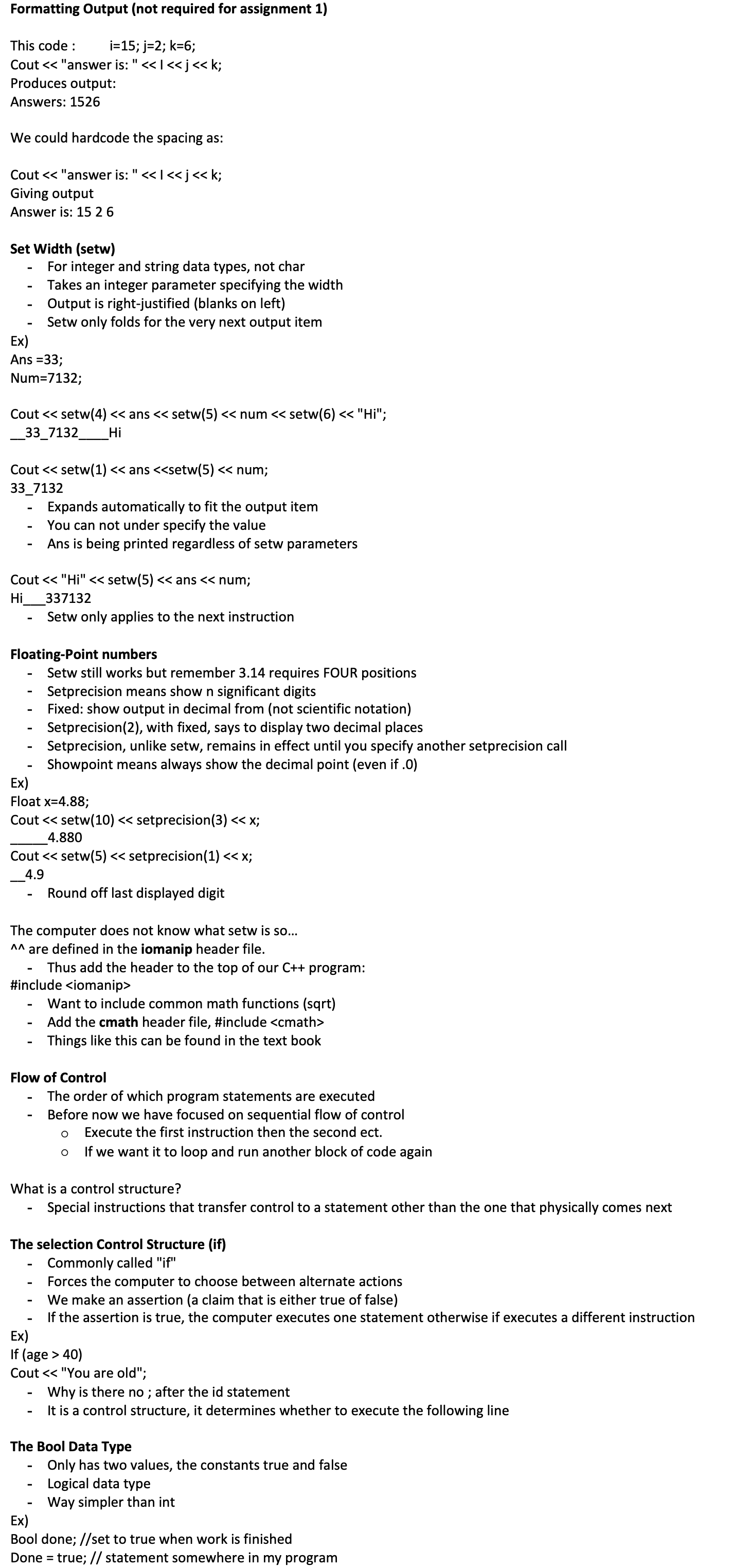
What is undesirable about the following code?
If (mark >= 80)
Cout << "Good Work!";
If (mark < 80)
Cout << "Try Harder!";
If the first expression is true then the second must be false, and vise versa
It makes no sense to check the mark twice
We also forcing the computer to look up the value of mark twice
The two ifs are dependent
The proper approach is to use an if-Else, also called a Two-Way If.
If(mark >=80)
Cout << "Good Work!";
Else
Cout << "Try Harder!";
Rational Operators
We can compare expressions using the following relational operators: == (equal to), != (not equal to), <, >, <=, =>.
We always use == when checking a quality
Ex)
Int age;
Age=20;
Age 10*2;
Ex)
Bool lessThan;
lessThan = I < j; //I is compared to j using the < operator. If expression is true, then lessThan is assigned true.
Relational Expressions
A relational expression is an expression followed by a relational operator followed by an expression
The result of a relational expression is of type bool.
Ex)
X | Y | Relational expression | Result |
12 | 2 | (x+3) <= |
|
What if I need more than one statement in each block?
Then you need to add {} to delimit the instructions
Ex)
If (mark>=80)
{
Cout << "Good Work!";
Cout << "Thought about grad school?";
}
Else
{
Cout << "Try Harder!";
Cout << "come to my office hours.";
}
Without brackets, what is the difference between:
If (mark>=80)
Cout << "Good Work!";
Cout << "Thought about grad school?";
And
If (mark >=80)
Cout << "Good Work!";
Cout << "Thought about grad school?";
Nothing is different! The computer does not care about spacing, its for readability for programmers
If someone's mark was 50 the printout would be "thought about grad school?"
Nested if statements
There is no restriction on what can appear in a block ({…}) in an if statements
If could even be another if
Ex)
If (month == 1)
Cout << "January";
Else
If (month == 2)
Cout << "February";
Else
If (month ==3)
…
Nested if (commonly displayed as:)
If (month ==1)
Cout << "January";
Else if (month ==2)
Cout << "February";
Else if (month ==3)
…
Else
Cout << "error" //to check bad data (#>12)
The Dangling Else Problem
To which if does Else belong?
In the absence of braces, an else is always paired with the closest preceding if that doesn't already have an else paired with it
Ex)
If (average >= 50.0)
{
If (average < 60.0)
Cout << "Barley Passing";
}
Else
Cout << "failing"; // else is paired with the closed if
Without braces, the else is paired with the inner if
Hence, if Mary's
Boolean Operators (logical Operators)
In addition to relational operators, we can express Boolean operators in C++ as:
Boolean Operator | C++ |
AND | && |
OR | || |
NOT | ! |
The truth tables for these operators are:
X | Y | X&&Y | X||y | !x |
true | true | true | true | False |
true | false | false | true | False |
false | true | false | true | Ture |
false | false | false | false | True |
&& - both x and y must be true
|| - at least one of x and y
! - the opposite truth value of x
Ex)
Int finalScoare = 45;
Int midtermScore =95;
| If expression |
| Result |
finalScore > 90 | && | midternScaore >70 | False |
finalScoare > 90 | || | midtermScore > 70 | True |
Independent learning
Construct a truth table to show !(a==b || a==c) is equivalent to a !=b && a!=c
To summarize, an assertion in an IF statement is made using Boolean expression such as:
A Boolean variable or constant
A relational expression
A Boolean expression
Ex)
If (done ==false)
If (mark > 50)
If (mark > 50) && (done ==false))