Data Collection (AP)
I. What Are Data Collections?
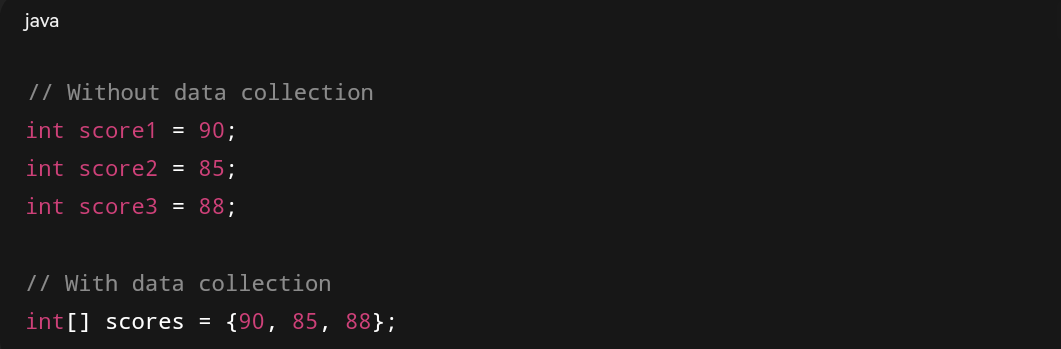
A data collection is a programming structure that stores multiple related data items together, usually of the same type.
Instead of creating separate variables for each data item, you can group them using a data collection.
Example:
Why Use Data Collections?
Organization: Makes data easier to handle and maintain.
Scalability: Works efficiently when the amount of data increases.
Simplified Processing: You can use loops to process all elements at once.
Flexibility: Collections can be sorted, searched, or filtered using algorithms.
In Java, the two most commonly used collection types in AP CSA are arrays and ArrayLists.
II. Arrays
Definition:
An array is a fixed-size data structure that holds multiple values of the same data type in a single variable.
Each value in an array is stored in a numbered position called an index, starting from 0.
Syntax
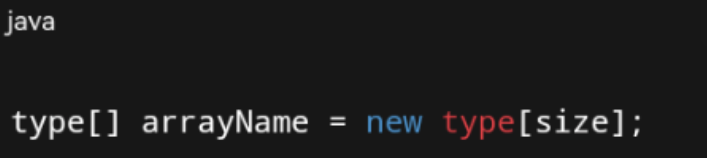
Declaring and Initializing Arrays:

Accessing Elements:
To access or modify an element, use its index:

Length of An Array:
Use .length to get the number of elements in an array:
Note: .length is a property, not a method, so no parentheses.

III. Looping Through Arrays
Arrays can be traversed (visited element by element) using loops.
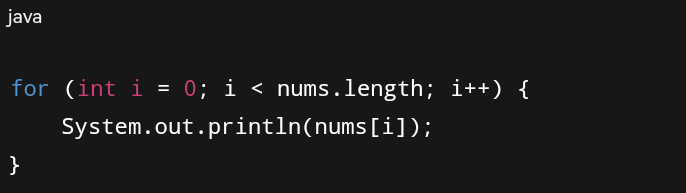
A. Standard For Loop
Best used when you need the index.
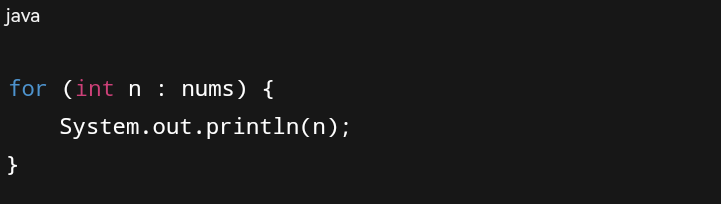
B. Enhanced For Loop (For-Each)
Use enhanced for loops when you only need to read values, not modify them.
Comparison:
The standard for loop gives full control (you can modify elements, skip indices, etc.).
The for-each loop is simpler and safer but cannot modify elements directly.
IV. Common Array Algorithms
A. Sum and Average
Adds all numbers in an array.
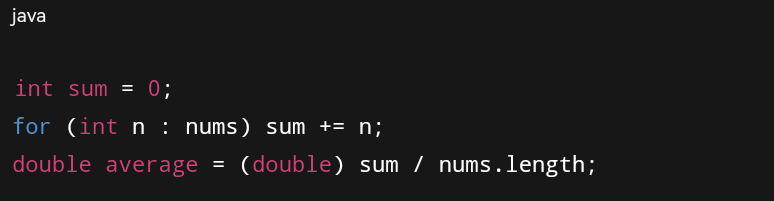
You can compute the average using:

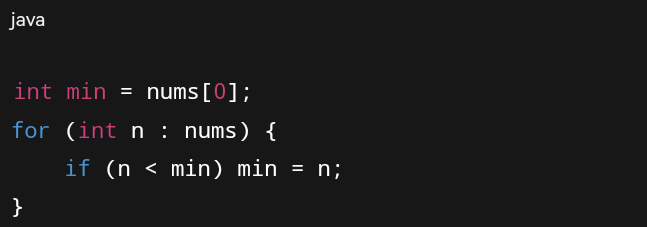
B. Find Minimum or Maximum
This loop compares each value to the current minimum and updates it when a smaller value is found.
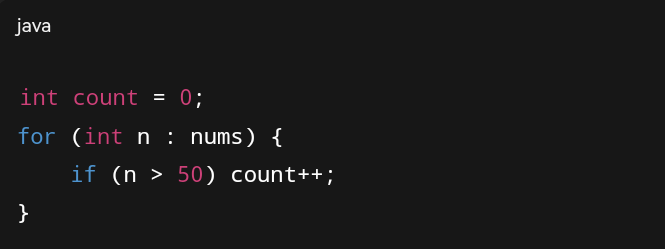
C. Counting Elements That Meet a Condition
Counts how many numbers meet a condition.
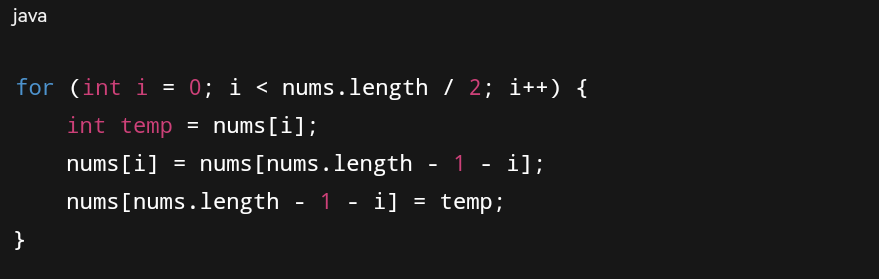
D. Reversing an Array
Swaps elements from opposite ends.
V. ArrayList
Definition:
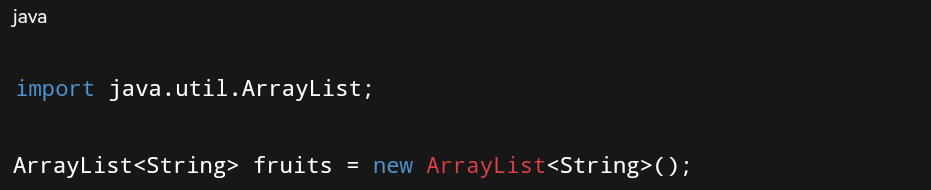
An ArrayList is part of the Java Collections Framework and is a dynamic array — it can grow or shrink in size automatically.
Unlike regular arrays, ArrayLists only store objects, not primitive types.
A. Importing and Creating ArrayList
B. Adding Elements
Accessing Elements

Removing Elements:

Size of an ArrayList:

Key Points:
.size() replaces .length from arrays.
ArrayLists store references to objects, not primitive types.
They are more flexible than arrays but slightly slower for certain operations.
Key Differences Between Array and ArrayList
VI. Traversing an ArrayList
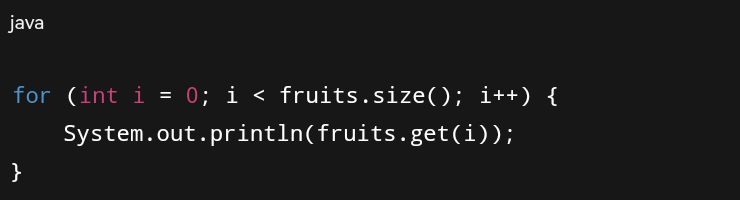
A. For Loop
Useful when you need to know the index of each element
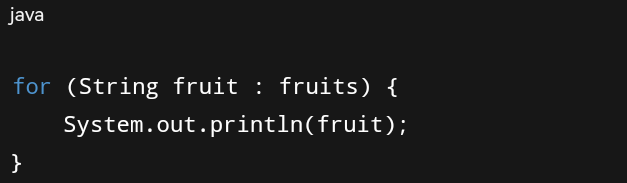
B. Enhanced For Loop
Simpler and used for reading elements.
VII. Searching Algorithms
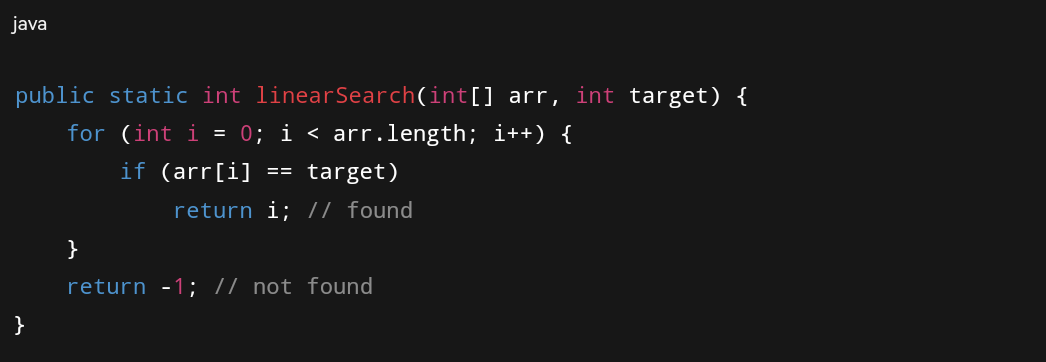
A. Linear Search
Goes through each element until it finds the target.
Time Complexity: O(n)
Works for both sorted and unsorted arrays.
B. Binary Search
Works only on sorted arrays. Repeatedly divides the search range in half.
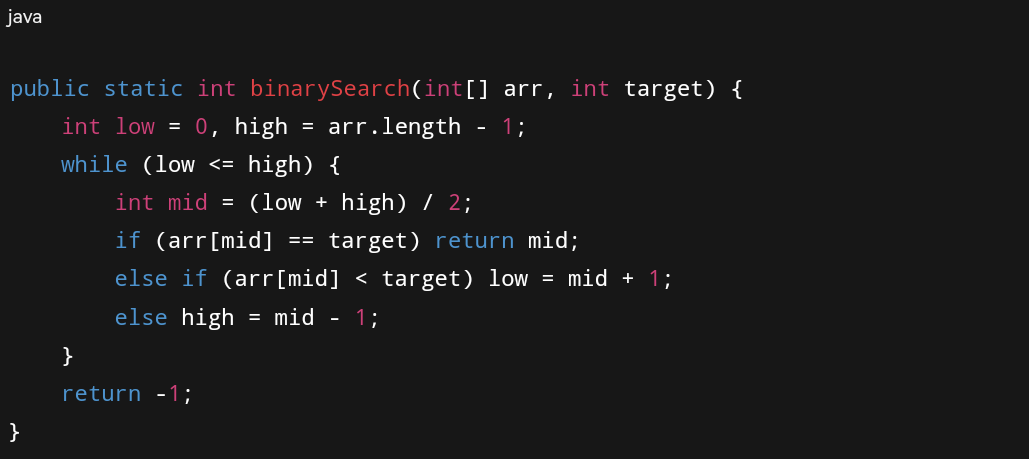
Time Complexity: O(log n)
VIII. Sorting Algorithms
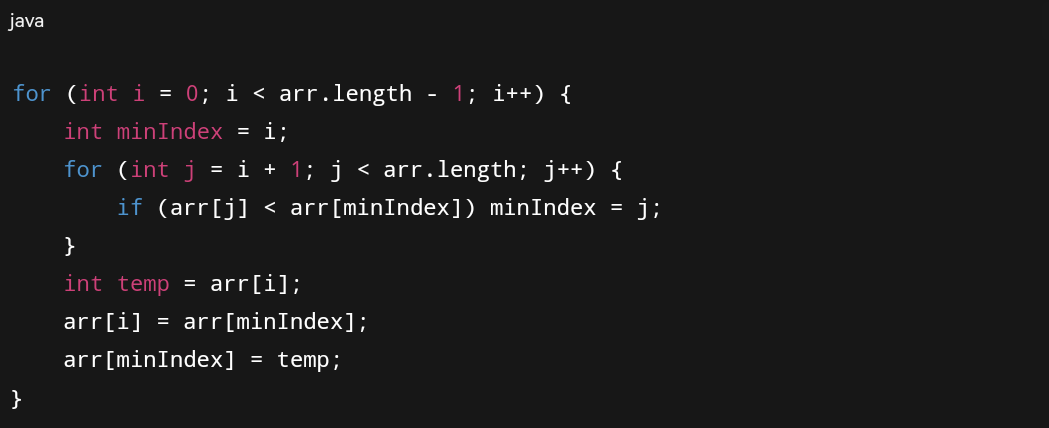
A. Selection Sort
Finds the smallest element and swaps it to the front.
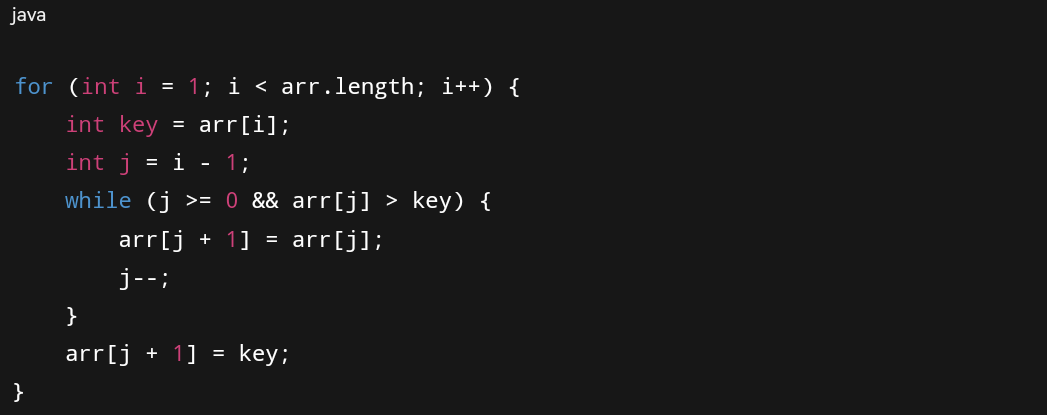
B. Insertion Sort
Builds a sorted part by inserting elements in the correct order.
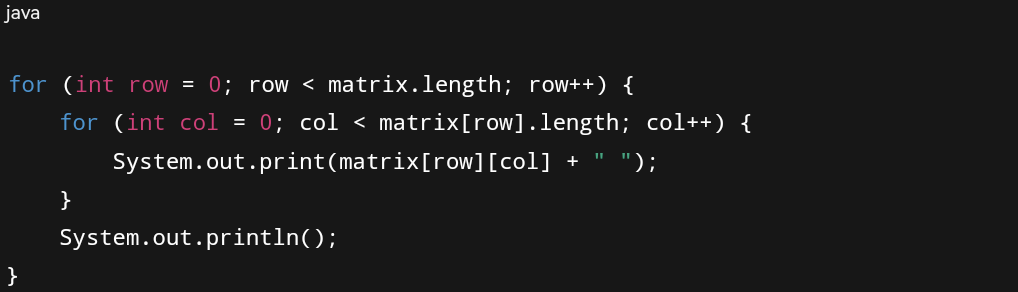
IX. Two-Dimensional Arrays
A 2D array is like a table — an array of arrays.
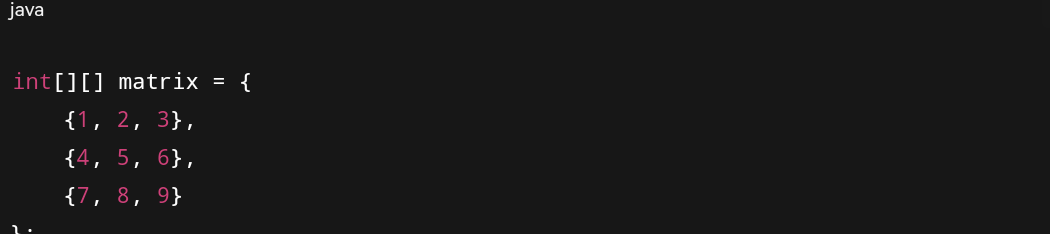
Accessing Elements

Nested Loops for Traversal:
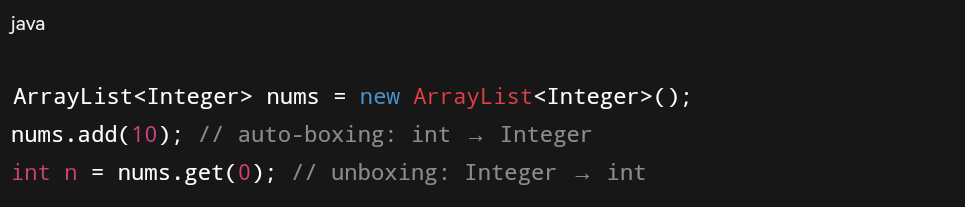
X. Wrapper Classes and Autoboxing
ArrayLists can only hold objects, not primitive types.
Examples:
XI. Common Tips for Data Collections
Use .length for arrays and .size() for ArrayLists.
Array indices start at 0; the last index is length - 1.
Be careful with off-by-one errors in loops.
Use enhanced for loops when you don’t need the index.
ArrayLists cannot store primitives directly
Know how to traverse, modify, and search lists and arrays.
Practice tracing code — many AP questions ask you to find output.
XIII. Additional Tips for Better Understanding
Think of an array like a row of lockers, each with a fixed number.
Think of an ArrayList like a dynamic shelf — you can add or remove items anytime.
Practice tracing loops manually to identify logic errors.
Don’t just memorize — try writing and running short code examples.