Data Storage Design
Summary of Digital Data Notes
1. Digital Data
Defining Data: Data refers to known facts, whether digital or non-digital. Digital data is represented in binary (0s and 1s) and must be created, recorded, and consumed predictably for business or other benefits.
Data Life Cycle:
Phases: Collect, Prepare, Analyse, Share, Re-use.
Data gains value as it progresses through these phases, transforming from raw to refined.
Example activities:
Collect: Surveys, sensors.
Prepare: Cleaning, transforming.
Analyse: Statistical modeling, visualization.
Share: Reports, dashboards.
Re-use: Archiving, repurposing.
Alternative Life Cycles: Examples from DDI Alliance and DataONE show variations in data life cycle models.
2. Files
Physical Storage: Digital data is stored on mediums like magnetic tapes, optical discs, or hard disks, using binary encoding.
Encoding: Rules (e.g., ASCII, UTF-8) define how binary sequences represent meaningful data (text, images, etc.).
Text vs. Binary Files:
Text Files: Human-readable (e.g.,
.txt,.csv).Binary Files: Machine-readable (e.g.,
.jpg,.mp4).
File Formats: Extensions (e.g.,
.pdf,.json) indicate the encoding scheme. Tools likefileorTrIDcan detect formats regardless of extensions.File Integrity: SHA-1 hashes verify if files are bit-for-bit identical.
3. Data Types (Domains)
Common data types include:
Numeric: Integers, decimals.
Text: Strings.
Binary: Files, BLOBs.
Specialized: Dates, geographic coordinates, JSON.
Using inappropriate data types can reduce data usefulness.
4. Structured Data
Structured Data: Fits a tabular model (e.g., spreadsheets, databases).
Unstructured Data: No predefined model (e.g., images, social media posts).
Semi-Structured Data: Uses tags/markings (e.g., JSON, XML).
Plain Text Files: Simple but lack enforced structure.
Formats for Semi-Structured Data:
DSV (CSV/TSV): Delimiter-separated values for tabular data.
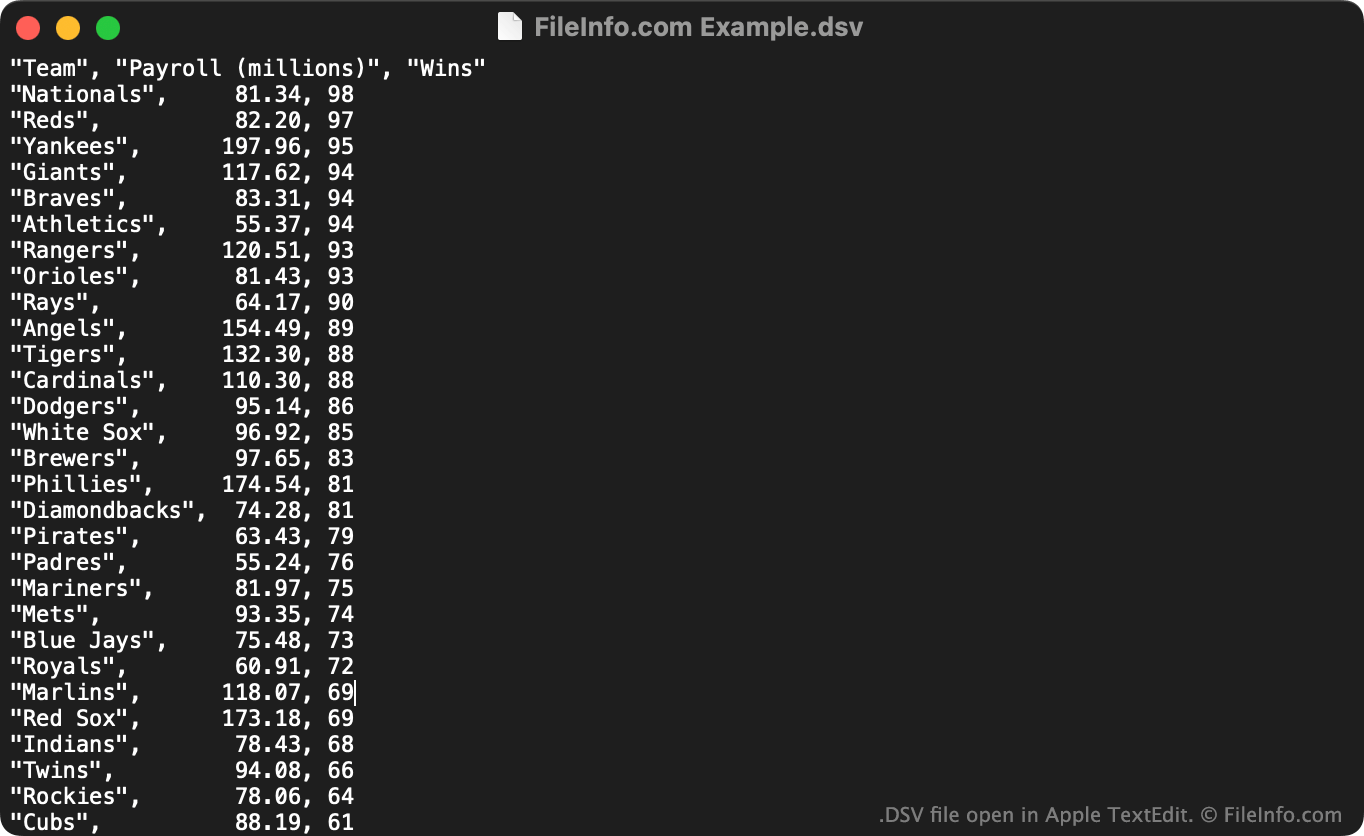
JSON: Hierarchical "object" data.
XML: Tree-like document data with tags/attributes.
5. Databases
Definition: Systems to store and retrieve structured data efficiently.
DBMS: Software managing databases (e.g., SQL Server, MongoDB).
Relational Model: Organizes data into tables (relations) with rows (tuples) and columns (attributes).
Spreadsheets vs. Databases:
Spreadsheets lack relationships and scalability.
Databases enforce structure, integrity, and support complex queries.
6. Relational Data and RDBMS
AdventureWorks Lite (AWLT): A sample relational database for learning.
Key Concepts:
Tables: Store data about one entity (e.g., Customers, Orders).
Primary Keys: Uniquely identify rows.
Relationships: Links between tables (e.g., Orders → Customers).
Queries: Extract meaningful insights from relational data (e.g., "Which customer placed the most expensive order?").
7. SQL Server
Purpose: Industry-standard RDBMS for multi-user environments.
Client-Server Architecture: Separates data storage (server) from user interactions (client).
Versions: Range from Express (lightweight) to Enterprise (large-scale).
8. Data Ethics
Key Considerations:
Ownership: Who controls data?
Privacy: How is data collected/stored?
Bias: Do algorithms discriminate?
Consent: Are data subjects informed?
Examples:
Target’s pregnancy prediction.
Discriminatory Google search results.
Robodebt scheme controversies.
Key Takeaways:
Digital data is foundational for modern analysis, requiring structured storage and ethical handling.
Files and databases enable efficient data management, with relational models being central to complex systems.
Tools like SQL Server and formats like JSON/XML facilitate data processing, while ethics guide responsible use.