01 Concepts
When two or more parties exchange messages the process of ensuring that only the receiver of the message sees the actual message and not any hacker in-between is called confidentiality.
We can achieve confidentality using the encryption and decryption.
Encryption: The process of converting the actual message the original text into cypher text or meaningless text using a mathematical procedure which is also known as algorithm.
Decryption: The process of converting the meaningless or cypher text back on the receiver side into original text is called decryption.
Typically you send in a string or data like “i am awesome” and it converts into “123ih871sf12”. So another party in between can’t read.
Algorithm Types
Symmetric (private key) algorithm: Here both the parties share two private keys.
First party will encrypt the data using the private key it will send it to the server side we will decrypt the encrypted data on the receiver side using the second private key.
- Popular key are: AES and Blowfish.
- Private key algorithms are little expensive and less popular compared to public key algorithms because will have to maintain if we have multiple clients here for this Chase bank payment gateway will have to maintain private keys across all those applications. A pair of private keys for each of those applications which is very expensive.Asymmetric (public key): More popular. This is where we generate a pair of public and private keys for the provider side as well as the client side depending on if we want to encrypt and decrypt on both sides will generate one pair for client and one pair for server.
If we want to only encrypt when the receiver or sender sends the message to generate the private and public keys pairs on the provider side.
This is very powerful because we can share the public key across applications and this private key cannot be derived from the public key even if the hacker gets hold of the public key he cannot derive the private key nor can he decrypt the data once the data is encrypted using the public key it can only be decrypted using the private key which is internal to our receiver application. A hacker will not have access to the public key and he cannot use the public key to do the decryption.
The Java KeyTool
The java key tool that comes with the JDK installation allows us to generate a pair of private and public keys that we can use for encryption decryption as well as signatures.
When you generate a pair of public and private keys the very first file that can be created is a key store file this is where our private and public keys are stored this file is password protected that is when we create these key stores the public and private keys will provide a password using which this key store will be protected and also for each private key we give a alias which is like a username and also a password later on in our application when we want to access the private key we'll use the alias and also we will provide the password information these public keys can be exported using the key tool into a certificate and then we can distribute that certificate across our client applications so that they can use the public key and do the encryption in case of signatures they will use the public key to verify if the signature is really from the expected user.
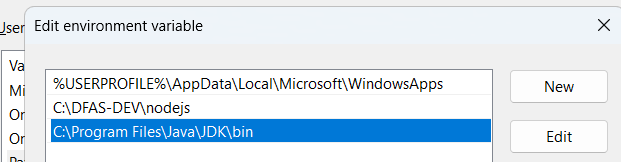
Make sure your jdk bin is in the path
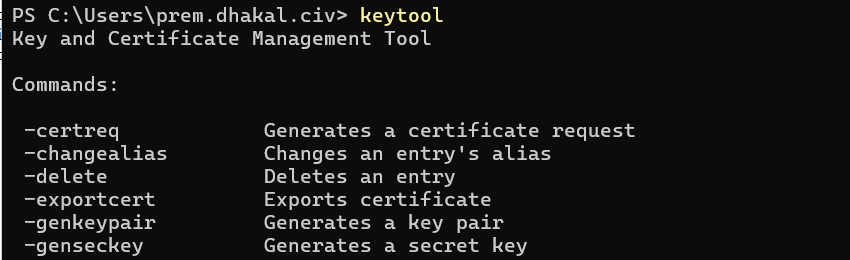
then type keytool and should see some result
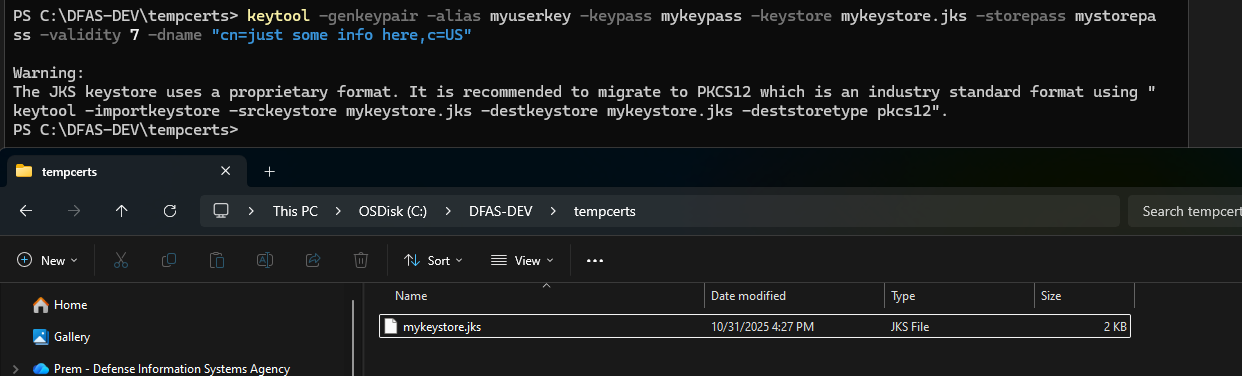
keytool -genkeypair -alias myuserkey -keypass mykeypass -keystore mykeystore.jks -storepass mystorepass -validity 7 -dname "cn=just some info here,c=US"
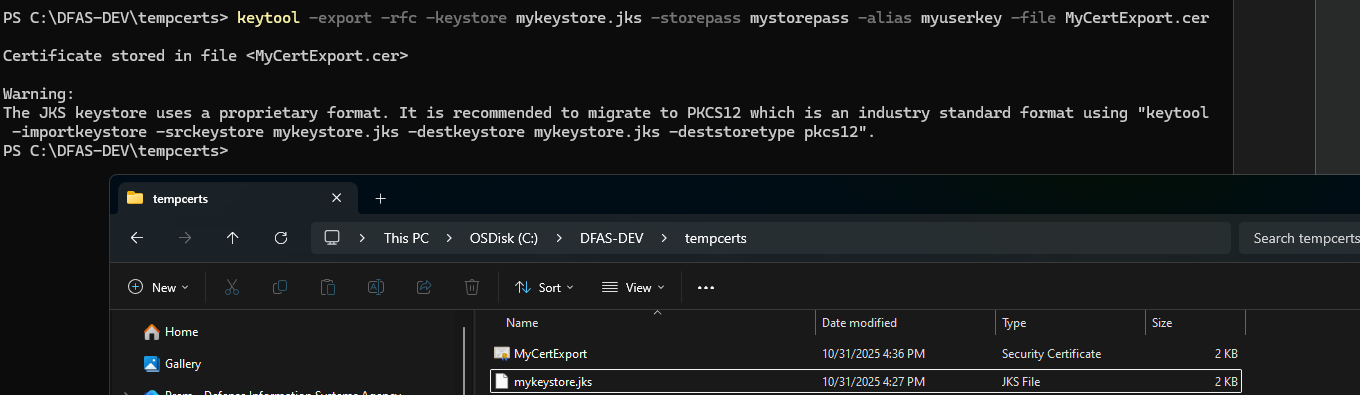
Export the public certificate from keystore so that it can be distributed to the clients who
want to encrypt the data,
keytool -export -rfc -keystore mykeystore.jks -storepass mystorepass -alias myuserkey -file MyCertExport.ceran additional option is RFC this is not
mandatory but this flag tells that when the certificate is generated it should
be in a textual format not a binary format so that it can be read by the end
users so if when it generates it won't use a binary stream it will use a
character stream if you specify this - RFC option
- keystore : we need to tell what the key storage the key store that we have created is mykeystore.jks
- storepass : we need to provide the password information of the store which is mystorepass and then the alias of the key that we have used alias is my key it's right here - our name of the file into which we want the certificate to be exported my cert dot
CER this will be our certificate file dot CER is the extension we use for
certificate files enter and it's a certificate stored in file my cert CR go