IDS and IPS
Intrusion Detection and Prevention
Intrusion detection systems (IDS) and intrusion prevention systems (IPS) are advanced security solutions that can identify malicious traffic based on a database of known behaviors and payload signatures. IDSs monitor the network to detect threats, whereas IPSs intercept and block threats.
Both types of systems can be configured to operate in tap mode, which is where they attach to the network as listening devices only. The name tap comes from the term wiretapping because these devices are essentially eavesdropping on the traffic flowing through the network. The tap mode works well for IDS devices because they are passive listeners on the network and are designed to alert a network administrator if they detect any suspicious behavior.
On the other hand, tap mode does not work as well for IPS devices, which are designed to intercept and block suspicious traffic. For an IPS device to stop traffic, it must be positioned in the middle of the traffic stream, a configuration known as in-line mode. Typically, IPS devices have many network ports that are designed to operate as input/output pairs. The network administrator will physically route cables through the IPS device to create choke points in the network. For example, you have a set of public web servers connected to a dedicated network switch that is connected to your firewall by one network cable. You acquire an IPS device so that you can scan the traffic entering and leaving that network. To do so, you will disconnect the existing cable that connects the switch to the firewall and then place the IPS device in-line by connecting the firewall to one of the ports in an input/output pair and the switch to the other port in the pair. The IPS device bridges the traffic and appears invisible on the network, yet it is actually inspecting every packet and copying it from one cable to the other.
If the IPS device detects an anomaly, such as an unknown packet type or pattern of traffic, it can alert the administrator or block the traffic immediately. If it detects malicious traffic, it typically blocks the traffic automatically. There are also cases where the IPS device may block traffic, particularly files that are known to carry viruses and malware. This is a method known as reputation-based protection, because the file is blocked based on how often that type of file is found to carry viruses or malware. A good example of this is when IPS devices and firewalls block executable (EXE) attachments or downloads.
Like firewalls, IPS and IDS devices are not always physical appliances. They are also available as virtual appliances and as host-based IPS/IDS applications, which can be installed on your servers or workstations.
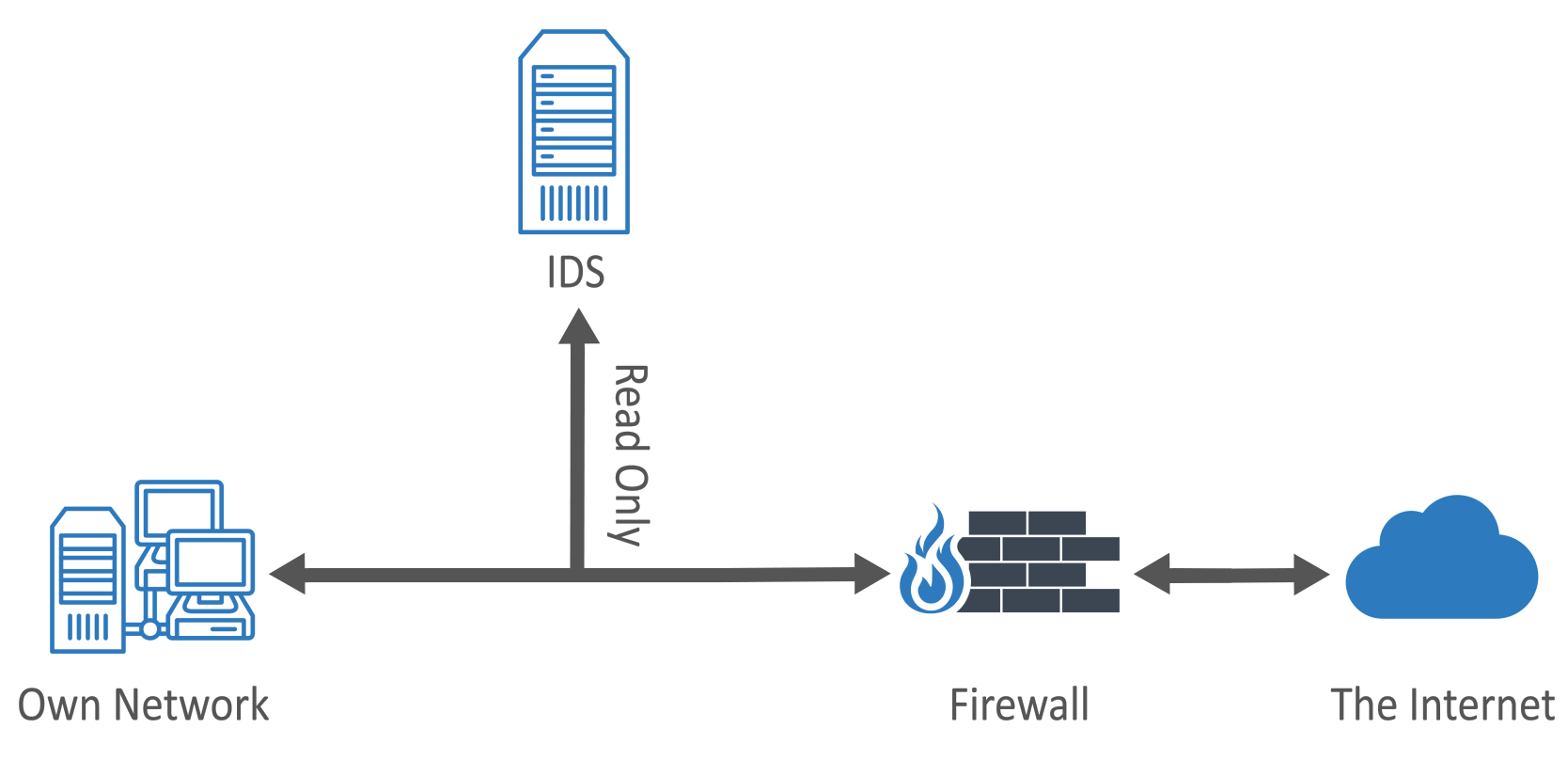
Diagram. Intrusion detection system (IDS).