3.2b: Peripheral Cables: Professor Messer
Peripheral cables
Used to simplify connections to peripherals, such as printers, storage devices, keyboards, and mice.
Universal Serial Bus (USB): High-speed wired communication standard that connects devices to peripherals, other devices, or power sources.
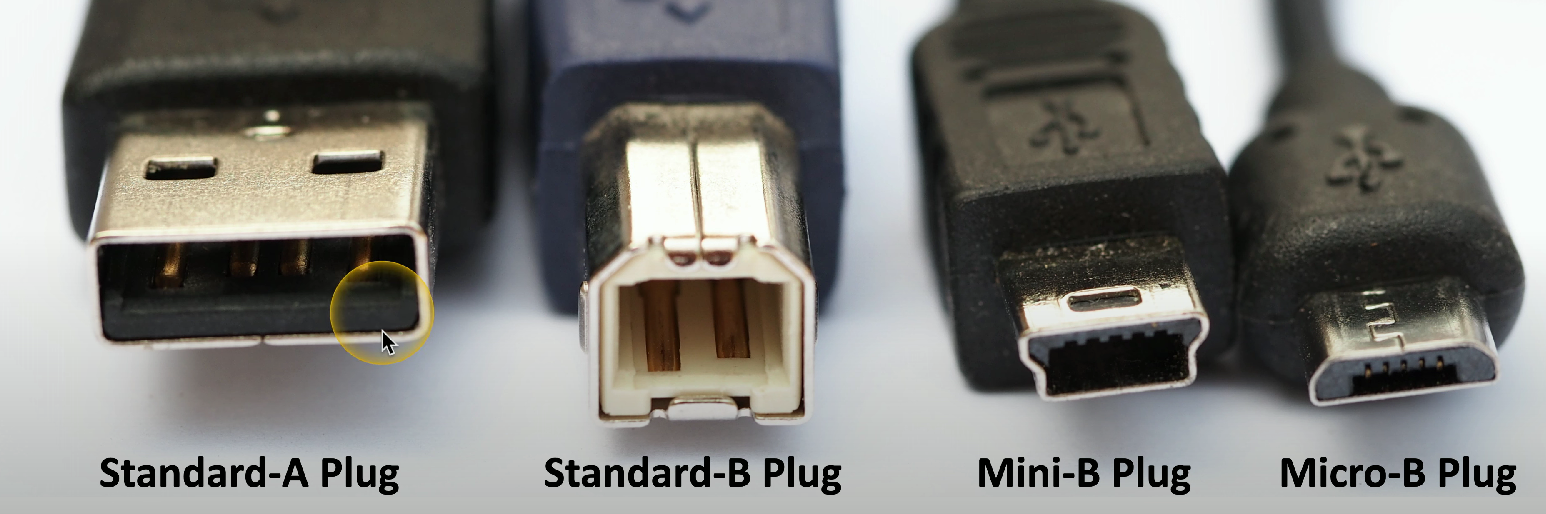
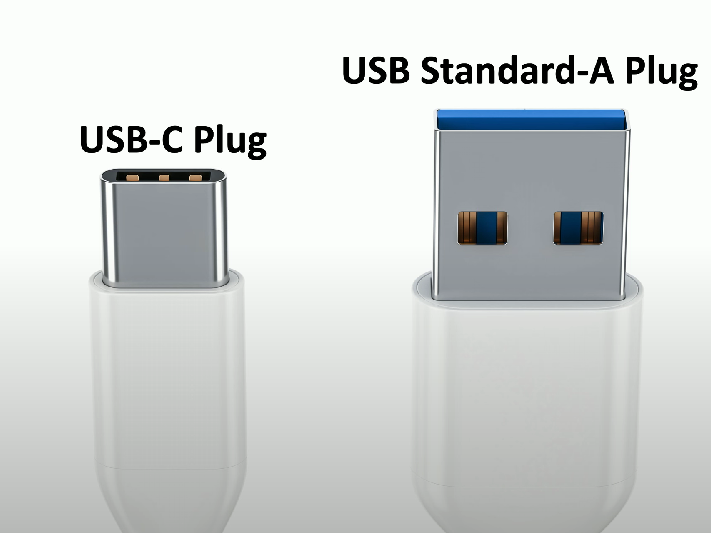
Common USB 1.1/2.0 connectors:
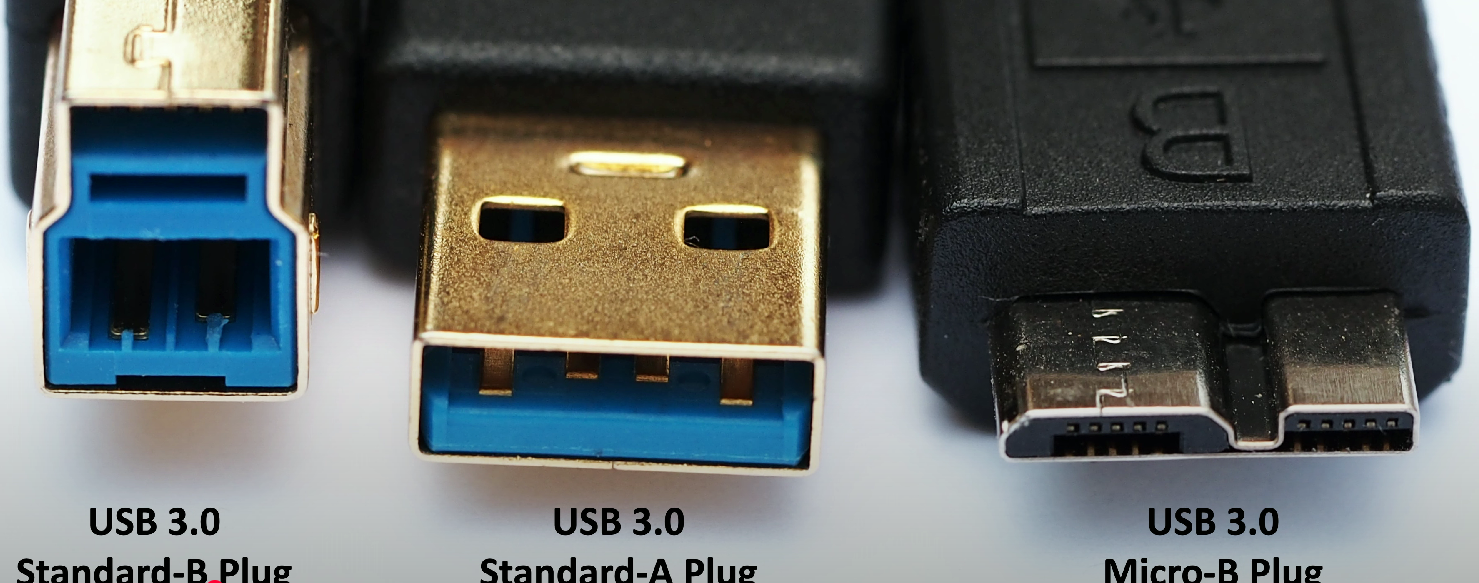
Common USB 3.0 connectors:
USB-C connector has the same physical orientation on both ends
USB 1.1
Low speed: 1.5 Mbit/s throughput, 3 meters max length
Full speed: 12 Mbit/s throughput, 5 meters max length
USB 2.0
480 Mbit/s transfer throughput, max length of 5 meters.
USB 3.0
Sometimes referred to as SuperSpeed USB
5 Gbit/s (5000 Mbit/s) throughput, and typically has a length of 3 meters - USB 3.0 doesn’t specify a max cable length.
USB 3.1 Gen 1
Name update to USB 3.0 (i.e., this is USB 3.0 but with a different name)- supports the same 5Gbit/s throughput as USB 3.0.
USB 3.1 Gen 2
Released in July 2013
Referred to as USB SuperSpeed+
Is the actual “USB 3.1” - 10 Gbit/s throughput double compared to USB 3.1 Gen 1, which is just USB 3.0
USB 3.2
Released in September 2017
Doubles the bandwidth/throughput compared to USB 3.1
USB 3.1 Gen 1 (5 Gbit/s) now becomes USB 3.2 Gen 1
Logo:

USB 3.1 Gen 2 (10 Gbit/s) now becomes USB 3.2 Gen 2
Logo:

Can use a second “lane” of communication to further increase bandwidth:
USB 3.2 Gen 1×2 = 10 Gbit/s using two “Gen 1” (i.e., USB 3.0, 5 Gbit/s) lanes.
USB 3.2 Gen 2×2 = 20 Gbit/s using two “Gen 2” (i.e., USB 3.1, 10 Gbit/s) lanes.
Logo:

Serial
Includes DB-9 and DB-25 connectors
Commonly use the RS-232 standard connection for serial communication, which facilitates the transmission of data between computers and peripheral devices.
Used for connecting modems, printers, or earlier devices and configuring them from the command line.
Thunderbolt
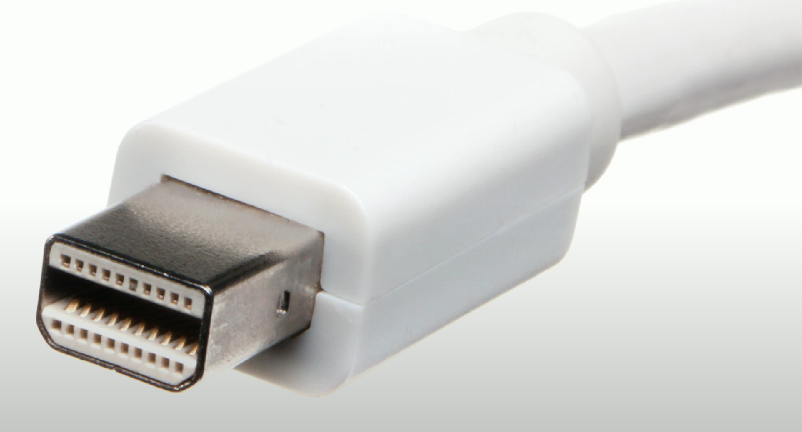
High-speed serial connector that uses the Mini DisplayPort (MDP) standard
Can transmit data and power on the same cable.
Thunderbolt v1
Two transmission channels
10 Gbit/s per channel
20 Gbit/s total throughput
Mini DisplayPort connector
Thunderbolt v2
20 Gbit/s total throughput via aggregated (combined) channels
Same Mini DisplayPort connector
Thunderbolt v3
40 Gbit/s aggregated throughput
Uses a USB-C connector:
Maximum length of 3 meters for copper connections
Max length of 60 meters for optical/fiber connections
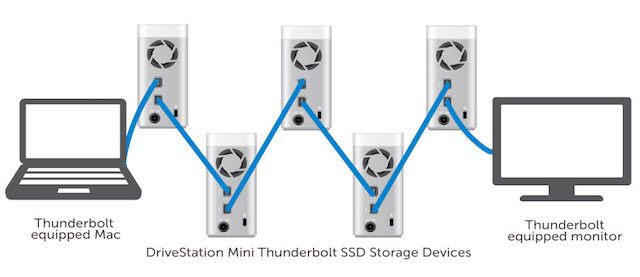
Can also daisy-chain up to 6 devices - multiple devices can transmit data by plugging multiple Thunderbolt cables in between them