9-Web Server and Web Application Security
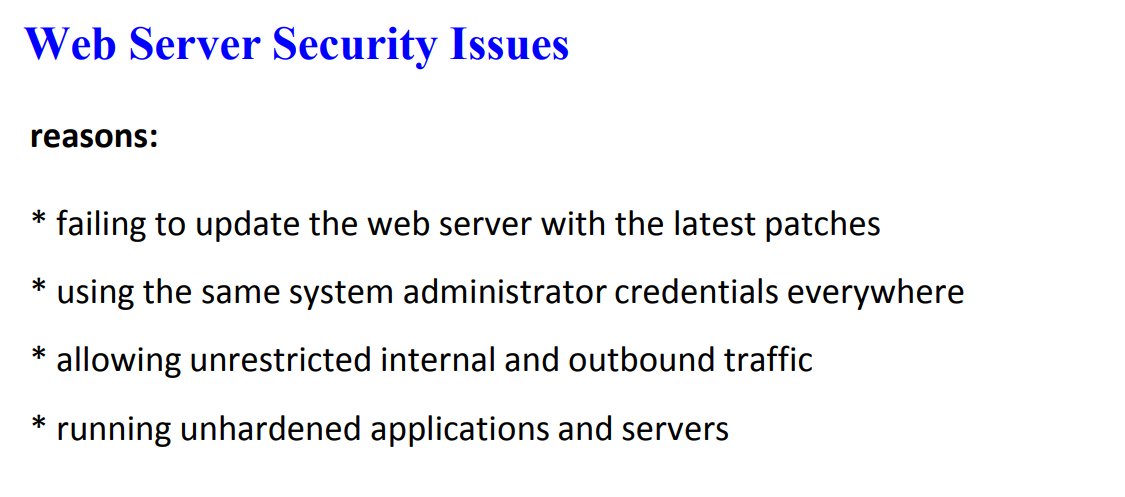
1. Web Server Security Terms
1.1 DNS Server Hijacking
Description: This occurs when an attacker takes control of a DNS server, altering its mappings to redirect users to rogue servers or malicious sites.
Impact: Users are unknowingly directed to fake sites where credentials and sensitive data can be stolen.
Prevention: Use secure DNS servers, regularly update DNS configurations, and implement DNSSEC (Domain Name System Security Extensions).
1.2 DNS Amplification Attack
Description: A type of Distributed Denial of Service (DDoS) attack where attackers exploit the recursive nature of DNS queries to amplify the amount of data sent to the target.
Impact: Overwhelms the victim’s DNS server, making it unavailable to legitimate users.
Prevention: Use rate limiting, configure DNS servers to avoid open recursion, and use ingress filtering to block spoofed traffic.
1.3 Directory Traversal Attack
Description: This attack uses the
../(dot-dot-slash) sequence to access files and directories outside the web server’s root directory, bypassing access controls.Impact: Unauthorized access to sensitive files, leading to data breaches.
Prevention: Validate and sanitize user input, configure the server to disallow directory traversal, and use web application firewalls (WAF).
1.4 Website Defacement
Description: Malicious alteration of a website’s appearance by attackers, often to display propaganda or misleading information.
Impact: Damages the organization’s reputation and can mislead users.
Prevention: Regularly patch vulnerabilities, use secure access controls, and monitor for unauthorized changes.
1.5 Web Server Misconfiguration
Description: Errors in server setup, such as verbose error messages, default credentials, and unnecessary services being enabled.
Impact: Increases vulnerability to various attacks.
Prevention: Harden server configurations, disable unnecessary services, and ensure proper logging and monitoring.
2. Web Application Security Terms (OWASP Top 10)
2.1 Broken Access Control
Description: This happens when users can perform actions beyond their permission level, often due to improper access control mechanisms.
Impact: Unauthorized access to data or system modifications.
Prevention: Implement role-based access control (RBAC), use least privilege principles, and enforce "deny by default" policies.
2.2 Cryptographic Failures
Description: Inadequate protection of sensitive data, such as using weak encryption or no encryption at all.
Impact: Data breaches, loss of privacy, and financial or reputational damage.
Prevention: Encrypt data in transit and at rest, use strong cryptographic algorithms, and implement proper key management.
2.3 Injection Attacks (SQL, OS, LDAP)
Description: Occurs when untrusted data is sent to an interpreter as part of a command or query, leading to unintended command execution.
Impact: Data theft, system compromise, and unauthorized access.
Prevention: Use prepared statements, parameterized queries, and input validation.
2.4 Insecure Design
Description: Refers to flaws in the application design, making it vulnerable despite proper implementation.
Impact: Long-term security weaknesses that cannot be easily fixed.
Prevention: Perform threat modeling and secure development lifecycle (SDLC) processes.
2.5 Security Misconfiguration
Description: Failure to properly configure security settings, such as default accounts or verbose error messages.
Impact: Easier exploitation by attackers.
Prevention: Standardize configurations across environments, and remove unnecessary features and accounts.
2.6 Vulnerable and Outdated Components
Description: Using old or insecure libraries and frameworks that can be exploited.
Impact: Allows attackers to leverage known vulnerabilities.
Prevention: Regularly update dependencies and monitor for security patches.
2.7 Identification and Authentication Failures
Description: Weak authentication mechanisms, such as predictable session IDs or storing credentials in plaintext.
Impact: Unauthorized account access and data theft.
Prevention: Use multi-factor authentication (MFA), secure session management, and avoid exposing session IDs in URLs.
2.8 Software and Data Integrity Failures
Description: Code or data can be tampered with, often due to reliance on untrusted sources.
Impact: Remote code execution, data corruption.
Prevention: Use digital signatures, trusted repositories, and sanitize inputs.
2.9 Security Logging and Monitoring Failures
Description: Inadequate logging or monitoring, making it difficult to detect and respond to attacks.
Impact: Delayed response to breaches, increased damage.
Prevention: Implement centralized log management, set up alerts, and establish incident response plans.
2.10 Server-Side Request Forgery (SSRF)
Description: When a server fetches remote resources based on user input without proper validation, potentially leading to unauthorized access.
Impact: Data leakage, internal network access.
Prevention: Validate URLs, enforce "deny by default" policies, and segment resource access.
3. Session Hijacking Terms
3.1 Session Sniffing
Description: Capturing session tokens using network sniffers to gain unauthorized access.
Prevention: Use encrypted connections (HTTPS), and implement secure session management.
3.2 Predictable Session IDs
Description: Attacks that predict session IDs based on patterns, enabling unauthorized access.
Prevention: Use long, random, and non-predictable session IDs.
3.3 Cross-Site Scripting (XSS) in Session Hijacking
Description: Injecting malicious scripts that steal session cookies.
Prevention: Validate and encode inputs, and use secure frameworks.
Session Hijacking
Let me explain session hijacking in simple terms.
Think of a session like a special ticket you get when you log into a website. This ticket (called a session ID) tells the website "this is really you" so you don't have to keep logging in every time you click something.
Session hijacking is when a bad person steals this ticket and pretends to be you. It's like someone stealing your ID card and using it to get into your account.
Here's how it might happen:
You log into your email account
The website gives you a session ticket (usually stored in a cookie)
A bad person finds a way to steal this ticket
They use your ticket to get into your account
Now they can do things while pretending to be you
Real-world example:
CopyNormal login: You → Log into Facebook → Get session ID: "abc123" → Use Facebook normally After hijacking: Bad person → Steals "abc123" → Uses your Facebook account
What can happen if someone hijacks your session:
Read your private messages
Send fake messages as you
Buy things using your account
Steal your personal information
Change your password
How to stay safe:
Use HTTPS websites (look for the lock icon)
Log out when you're done
Don't use public WiFi for important things
Clear your browser cookies regularly
Watch for signs someone else is using your account
If you think someone has hijacked your session:
Change your password right away
Log out of all devices
Check your account for strange activity
Turn on two-factor authentication if available
XSS Attack
Let me explain XSS (Cross-Site Scripting) in simple terms.
An XSS attack is when a bad person puts harmful code (usually JavaScript) into a website that other people use. Think of it like leaving a trap that will hurt other visitors to the website.
Here's a simple example:
Let's say a website has a comment section
A bad person writes a comment but hides dangerous code in it
When other people view the comment, the hidden code runs in their web browser
This code can then steal their information or do other harmful things
Here are some real-world examples:
htmlCopy
<!-- Example 1: Bad code hidden in a comment --> Nice video! <script>stealUserData()</script> <!-- Example 2: Bad code in a link --> <a href="javascript:stealPasswords()">Click here to win a prize!</a>
What can the bad code do?
Steal your passwords
Take your cookies (special data that keeps you logged in to websites)
Make fake posts or emails that look like they're from you
Change what you see on the website
Send you to dangerous websites
How to stay safe:
Never click strange links
Be careful what you type into websites
Keep your web browser updated
Use security tools that can spot XSS attacks
WPA2 (Wi-Fi Protected Access 2) is a robust security protocol for wireless networks. It's considered a significant improvement over its predecessor, WPA.
Key Features:
Stronger Encryption: WPA2 employs the Advanced Encryption Standard (AES), a highly secure and widely used encryption algorithm, for data transmission. This provides much stronger protection against eavesdropping compared to older protocols.
Counter-Mode/CBC-MAC Protocol (CCMP): WPA2 uses CCMP for data encryption and integrity. CCMP combines AES encryption with message authentication to ensure data authenticity and prevent tampering.
Improved Authentication: WPA2 offers enhanced authentication mechanisms to prevent unauthorized access to the network.
AES (Advanced Encryption Standard)
A Block Cipher: AES is a symmetric-key encryption algorithm, meaning the same key is used for both encryption and decryption.
High Security: It's considered a very strong encryption algorithm, resistant to many known attacks.
Widely Used: AES is widely used in various applications, including secure communication, data encryption, and file encryption.
In summary:
WPA2, with its use of AES and CCMP, provides a strong level of security for wireless networks. It's crucial to use WPA2 or its successor, WPA3, to protect your home or business Wi-Fi from unauthorized access and data breaches.
The RF spectrum is the range of radio wave frequencies used for wireless communication. It's a limited resource, like land, and is managed to prevent interference between different users. Think of it as the different radio stations on your dial, each with its own frequency.
WIDS stands for Wireless Intrusion Detection System. It's like a security alarm for your Wi-Fi network. It monitors the radio waves for suspicious activity, like unauthorized devices trying to connect or attempts to disrupt the network. When it detects something fishy, it alerts the network administrator.
Here's a simple analogy: Imagine a busy street (the RF spectrum) with lots of cars (wireless signals) going by. WIDS is like a security camera watching the street for suspicious activity, like a car trying to break into a building (unauthorized access) or someone throwing rocks at the traffic lights (denial-of-service attack).