Pre-work Arrays and Matrices in MATLAB week 3
Digital Fundamentals Arrays and Matrices in MATLAB
Lecture Overview
Introduction to arrays and matrices in MATLAB.
Tools for manipulating data in these variables.
Explanation of indexing and its applications in data manipulation.
Numeric Arrays in MATLAB
Arrays and matrices are essential data types in MATLAB.
Creating Numeric Row Array:
speed = [0, 1, 2.6, 3.11, 7]; % Horizontal array
Creating Numeric Column Array:
speed = [0; 1; 2.6; 3.11; 7]; % Vertical array
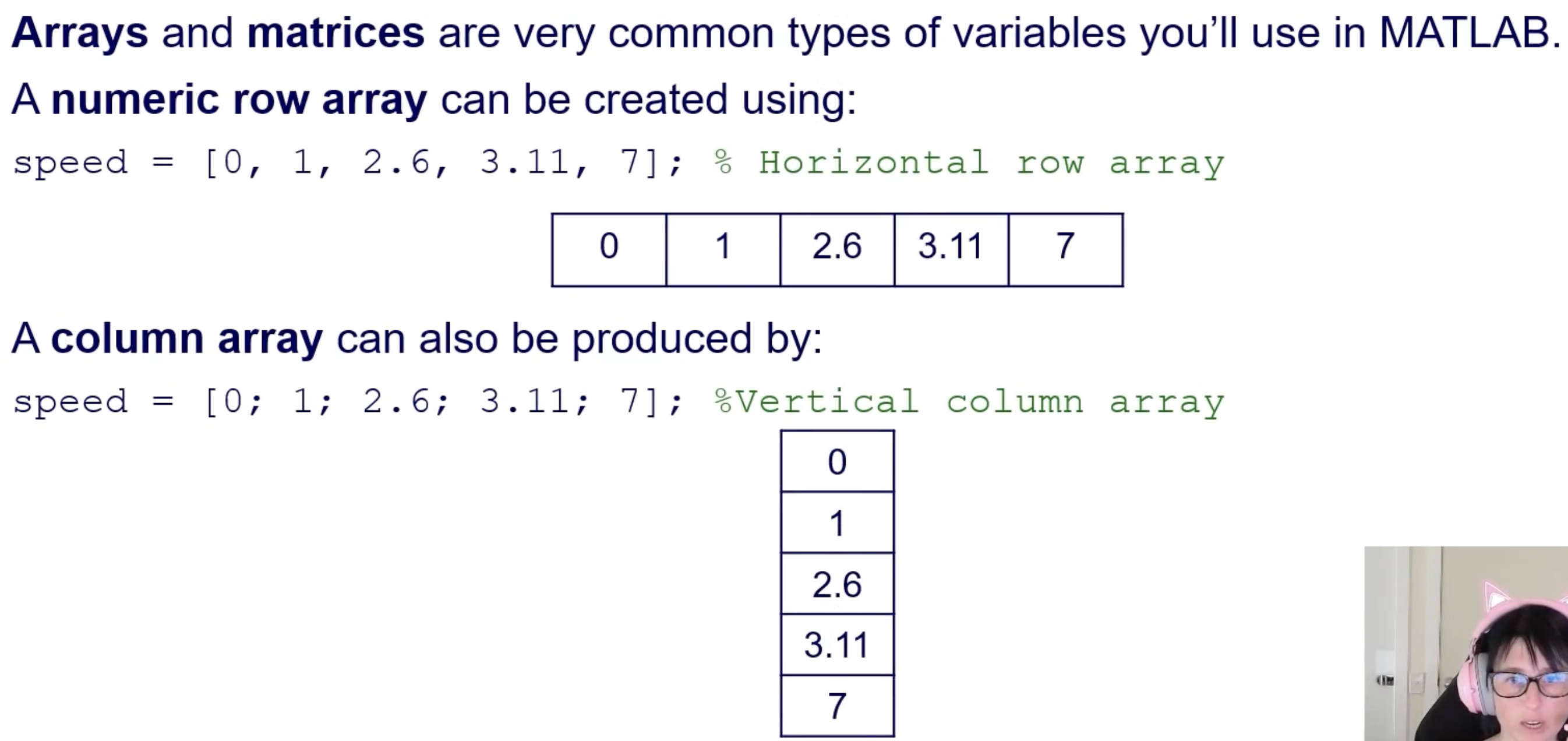
/
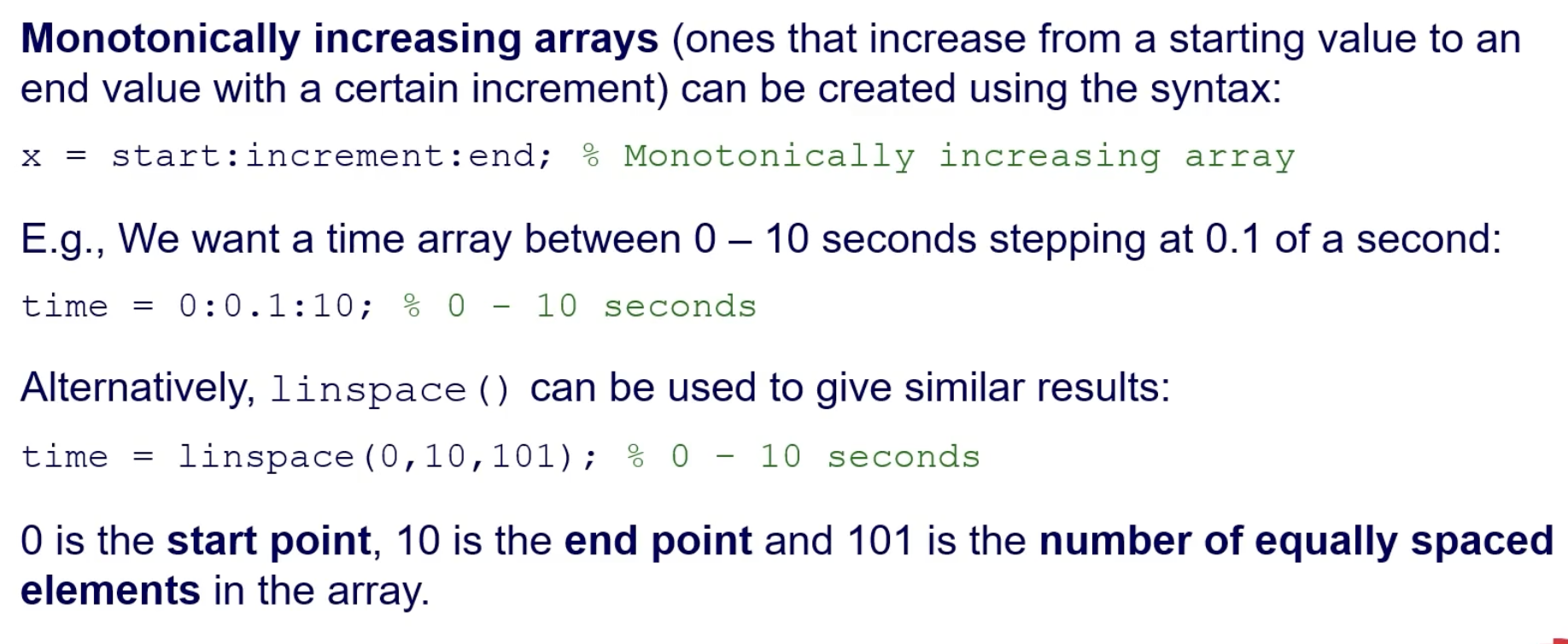
Monotonically Increasing Arrays:
Created using the syntax:
matlab x = start:increment:end;Example: Create a time array between 0 – 10 seconds, stepping at 0.1 seconds:
matlab time = 0:0.1:10;linspace()also generates a similar array:matlab time = linspace(0,10,101);0is the start,10is the end, and101is the number of equally spaced elements.
Plotting Arrays in MATLAB
Arrays facilitate plotting mathematical functions using the created time array:
  t = 0:0.1:10;  % Time array
  x = sin(2*pi*t);  % 1Hz sinusoid
Useful Plotting Functions:
figure(): Generates a new figure window.plot(x,y): Plots y against x.Define axis limits with
axis([xmin xmax ymin ymax]).Use
xlabel()andylabel()to label axes.grid on: Turns on grid lines in the graph.
Matrices in MATLAB
Arrays are 1-D, while matrices can be multi-dimensional (2-D or 3-D).
Creating a 3x3 Matrix:
mat_3x3 = [1, 2, 3; 2, 4, 6; 3, 6, 9];
Semicolons mark the start of a new row.
Initializing Arrays and Matrices
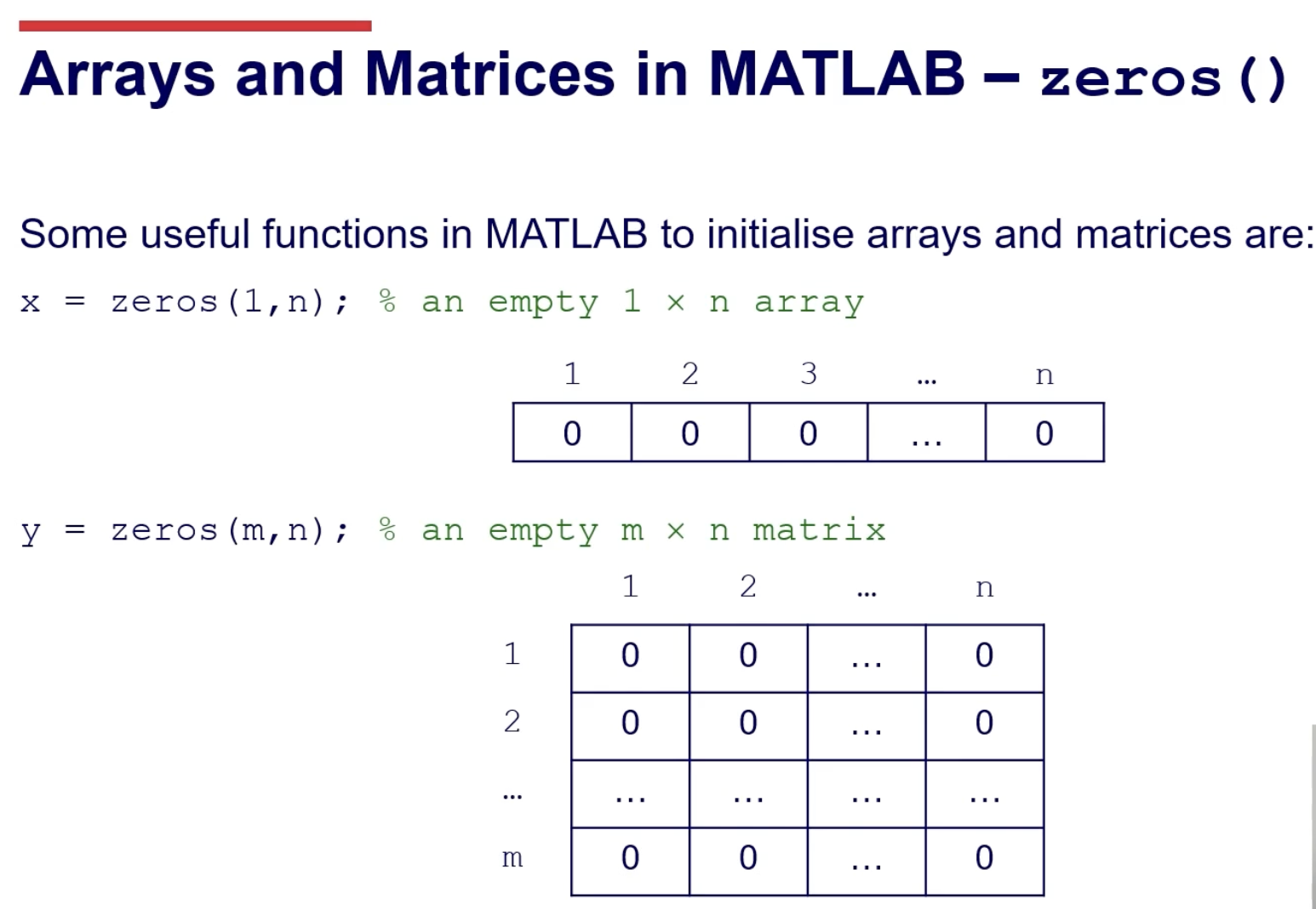
Using
zeros():Create arrays and matrices filled with zeros:
matlab x = zeros(1,n); % 1 x n array y = zeros(m,n); % m x n matrix
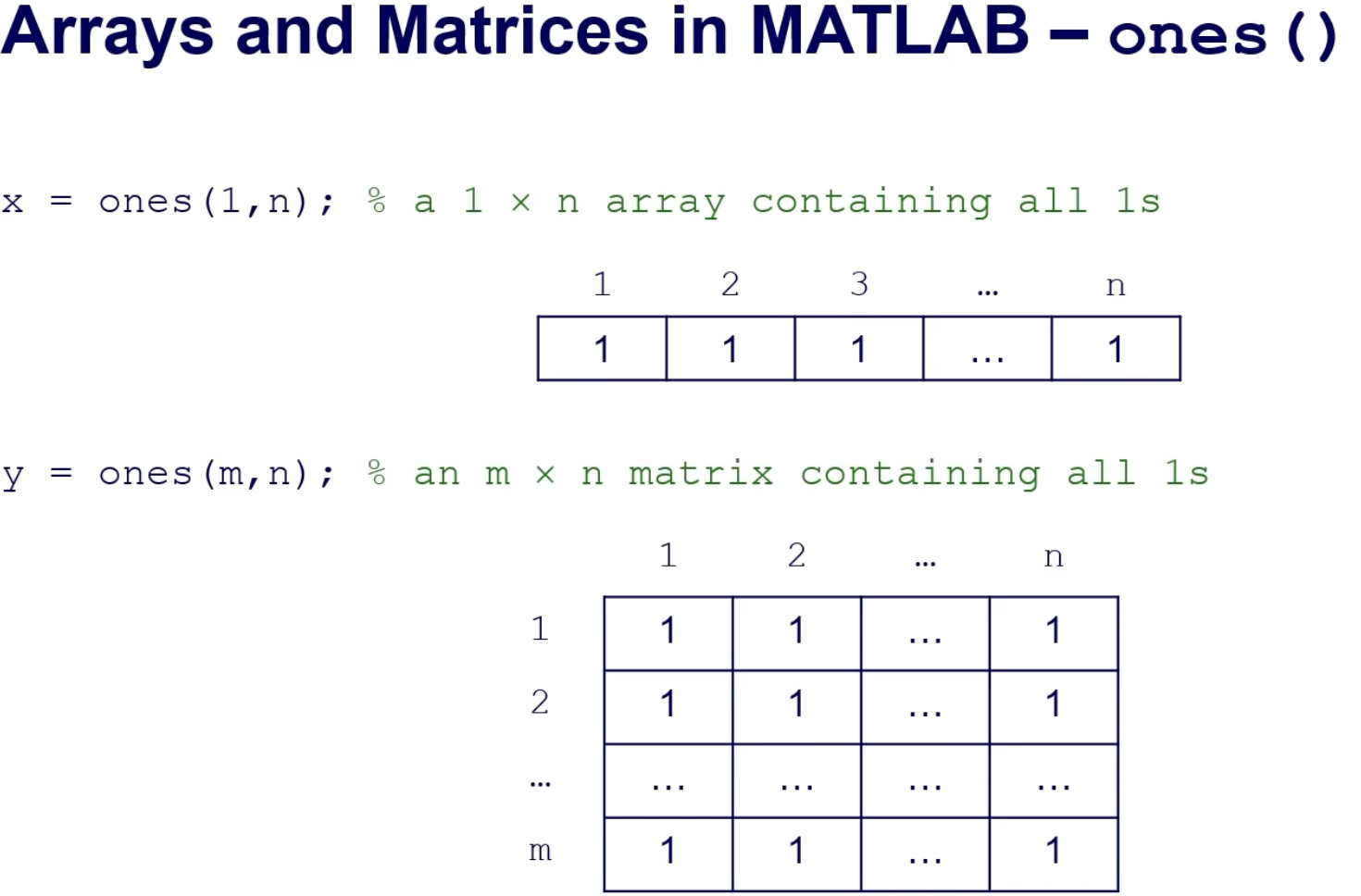
Using
ones():Create arrays and matrices filled with ones:
matlab x = ones(1,n); % 1 x n array y = ones(m,n); % m x n matrix
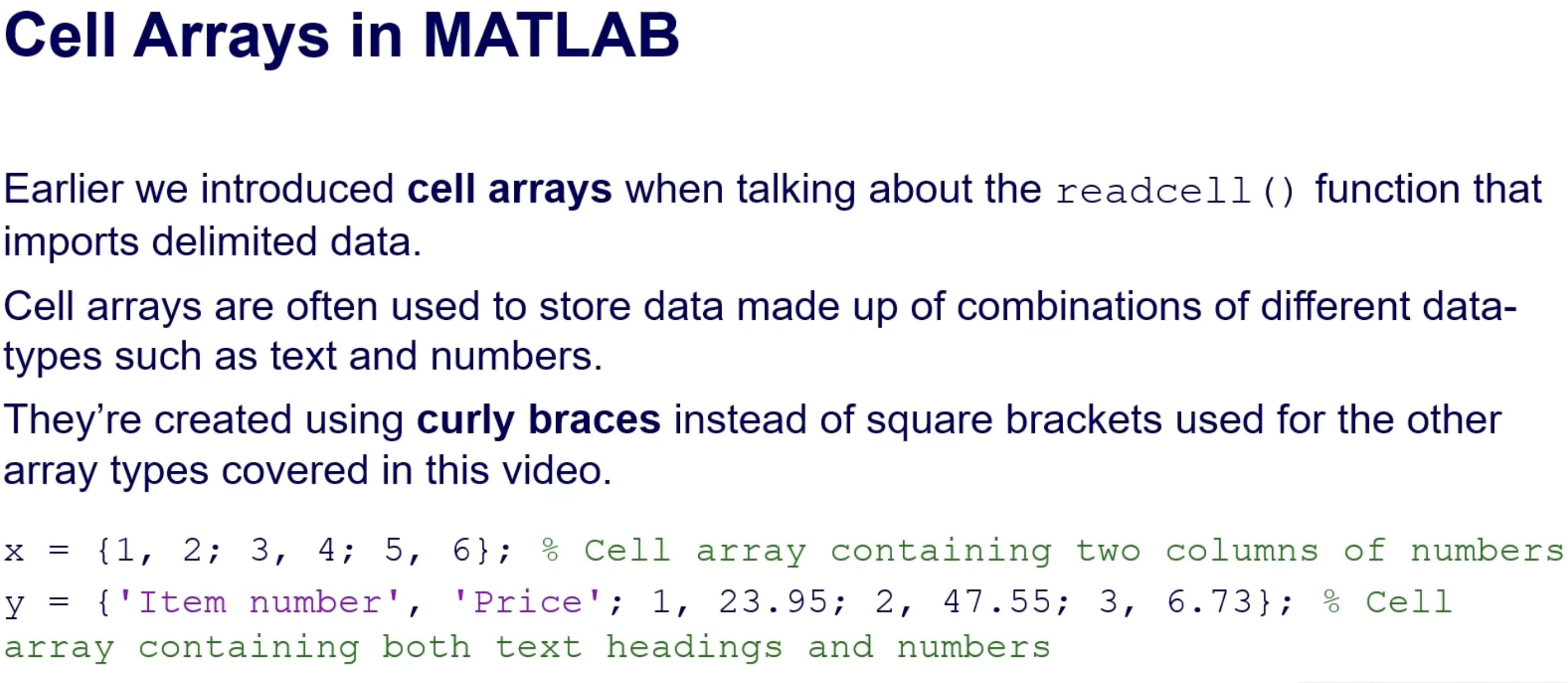
Cell Arrays in MATLAB
Used to store mixed data types (text and numbers).
Created using curly braces:
  x = {1, 2; 3, 4; 5, 6};  % Cell array
  y = {'Item number', 'Price'; 1, 23.95; 2, 47.55; 3, 6.73};
Conversion Functions:
cell2mat(): Converts cell to a numeric matrix (if contents are homogeneous).cell2table(): Converts a cell array to a table (supports mixed data types).
Matrix Operations
Basic Operators:
Element-wise operations:
*or.*,/or./,^or.^.Matrix-specific operators: Left division , and transpose
.'.
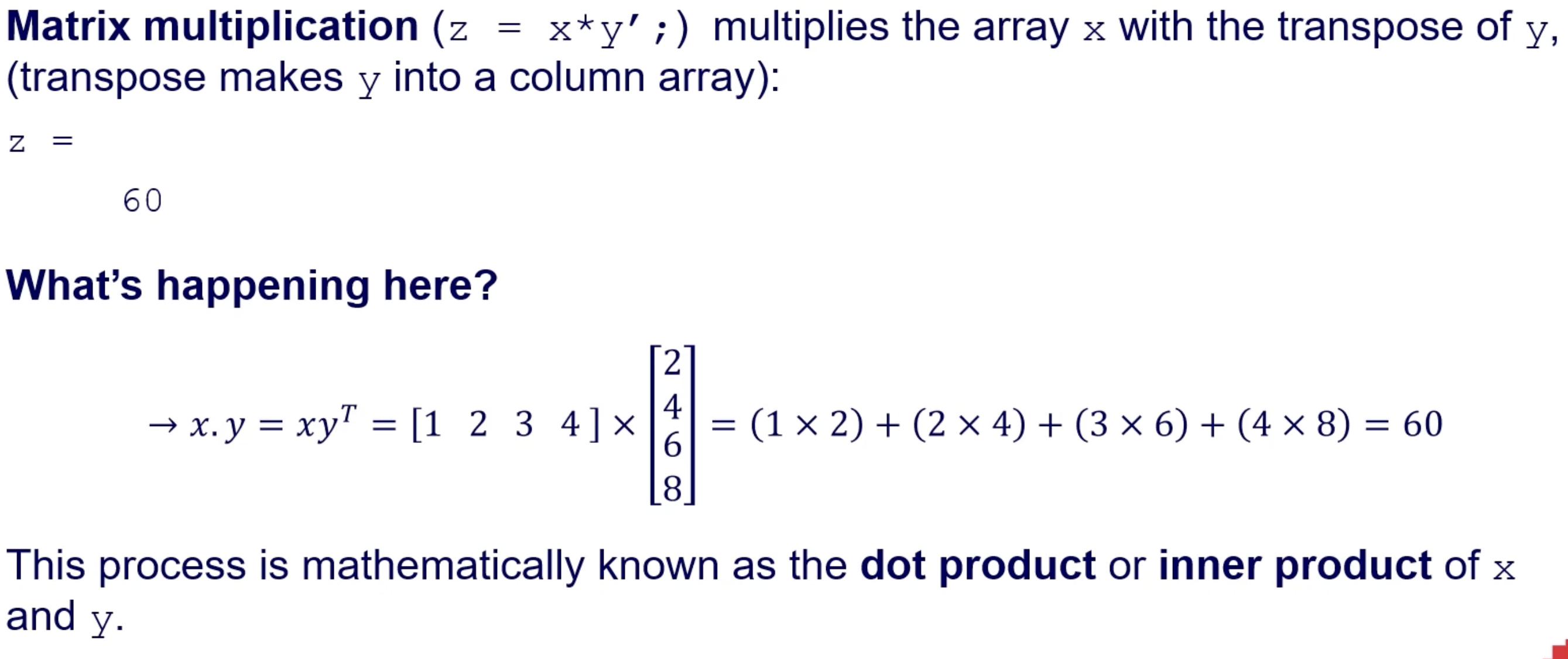
Matrix Multiplication:
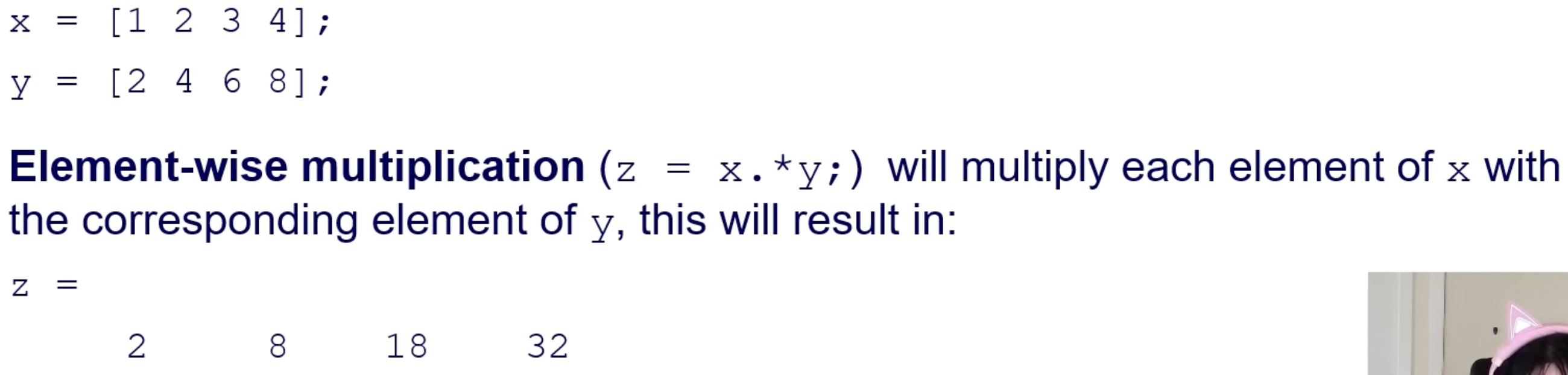
Element-wise:
matlab z = x.*y; % Element-wise multiplicationMatrix multiplication:
matlab z = x*y'; % Matrix multiplication (dot product)
The dot product formula:
𝑥.𝑦 = 𝑥𝑦𝑇 = 1×2 + 2×4 + 3×6 + 4×8 = 60
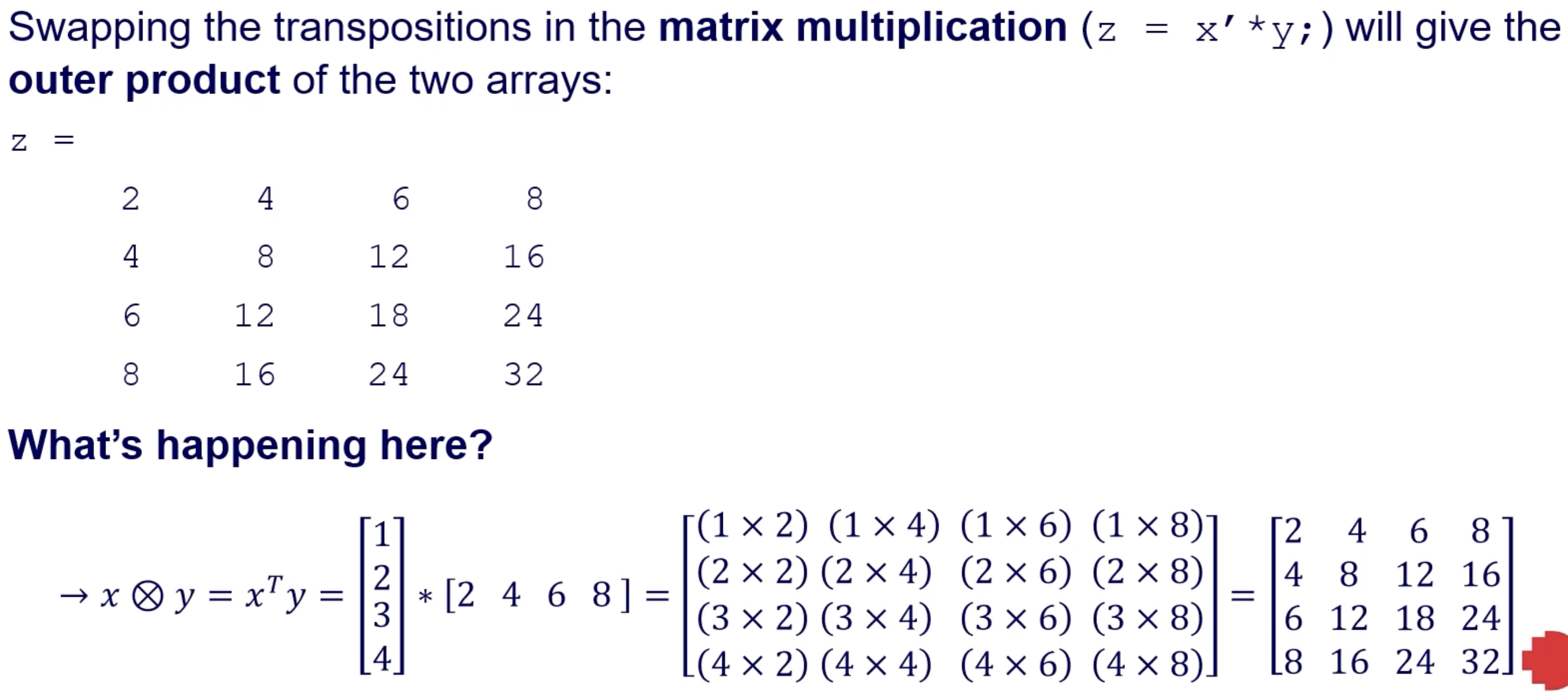
Mixed opperations, matrix left division
Matrix Division and Powers
Two ways for division and powers:
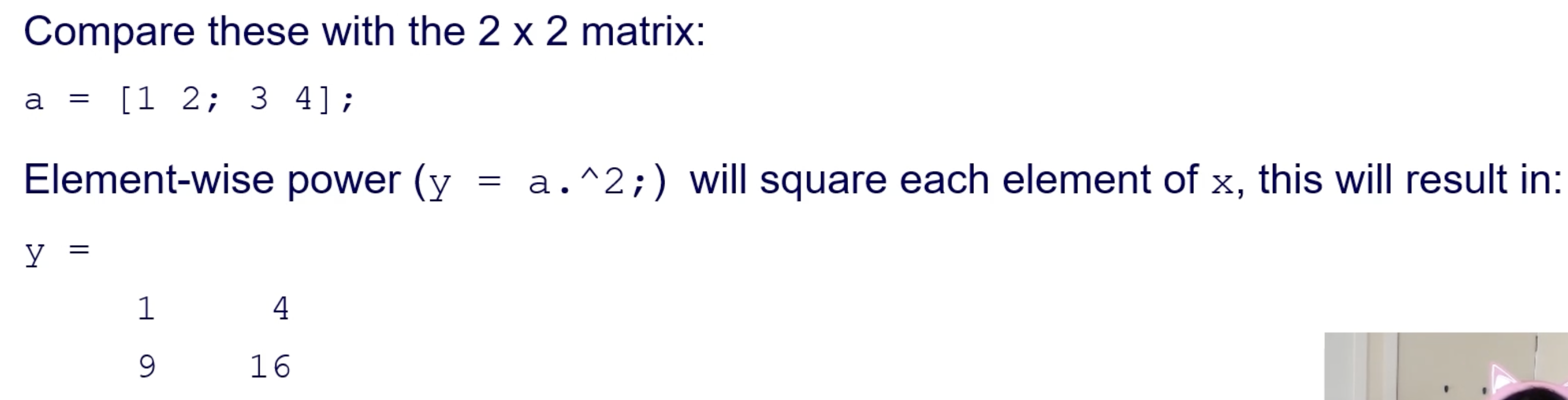
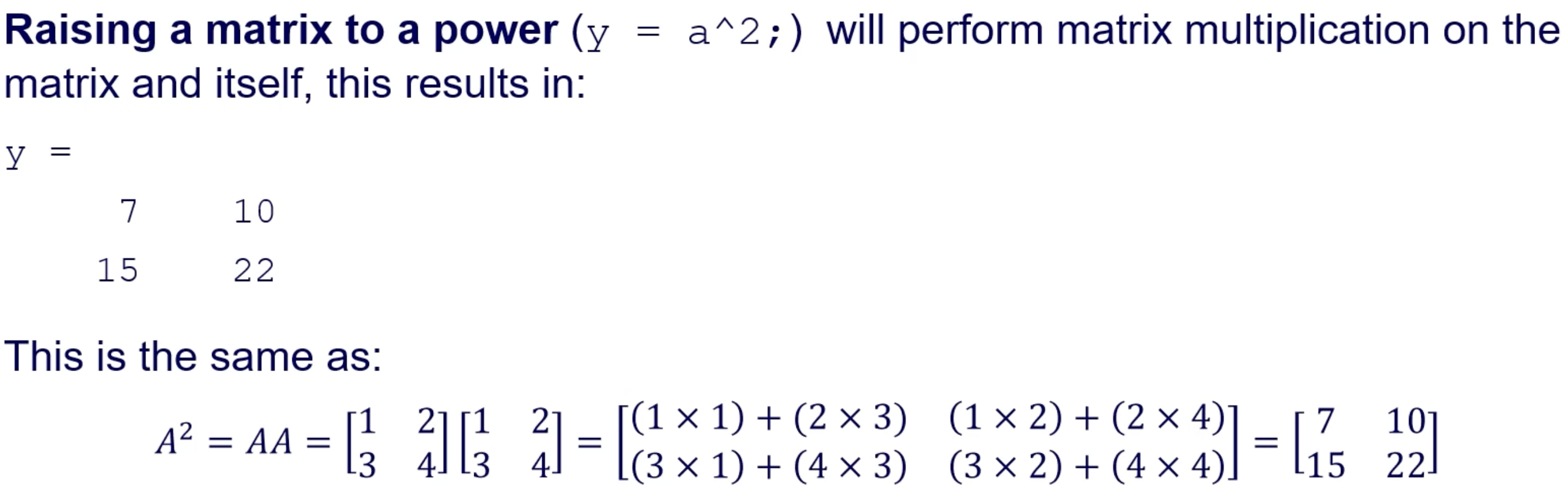
**Powers **: Element-wise (
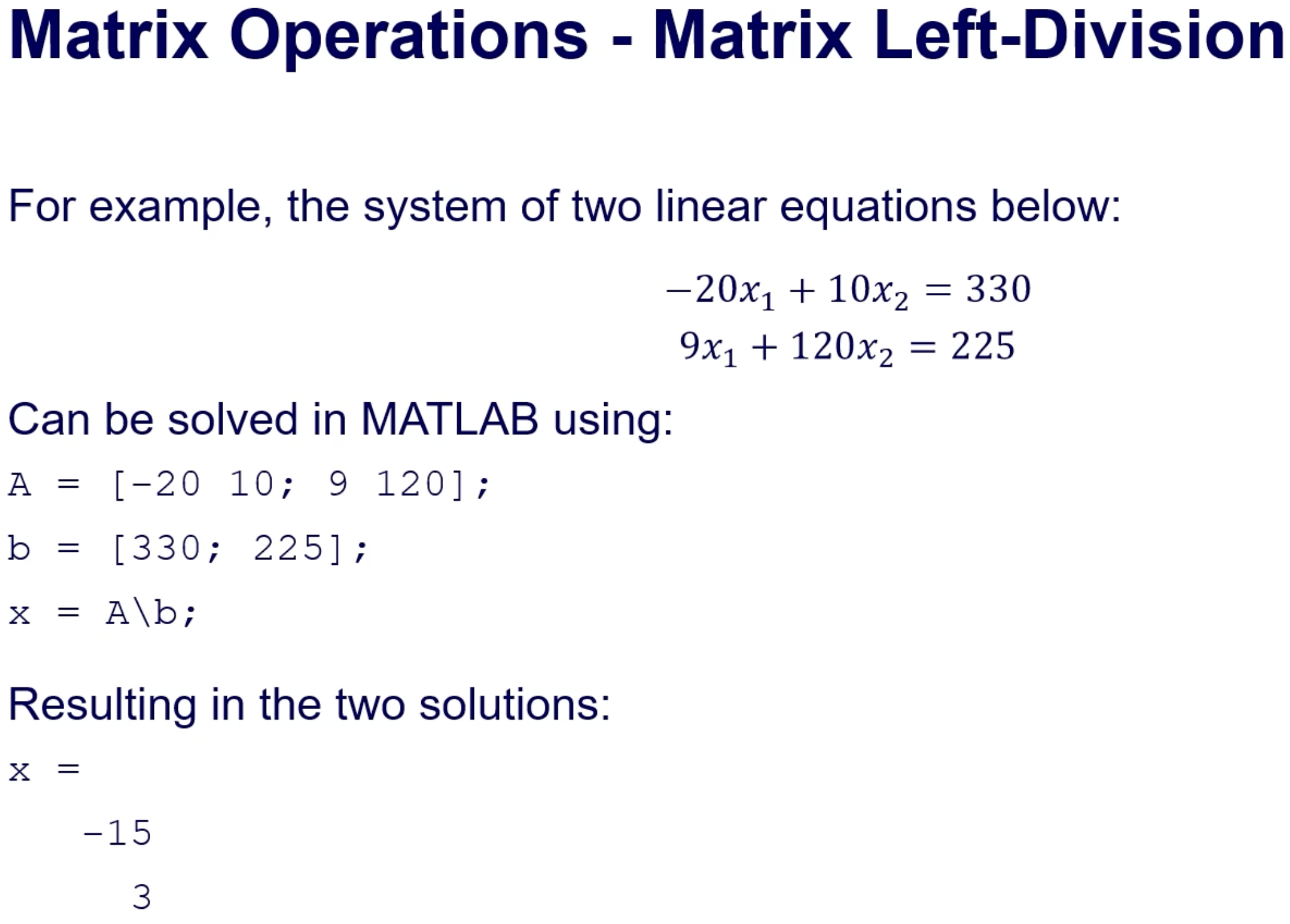
.^) and matrix (^) powers.Left Division: Use to solve systems of equations:
matlab A = [-20 10; 9 120]; b = [330; 225]; x = A\b; % Solutions
Indexing Arrays and Matrices
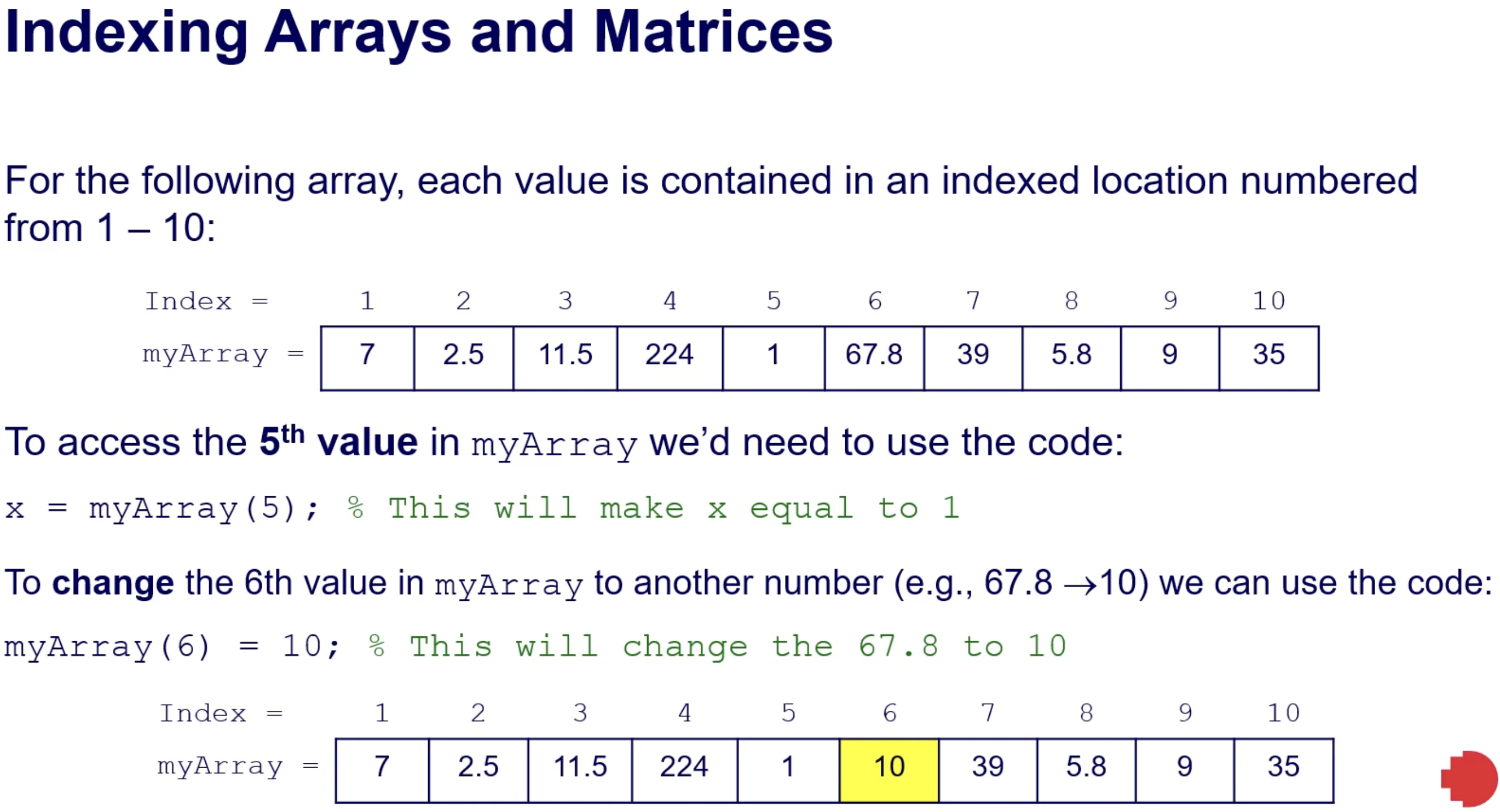
Indexing facilitates access to specific elements in arrays/matrices:
Example of retrieving and modifying:
matlab x = myArray(5); % Access 5th element myArray(6) = 10; % Change value of 6th element
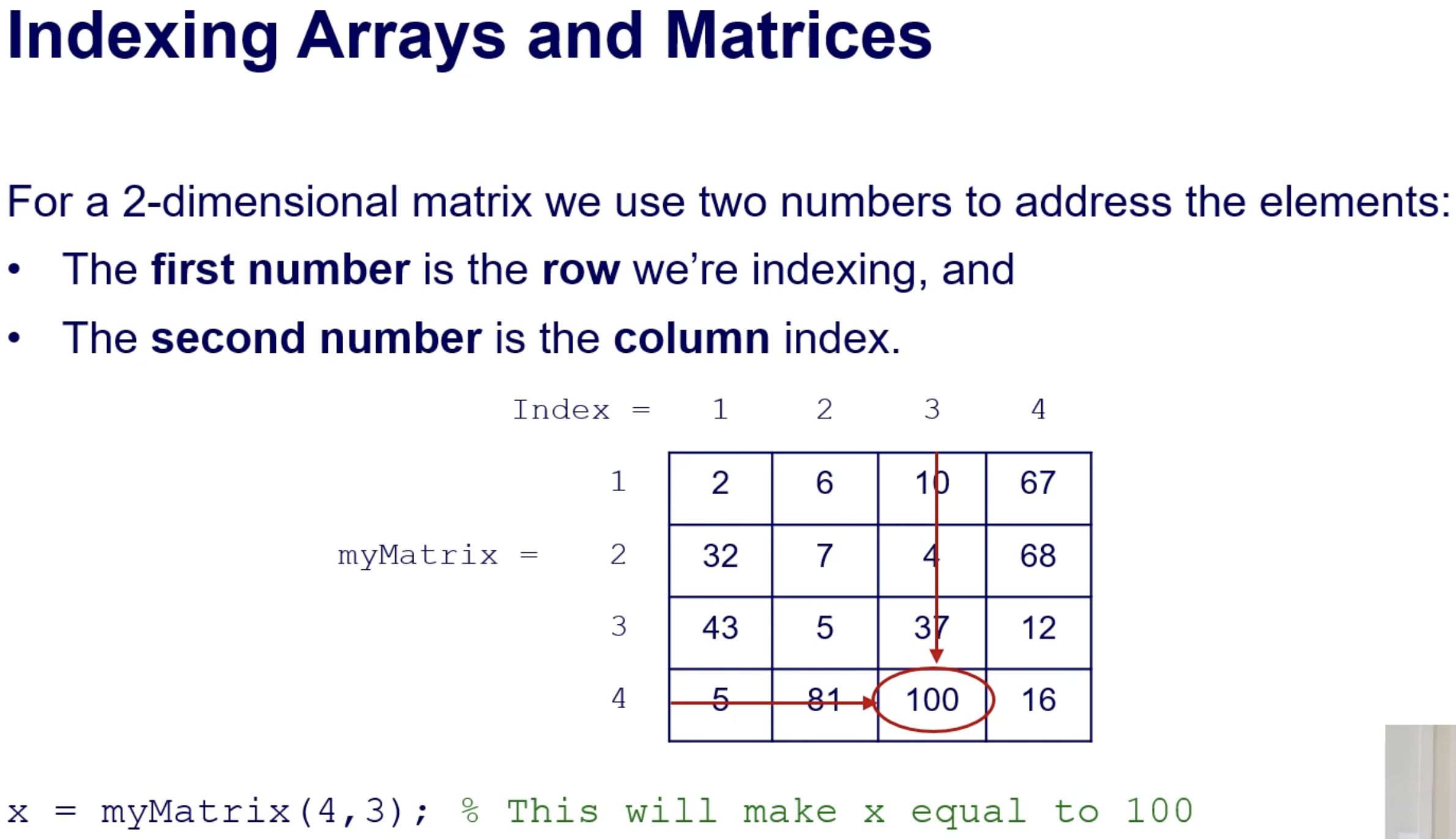
Access by Row and Column:
2-D matrix indexing uses two numbers: Row and Column
matlab x = myMatrix(4,3); % Access element at row 4, column 3
Indexing Techniques
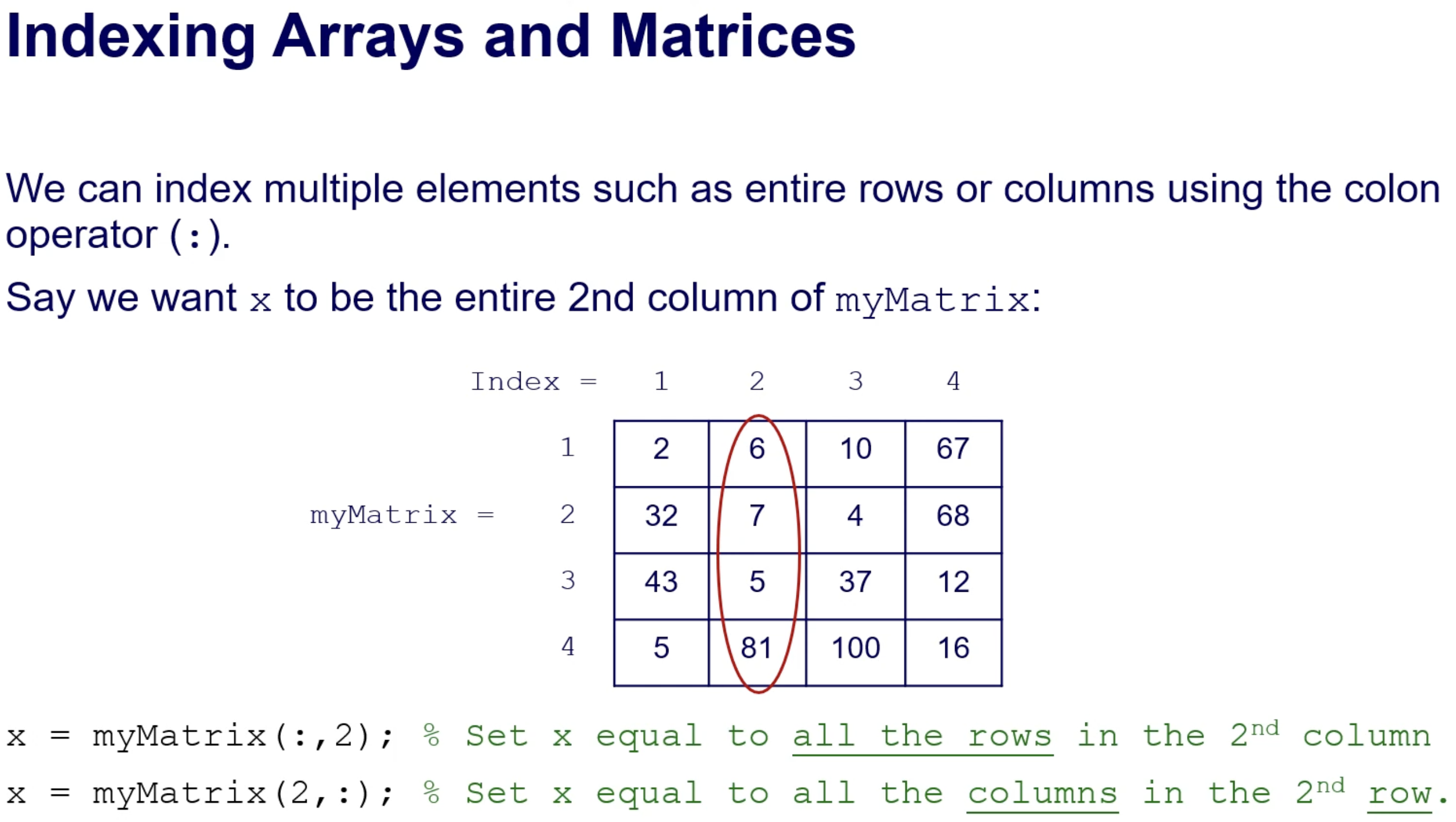
Use the colon operator for entire rows or columns:
All rows in a given column:
x = myMatrix(:,2);All columns in a specific row:
x = myMatrix(2,:);
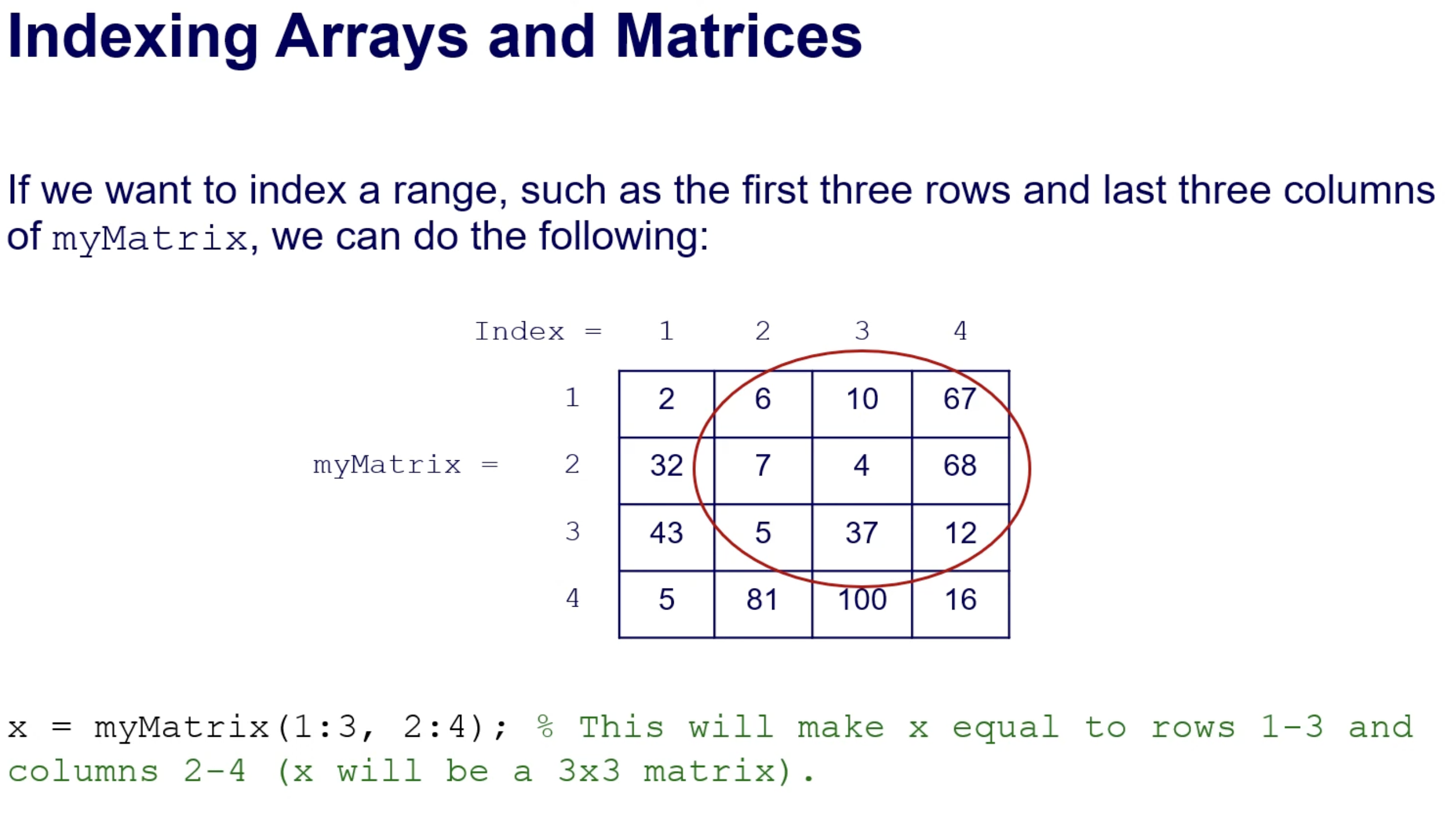
Access a range of elements:
x = myMatrix(1:3, 2:4); % Rows 1-3 and columns 2-4
Multi-dimensional Indexing:
Access elements in 3D matrices using three indices (row, column, layer):
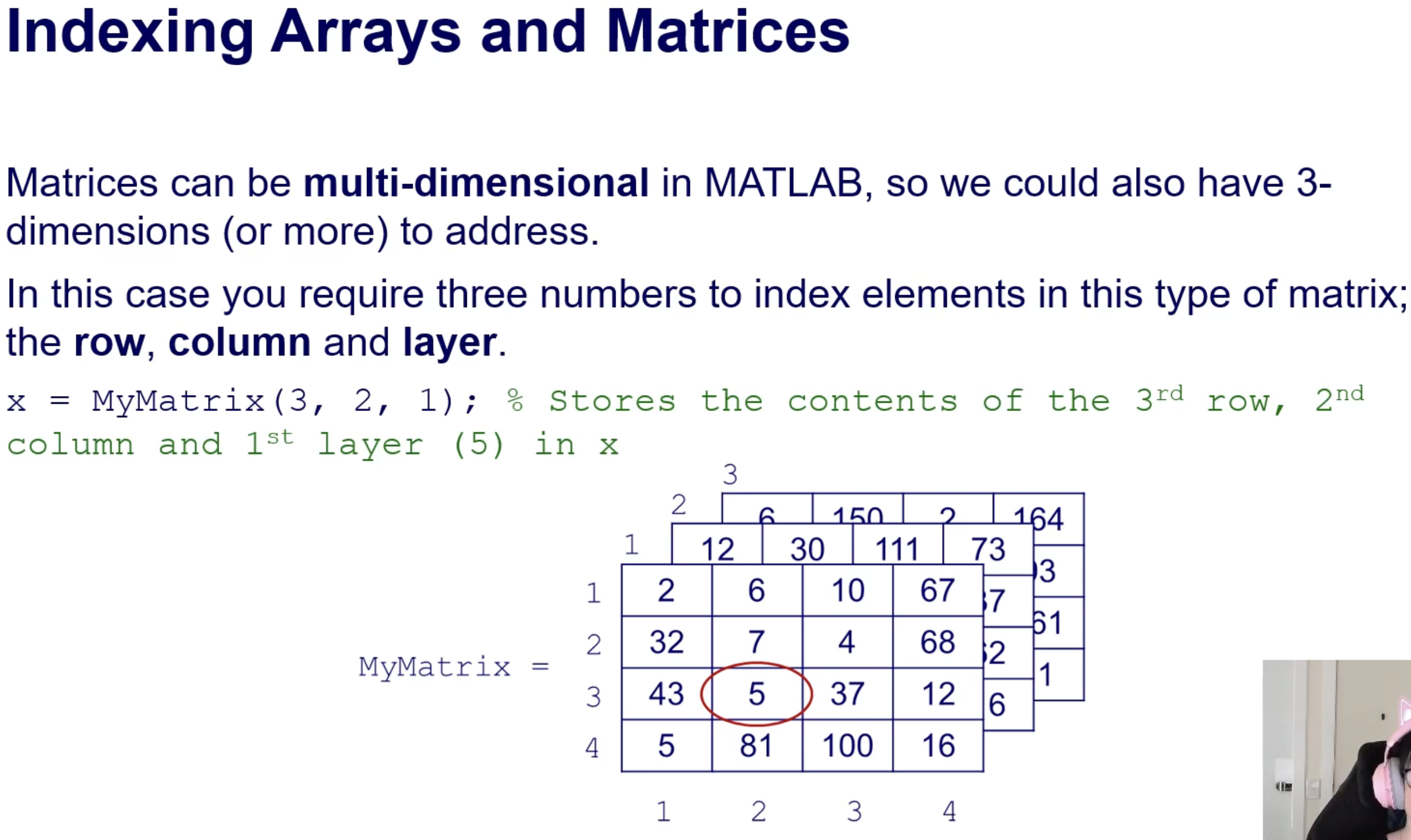
x = MyMatrix(3, 2, 1); % Access 3rd row, 2nd column, 1st layer
Applications in Images:
Layers correspond to color channels (R, G, B).
Practical Examples of Indexing
Example 1: From a CSV file with time vs voltage data:
  capture = readmatrix('scope3.csv');
  t = capture(:, 1);  % Time
  V = capture(:, 2);  % Voltage
  figure(1), plot(t, V), xlabel('Time, sec'), ylabel('Voltage');
Example 2: Manipulating audio arrays:
  y(10000:20000)=zeros(10001, 1);  % Delete audio segment
  soundsc(y, fs);  % Play sound
Example 3: Manipulating image colors:
X(:,:,1) = X(:,:,1) + 100; % Increase red intensity
Conclusion
Lecture covered arrays and matrices in MATLAB, their creation, operators, and indexing.
Important concepts for modifying and storing data efficiently in MATLAB.