Ch. 4 Enriching Data with Lookups
What is a Lookup
A look up is a csv file, script, or geospatial data that is used at search time, to enrich indexed data, kind of like the SQL join command.
Search Time Operations Sequence
Order of operations in Splunk: Field Extractions → Field Aliases → Calculated Fields → Lookups → Event Types → Tags
Significance of Order: Field aliases and calculated fields can’t reference lookups, Lookups can’t reference event types or tags
Intro of Lookups
Input field - this is the field that exist in Splunk and in the csv table, which allows for the rest of the record of the csv to be referenced in the event
Creating a Lookup
1st step is loading a lookup table file
2nd step is defining a lookup table definition - this is the unique identifier the lookup command is going to use to reference the lookup table uploaded in the 1st step
Advanced Options
Batch Index Query - Check this setting when you have a large lookup table to speed up performance
Example
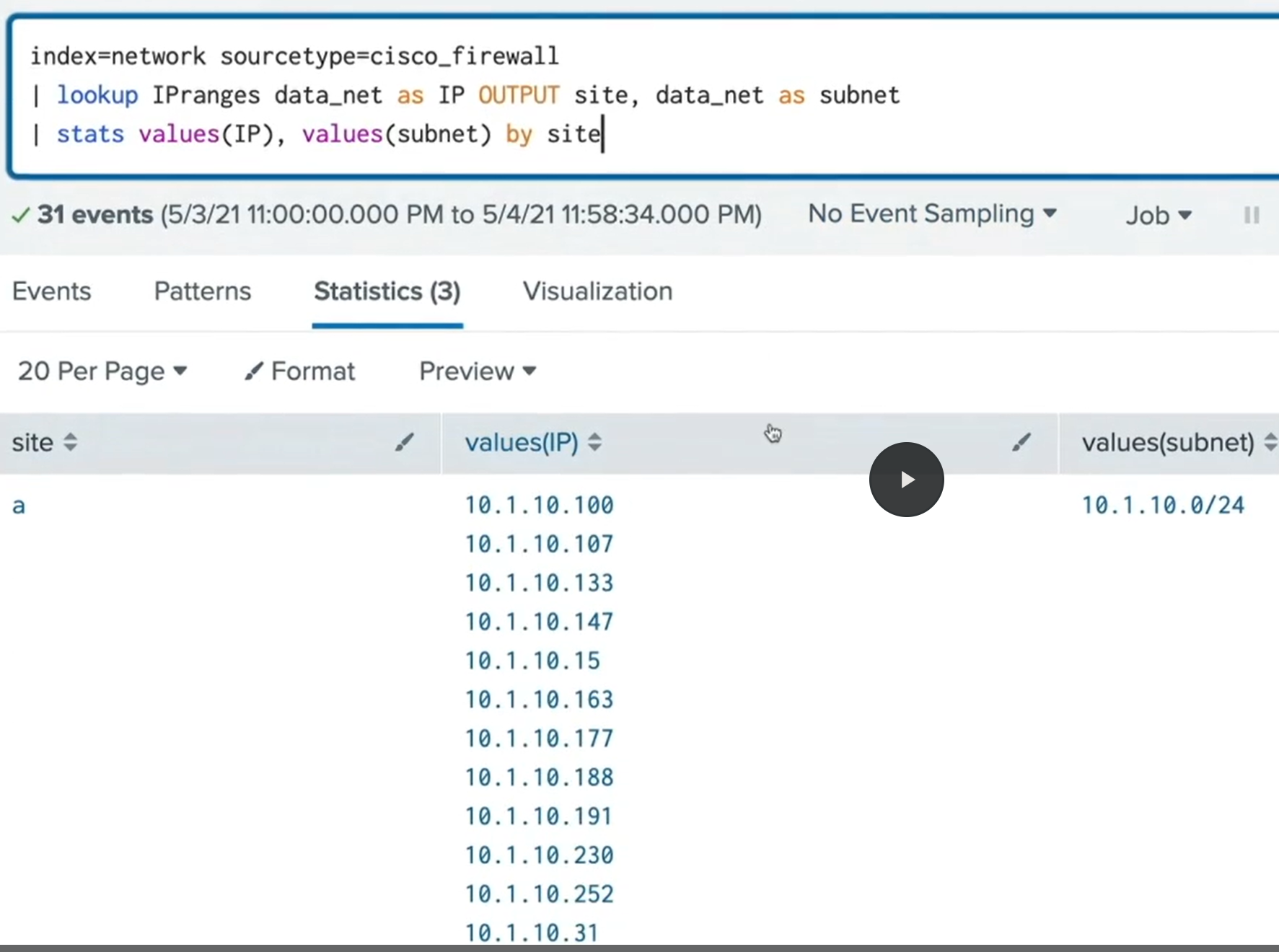
Creating an Automatic Lookup
Automatic Lookup - automating the lookup, allows us to use the fields that exist in lookup in a search string, without having to use the | lookup
Setup
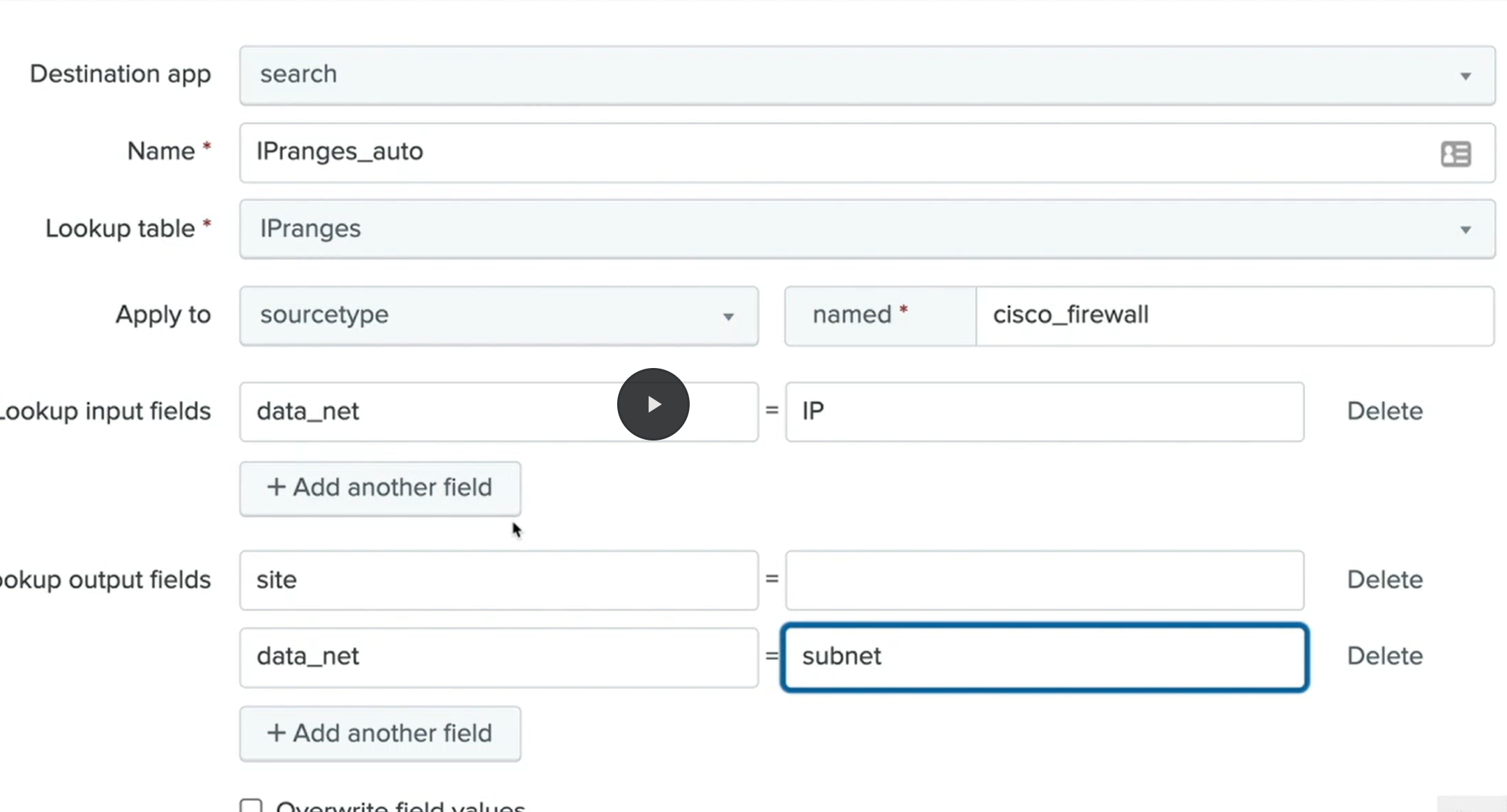
Result
index=network sourcetype=cisco_firewall returns the same fields from the lookup table as the Creating a Lookup Example above