Read Me Before Starting
Welcome to Afrikaans: Zero to Hero
In this course, I’m going to take you (as an English speaker) from knowing absolutely NOTHING about Afrikaans to knowing how to comfortably understand the language and hold a conversation.
While it varies person-by-person as to how quickly you can absorb the information given here, the lower estimate would be around a month of practice (2ish hours a day), while the higher estimate (5 mins a day) would be around a year.
Once you finish this course, you will be able to understand and speak the language, and your studies will accelerate as you speak more.
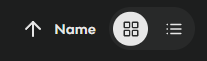
Above are the recommended settings for sorting the course materials. Otherwise, you may have the materials randomly ordered.
Ideally, you would pair the course with immersion learning (talking to Afrikaans people as often as possible and watching Afrikaans shows / media on YouTube); however, simply practicing these flashcards is likely enough to get you into a very good position.
The course is going to be structured into multiple parts, going from the most basic sounds to the most complex sentences. Each part is a folder at the top of your screen when you’re in the
1a. Basic Sounds
1b. Sound Practice w/ Basic Words
2a. The Letter E – Sounds
2b. The Letter E – Practice
3. Core Survival Phrases
4. Pronouns + Core Verbs
5. Core Words (nouns, adjectives, etc.)
6. Numbers
7. Grammar Rules (basic: word order, negatives, plurals, tenses)
8. Grammar Expanded (past tense, questions, possessives)
9. Prefixes & Expanded Vocab
10. Complex Sentence Structure
11. Conclusion
Additionally, if you see a 🔊 icon (speaker) next to any of the course names/titles (NOT the parts - the individual courses within them), that means audio is available. Knowt has a text-to-speech service that allows you to listen to flashcards, but it’s based on English pronunciation. Therefore, unless you see the speaker emoji in the title (which means I’ve uploaded custom audio for the flashcard set), please do not expect the Afrikaans pronunciation to be even remotely correct.
HOW TO DO THE COURSE:
Knowt has some amazing features to help you learn the content, but today we’re only going to be talking about the main one.
The main one we’ll be discussing is Flashcards Mode. You’ll see this button when you open one of the Parts, along with a few other options.
The other options are incredible for higher intensity studying, and you’re free to check them out and see what works for you. I highly recommend starting each Part with Flashcards Mode to get a good baseline, and then diving into the other modes offered to you.
Recommended Settings:
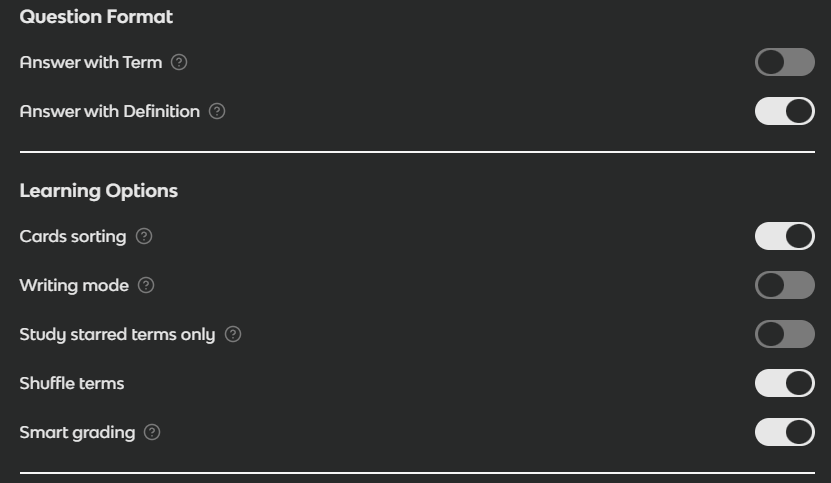

MAKE SURE SHUFFLE TERMS IS ENABLED! Especially for sequential sets, like numbers.
The audio button is in the top right corner. This will only pronounce the word correctly if there’s a 🔊 icon in the title of the flashcard set (which means I’ve uploaded custom sounds for each card).

HOW TO STUDY
When you’re ready to begin studying a Part, always read its ‘Read Me’ document beforehand to become familiar with any information needed before starting.
When you open a part, navigate to Flashcards Mode and apply the recommended settings.
If you ever want to reset your flashcard progress, click the settings button and navigate to the very bottom button, in red text.
When you open Flashcards Mode, you’ll see a card in front of you. Click to flip it, learn the card (and the Afrikaans pronunciation if applicable), then click the ‘x’ button (as you have not yet gotten a chance to recall it). Do this for all the cards on your first run.
On your second run, click the ‘tick’ button at the bottom for every card that you can correctly remember. No shame if you can’t remember any - keep going until you can.
Knowt will remove cards from the available card deck when you click the ‘tick’ button, and the next round will begin with only the cards you didn’t get last time.
Feel free to do this and play around with the other modes until you memorize the set, then I would recommend going to the ‘practice test’ mode. Ensure that ‘smart grading’ is turned on if you don’t want to rip your hair out.
Good luck, and happy studying!