1.9 - CompTIA A+ Core 2
1.9a - Linux: Professor Messer
Common configuration files
Linux can be managed completely from the command line - hence, most application and service parameters are configured in important text files.
/etc/passwd
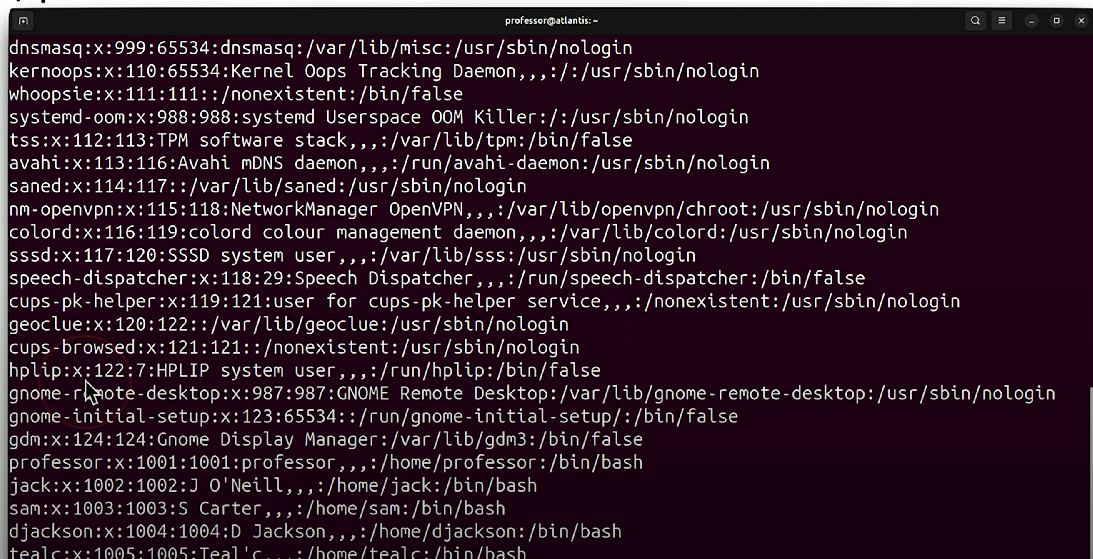
/etc/passwd: Linux config file that lists all registered users, along with other user information (e.g., username, password (marked with an X), UID, GID, home directory). The different fields are parsed with colons (:).
/etc/shadow
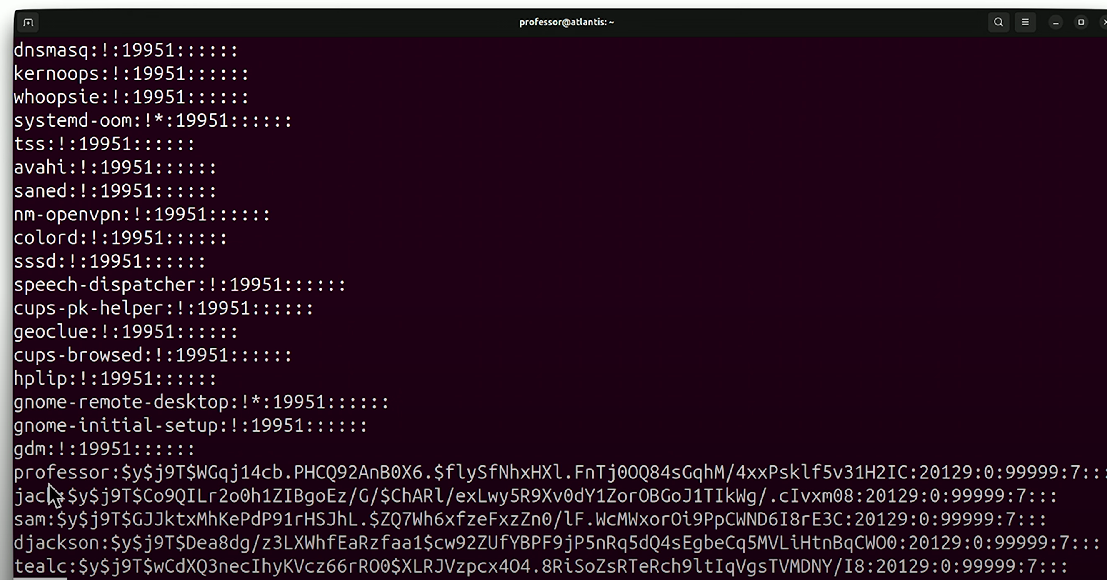
/etc/shadow: Linux config file that contains hashed versions of all users and their passwords. Can only be viewed by root/elevated users.
/etc/hosts
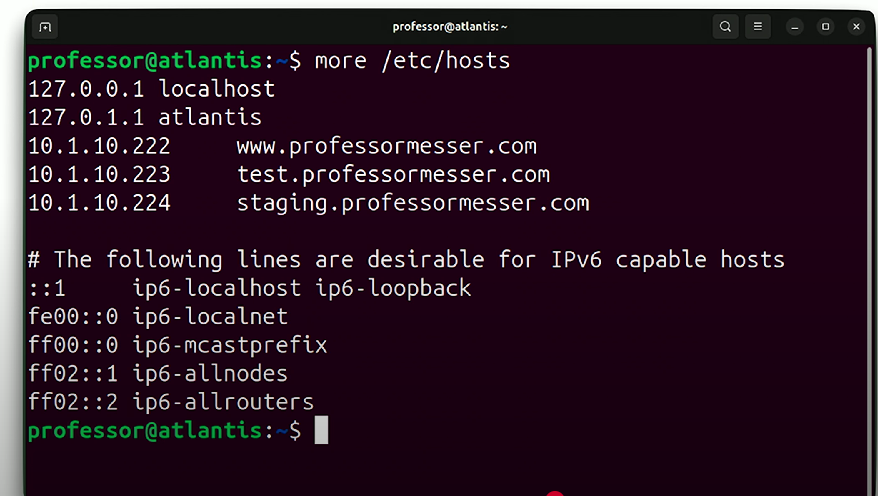
/etc/hosts: Linux config file that stores IP addresses and their corresponding FQDNs.Hosts files were technically the first method of DNS name resolution - a place to put all names and IP addresses in a file. Used to override DNS resolution
/etc/resolv.conf
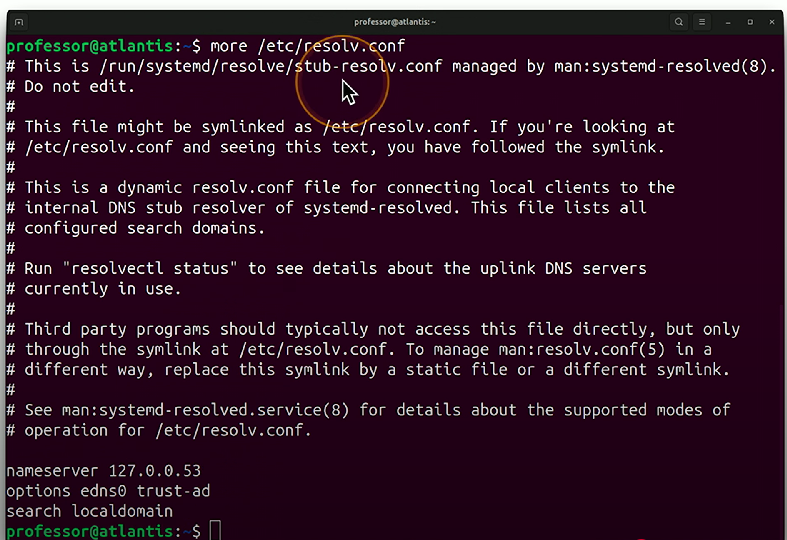
/etc/resolv.conf: Linux config file that stores the IP addresses of DNS nameservers - look through this file for DNS misconfigs on a Linux machine.
/etc/fstab
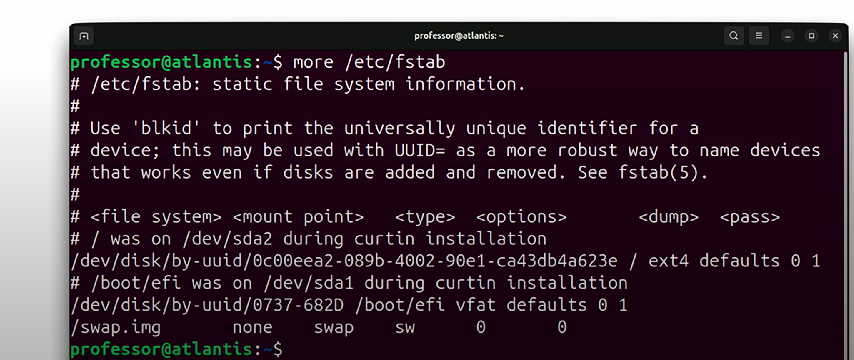
/etc/fstab: Stands for Linux File Systems Table - lists all of the sysem disks and partitions on a Linux machine.
OS components
systemd
systemd: A system and service manager - works by starting, stopping and managing background services/software (daemons). Started by the kernel, and all other processes are launched by it.
Kernel
Kernel: Core of the operating system, sees and controls application execution by managing system processes and interacting with devices.
Kernel space: Protected area of memory used for kernel operations.
Kernels may need to be upgraded for bug fixes, security patches, and user support.
Bootloader
Bootloader: A computer component that starts the correct operating system from a bootable drive.
A UEFI BIOS boots via an EFI system partition. The EFI files are then linked to a specific OS kernel to boot from.
Root account
Root account: The administrative user account in a Unix or Linux operating system that has full access to all system commands and files. Has a user ID of 0.
1.9b - Linux Commands Part 1: Professor Messer
File management
ls
ls: Lists the content in a directory (e.g., files, directories) - similar to thedircommand in Windows. May support color coding (e.g., blue for directories and red for archive files).
pwd
pwd: Displays the current directory working path - useful when changing directories often.
mv
mv: Command used to move files - but can also be used to rename files within the same directory. Syntax:mv SOURCE DEST
cp
cp: Used to duplicate files or directories. Syntax:cp SOURCE DEST
rm
rm: Linux command used to remove files or directories. Doesn’t remove directories by default, and they must be removed with the switch-r.
chmod
chmod: Changes the mode (i.e., permissions) of a file system object.r= read,w= write,x= execute. Octal notation can be used, and permissions are separated by the user (u), the group (g), others (o), and all users - i.e., owner, group, and others (a)Example syntax:
chmod 744 script.sh
This produces a file with permissions similar to
script.sh:
The user (
rwx) - has read (4), write (2), and execute (1) permissions: 4 + 2 + 1 = 7.The group (
r--) - has read (4) permissions only.Others (
r--) - has read (4) permissions only.
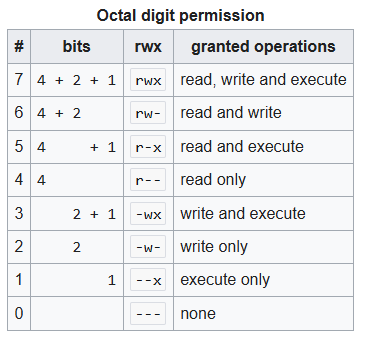
Alternatively, you can use the following commands to achieve the same results:
chmod u+rwx script.shchmod g-wx script.shchmod o-wx script.sh
chown
chown: Change the owner of the file or directory to the specified user and/or group, allowing for appropriate access permissions. Syntax:chown USER:GROUP filename. Requires sudo rights to execute.
grep
grep: Command used to search through many Linux files at a time. Syntax:grep PATTERN [filename].
find
find: Command used to find a file by its name or extension. Syntax:find [path] [options] [expression].Example
find . -name "*.txt"
Filesystem management
fsck
fsck: File System Check - command used to check and repair a Linux filesystem. Similar in function to Windows’chkdskutility. Runs during startup to check for logical errors before booting from a storage drive. Syntax: fsck [options] [filesystem].
mount
mount: Accesses a storage device with the file system and assigns that to a particular directory, similar to the Windowsnet usecommand. Used to manually mount storage devices (e.g., USBs, CDs).
Administrative
su
su: Switch user - allows the user to permanently switch to the root account or another account on that system. You will continue to be that user until you exit.
sudo
sudo: Allows execution of a command as the super/root user.
Package management
apt
apt: Allows installation, updating, and removal of application packages (applications and utilities). Example command:sudo apt install wireshark
dnf
dnf: Dandified YUM - another package manager for Linux that allows installation, removal, and updating of packages.
1.9c - Linux Commands Part 2: Professor Messer
Network
ip
ip: Command used to manage network interfaces - allows enabling, disabling, and configuring IPs, routes, and ARP cache.ip address: View the IP address for the network interface (i.e., the machine’s IP address).ip route: View the routing table used by the machine.
ping
ping: Command used to check the reachability of a device on a network via ICMP round-trip time.
curl
curl: Command used to retrieve data via a URL - used for web pages, FTP, emails, databases, etc.
dig
dig: Provides lookup information from DNS servers (e.g., canonical names, A/AAAA server IP addresses, etc.)
traceroute
traceroute: Command used to track the path that packets take from one computer to another, helping to identify bottlenecks and network issues. Some firewalls filter ICMP, and these appear as asterisks ontraceroute's results
Informational
man
man: Displays a reference manual for a particular command (i.e., the command’s documentation).
cat
cat: Concatenate - command used to output the content of a file on the terminal screen.Can also be used to copy file(s) to another file. Example syntax:
cat file1.txt file2.txt > both.txt
top
top: Command that displays CPU, RAM, resource limitations, and process/user information on a Linux machine, similar to Windows Task Manager.
ps
ps: Displays all the current processes on a Linux machine by process ID (PID) and details like CPU time and process name.ps -e: Variant of thepscommand used to view all active processes, not just the one activated by the logged-in user.
du
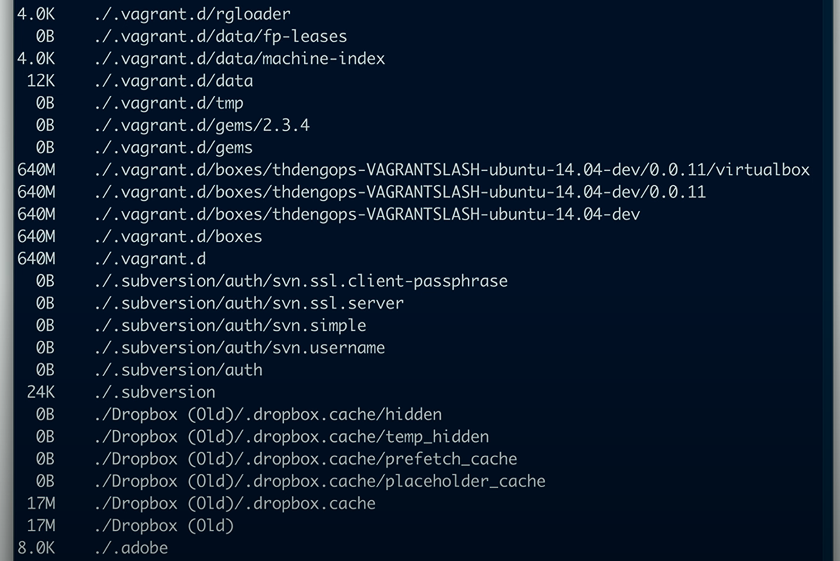
du: Disk Usage - shows the storage space used by file or by directory.du -h: Variant ofduthat shows data values in human-readable output (KB, MB, GB).
df
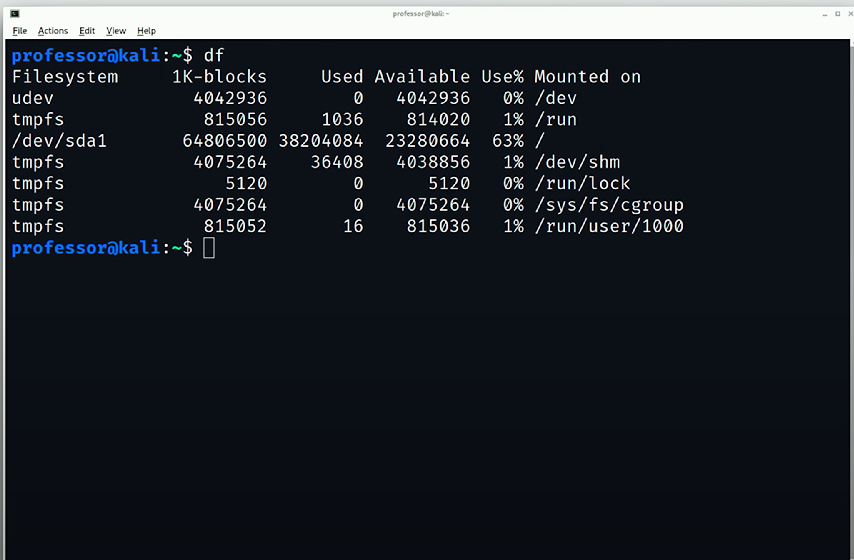
df: Disk Free - used to view Linux file systems and their available storage space.df -h: Variant ofdfthat shows storage space numbers in a human-readable format (e.g., M for megabytes, G for gigabytes).
Text editor
nano
nano: A command-line, full-screen text editor that provides easy ways to edit files. Includes features such as syntax highlighting, search and replace functionality, and copy and paste - GUI-like features for easier usability.