SQL Notes
Fundamentals
SQL
The standard language for storing, manipulating, and retrieving data in databases.
SQL lets you access and manipulate databases
RDBMS
Stands for Relational Database Management System.
RDBMS is the basis for SQL and for all modern database systems such as:
MS SQL Server
IBM DB2
Oracle
MySQL
Microsoft Access
Select Example:
Are SQL Keywords Case-sensitive?
No!
SELECT
Extracts Data From Database
Syntax:
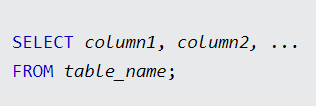
column1 and column2 are the field names of the table from the table_name
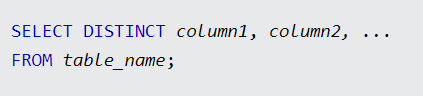
SELECT DISTINCT
Used to return only distinct values
Inside a table, a column often contains many duplicate values, and sometimes you only want to list the different (distinct) values.
Syntax:
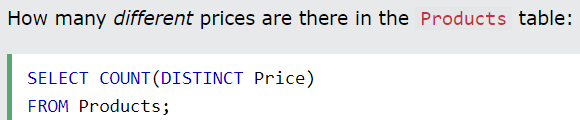
COUNT DISTINCT
By using the DISTINCT keyword in a function called COUNT, we can return the number of different countries.
Syntax:
SELECT COUNT(DISTINCT column_name) FROM table_name;
or
SELECT Count(*) AS ALIAS
FROM (SELECT DISTINCT column1 FROM table_name);
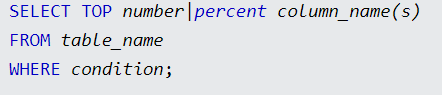
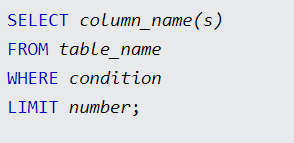
SELECT TOP
Used to specify the number of records to return.
Useful on large tables with thousands of records. Returning a large number of records can impact performance.
Example:
Syntax Types:
SQL Server / MS Access Syntax:
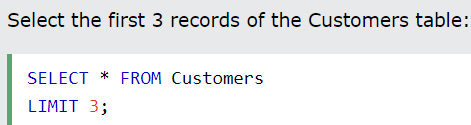
MySQL Syntax:
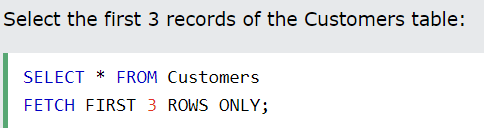
Oracle 12 Syntax:
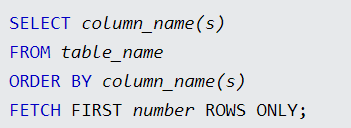
TOP PERCENT:
The following SQL statement selects the first 50% of the records from the "Customers" table (for SQL Server/MS Access):


SELECT INTO
The
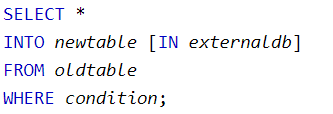
SELECT INTOstatement copies data from one table into a new table.The new table will be created with the column-names and types as defined in the old table. You can create new column names using the
ASclause.Syntax:
Copy all columns into a new table:
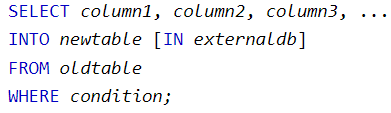
Copy only some columns into a new table:
Examples:
The following SQL statement creates a backup copy of Customers:

The following SQL statement uses the
INclause to copy the table into a new table in another database:
The following SQL statement copies only a few columns into a new table:

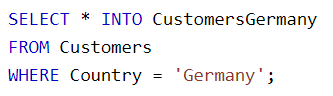
The following SQL statement copies only the German customers into a new table:
The following SQL statement copies data from more than one table into a new table:

INSERT INTO SELECT
The
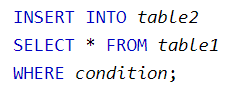
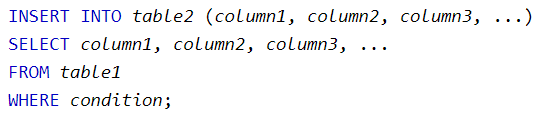
INSERT INTO SELECTstatement copies data from one table and inserts it into another table.The
INSERT INTO SELECTstatement requires that the data types in source and target tables match.The existing records in the target table are unaffected.
Syntax:
Examples:
Copy "Suppliers" into "Customers" (the columns that are not filled with data, will contain NULL):

Copy "Suppliers" into "Customers" (fill all columns):

Copy only the German suppliers into "Customers":

CASE
The
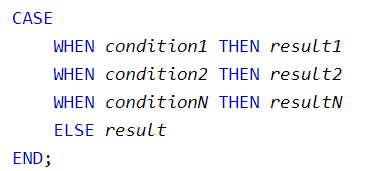
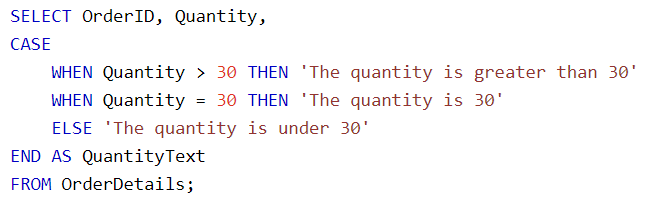
CASEexpression goes through conditions and returns a value when the first condition is met (like an if-then-else statement).So, once a condition is true, it will stop reading and return the result.
If no conditions are true, it returns the value in the
ELSEclause.If there is no
ELSEpart and no conditions are true, it returns NULL.
Syntax:
Examples:
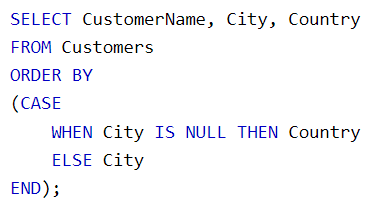
The following SQL will order the customers by City. However, if City is NULL, then order by Country:
NULL
Suppose that the "UnitsOnOrder" column is optional, and may contain NULL values.
If any of the "UnitsOnOrder" values are NULL, the result will be NULL.

IFNULL()
The MySQL
IFNULL()function lets you return an alternative value if an expression is NULL:
ISNULL()
The SQL Server
ISNULL()function lets you return an alternative value when an expression is NULL:
The MS Access
IsNull()function returns TRUE (-1) if the expression is a null value, otherwise FALSE (0):
COALESCE()

NVL()
The Oracle
NVL()function achieves the same result:
Example:
FETCH FIRST
Example:
DELETE
Deletes data from a database
Syntax:
The
WHEREclause specifies which record(s) should be deleted. If you omit theWHEREclause, all records in the table will be deleted!
Example:
INSERT INTO
Inserts new data into a database
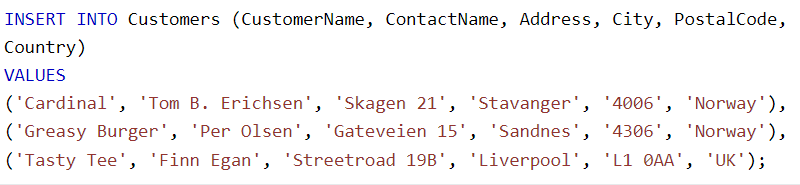
You can use two different syntaxes:
Specify both the column names and the values to be inserted:

If you are adding values for all the columns of the table, you do not need to specify the column names in the SQL query. However, make sure the values are in the same order as the columns in the table. Here, the
INSERT INTOsyntax would be as follows:
Example:

Multiple rows
Specific columns

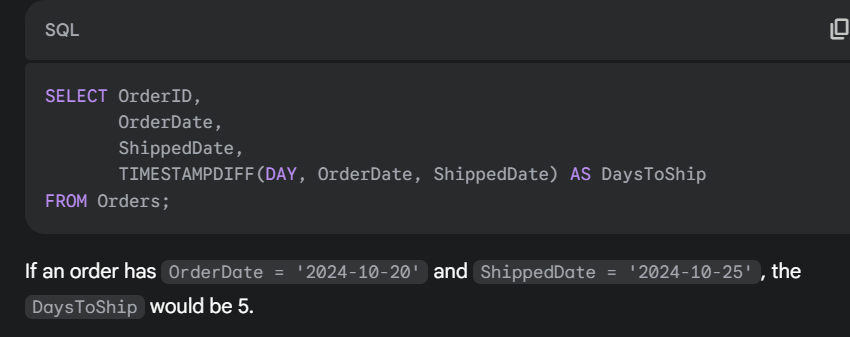
TIMESTAMPDIFF()
function calculates the difference between two dates or times.
Example:
CREATE DATABASE
Creates a new database
ALTER DATABASE
Modifies a database
CREATE TABLE
Creates a new table
ALTER TABLE
Modifies a table
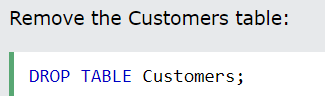
DROP TABLE
Deletes a table
Example:
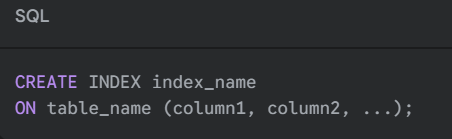
CREATE INDEX
Creates an index (search key)
Example:
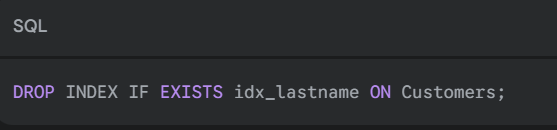
DROP INDEX
Deletes an index
Example:
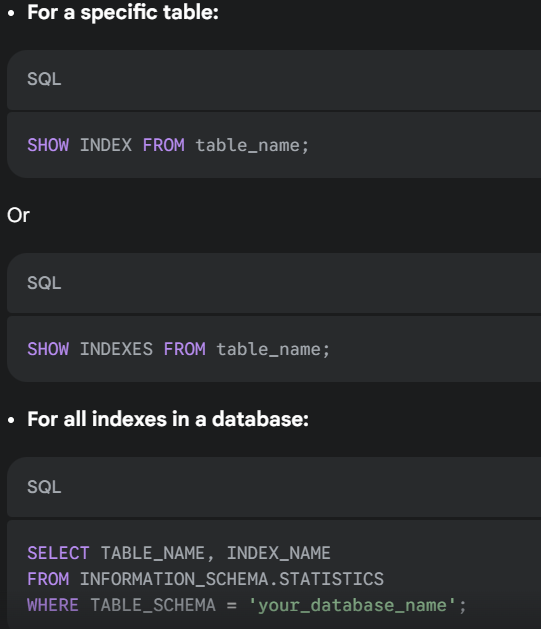
Search all INDEXES
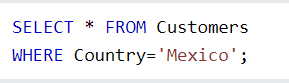
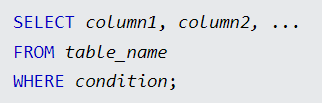
WHERE Clause
Used to filter records.
It is used to extract only those records that fulfill a specified condition.
Example:
Syntax:
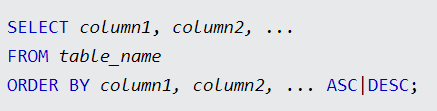
ORDER BY
Used to sort the result-set in ascending or descending order.
Syntax:
DESC:
The
ORDER BYkeyword sorts the records in ascending order by default. To sort the records in descending order, use theDESCkeyword.
For several columns:
Example:
The following SQL statement selects all customers from the "Customers" table, sorted by the "Country" and the "CustomerName" columns. This means that it orders by Country, but if some rows have the same Country, it orders them by CustomerName:

GROUP BY
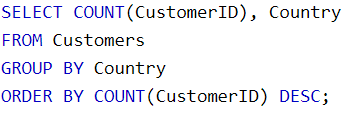
The
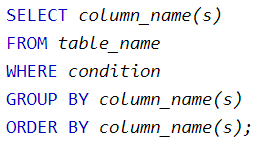
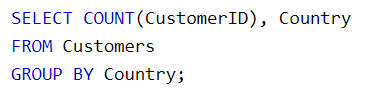
GROUP BYstatement groups rows that have the same values into summary rows, like "find the number of customers in each country.”The
GROUP BYstatement is often used with aggregate functions (COUNT(),MAX(),MIN(),SUM(),AVG()) to group the result set by one or more columns.Syntax:
Example:
HAVING
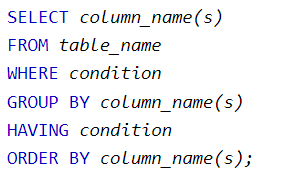
The
HAVINGclause was added to SQL because theWHEREkeyword cannot be used with aggregate functions.Syntax:
Example:
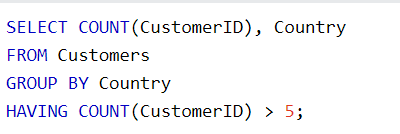
The following SQL statement lists the number of customers in each country. Only include countries with more than 5 customers:
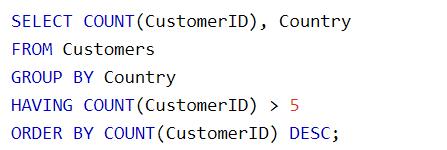
The following SQL statement lists the number of customers in each country, sorted from high to low (Only include countries with more than five customers):
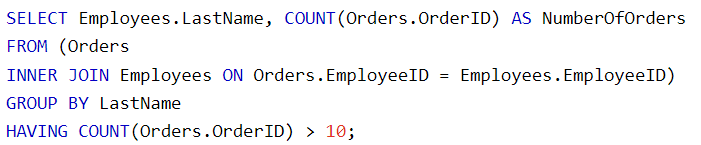
The following SQL statement lists the employees who have registered more than ten orders:
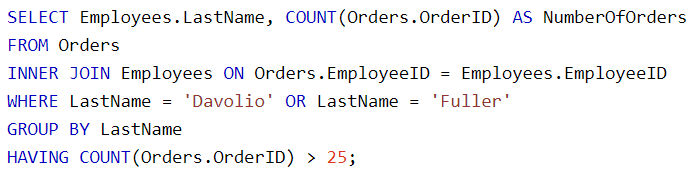
The following SQL statement lists if the employees "Davolio" or "Fuller" have registered more than 25 orders:
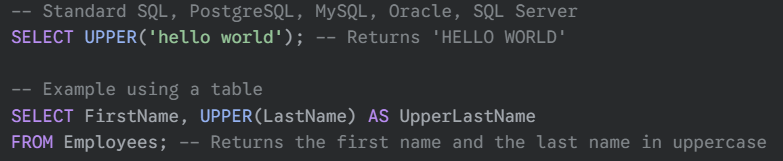
UPPER()
function in SQL converts all the letters of a string to uppercase.
Example:
EXISTS
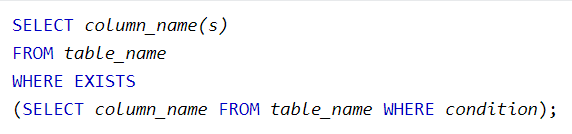
The
EXISTSoperator is used to test for the existence of any record in a subquery.The
EXISTSoperator returns TRUE if the subquery returns one or more records.Syntax:
Example:
The following SQL statement returns TRUE and lists the suppliers with a product price of less than 20:

The following SQL statement returns TRUE and lists the suppliers with a product price equal to 22:




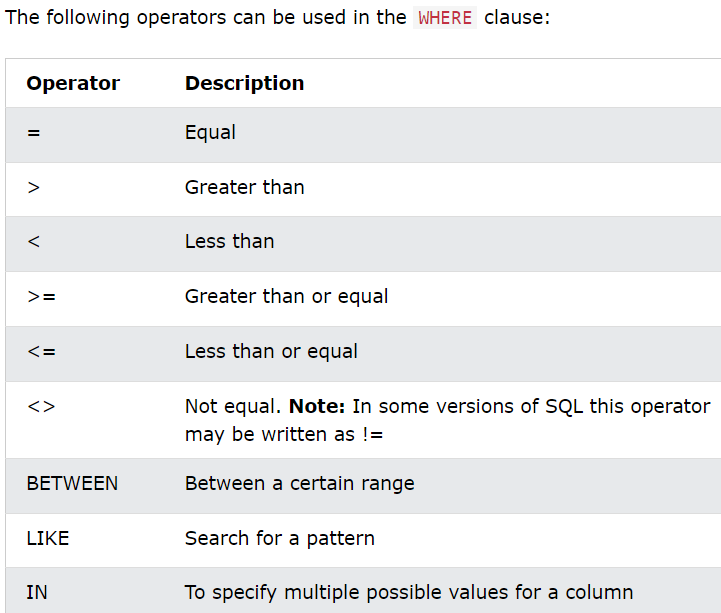
Operators
AND
The
ANDoperator is used to filter records based on more than one condition, like if you want to return all customers from Spain that start with the letter 'G':Syntax:
OR
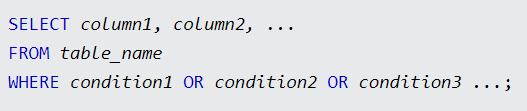
The
ORoperator displays a record if any of the conditions are TRUE.The
ORoperator is used to filter records based on more than one condition, like if you want to return all customers from Germany but also those from Spain:Syntax:
NOT
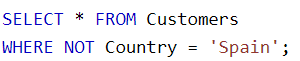
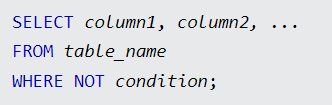
The
NOToperator is used in combination with other operators to give the opposite result, also called the negative result.In the select statement below, we want to return all customers that are NOT from Spain:
Syntax:
You can also combine:
NOT LIKE
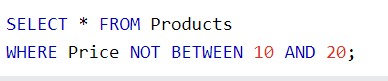
NOT BETWEEN
Example:
NOT IN
NOT >
NOT <
LIKE
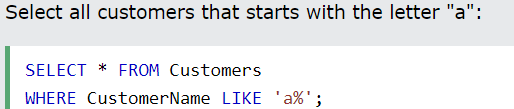
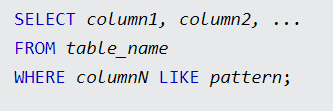
The
LIKEoperator is used in aWHEREclause to search for a specified pattern in a column.There are two wildcards often used in conjunction with the
LIKEoperator:The percent sign
%represents zero, one, or multiple charactersThe underscore sign
_represents one, single character
Example:
Syntax:
The _ Wildcard:
Represents a single character.
It can be any character or number, but each
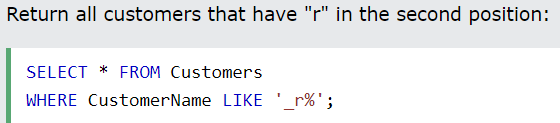
_represents one, and only one, character.Example:

The % Wildcard
The
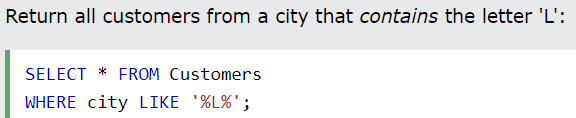
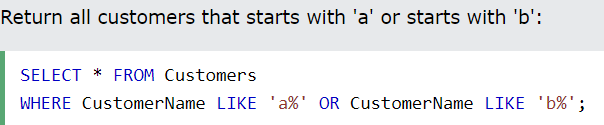
%wildcard represents any number of characters, even zero characters.Example:

Combining Wildcards
Example:

IN
The
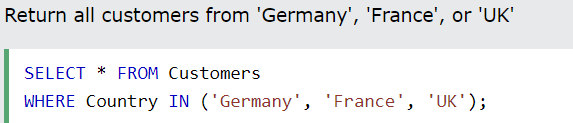
INoperator allows you to specify multiple values in aWHEREclause.The
INoperator is a shorthand for multipleORconditions.Example:
NOT IN
By using the
NOTkeyword in front of theINoperator, you return all records that are NOT any of the values in the list.Example:


BETWEEN
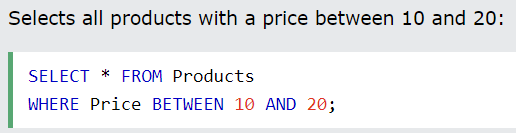
The
BETWEENoperator selects values within a given range. The values can be numbers, text, or dates.The
BETWEENoperator is inclusive: begin and end values are included.Example:
BETWEEN with IN
Example:
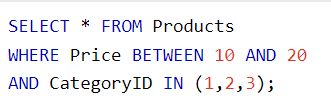
The following SQL statement selects all products with a price between 10 and 20. In addition, the CategoryID must be either 1, 2 or 3:
ANY
Returns a boolean value as a result
Returns TRUE if ANY of the subquery values meet the condition
ANYmeans that the condition will be true if the operation is true for any of the values in the range.Syntax:
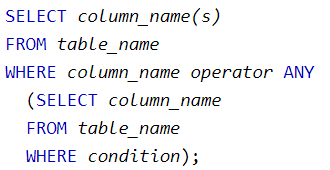
The operator must be a standard comparison operator (=, <>, !=, >, >=, <, or <=).
Example:
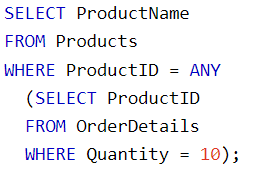
The following SQL statement lists the ProductName if it finds ANY records in the OrderDetails table has Quantity equal to 10 (this will return TRUE because the Quantity column has some values of 10):
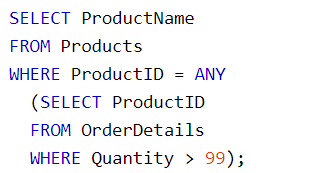
The following SQL statement lists the ProductName if it finds ANY records in the OrderDetails table has Quantity larger than 99 (this will return TRUE because the Quantity column has some values larger than 99):
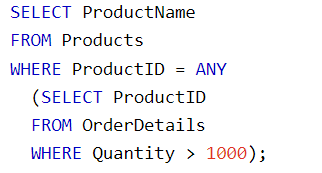
The following SQL statement lists the ProductName if it finds ANY records in the OrderDetails table has Quantity larger than 1000 (this will return FALSE because the Quantity column has no values larger than 1000):
ALL
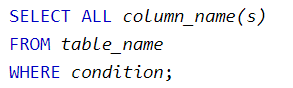
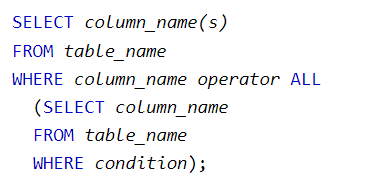
returns a boolean value as a result
returns TRUE if ALL of the subquery values meet the condition
is used with
SELECT,WHEREandHAVINGstatementsALLmeans that the condition will be true only if the operation is true for all values in the range.The operator must be a standard comparison operator (=, <>, !=, >, >=, <, or <=).
Syntax:
Examples:
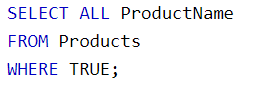
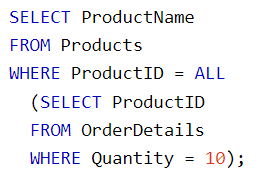
The following SQL statement lists the ProductName if ALL the records in the OrderDetails table has Quantity equal to 10. This will of course return FALSE because the Quantity column has many different values (not only the value of 10):



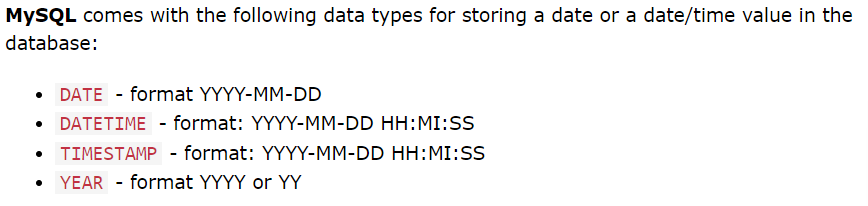
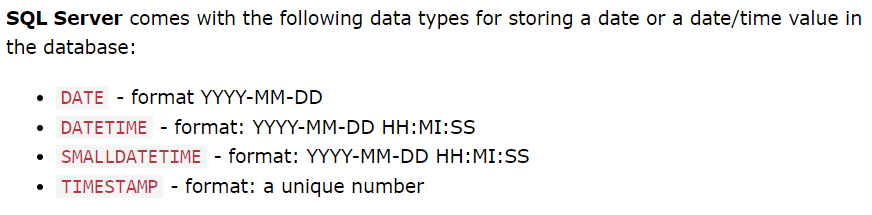
Date Data Types
How do we test for NULL values?
It is not possible to test for NULL values with comparison operators, such as =, <, or <>.
We will have to use the
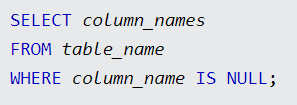
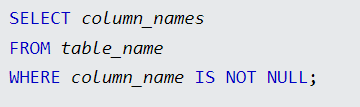
IS NULLandIS NOT NULLoperators instead.IS NULL
Used to test for empty values (NULL values).
Syntax:
IS NOT NULL
Used to test for non-empty values (NOT NULL values).
Syntax:
Aggregate Functions
An aggregate function is a function that performs a calculation on a set of values and returns a single value.
The most commonly used SQL aggregate functions are:
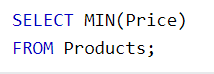
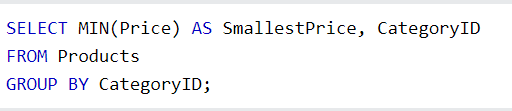
MIN()- returns the smallest value within the selected columnExample

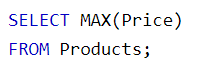
MAX()- returns the largest value within the selected columnExample:
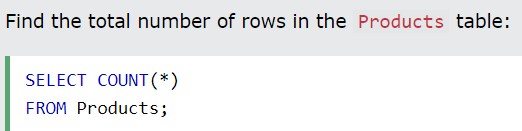
COUNT()- returns the number of rows in a setExample:
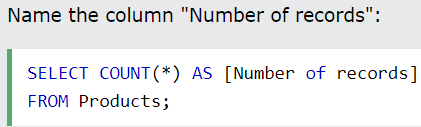
Here we use the
COUNT()function and theGROUP BYclause, to return the number of records for each category in the Products table:
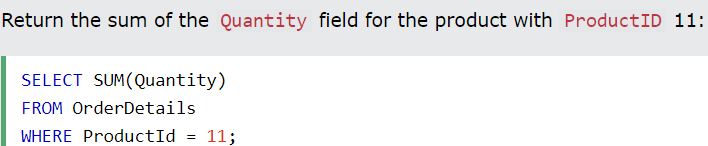
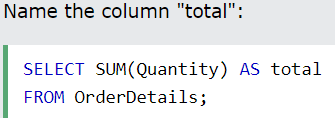
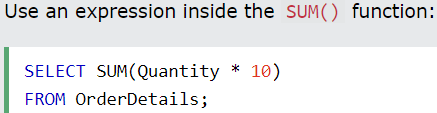
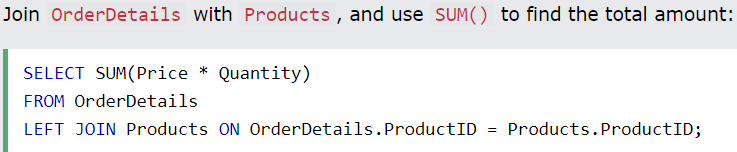
SUM()- returns the total sum of a numerical columnExample:

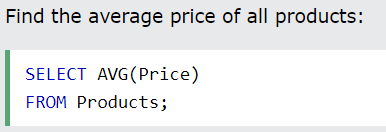
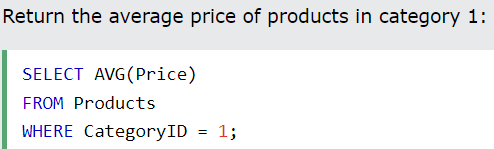
AVG()- returns the average value of a numerical columnExample:
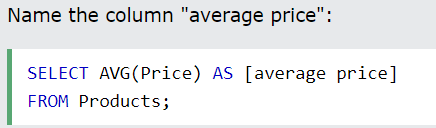
Higher than Average:

AVG() with GROUP BY:

Aggregate functions ignore null values (except for
COUNT()).
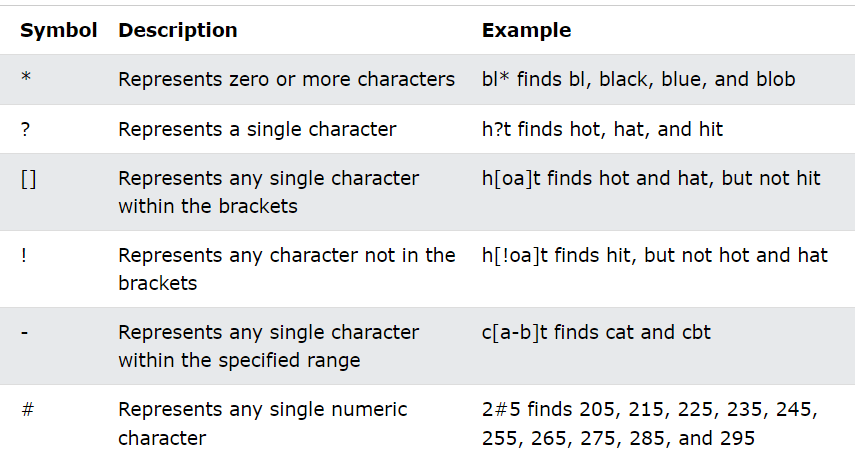
Wildcard Characters
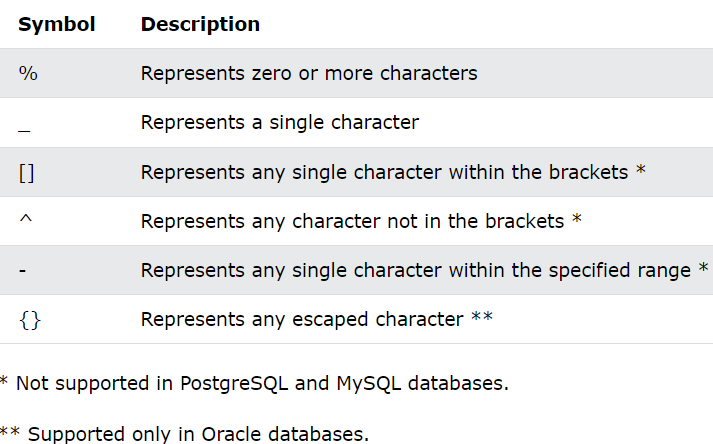
Using the [] Wildcard
The [] wildcard returns a result if any of the characters inside gets a match.
Example:
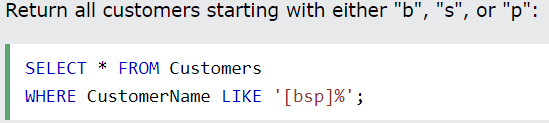
Using the - Wildcard
The
-wildcard allows you to specify a range of characters inside the[]wildcard.Example:
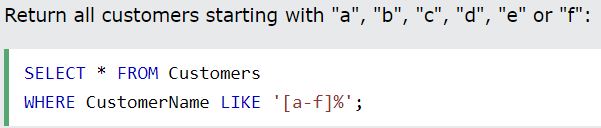
Microsoft Access Wildcards
Aliases
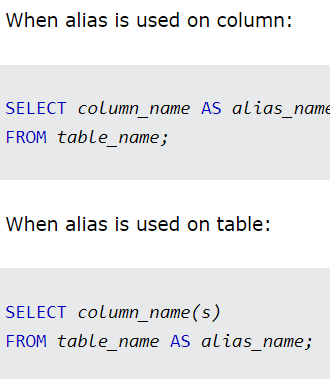
SQL aliases are used to give a table or a column in a table a temporary name.
Aliases are often used to make column names more readable.
An alias only exists for the duration of that query.
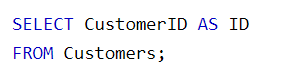
An alias is created with the
ASkeyword. (This is optional)Example:
Syntax:
Using Aliases With a Space Character
If you want your alias to contain one or more spaces, like "
My Great Products,” surround your alias with square brackets or double quotes.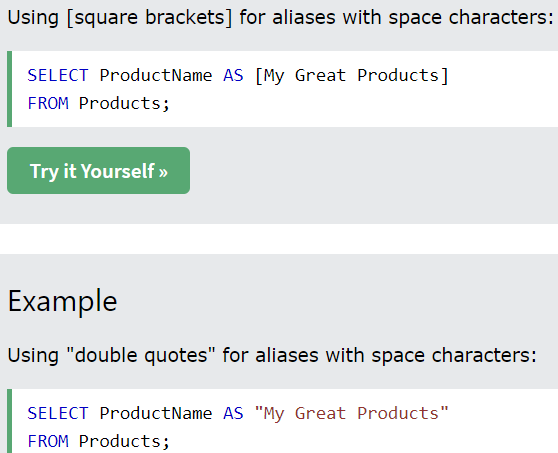
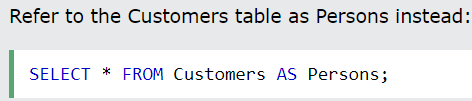
Using Alias for a Table
Example:

Aliases can be useful when:
There are more than one table involved in a query
Functions are used in the query
Column names are big or not very readable
Two or more columns are combined together
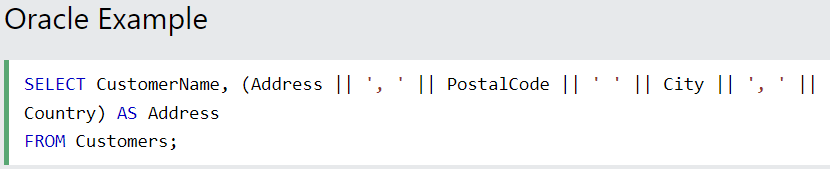
Concatenate Columns
The following SQL statement creates an alias named "Address" that combines four columns (Address, PostalCode, City, and Country):
Example:


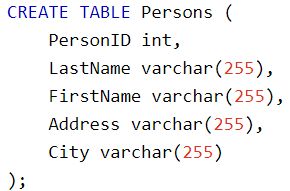
CREATE TABLE Statement
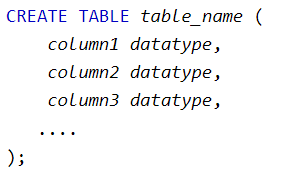
The
CREATE TABLEstatement is used to create a new table in a database.Syntax:
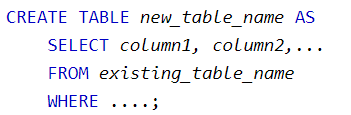
Example:
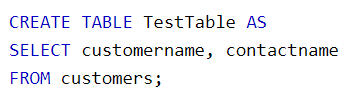
The following SQL creates a new table called "TestTable" (which is a copy of the "Customers" table):
TRUNCATE TABLE
The
TRUNCATE TABLEstatement is used to delete the data inside a table, but not the table itself.Syntax:

ALTER TABLE
The
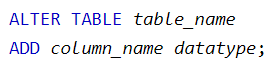
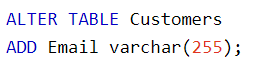
ALTER TABLEstatement is used to add, delete, or modify columns in an existing table.The
ALTER TABLEstatement is also used to add and drop various constraints on an existing table.ADD Column
Syntax:
Example:
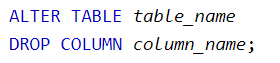
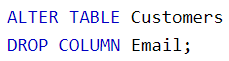
DROP Column
Syntax:
Example:
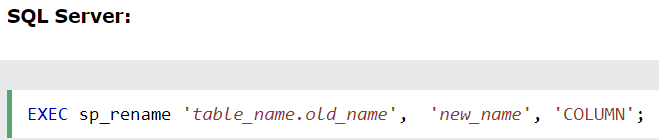
RENAME Column
Syntax:

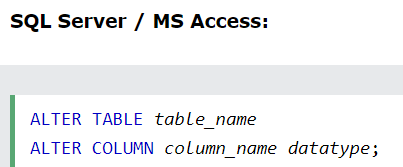
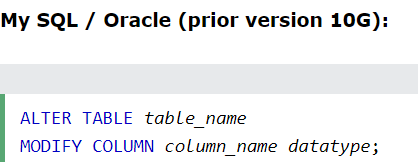
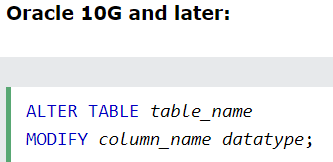
ALTER/MODIFY DATATYPE
Syntax:
Example:

JOINS
A
JOINclause is used to combine rows from two or more tables, based on a related column between them.The different types of JOINS:
(INNER) JOIN: Returns records that have matching values in both tablesLEFT (OUTER) JOIN: Returns all records from the left table, and the matched records from the right tableRIGHT (OUTER) JOIN: Returns all records from the right table, and the matched records from the left tableFULL (OUTER) JOIN: Returns all records when there is a match in either left or right table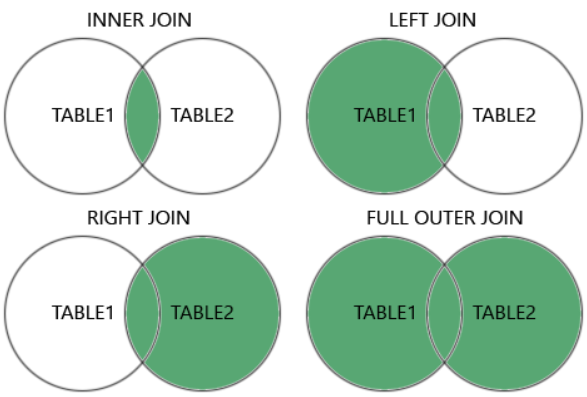
Example:

INNER JOIN
Example:



The
INNER JOINkeyword returns only rows with a match in both tables. This means that if you have a product with no CategoryID or with a CategoryID that is not present in the Categories table, that record would not be returned in the result.JOINandINNER JOINwill return the same result.INNERis the default join type forJOIN, so when you writeJOINthe parser actually writesINNER JOIN.
LEFT JOIN
The
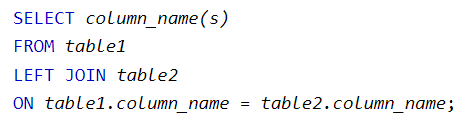
LEFT JOINkeyword returns all records from the left table (table1) and the matching records from the right table (table2). The result is 0 records from the right side if there is no match.The
LEFT JOINkeyword returns all records from the left table (Customers), even if there are no matches in the right table (Orders).Syntax:
Example:

RIGHT JOIN
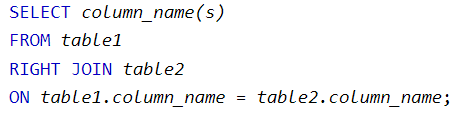
The
RIGHT JOINkeyword returns all records from the right table (table2) and the matching records from the left table (table1). The result is 0 records from the left side if there is no match.In some databases, the RIGHT JOIN is called the
RIGHT OUTER JOIN.Syntax:
Example:

FULL OUTER JOIN
The
FULL OUTER JOINkeyword returns all records when there is a match in left (table1) or right (table2) table records.FULL OUTER JOINandFULL JOINare the same.FULL OUTER JOINcan potentially return very large result sets!The
FULL OUTER JOINkeyword returns all matching records from both tables whether the other table matches or not. So, if there are rows in "Customers" that do not have matches in "Orders", or if there are rows in "Orders" that do not have matches in "Customers", those rows will be listed as well.Syntax:
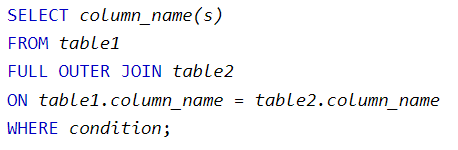
Example:

Self JOIN
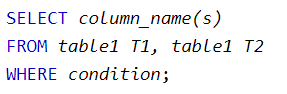
A self-join is a regular join, but the table is joined with itself.
T1 and T2 are different table aliases for the same table.
Syntax:
Example:
The following SQL statement matches customers that are from the same city:

UNION
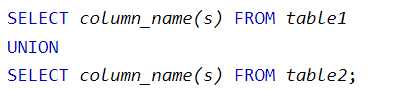
The
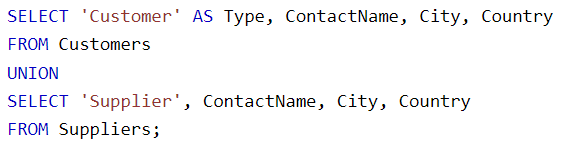
UNIONoperator is used to combine the result set of two or moreSELECTstatements.Every
SELECTstatement withinUNIONmust have the same number of columns.The columns must also have similar data types.
The columns in every
SELECTstatement must also be in the same order.
Syntax:
Example:
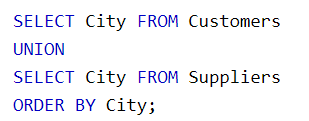
The following SQL statement returns the cities (only distinct values) from both the "Customers" and the "Suppliers" table:
UNION ALL
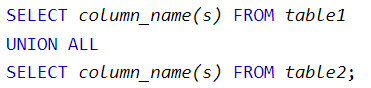
By default, the UNION operator selects only distinct values. To allow duplicate values, use
UNION ALL:Syntax:
Example:
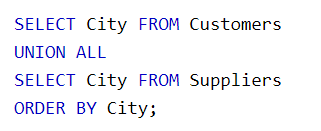
The following SQL statement returns the cities (duplicate values also) from both the "Customers" and the "Suppliers" table:
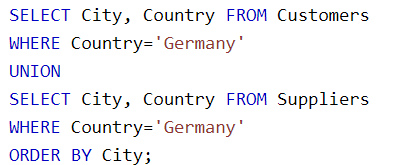
UNION with WHERE
Example:
The following SQL statement returns the German cities (only distinct values) from both the "Customers" and the "Suppliers" table:
UNION ALL with WHERE
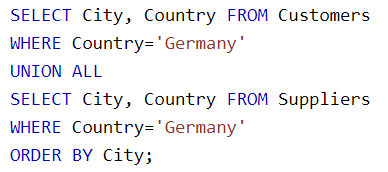
Example:
The following SQL statement returns the German cities (duplicate values also) from both the "Customers" and the "Suppliers" table:
Create Constraints
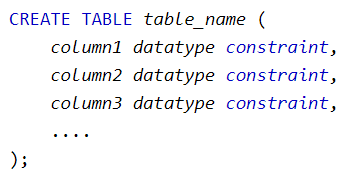
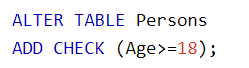
Constraints can be specified when the table is created with the
CREATE TABLEstatement, or after the table is created with theALTER TABLEstatement.Syntax:
SQL constraints are used to specify rules for the data in a table.
Constraints are used to limit the type of data that can go into a table. This ensures the accuracy and reliability of the data in the table. If there is any violation between the constraint and the data action, the action is aborted.
Constraints can be column level or table level. Column level constraints apply to a column, and table level constraints apply to the whole table.
The following constraints are commonly used in SQL:
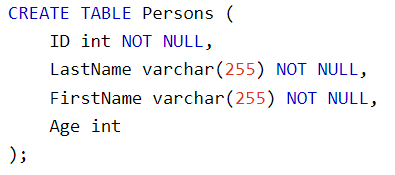
NOT NULL- Ensures that a column cannot have a NULL valueExamples:

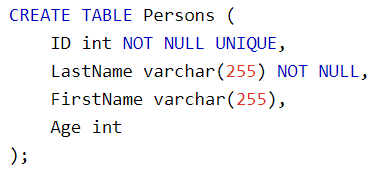
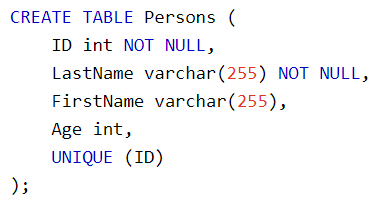
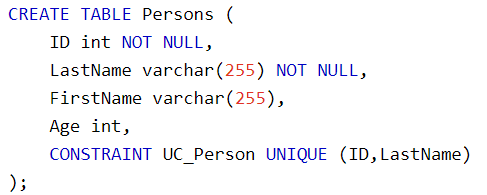
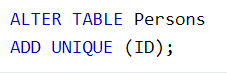
UNIQUE- Ensures that all values in a column are differentExamples:

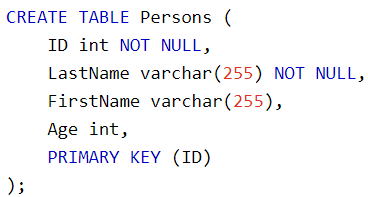
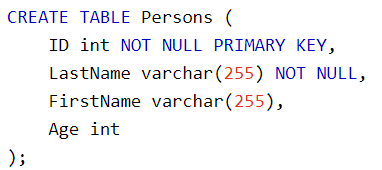
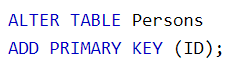
PRIMARY KEY- A combination of aNOT NULLandUNIQUE. Uniquely identifies each row in a tableExamples:

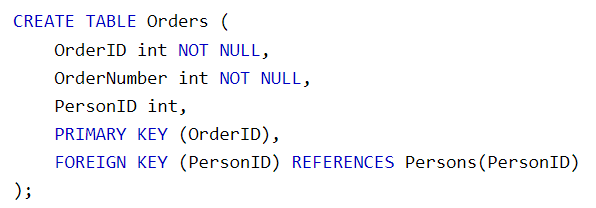
FOREIGN KEY- Prevents actions that would destroy links between tablesExamples:
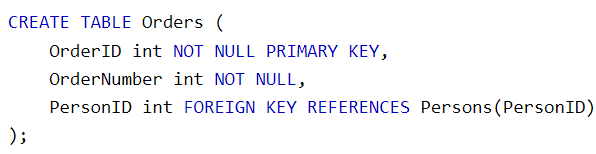
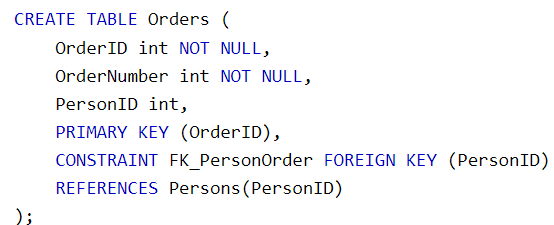


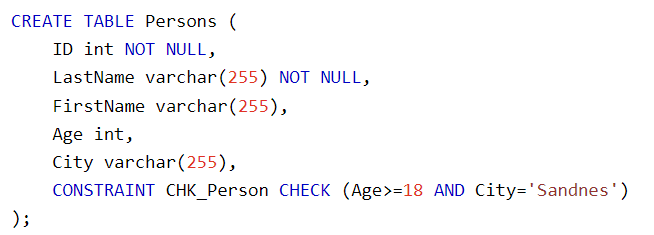
CHECK- Ensures that the values in a column satisfies a specific conditionExamples:
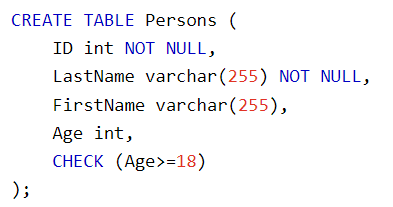
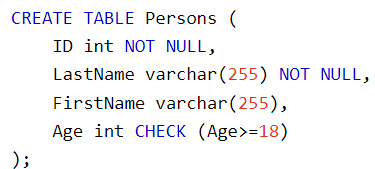

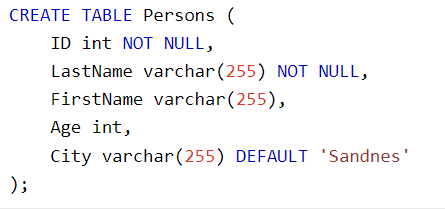
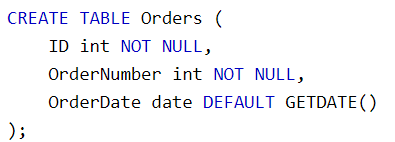
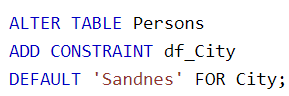
DEFAULT- Sets a default value for a column if no value is specifiedExamples:



CREATE INDEX- Used to create and retrieve data from the database very quicklyUpdating a table with indexes takes more time than updating a table without (because the indexes also need an update). So, only create indexes on columns that will be frequently searched against.
Syntax:


Examples:


AUTO INCREMENT Field
Auto-increment allows a unique number to be generated automatically when a new record is inserted into a table.
Often this is the primary key field that we would like to be created automatically every time a new record is inserted.
Syntax’s:
MySQL uses the
AUTO_INCREMENTkeyword to perform an auto-increment feature. By default, the starting value forAUTO_INCREMENTis 1, and it will increment by 1 for each new record.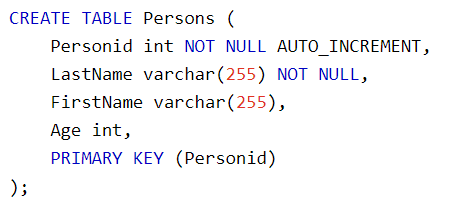
The MS SQL Server uses the
IDENTITYkeyword to perform an auto-increment feature. To specify that the "Personid" column should start at value 10 and increment by 5, change it toIDENTITY(10,5).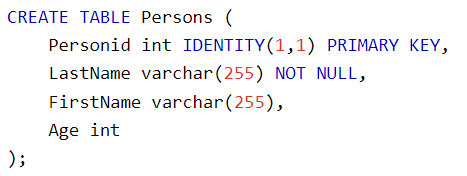
The MS Access uses the
AUTOINCREMENTkeyword to perform an auto-increment feature. To specify that the "Personid" column should start at value 10 and increment by 5, change the autoincrement toAUTOINCREMENT(10,5).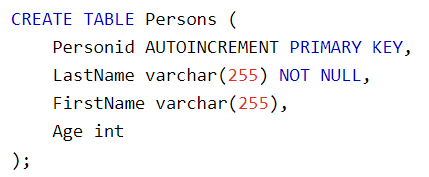
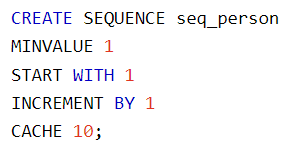
For Oracle, the code below creates a sequence object called seq_person, that starts with 1 and will increment by 1. It will also cache up to 10 values for performance. The cache option specifies how many sequence values will be stored in memory for faster access.

Backup Database
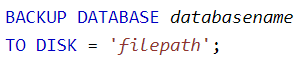
The
BACKUP DATABASEstatement is used in SQL Server to create a full back up of an existing SQL database.Syntax:
WITH DIFFERENTIAL Statement
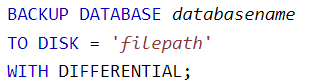
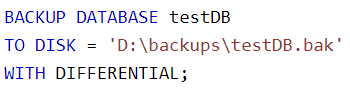
A differential back up only backs up the parts of the database that have changed since the last full database backup.
A differential back up reduces the back up time (since only the changes are backed up).
Syntax:
Example:
Example:

Stored Procedures
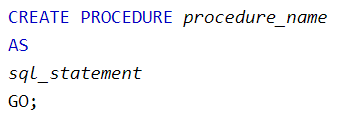
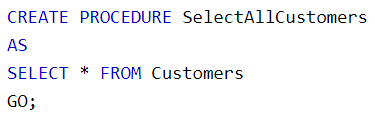
A stored procedure is a prepared SQL code that you can save, so the code can be reused over and over again.
Syntax:

Example:

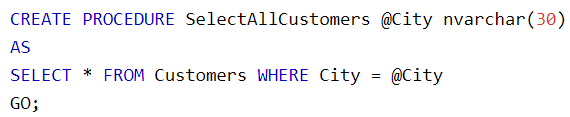
Example with One Parameter:

Example with Multiple Parameters:


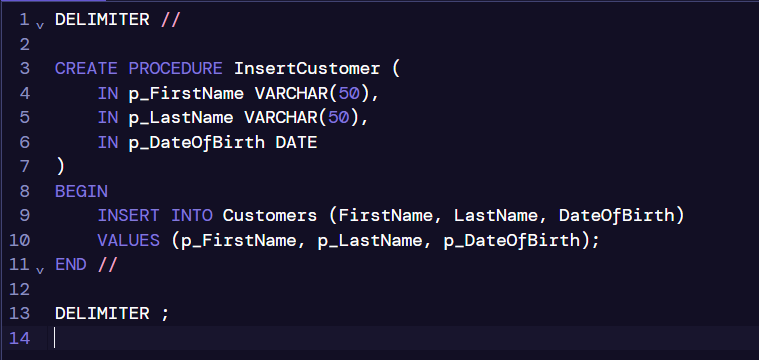
Example to insert values into a table (MySQL construct):