Chapter 9 - Audience
9.1 Audience appreciation
Audience & Purpose
Audience - The group of people the ICT solution is designed for.
Purpose - The reason the ICT solution was created ( inform, persuade, entertainment)
ICT solutions must match both Audience and Purpose to be effective
Researching Your Audience
Ways to gather audience needs:
Questionnaires - quick and wide-reaching.
Interviews - detailed, qualitative insights.
Observation/Testing - watching users interact with prototypes.
Market Research - analysing trends and competitor solutions.
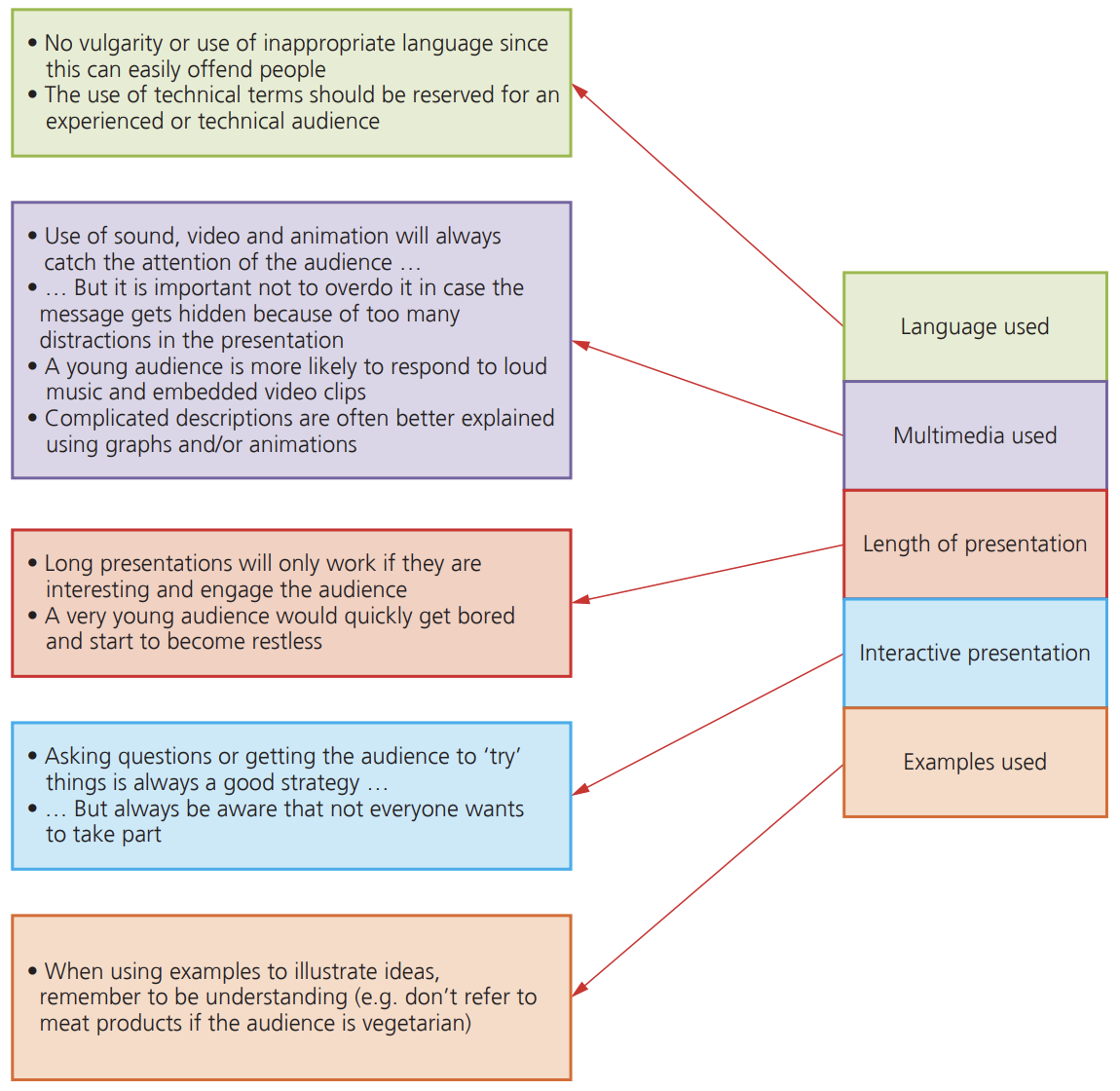
Key factors when writing the presentations include:
Audience characteristics
When planning ICT solutions, consider:
Age & Education - Are users children, teens, or professionals?
Language & Culture - Are instructions clear, culturally appropriate?
Accessibility - Can all users (including those with disabilities) access the solution?
Technology Skills - Are users beginners or advanced?
Context & Purpose - Is the solution for school, business, or entertainment?
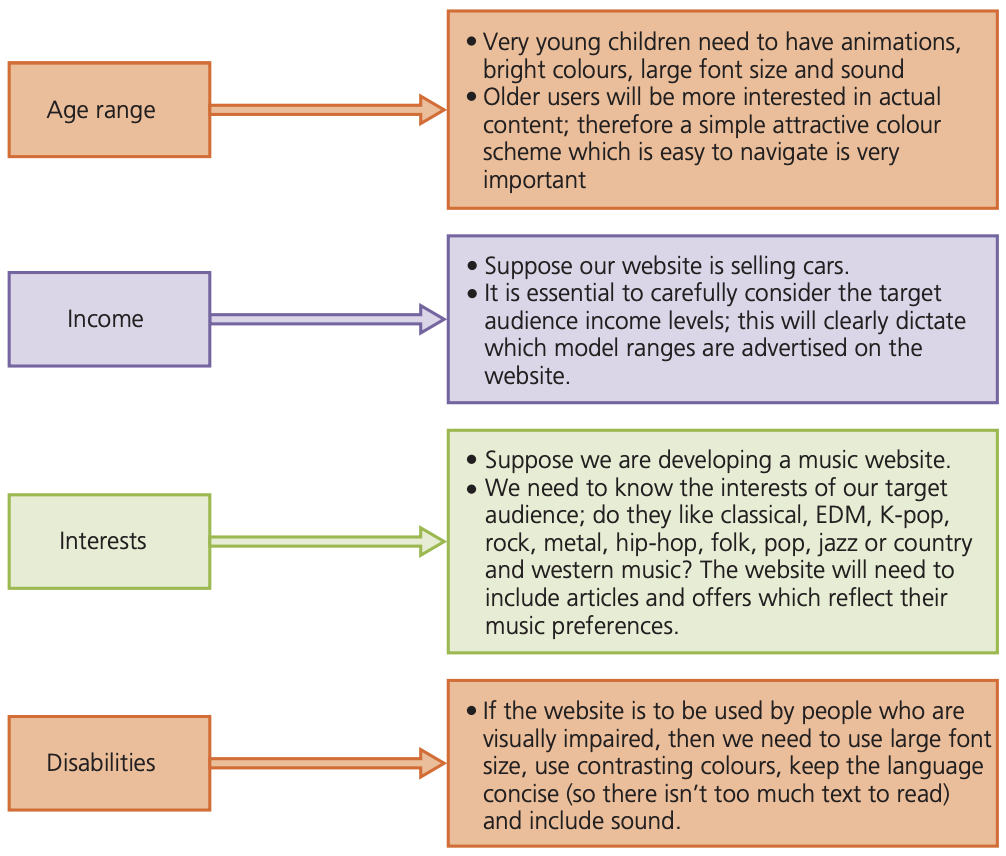
NEEDS OF AUDIENCE
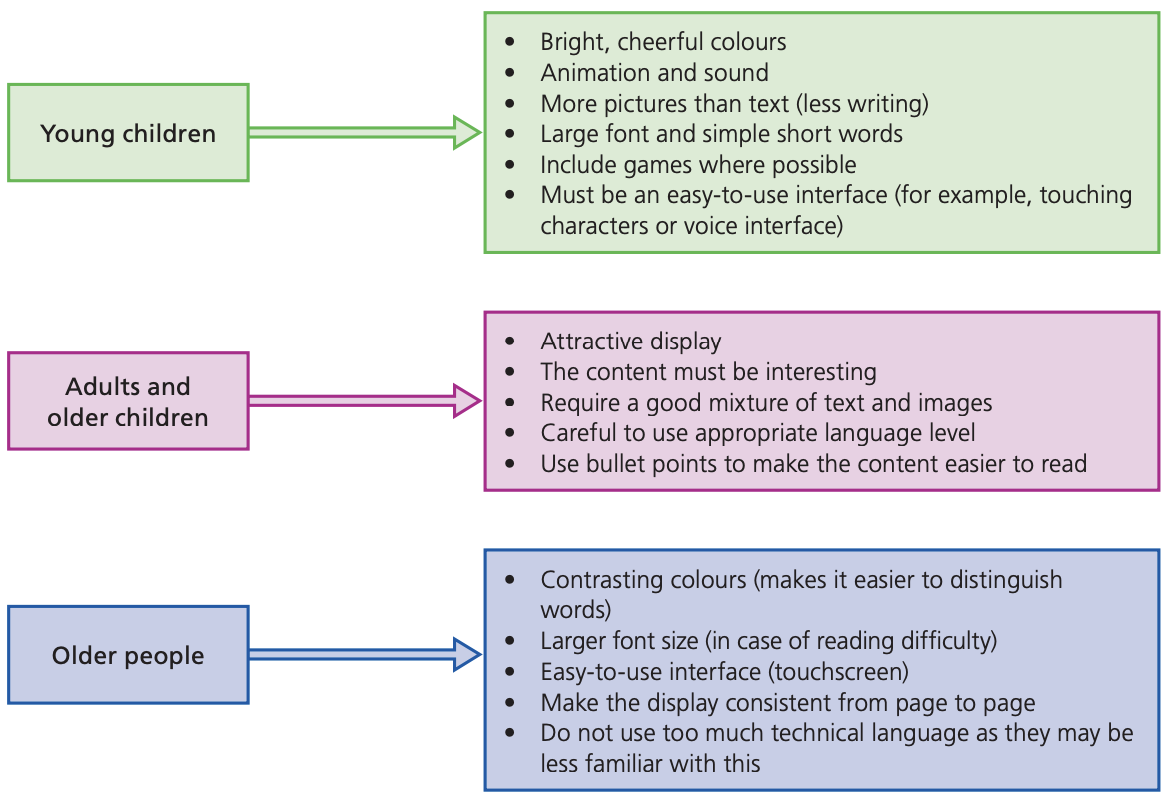
WHY WE NEED TO CONSIDER THE NEEDS OF OUR AUDIENCE:
| |
Can't read fonts | If your audience are older, they could have eyesight problems. Standard sized fonts and poor consideration for colour schemes could make text difficult for them to read. |
Can't understand wording | If your audience is very young children and you use complex wording, there is a good chance that they won't understand. |
Not interesting enough to use | If the content of your ICT product is not interesting enough for your target audience they won't use it. |
No attraction | Attracting the correct people to use an ICT product is often accomplished with colour schemes. |
Can't use the product | If you make a complex product that requires a lot of typing or uses lots of buttons, this would be too difficult for a child to use. |
9.2 Copyright
Copyright regulation is crucial to safeguard the rights of developers and innovators.
It guarantees developers receive compensation for their efforts, fostering additional innovation and development
Software is protected by copyright laws
It is illegal to:
make a software copy and then sell it or give it away to a friend or colleague.
use software on a network or in multiple computers unless a license has been acquired to allow this to happen.
use coding from the copyright software in your own software and then pass this software on or sell it as your own without the permission of the copyright holders.
rent out a software package without permission to do so from the publishers.
use the name of copyrighted software on other software without agreement to do so.
SOFTWARE PIRACY:
Software piracy is the illegal copying of software
Downloading, copying or borrowing software (for free) without the permission of the owner.
Software Piracy Prevention
Methods include:
Product key- When software is being installed, users are often asked to enter a unique number which proves the software is original.
Holograms - Holograms are often used on the packaging of software and they indicate that the copy is genuine.
License agreements - License agreements are part of the software installation process, and they inform the user exactly how they are legally allowed to use the product.
Some software will only run if the CD, DVD or memory stick is actually in the drive; this stops illegal multiple use and network use of the software.
Some software will only run if a dongle is plugged into one of the USB ports.