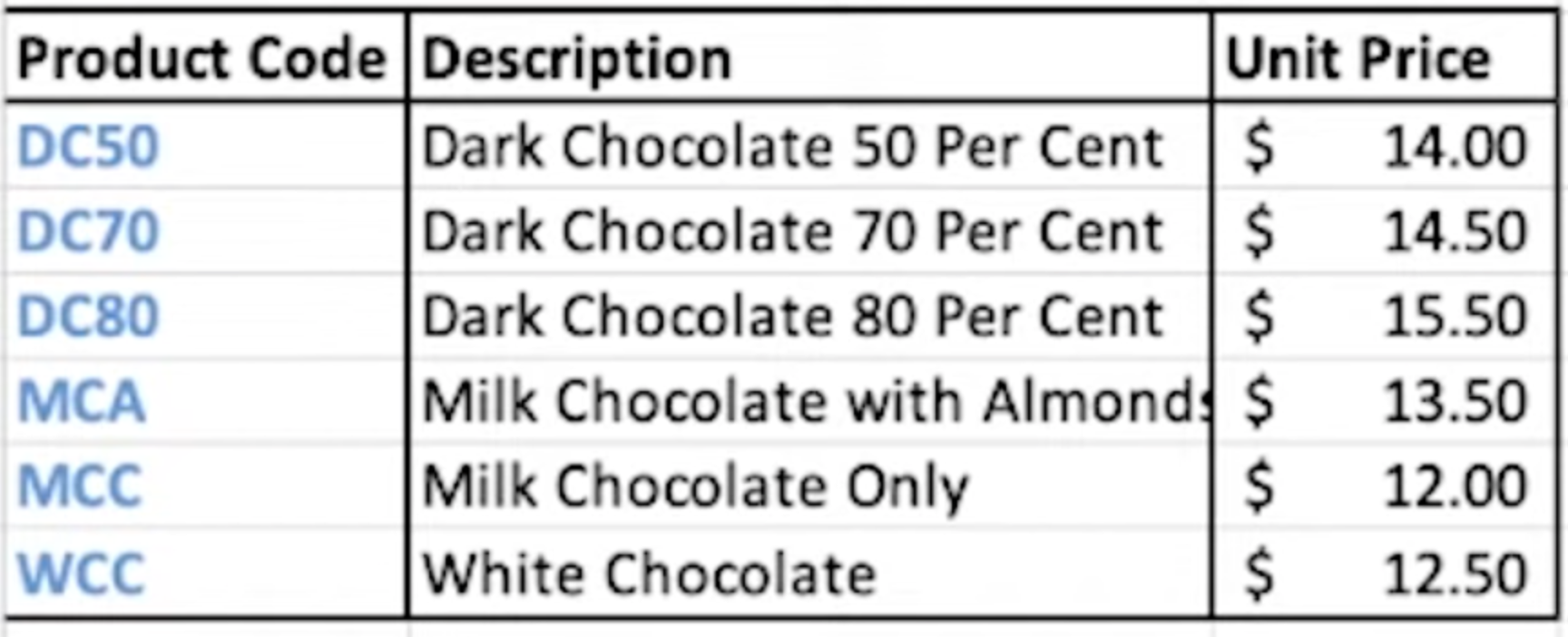
Class 10: VLOOKUP
=VLOOKUP : find an exact match or a match that is less than or equal to search value
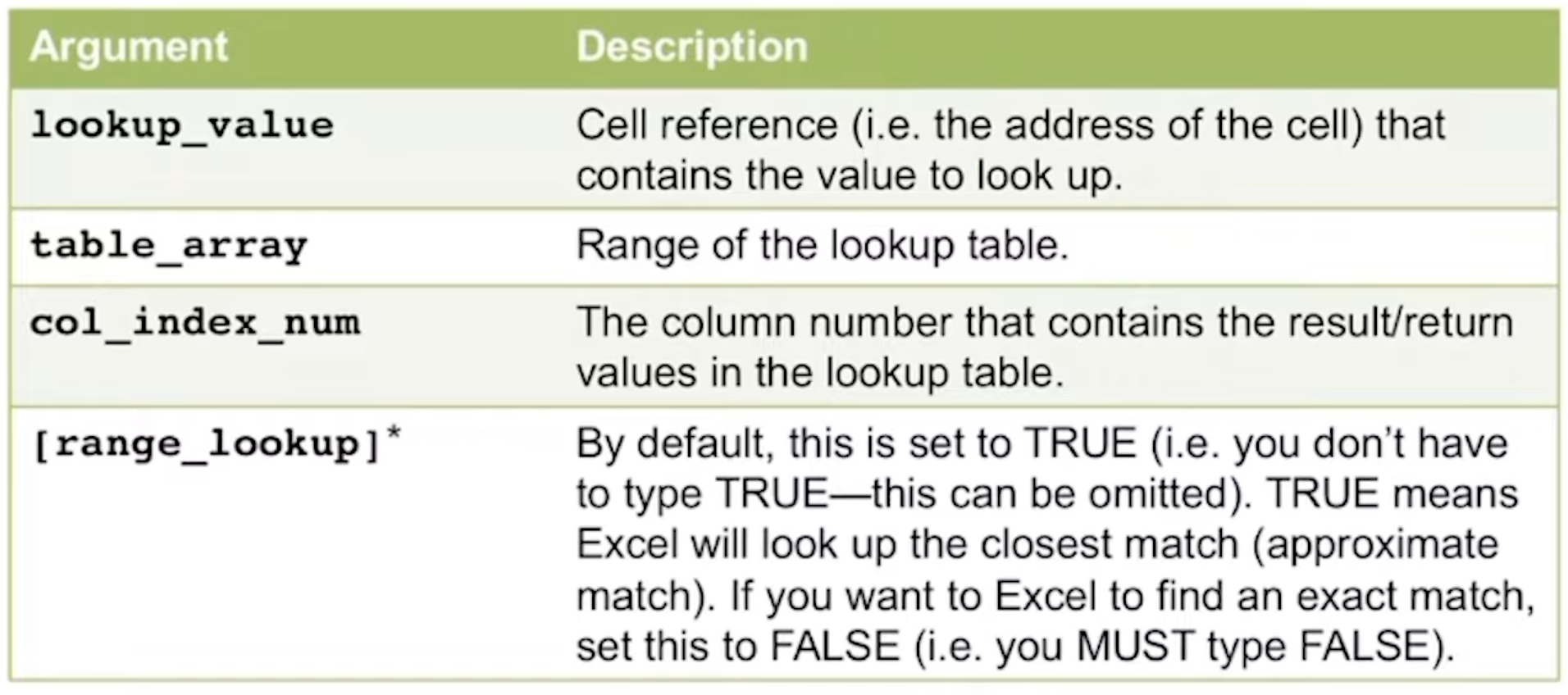
=VLOOKUP (LookupValue, table array, col index number, rangelookup)
not case sensitive
Example of phonebook: function looks up a value and returns a corresponding value from another column
VLOOKUP FUNCTION - review notes
True vs false matches
Changes solution, if entered TRUE will return closest result
If entered FALSE and there is no match, returns N/A
Absolute referencing changes the solution
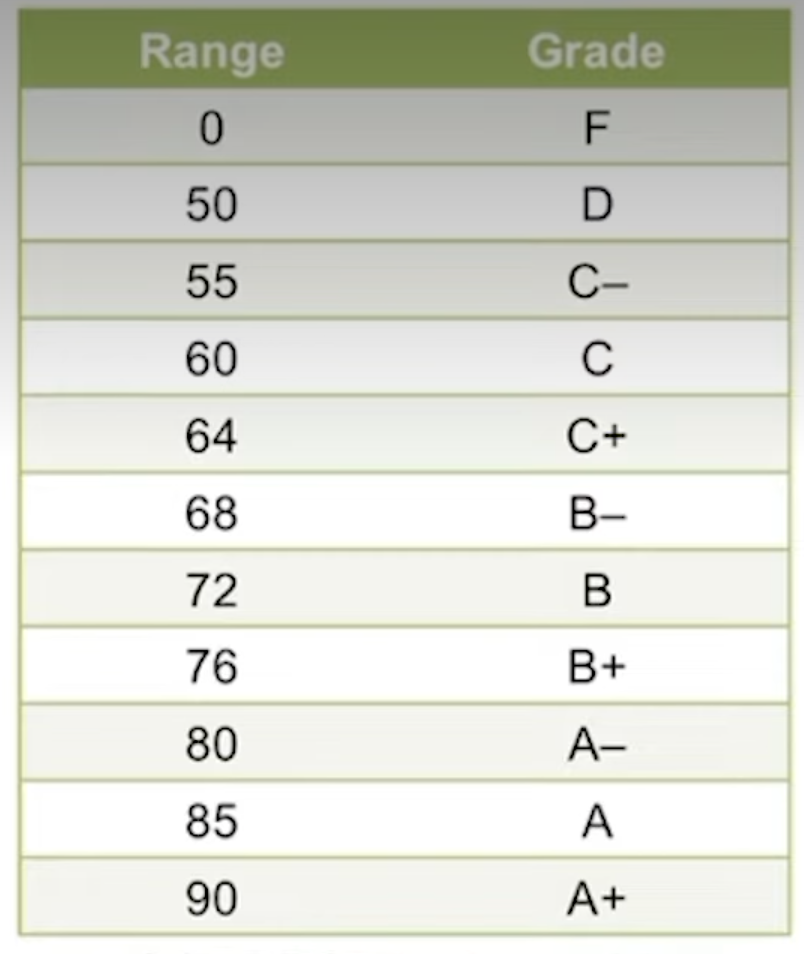
Requirements for lookup table (approx. value)
first column must be in ascending order
rows must have the smallest possible value in the left (first) column
Use absolute reference to refer to this table
N/A error can occur if the range you are looking up doesn’t exist in your lookup table
Requirements for lookup table (exact value)
Table does not need to be sorted in ascending order
recommended that the values in the first column are unique
Use exact match when you need exact values ex. prices