BIG IDEA 4: Computer Systems and Networks_Notes
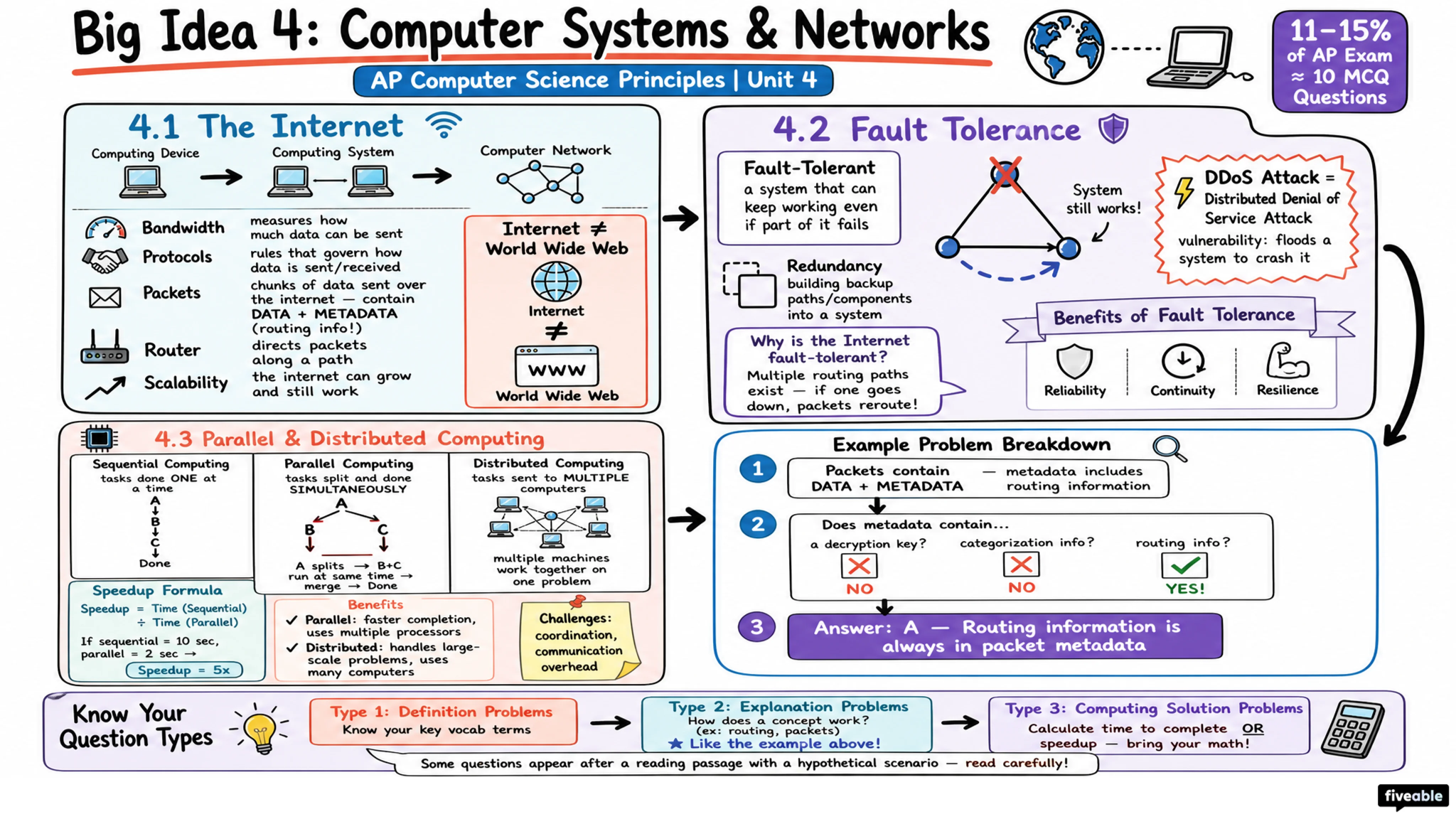
BIG IDEA 4: Computer Systems and Networks
The Internet
Internet: is a network of networks.
The word Internet stems from “interconnection of computer networks.”
The Internet is very hardware driven with wires, cables, and devices such as routers and servers
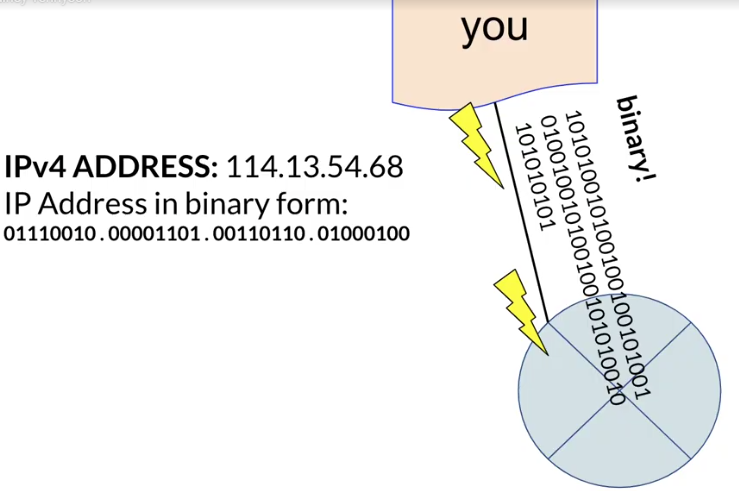
Every computing device needs an IP address to get connected to the internet.
Routers are computing devices along a path that send the information along to the next stop on the path.
Routing: is the process of finding a path from sender to receiver
Protocols: Rules for how to communicate with or on the internet.
Bandwidth: is a measure of the maximum amount of data that can be transferred through a channel or network connection.
It's measured in bits per second, and it determines how quickly you can download and upload files from the internet.
Latency (Delay): is how much time it takes for a signal to travel to its destination and back.
Lower latency is better. When referring to internet connections, the destination is usually your ISP’s servers.
Throughput: is the actual amount of data/speed passing through the media or connection.
Internet protocol (IP): is responsible for addressing and routing your online requests.
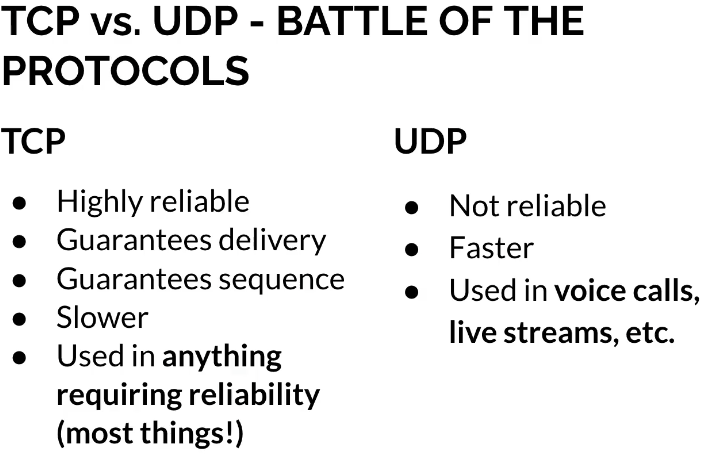
Transmission control protocol (TCP): is a protocol that defines how computers send packets of data to each other. most important internet protocol for reassembling packets and requesting missing packets to form complete messages.When devices communicate on the internet TCP ensures that packets are received completely and in correct order.
User datagram protocol (UDP): is a protocol that allows computer applications to send messages without checking for missing packets to save on time needed to retransmit missing packets. When devices communicate on the internet and the packet delivery is NOT guaranteed or reliable then UDP is used
HTTP: is the set of rules for how HTML is transferred across the internet
HTML: Every web page on the Internet is created using Hypertext Markup Language (HTML)
DOMAIN: is organized into a hierarchy
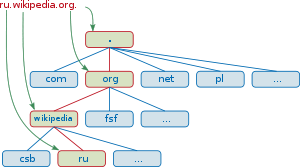
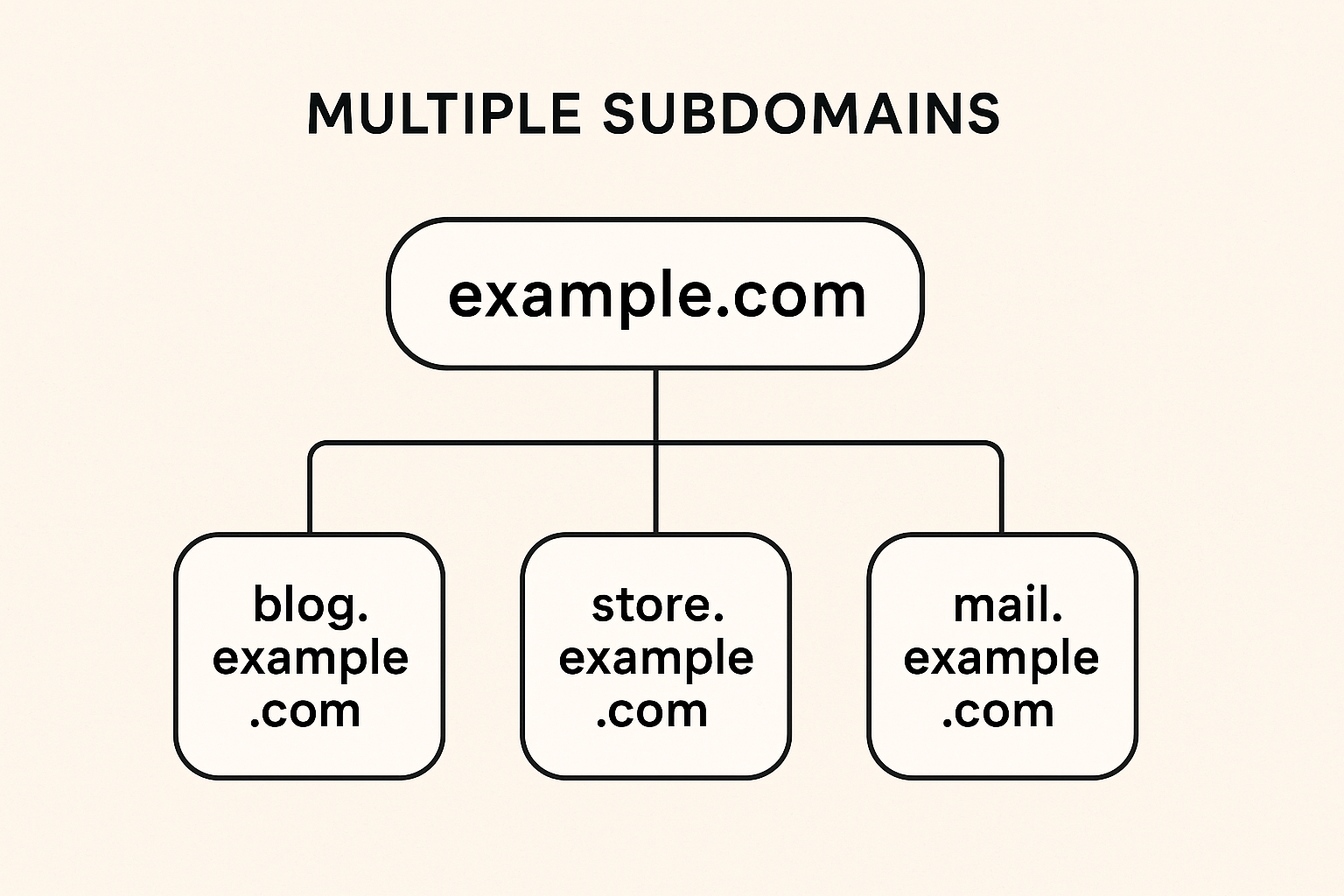
Top-Level Domain (TLD): .com, .org
Domain: example, google, obenschools
Subdomain: blog, docs, launchpad
Main Domain: example.com
Subdomains:
blog.example.com (for blog content)
store.example.com (for e-commerce)
mail.example.com (for email services)
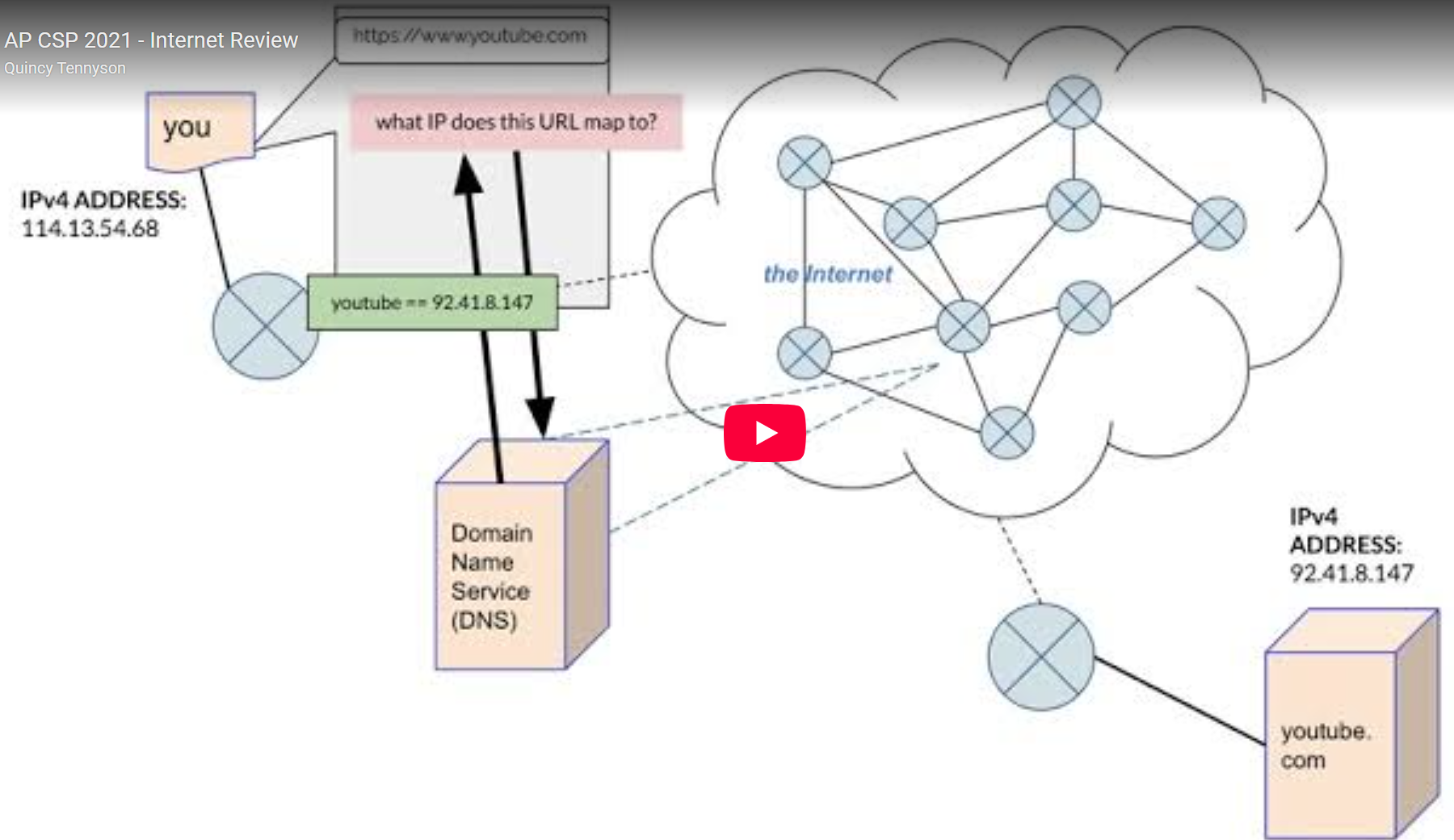
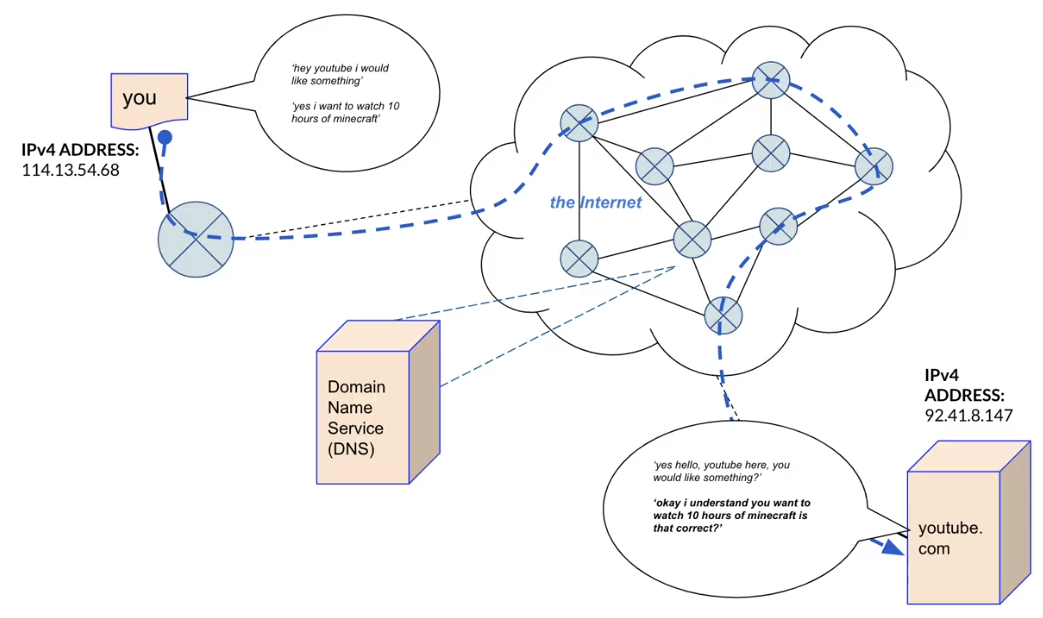
Packet switching means that data on the Internet is broken into small packets (short bursts of information) rather than sent as one long continuous stream. Each packet travels independently across the network and is reassembled at the destination.
Redundancy
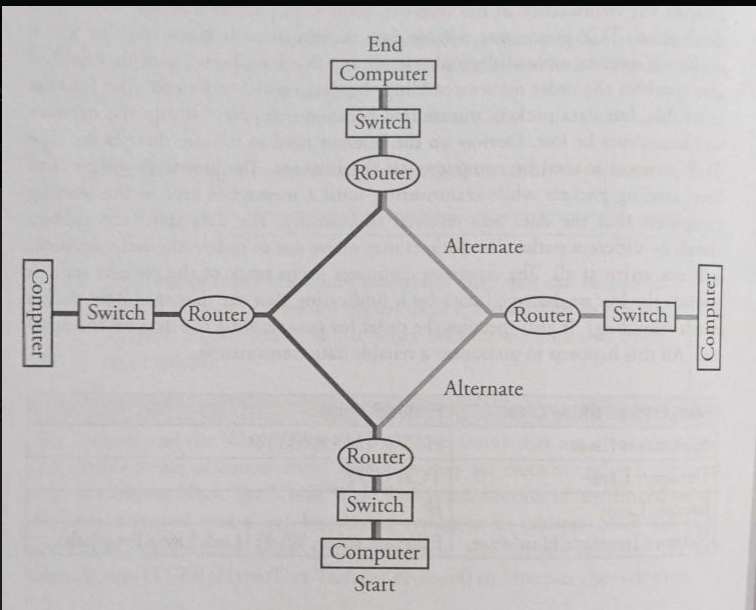
refers to the inclusion of extra or duplicate components, systems, or paths that are not strictly necessary for functionality but are added to ensure reliability, fault tolerance, and availability. Redundant systems are fault tolerant, have high availability, load balancing, and disaster recovery.
Fault Tolerance: If one part of the network fails (like a router, switch, or cable), redundant components can take over, minimizing downtime.
High Availability: Redundant paths or devices ensure that the network remains operational even during maintenance or unexpected failures.
Load Balancing: Redundant systems can share traffic loads, improving performance and preventing bottlenecks.
Disaster Recovery: Redundant data centers or backup systems help recover quickly from major failures or disasters.
Fault Tolerance
Hardware Failure: is when a hardware device, such as a computer or printer, stops working properly due to an issue with the physical components.
The cause of the failure can be anything from electrical wiring issues to incorrect installation and configuration of hardware components.
In any case, diagnosing and repairing hardware failures can be difficult without proper tools and experience in dealing with this type of issue.
Operational Failures: are any issues or breakdowns in the operation of a business, machine, system, process, etc.
They can range from unexpected downtime to incorrect results due to faulty programming.
Operational failures can have significant impacts on profitability and reputation if not addressed swiftly and appropriately.
Weather: The internet has cables and wires spanning the world that connect computers.
Natural disasters: could cause the hardware to be destroyed, bringing the network activity to a halt.
Solar Flare: is an intense radiation that is released from the sun.
Cyberattacks: are malicious attempts to damage or disrupt computer systems, networks, and data.
They can be carried out by individuals, groups, or organizations with malicious intent.
Cyberattacks typically involve the use of malware such as viruses and ransomware that allow attackers to gain access to a system for a variety of nefarious purposes including stealing data and financial information or launching denial-of-service attacks.
Some cyberattack methods used today include phishing campaigns; social engineering attacks; website defacement; distributed denial of service (DDoS) attacks; SQL injection exploits; man-in-the middle (MITM) attack vectors etc.
Scalability
Scalability: is the ability for a system, network or process to handle a growing amount of work in an efficient manner.
It can also be defined as the capacity to increase services and products quickly with minimal interruption and cost.
This is especially important in software engineering, where scalability is crucial when developing applications that are expected to handle large amounts of traffic or data.
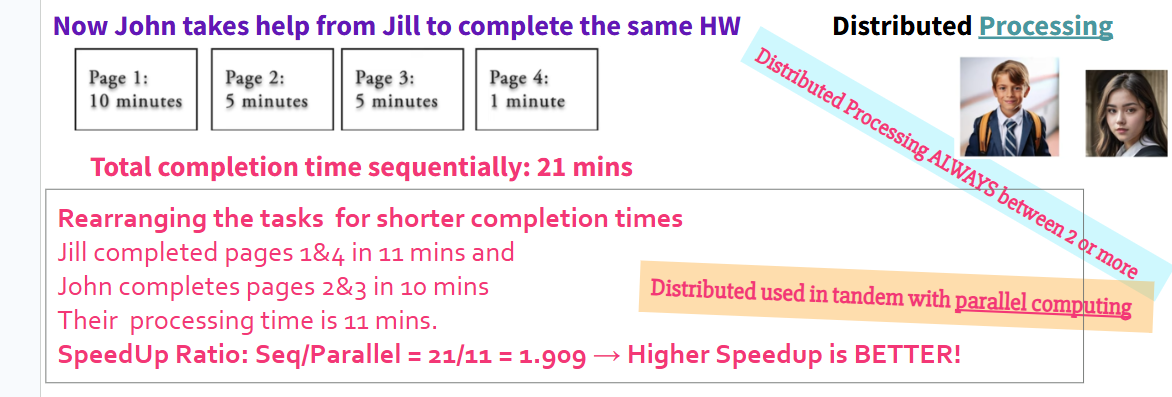
Sequential, Parallel and Distributed Computing
Sequential Computing
is a computational model in which operations are performed in order one at a time. (It takes a long time as it sums up all processes) Similar to manually scanning a list line by line.
Parallel Computing
Many computers/ processors work together at the same time to solve a problem. Each one handles a small part of the task.
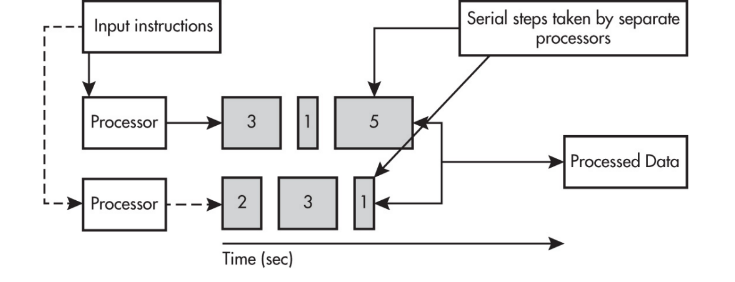
A parallel computing solution takes as long as the longest of the tasks done in parallel.
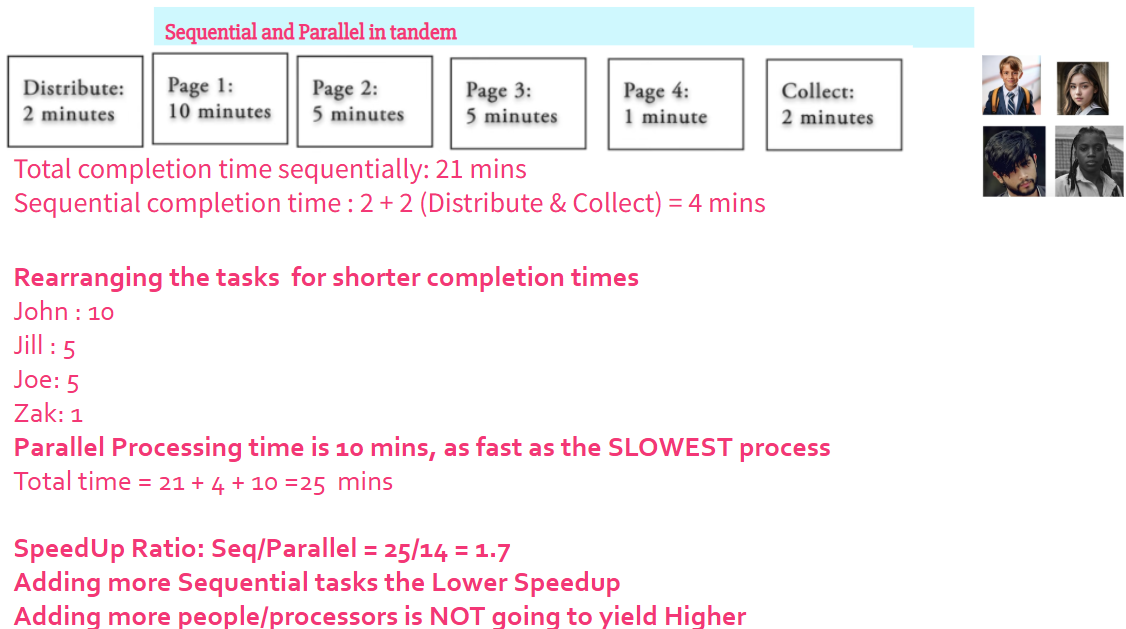
A parallel computing solution takes as long as its sequential tasks plus the longest of its parallel tasks.
Parallel computing can consist of a parallel portion and a sequential portion.
Like dividing a book among several people to find a specific word faster. OR Counting all the jellybeans in a giant jar is much faster with four people counting different sections instead of one person counting (slow).
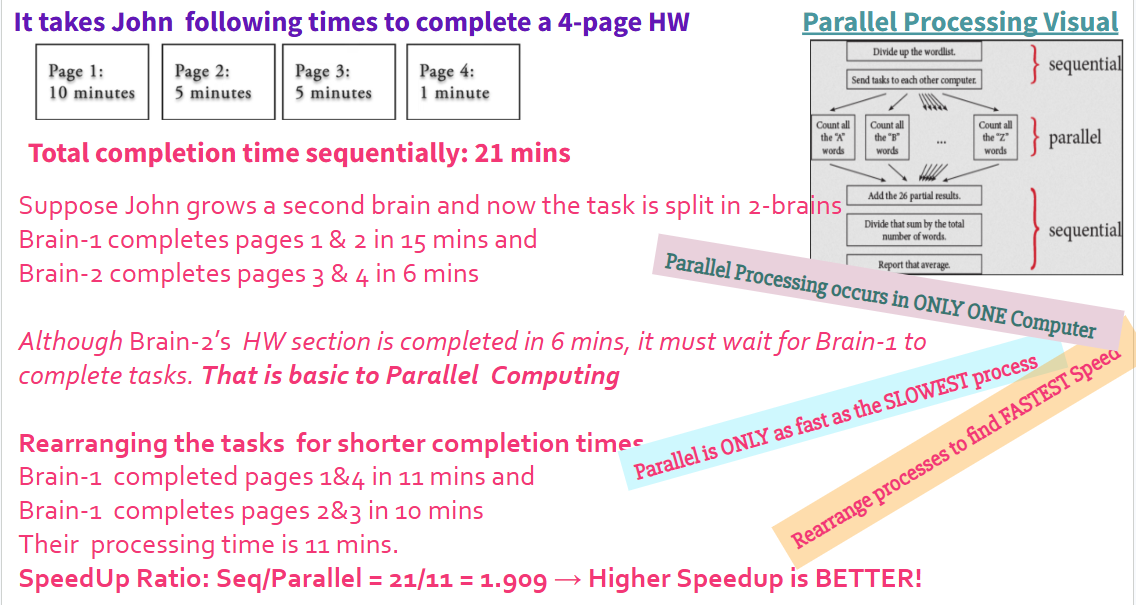
The “speedup” measures the speed of a parallel solution. Time taken to complete the task sequentially(tseq) divided by the time taken to complete the task in parallel is ∑tseq /tpar
For example, if your program has three steps that take 40, 50, and 80 seconds respectively, the sequential processor would take 170 seconds to complete → 170/90 = 1.88
Why Is Parallel Computing Used?
It’s faster and can handle bigger problems.
Parallel computing is needed for real-world simulations and modeling.
It's used in video games, weather forecasting, space missions, and even AI!
Multiple processors can operate independently but share the same memory resources.
Distributed Computing
Distributed computing allows problems to be solved that could not be solved on a single computer because of either the processing time or storage needs involved.
Parallel computing uses a single computer with multiple processors.
Distributed computing uses multiple computing devices to process those tasks.